Everyday AI Guides · AI Safety, Privacy & Trust
How to check if an email is phishing: do not judge it by perfect grammar, professional design, a familiar display name, or a convincing logo. Inspect the full sender address, identify what the message wants you to do, review links and attachments without opening them, and verify the request through a separate channel you already trust.
AI can help scammers write clearer, more personal, and more convincing messages. That makes older advice such as “look for spelling mistakes” less dependable. The safest decision is not based on how real the email looks. It is based on whether the sender and request can be verified independently.
Quick Answer: How to Check If an Email Is Phishing
Use the 60-second VERIFY test: View the complete sender address, Examine the requested action, Review links and files without opening them, Independently verify the sender, Flag pressure or process changes, and choose Your safest next action.
If the message asks for a password, verification code, login approval, payment, attachment download, remote access, or changed bank details, stop. Open the official app or website independently, or contact the person using details you already know.
This is the safest way to understand how to check if an email is phishing without allowing the suspicious message to control the verification process.
How to Check If an Email Is Phishing With the VERIFY Test
The VERIFY test is an ordered decision process, not a points system. You are not trying to prove that an email is safe by collecting reassuring clues. You are checking whether its visible identity, requested action, destination, and context can be confirmed outside the message.
View the Full Sender
Expand the sender details. Compare the display name with the complete email address, domain, and Reply-To field. Watch for extra words, added hyphens, swapped letters, unfamiliar endings, or a reply address that differs from the sender shown.
Examine the Request
State exactly what the sender wants: click, log in, call, reply, download, send a code, approve a sign-in, change payment details, install software, buy gift cards, or transfer money.
Review Links and Files
Preview link destinations without opening them. Treat unexpected archives, executable files, macro-enabled documents, QR codes, login pages, and unfamiliar attachments as high-risk until verified.
Independently Verify
Close the message. Open the official app, use a saved bookmark, type the known website address, or contact the person through a number or conversation you already had.
Flag Pressure and Changes
Pause when the message demands secrecy, creates a short deadline, changes bank details, asks you to bypass normal approval, or discourages you from checking with someone else.
Choose Your Safe Next Action
Report and delete the message, contact the genuine sender, secure an account, notify workplace IT, call the bank, or preserve evidence based on what you already clicked, shared, downloaded, or paid.
Copy-Ready Phishing Email Checklist
Keep this compact version in a notes app or workplace security channel. Do not add private email content, passwords, verification codes, or confidential information.
V — View the complete sender address and Reply-To.
E — Examine exactly what the email wants me to do.
R — Review the link destination and file type without opening them.
I — Independently contact the real person or organization.
F — Flag urgency, secrecy, payment changes, or unusual procedures.
Y — Choose the safest action: report, delete, secure, escalate, or call the bank.
Why AI Phishing Emails Can Look Completely Real
Professional writing is now a weak authenticity signal. A suspicious email may use natural wording, correct punctuation, detailed context, a realistic signature, and the vocabulary of a manager, supplier, recruiter, family member, or customer.
That does not mean every polished message was generated by AI, or that every awkward message is fraudulent. It means writing quality cannot prove who sent the message. The FBI warns that sophisticated phishing messages may be well written and recommends independently confirming unusual requests.
Weak Reasoning
“The grammar is perfect, the logo looks correct, and the sender knows my name, so the email is probably genuine.”
Stronger Verification
“I opened the real account independently and contacted the organization through a known channel. The request does not appear there, so I will not act through this email.”
AI detectors and chatbots cannot prove that an email is safe. A message may be human-written and malicious, AI-assisted and legitimate, copied from a real conversation, or sent from a compromised genuine account. Use AI observations as reasons to investigate—not as a final verdict.
Which Phishing Email Warning Signs Matter Most?
Learning how to check if an email is phishing is less about finding one typo and more about verifying the sender, request, destination, and surrounding context together.
| Signal level | Examples | What it means | Best next step |
|---|---|---|---|
| Weak clue | Generic greeting, typo, odd spacing, or unfamiliar sign-off | It may be suspicious, but it could also be an ordinary mistake. | Keep checking. Do not decide from this clue alone. |
| Strong clue | Sender-domain mismatch, unexpected request, unfamiliar link, or different Reply-To | The visible identity or destination does not match the message’s claim. | Stop and verify through a separate trusted channel. |
| Critical | Password, one-time code, remote access, changed bank details, urgent wire, gift card, or crypto payment | The request could directly expose an account, device, identity, or funds. | Do not comply. Contact the genuine organization, bank, or IT team immediately. |
High-Risk Combinations
- An unexpected message combined with a login link.
- A familiar display name combined with a different sender domain.
- An invoice combined with changed payment instructions.
- A security warning combined with a request for a password or verification code.
- A manager request combined with secrecy and a rushed payment deadline.
- A recruiter email combined with fees, identity documents, or software downloads.
When a suspicious message claims to come from an employer or hiring manager, follow the dedicated steps to verify a suspicious recruiter before uploading identification, paying a fee, installing software, or moving the conversation to an unfamiliar platform.
How to Check a Link in an Email Without Clicking It
- Read the visible text. A button labeled “View Invoice” describes the promise, not the real destination.
- Preview the destination. On a computer, hover over the link without clicking. Mobile mail-app behavior varies, so cancel immediately if an action would open the page.
- Identify the controlling domain. In
accounts.example.com.security-check.test, the controlling domain issecurity-check.test, notexample.com. - Look for substitutions. Added words, extra hyphens, swapped letters, numbers replacing letters, and unfamiliar domain endings can imitate a genuine address.
- Do not test the page. A malicious page may load normally, use HTTPS, and closely copy a legitimate login screen.
- Navigate independently. Open the official app, use a trusted bookmark, or type the genuine website address yourself.
Phishing may also arrive through an event notification instead of a normal inbox message. When an unexpected event contains a payment warning, phone number, QR code, attachment, or meeting link, use the separate calendar invite phishing checklist.
How to Verify an Invoice, Payment, or Account Alert
Financial requests need a stronger verification standard. A message can appear inside an existing conversation, come from a compromised real mailbox, or use a display name that looks familiar.
- Do not use the supplied payment link or phone number.
- Open the real account independently. Check whether the invoice, transaction, renewal, or security alert appears there.
- Compare the request with normal procedure. Is the amount, timing, account, contact person, and approval route expected?
- Confirm changed payment details separately. Call a known number or speak to the person directly.
- Escalate unusual business requests. Involve finance, management, or security before transferring money or changing supplier details.
The FBI recommends independently verifying payment requests and confirming any change in account numbers or payment procedures. Pressure to act quickly is a reason to slow down, not a reason to skip verification.
Copy-Ready Separate-Channel Verification Message
Send this only through a contact method you already trust. Do not reply to the suspicious email.
Hi [Name], I received an email that appears to be from you asking me to [describe the request]. Before I act, can you confirm through this known contact method whether you sent it and whether the details are correct? I have not clicked the link, opened the attachment, shared information, or made a payment.Should You Paste a Suspicious Email Into AI?
A chatbot may help summarize the request, identify pressure language, or suggest questions that need verification. It cannot guarantee that the sender, link, attachment, invoice, or payment request is genuine.
Before using any AI service, remove or replace:
- Names, private email addresses, phone numbers, and physical addresses.
- Passwords, PINs, one-time codes, recovery codes, and login approvals.
- Live password-reset, account-verification, or invitation links.
- Bank, card, tax, government-ID, medical, student, or employment information.
- Confidential workplace messages, contracts, invoices, customer data, and attachments.
Review what not to share with ChatGPT before pasting a private message or uploading a suspicious file.
What to Do If You Already Clicked, Replied, or Paid
Act according to what happened. Stop communicating with the sender while you secure the account, device, identity, or payment.
| What happened | Immediate action | Then check |
|---|---|---|
| You only viewed the email | Do not click, reply, scan, call, or download. Report and delete it. | Open the genuine account independently if the message claimed an urgent problem. |
| You clicked but entered nothing | Close the page. Do not approve downloads, notifications, extensions, or login prompts. | Check whether anything downloaded and run trusted device-security checks if needed. |
| You entered a password | Open the genuine service directly and change the password immediately. | Revoke unfamiliar sessions, inspect recovery details, enable strong MFA, and replace reused passwords. |
| You shared a code or approved a login | Secure the affected account immediately from a trusted device. | Review sessions, MFA methods, recovery information, forwarding rules, and connected applications. |
| You opened or installed a file | Stop sensitive activity and contact trusted IT or security support. | Remove unauthorized software and change sensitive credentials from a trusted device. |
| You shared identity or financial information | Contact the relevant institution or issuing authority. | Use IdentityTheft.gov when U.S. identity information may have been exposed. |
| You sent money | Contact the bank, card issuer, payment app, exchange, or transfer provider immediately. | Ask about stopping, recalling, disputing, freezing, or tracing the payment and preserve all evidence. |
If a password was exposed, secure the genuine account first. Then create a strong replacement password, store it in a trusted password manager, and do not reuse it on another account.
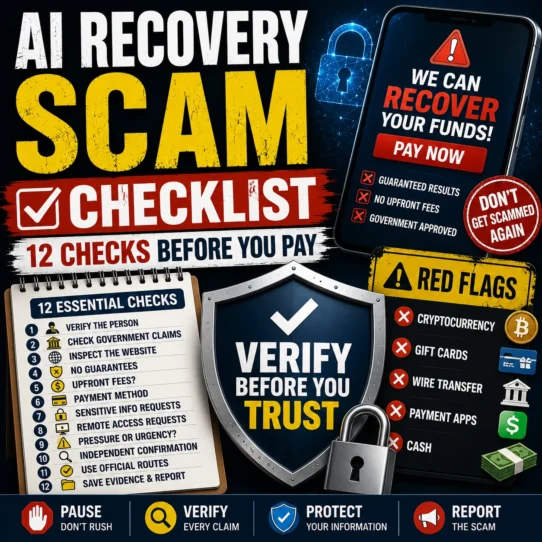
After a financial loss, be cautious of follow-up contacts promising guaranteed refunds or fund recovery. Learn how to avoid recovery scams after losing money before paying another fee or sharing more information.
How to Report a Phishing Email
Report Phishing in Gmail
- Open the suspicious message without clicking its links or attachments.
- Select the three-dot More menu beside Reply.
- Select Report phishing.
Google explains that Gmail may display security warnings or move suspicious messages to spam, but the absence of a warning does not prove that a message is safe. See Google’s current phishing prevention and reporting guidance.
Report a Suspicious Workplace Email
Use your organization’s phishing-report button or follow its security process. Do not casually forward a dangerous attachment to coworkers. Preserve the original email and headers when your workplace policy requires them.
Report U.S. Consumer or Internet Fraud
- Report consumer fraud through ReportFraud.ftc.gov.
- Report internet-enabled crime through IC3.gov.
- Use IdentityTheft.gov
Two Fictional Phishing Email Examples Explained
Example 1: Fake Account-Security Alert
We detected unusual activity. Your account will be suspended in 30 minutes unless you verify your password and one-time code using the secure link below.
Verify Account Now
Why it is suspicious: it combines a short deadline, password request, one-time-code request, unfamiliar domain, and a link supplied by the same message making the claim.
Safer response: close the email, open the genuine service independently, review recent security activity, and contact official support only through the real app or website.
Example 2: Changed Invoice Instructions
Our normal account is under review. Please send today’s payment to the new account in the attached document. This is confidential and must be completed before the banking cutoff.
Attachment: Updated_Account_Details.zip
Why it is suspicious: it combines changed payment instructions, confidentiality, deadline pressure, an unexpected archive, and a request to bypass normal verification.
Safer response: do not open the file or reply. Call the known vendor contact using a previously saved number and verify the invoice and banking details through the normal approval process.
Frequently Asked Questions
How to check if an email is phishing when it comes from someone I know?
The address may be spoofed, or the person’s genuine mailbox may be compromised. Verify an unusual request through a separate conversation or known contact method, especially when it involves money, passwords, codes, attachments, or account access.
Does perfect grammar mean an email is safe?
No. Correct grammar, professional formatting, a familiar logo, and personal details do not prove authenticity. AI and copied templates can make malicious messages look polished.
Can I safely inspect a link without clicking it?
You can often preview the destination by hovering on a computer. Mobile behavior varies. The safest response is to ignore the supplied link and navigate to the genuine service independently.
Can AI accurately identify a phishing email?
AI may highlight suspicious wording or requests, but it cannot reliably prove that a message is genuine or malicious. It may lack access to the real sender, account activity, attachment behavior, business process, and destination ownership.
Should I reply and ask whether the sender is genuine?
Do not reply through the suspicious message. A reply may reach the scammer or a compromised mailbox. Contact the person through a saved number, official app, known website, or separate conversation.
What should I do after entering my password?
Go directly to the genuine service and change the password immediately. Revoke unfamiliar sessions, review recovery settings and forwarding rules, enable strong multifactor authentication, and replace the password anywhere it was reused.
What should I do after sending money?
Contact the payment provider or financial institution immediately through its official app, website, statement, or card number. Ask about available stop, recall, dispute, freeze, or fraud procedures and preserve all transaction evidence.
How do I report phishing in Gmail?
On a computer, open the message, select the three-dot More menu beside Reply, and choose Report phishing. Do not click links or open attachments while reporting it.
Final Rule: Verify Outside the Email
Knowing how to check if an email is phishing means moving the decision outside the message. A polished email can still be fraudulent, while a warning system can sometimes miss a dangerous message.
When an email asks for a login, code, download, reply, payment, or procedure change, inspect it, close it, and verify the request through a separate channel you trust.
Do not prove an email is real from inside the email.
Sources and Review Notes
Educational disclaimer: This guide provides general fraud-prevention and account-safety information. It is not legal, financial, banking, identity-theft, incident-response, or cybersecurity advice. Appropriate recovery steps depend on what was shared, the device and account involved, the payment method, timing, workplace policy, institution, and jurisdiction. Contact the relevant provider, financial institution, workplace security team, qualified professional, or government authority for help with a specific incident.