AI back-to-school safety checklist for parents: use this simple guide before your child uses AI for homework, chatbots, school planning, or study help. AI can help students understand confusing topics, organize study time, brainstorm ideas, and practice skills. But without clear family rules, the same tools can also lead to copied homework, wrong answers, oversharing, private chatbot conversations, and too much dependence on instant answers.
This AI back-to-school safety checklist for parents gives you a practical way to talk about AI before school gets busy. You do not need to be a tech expert. You only need clear rules your child can remember: ask first, share less, check facts, and use AI to learn — not to replace thinking.
AI back-to-school safety checklist for parents: why it matters
AI is no longer just a tool adults use at work. Children and teens are using AI for homework help, entertainment, questions, planning, writing, and sometimes personal advice. That makes AI safety a family conversation, not just a school policy conversation.
This AI back-to-school safety checklist for parents is important because kids may understand how to open an AI tool before they understand privacy, source checking, academic honesty, or chatbot boundaries.
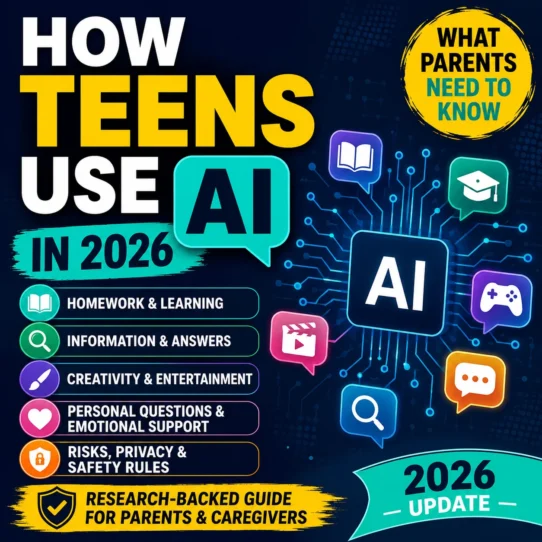
Common Sense Media’s youth AI research shows that AI use among tweens and teens is already connected to homework and entertainment. The Federal Trade Commission has also examined AI chatbots acting as companions, including questions about children, teens, privacy, safety, and parental awareness. UNICEF’s June 2026 policy brief also highlights child-rights risks around AI chatbots and companions.
The takeaway is simple: AI can be useful, but children need boundaries. A good family AI plan should explain what AI is allowed to help with, what information should never be shared, when an adult should be involved, and how your child should double-check AI answers before trusting them.
Parent note: This guide is not about banning AI from school life. It is about helping your child use AI safely, honestly, and with better judgment.
The 5-minute family AI rule
Before your child uses any AI tool for homework, writing, studying, or advice, teach this short rule:
Ask first. Share less. Check facts. Learn, don’t copy. Tell a parent if something feels wrong.
That one sentence covers the five most important AI safety habits: permission, privacy, accuracy, academic honesty, and adult support.
This AI back-to-school safety checklist for parents is designed to make those habits easier to remember during real school routines.
The 7 AI rules every family should set first
You can adjust these rules based on your child’s age, school policy, maturity, and the tools they use. The goal is not to make the rules complicated. The goal is to make them clear enough that your child can remember them when you are not sitting beside them.
Think of this AI back-to-school safety checklist for parents as a simple family safety plan, not a complicated tech policy.
Ask before using a new AI tool
Your child should ask before signing up for a new AI app, chatbot, browser extension, homework helper, image tool, or study platform. Some tools collect data, require accounts, include ads, or are not designed for children.
Use AI for learning, not for pretending
AI can explain a concept, make practice questions, suggest an outline, or help your child understand instructions. It should not write the final answer, complete the worksheet, or produce work your child cannot explain.
Never share private information
Your child should not type full names, addresses, phone numbers, passwords, school names, private photos, family details, money details, health details, or anything embarrassing into an AI chatbot.
Double-check important answers
AI can sound confident even when it is wrong. Teach your child to verify facts with class notes, textbooks, teacher instructions, trusted websites, or a parent before turning in work.
Do not use AI for secret conversations
If a chatbot feels like a secret friend, gives emotional advice, asks personal questions, or tells your child not to tell anyone, that is a red flag. AI should not replace trusted adults.
Respect school and teacher rules
Different teachers may allow AI in different ways. Some may allow brainstorming but not writing. Some may allow grammar help but not answer generation. Your child should follow the rule for each class.
Pause if the answer feels unsafe or strange
Your child should stop and show you if an AI answer is scary, extreme, inappropriate, overly emotional, asks for secrets, or makes them feel pressured.
What kids can safely use AI for
AI is safest when it acts like a study helper instead of a shortcut. A helpful AI use should make your child more able to explain the lesson, not less able.
The safe-use part of this AI back-to-school safety checklist for parents is simple: AI should support learning, not replace your child’s thinking.
Good AI uses for school:
- Explaining a confusing topic in simpler words.
- Creating practice questions before a quiz.
- Summarizing notes your child already wrote.
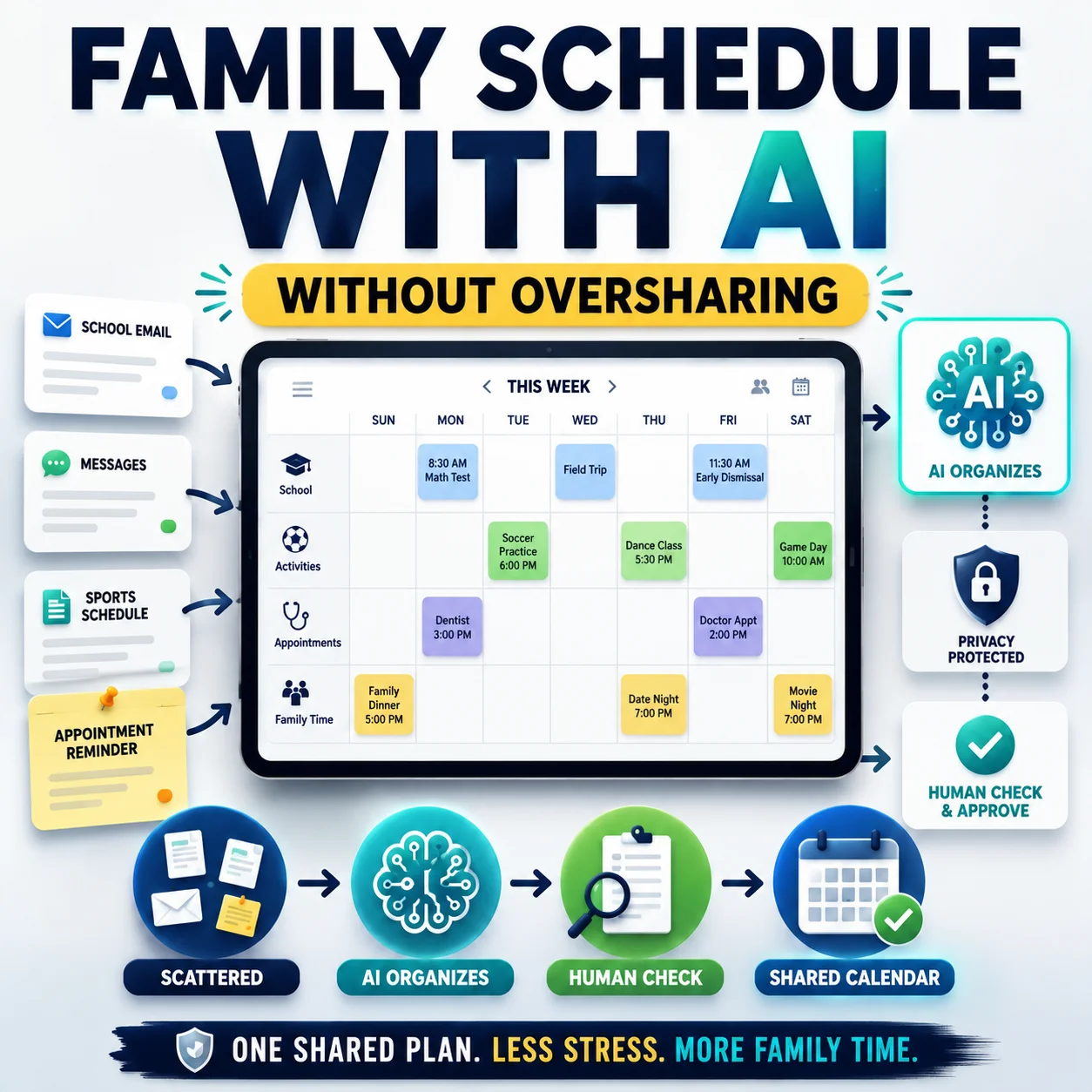
- Helping make a study schedule.
- Brainstorming project ideas before your child chooses one.
- Checking spelling or grammar after your child writes the first draft.
- Explaining teacher instructions in plain language.
Risky AI uses for school:
- Asking AI to write the final assignment.
- Copying AI answers without understanding them.
- Using AI during a test or quiz unless allowed.
- Uploading private school documents without permission.
- Sharing personal information inside prompts.
- Letting AI replace reading, thinking, or asking the teacher.
- Using hidden AI tools to avoid doing the work.
Useful prompt to copy:
Explain this topic like a patient tutor. Do not give me the final homework answer. Help me understand the idea step by step, then ask me three practice questions so I can check if I learned it.
This keeps AI in learning-helper mode instead of answer-giver mode.
What your child should never share with AI tools
A simple privacy rule works best: if your child would not write it on a public classroom whiteboard, they should not type it into an AI tool.
The privacy part of this AI back-to-school safety checklist for parents is especially important because children may not realize how much personal information a simple prompt can reveal.
| Do not share | Why it matters | Safer alternative |
|---|---|---|
| Full name, address, phone number, or email | It can identify your child or family. | Use fake placeholders like “Student A” or “my town.” |
| School name, teacher name, class schedule, or bus route | It can reveal where your child is during the day. | Say “my school” or “my class” instead. |
| Passwords, account details, or login screenshots | It can put accounts and school platforms at risk. | Use a password manager or create a safer password separately. |
| Private photos, IDs, report cards, or school documents | Images and documents may include personal details. | Remove names and sensitive details before asking for help. |
| Health, money, family problems, or emotional secrets | Some topics need a trusted adult, not a chatbot. | Talk to a parent, guardian, teacher, counselor, or trusted person. |
Easy family phrase: “Share the question, not your identity.” Your child can ask for help without giving the AI personal details.
How to stop AI from doing the homework for them
The biggest homework problem is not that AI exists. The problem is when AI does the thinking and your child only submits the output. That can hurt learning, confidence, writing skills, and honesty.
That is why this AI back-to-school safety checklist for parents separates helpful tutoring from copied homework.
Use the “explain it back” test. After your child uses AI, ask them to explain the answer in their own words. If they cannot explain it, they are not ready to submit it.
“Explain fractions with a simple example.”
“Quiz me on these vocabulary words.”
“Help me make an outline before I write.”
“Write my final essay for me.”
“Give me the answers to this worksheet.”
“Make this sound like I wrote it.”
Useful prompt to copy:
I am a student trying to learn this myself. Please act like a tutor. Ask me questions, give hints, and explain mistakes, but do not write the final answer for me.
This prompt helps your child practice thinking instead of outsourcing the assignment.
For a student-focused version of this topic, read the related Designs24hr guide: AI Homework Helper Checklist: How to Use AI Without Cheating.
Chatbot red flags parents should watch for
Some AI chatbots are designed for general questions. Others are built to feel like companions. Children may not always understand the difference between a helpful tool and a system designed to keep them talking.
Pay attention to the tone and pattern of the conversation, not just the app name. A chatbot becomes more concerning when it encourages secrecy, emotional dependence, oversharing, or unsafe choices.
Use this AI back-to-school safety checklist for parents whenever your child tries a new chatbot, AI study helper, writing assistant, or school planning tool.
Pause and check the conversation if the chatbot:
- Asks for your child’s name, location, school, private photos, or family details.
- Gives emotional advice that feels extreme, isolating, or inappropriate.
- Makes your child feel like they need the chatbot to feel okay.
- Encourages secrecy or says not to tell parents, teachers, or friends.
- Gives medical, mental health, financial, or legal advice without adult involvement.
- Responds with content that is not age-appropriate.
- Keeps pushing the child to continue the conversation late at night.
A healthy AI tool should be easy to leave. It should help your child complete a learning task, understand something better, and return to real life — not pull them into long private conversations.
Useful prompt to copy:
Give me a short, age-appropriate explanation. Do not ask for personal information. Do not continue the conversation after you answer. End with one simple study tip.
This is useful when your child needs a quick explanation without turning the task into a long chatbot conversation.
A simple parent-child AI agreement you can copy
You can paste this into a note, print it, or rewrite it in your family’s voice. Keep it short enough that your child can actually follow it.
This AI back-to-school safety checklist for parents works best when the rules become a short family agreement instead of a one-time warning.
Family AI Agreement
I can use AI as a learning helper, not as a replacement for my own thinking.

I will ask before using a new AI tool.

I will not share my full name, address, phone number, school name, passwords, private photos, health details, money details, or family problems with AI.

I can use AI to explain, summarize, quiz me, brainstorm, organize, or give feedback.

I will not use AI to write my final homework, complete tests, hide work, or pretend AI work is my own.

I will double-check important facts before I trust them.

I will tell a parent, guardian, teacher, or trusted adult if an AI tool says something strange, scary, private, unsafe, or secretive.
Tip: Review this agreement again after the first two weeks of school, when your child’s real homework routine becomes clearer.
Age-by-age AI safety rules for families
Every child is different, but younger children usually need more supervision, simpler tools, and shorter sessions. Older students may need more discussion around honesty, privacy, source checking, and emotional dependence.
The age-by-age part of this AI back-to-school safety checklist for parents helps you match the rule to your child’s school stage.
| Age group | Best AI use | Parent rule |
|---|---|---|
| Elementary school | Simple explanations, vocabulary practice, reading support, and parent-guided learning. | Use AI only with an adult nearby. No private accounts or unsupervised chatbot use. |
| Middle school | Study questions, outlines, plain-language explanations, and project brainstorming. | Ask before using new tools. No personal information. Explain AI help in your own words. |
| High school | Research planning, draft feedback, study schedules, test practice, and concept review. | Follow teacher rules. Cite sources when required. Do not use AI to fake original work. |
How parents can check AI work without becoming the homework police
You do not need to read every prompt your child writes. But you can create light-touch habits that keep AI use honest and safe.
Instead of asking, “Did you cheat?” ask, “What did AI help you understand?”
If your child can explain the answer clearly, AI probably supported learning instead of replacing it.
If writing suddenly sounds too polished or adult, ask your child to walk you through their draft.
Some teachers allow AI for brainstorming but not final writing. The class rule matters.
Better question to ask: “Show me what you learned from AI, and show me what part is your own thinking.”
Helpful Designs24hr tools for school, writing, and planning
Designs24hr has free tools that can support safer school routines, clearer writing, stronger passwords, and better daily planning. Use tools as helpers, not replacements for your child’s own thinking.
This AI back-to-school safety checklist for parents pairs naturally with simple tools your family can use for planning, explaining, simplifying, and safer account habits.
Related Designs24hr guides for parents, students, and AI safety
After you finish this AI back-to-school safety checklist for parents, these related sections can help you explore the topic from different angles.
Quick AI safety checklist for parents
Use this quick version of the AI back-to-school safety checklist for parents before school starts, after a new device is added, or whenever your child begins using a new AI tool.
| Check | Question to ask | Good answer |
|---|---|---|
| Purpose | What is your child using AI for? | To understand, practice, organize, brainstorm, or review. |
| Privacy | Is your child sharing personal details? | No names, addresses, school details, passwords, private photos, or sensitive information. |
| Homework honesty | Is AI doing the work or helping with learning? | Your child can explain the final answer in their own words. |
| Accuracy | Are important facts double-checked? | Your child checks class notes, books, teacher instructions, or trusted sources. |
| Emotional safety | Does the chatbot feel like a secret relationship? | No secrecy, pressure, dependence, or private emotional advice from AI. |
| School rules | Does the teacher allow AI for this task? | Your child follows the teacher’s rule for that assignment. |
The safest AI habit is not fear. It is supervision plus judgment.
Your child does not need to be scared of AI. They need to understand that AI is a tool with limits. It can be helpful, wrong, persuasive, private-data hungry, or too easy to depend on. The family goal is to build judgment early.
When your child knows when to ask, what not to share, how to check answers, and how to use AI as a tutor instead of a shortcut, AI becomes much safer for school life.
That is the main purpose of this AI back-to-school safety checklist for parents: turn a confusing technology topic into clear family habits your child can actually follow.
FAQs about kids, homework, chatbots, and AI safety
Should kids use AI for homework?
Yes, if AI is used as a learning helper. Kids can use AI to explain confusing ideas, make practice questions, summarize their own notes, or brainstorm project ideas. They should not use AI to write final answers, complete assignments, or pretend AI work is their own.
What should children never share with AI chatbots?
Children should not share their full name, address, phone number, school name, passwords, private photos, health details, money information, family problems, or anything they would not want saved, seen, or repeated later.
How can parents stop AI from becoming cheating?
Use a clear rule: AI can explain, quiz, outline, summarize, or give feedback, but the final answer must be the child’s own work. Ask your child to explain what they learned in their own words before submitting anything.
Are AI chatbots safe for kids?
Not automatically. Some chatbots may give wrong information, ask for personal details, respond in age-inappropriate ways, or encourage long emotional conversations. Parents should check the tool, privacy settings, age rules, and conversation patterns.
What is the best AI rule for families?
The best simple rule is: ask first, share less, check facts, and use AI to learn — not to replace your thinking.
Should my child tell the teacher when they use AI?
Your child should follow the teacher’s policy. If the teacher asks students to disclose AI help, your child should be honest about how AI was used, such as brainstorming, grammar feedback, outlining, or practice questions.
What should I do if an AI chatbot says something unsafe to my child?
Ask your child to stop using the tool, save or review the conversation if needed, report the issue through the platform if possible, and talk with a trusted school or safety professional if the message involves harm, threats, exploitation, or serious emotional distress.
How often should families review AI rules?
Review your rules before school starts, after the first two weeks of school, whenever your child starts using a new AI tool, and any time a teacher changes the AI policy for a class.
Start the school year with clear AI rules, not confusion.
AI will likely be part of your child’s school life in some way. The safest approach is to talk about it early, set simple rules, and keep the conversation open.
Save this AI back-to-school safety checklist for parents and review it again after the first two weeks of school. Start with the family agreement above, review the privacy list, and remind your child that AI should help them learn — not hide, copy, overshare, or replace real support.
Explore more Everyday AI Guides on Designs24hr to help your family write better, plan smarter, simplify confusing text, and use AI more safely in everyday life.