Use This AI Homework Helper Checklist Before You Ask AI for Help
AI can explain confusing homework, quiz you before a test, help you organize study time, and review your draft. But it can also make it too easy to skip the learning and copy an answer you do not understand.
This AI homework helper checklist shows how to use AI without cheating. The goal is simple: use AI to explain, guide, quiz, and check your work while keeping the final thinking in your own hands.
Before you paste homework into an AI tool, pause and ask: Is this helping me understand, or is it doing the work for me?
Why an AI Homework Helper Checklist Matters
Students are using AI for homework more often, so the real question is no longer whether AI exists in schoolwork. The better question is how students can use it responsibly, honestly, and in a way that still builds real skills.
RAND reported that student use of AI for homework rose from 48% in May 2025 to 62% in December 2025 among middle school, high school, and college students. That rapid growth makes a clear AI homework helper checklist useful for students, parents, and teachers who want better learning habits, not hidden shortcuts.
Education Week has also reported that many young people are turning to AI for schoolwork and homework help before they ask adults. That means students need simple rules they can remember in the moment: read first, try first, ask for explanations, verify facts, write in your own words, and follow your teacher’s instructions.
Simple rule: AI should help you learn the assignment, not hide the learning process. If AI gives you the full answer and you submit it as your own, you are no longer using it as a homework helper.
The 7-Step AI Homework Helper Checklist
Use this AI homework helper checklist before every assignment. It works for essays, math practice, reading questions, science notes, project planning, study guides, and test prep.
Read the Assignment First
Before opening an AI tool, read the question, instructions, rubric, and teacher notes. You need to understand what the assignment is asking before you ask AI for help.
Ask AI to Explain, Not Answer
Ask for a simple explanation, example, outline, hint, or study question. Avoid asking AI to write the final answer, solve every question, or complete the whole assignment for you.
Try Your Own Work First
Make your own attempt before using AI feedback. Even if your first try is messy, it helps your brain practice the skill instead of copying a shortcut.
Use AI for Hints and Examples
AI can give a similar example, explain a formula, simplify a passage, or ask guiding questions. Hints are safer than full answers because they still leave the thinking to you.
Check Facts and Sources
AI can make mistakes, invent sources, or sound confident when it is wrong. Always check facts, dates, quotes, citations, and calculations before using anything in schoolwork.
Rewrite in Your Own Words
If AI helped explain an idea, close the tool and write your answer in your own voice. Your final work should sound like you and reflect what you understand.
Follow Your Teacher’s Rules
Some teachers allow AI for brainstorming, outlining, grammar help, or studying. Others may not allow it for certain assignments. When unsure, ask before using AI.
Helpful AI Use vs. Cheating
The difference between responsible AI use and cheating usually comes down to one question: Who is doing the learning?
If AI explains a concept and you use that explanation to improve your own answer, it can support learning. If AI writes the full answer and you submit it as your own work, it can cross the line into cheating.
Red Flags to Avoid
| Homework Task | Usually Safer AI Use | Risky or Cheating Use |
|---|---|---|
| Essay writing | Ask AI to explain the prompt, brainstorm angles, organize an outline, or review your draft for clarity. | Ask AI to write the full essay and submit it as your own work. |
| Math homework | Ask AI to explain the steps for a similar problem, quiz you, or show where your own attempt went wrong. | Ask AI to solve every assigned problem without trying them yourself. |
| Reading assignment | Ask AI to explain a difficult paragraph, define vocabulary, or help you make study notes. | Ask AI for answers without reading the assigned material. |
| Research project | Ask AI for topic ideas, search terms, outline options, or questions to investigate. | Use AI-generated sources, quotes, or facts without checking them. |
| Studying for a test | Ask AI to make practice questions, flashcards, summaries, and review plans. | Use AI to avoid learning the material until the last minute. |
Safe Student Prompts for This AI Homework Helper Checklist
The prompt you use matters. A safer homework prompt asks AI to teach, guide, quiz, or review. A risky prompt asks AI to replace your thinking.
Use these copy-ready prompts when you want help without turning the assignment into a shortcut.
Useful prompt to copy: explain the assignment
Explain this homework instruction in simple words. Do not give me the final answer. Tell me what the assignment is asking, what steps I should take, and what I should be careful not to miss. This is helpful when the assignment wording is confusing. You can also use Explain This For Me to turn difficult instructions into plain language.
Useful prompt to copy: get hints, not answers
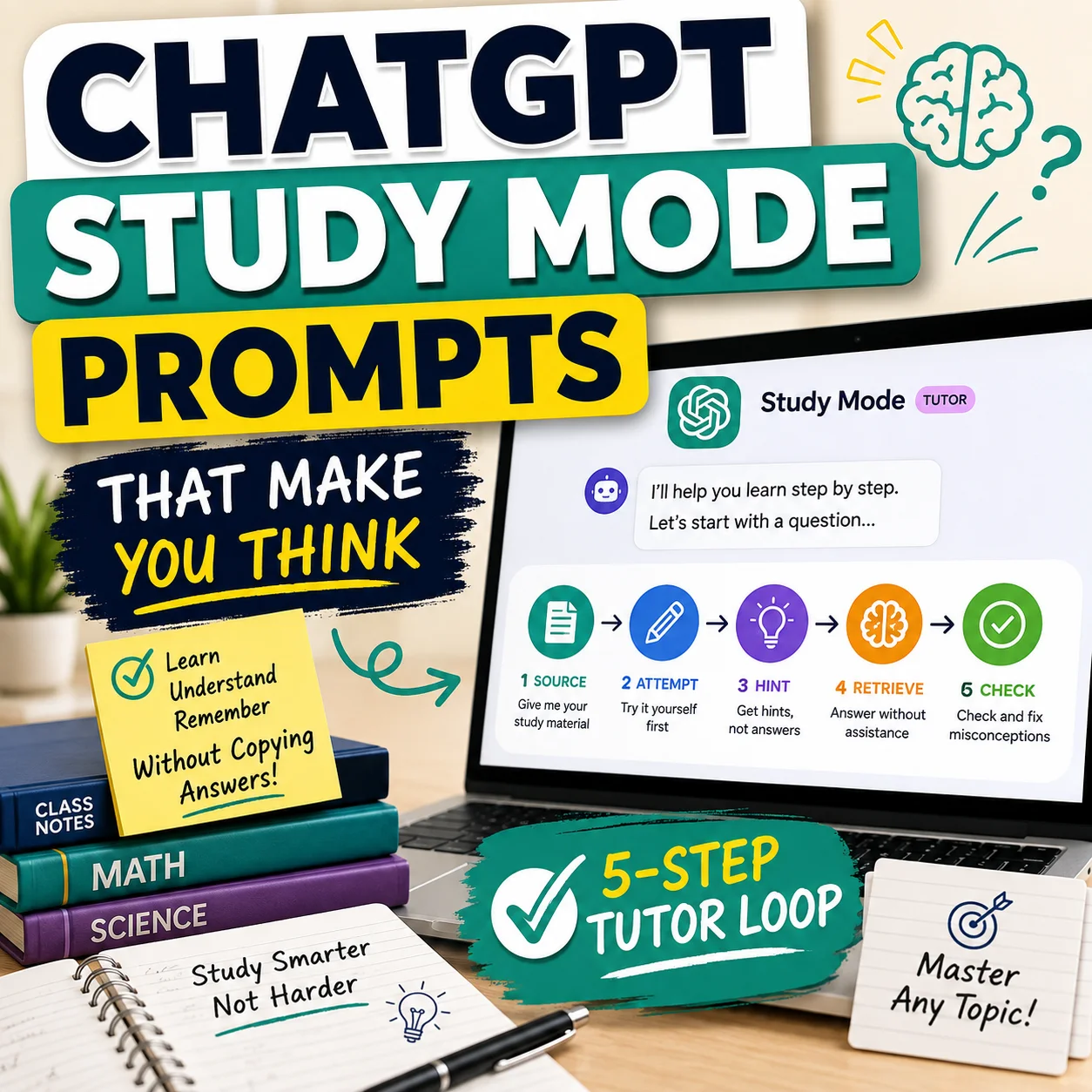
I am stuck on this homework question. Do not solve it for me. Give me three hints, ask me one guiding question at a time, and help me understand the concept so I can finish the answer myself. This keeps the AI in tutor mode instead of answer mode.
Useful prompt to copy: check your work
Review my homework answer for clarity, accuracy, and missing steps. Do not rewrite it for me. Tell me what is strong, what needs improvement, and what questions I should ask myself before I submit it. Use this after you have already made your own attempt.
Useful prompt to copy: quiz me before a test
Quiz me on this topic with 10 practice questions. Start easy, then get harder. Wait for my answer after each question, explain mistakes, and help me understand the idea before moving on. You can also use the AI Prompt Generator to create cleaner study prompts for your subject.
Before, During, and After Using AI for Homework
Day of AI and Common Sense Media created guidance for families around using AI wisely for school success. Their approach emphasizes that AI can support learning, but real learning still requires effort, active engagement, and critical thinking. You can read more here: Using AI Wisely for School Success Toolkit.
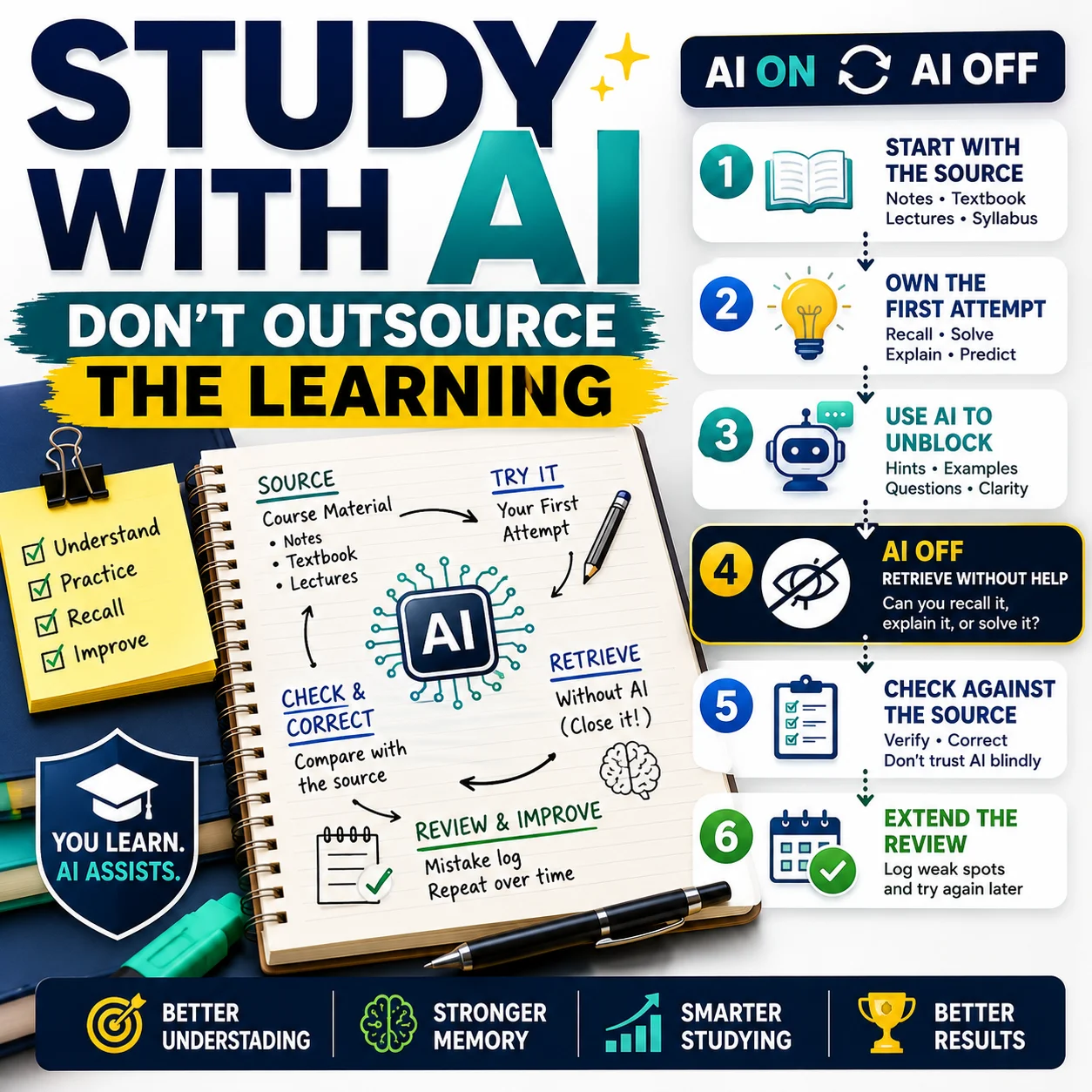
Before AI
Read the assignment, check the rules, identify what confuses you, and make your own first attempt.
During AI
Ask for explanations, hints, examples, feedback, or quiz questions. Avoid asking for full final answers.
After AI
Close the tool, write in your own words, check facts, cite sources if required, and review teacher rules.
Best habit: do not let AI be the first and last step. Your own thinking should come before AI and after AI.
How Parents Can Guide AI Homework Use
Parents do not need to become AI experts to help. The most useful role is to ask better questions and help students stay honest about how AI was used.
Ask What the Assignment Allows
Start with the teacher’s rules. Ask whether AI is allowed for brainstorming, proofreading, outlining, studying, or checking work.
Encourage “Explain, Don’t Answer” Prompts
Teach students to ask AI for explanations, hints, and practice questions instead of full answers.
Review the Final Work Together
Ask the student to explain their answer out loud. If they cannot explain it, AI may have done too much of the thinking.
Focus on Learning, Not Just Finishing
Homework is more useful when it supports classroom learning, independent practice, and feedback. The Education Endowment Foundation highlights the importance of well-designed homework linked to classroom learning and feedback. Read more here: EEF Homework Toolkit.
How to Decide If AI Use Crosses the Line
Some AI uses are clearly helpful. Some are clearly risky. Others depend on the assignment and teacher rules. Use this part of the AI homework helper checklist when you are unsure.
| Question to Ask | Safer Answer | Warning Sign |
|---|---|---|
| Did I try the assignment myself first? | Yes, I made my own attempt before asking AI for help. | No, I asked AI for the answer immediately. |
| Can I explain the final answer? | Yes, I understand the reasoning and can explain it in my own words. | No, the answer looks right but I do not understand it. |
| Did AI write the final version? | No, I used AI for guidance and wrote the final answer myself. | Yes, most of the final answer came directly from AI. |
| Did I check facts and sources? | Yes, I verified important details before using them. | No, I trusted AI without checking. |
| Would I feel comfortable telling my teacher how I used AI? | Yes, I can explain my process honestly. | No, I would want to hide it. |
Still unsure? Use the Decision Helper to think through whether a specific AI use is supporting your learning or replacing it.
Best Ways to Use AI for Studying
AI can be a strong study partner when you use it for practice instead of shortcuts. The best study uses make you think, answer, explain, revise, and check your understanding.
Practice Quizzes
Ask AI to quiz you one question at a time and explain mistakes after you answer.
Draft Feedback
Use AI to find unclear sentences, missing steps, weak arguments, or areas that need better support.
Study Plans
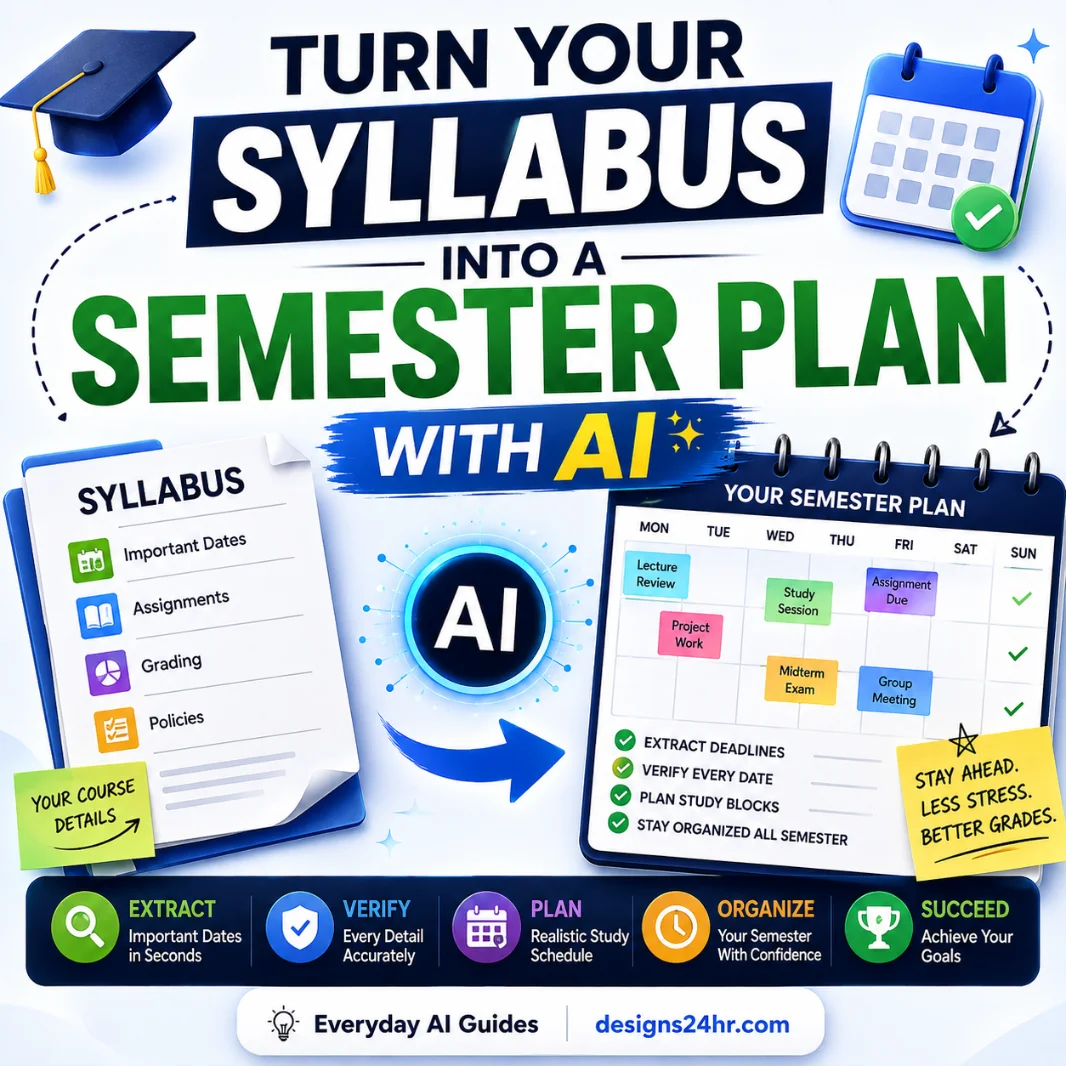
Break big assignments into smaller tasks. Try the AI Daily Task Planner for simple study scheduling.
Essay Limits
Use Word Counter Pro to check essay length, draft size, and assignment word limits.
Next Steps
If you feel stuck, use What To Do Next? to turn the problem into a simple action plan.
Self-Check
Ask AI to test whether your final answer is clear, complete, and written in your own voice.
What to Ask Your Teacher Before Using AI
Every class can have different rules. A teacher may allow AI for brainstorming but not for writing. Another teacher may allow grammar feedback but not outline generation. Ask before you guess.
Is AI Allowed for This Assignment?
Ask whether AI can be used at all. Some assignments are designed to measure your independent thinking without AI help.
What Type of AI Help Is Acceptable?
Ask whether you can use AI for brainstorming, outlining, proofreading, translating, summarizing, tutoring, or checking work.
Do I Need to Mention AI Use?
Some teachers may want you to cite AI use, include a note, or describe how you used it.
What Should I Avoid?
Ask what would count as cheating in that class so you know the boundary before you start.
Quick AI Homework Helper Checklist Before You Submit
Use this short AI homework helper checklist right before turning in your work.
Useful prompt to copy: final honesty check
Use this AI homework helper checklist to review my process. Ask me whether I read the assignment, tried my own work, used AI only for guidance, checked facts, wrote in my own words, and followed teacher rules. Then tell me what I should fix before submitting. This is a process check, not a request for AI to rewrite the assignment.
Helpful Sources for Responsible AI Homework Use
These sources can help students, parents, and educators understand why responsible AI homework habits matter.
RAND on rising AI homework use
RAND reported that AI homework use increased from 48% to 62% among middle school, high school, and college students between May and December 2025. Read more from RAND.
Day of AI and Common Sense Media on AI learning habits
Their toolkit encourages families to think about when AI can help and when it can get in the way of building critical thinking skills. Read more from Day of AI.
Education Endowment Foundation on homework
The EEF highlights the importance of homework quality, links to classroom learning, independent learning strategies, and feedback. Read more from the EEF Homework Toolkit.
Education Endowment Foundation on feedback
Feedback can help students improve when it is focused on the task, learning goals, and next steps. Read more from the EEF Feedback Toolkit.
FAQ: AI Homework Helper Checklist
What is an AI homework helper checklist?
An AI homework helper checklist is a simple set of rules that helps students use AI for learning, studying, explanations, and feedback without copying answers or replacing their own thinking.
Is using AI for homework cheating?
Using AI is not automatically cheating. It depends on your school rules and how you use it. Asking AI to explain a concept, quiz you, or give feedback is usually safer than asking it to write the full answer for you.
What is the safest way to use AI for homework?
The safest way is to read the assignment first, try your own work, ask AI for explanations or hints, check facts, rewrite in your own words, and follow your teacher’s rules.
What should students avoid when using AI for homework?
Students should avoid copy-paste answers, hidden AI writing, fake sources, full essay generation, solving every question without effort, or submitting AI work as their own.
Can AI help students study better?
Yes. AI can help students make practice quizzes, explain hard ideas, create study schedules, review drafts, and find weak spots as long as the student still does the thinking.
How can parents guide AI homework use?
Parents can ask what the assignment allows, encourage “explain, don’t answer” prompts, review final work together, and remind students that AI should support learning rather than replace it.
What should I ask my teacher before using AI?
Ask whether AI is allowed, what type of help is acceptable, whether you need to cite AI use, and whether AI can be used for brainstorming, outlining, proofreading, studying, or checking work.
Final Takeaway: Use AI to Learn, Not to Hide
AI can be a useful homework helper, but it should not replace your effort, your voice, or your understanding. Use this AI homework helper checklist to keep your work honest: read first, try first, ask for explanations, check facts, write in your own words, and follow your teacher’s rules.
The best use of AI is not “do my homework.” The best use is: help me understand this so I can do better work myself.
For more student-friendly AI guides, explore AI for Students & Learning or visit the full Everyday AI Guides hub on Designs24hr.