A 10-Minute Visibility Test for the AI Search Era
AI search visibility is becoming a serious question for small businesses, creators, service providers, local brands, blogs, and online tools. It is no longer enough to ask, “Can people find me on Google?” Now you also need to ask, “Can AI tools understand what I do, trust my website, and recommend me when someone asks for help?”
Use this AI search visibility checklist to test whether tools like ChatGPT, Gemini, Perplexity, Google AI Mode, and Google AI Overviews can find, understand, and describe your business or website correctly. You do not need expensive software to start. You need a clear test, a few useful prompts, and a simple way to track what changes over time.
Quick answer: AI search visibility means how likely your business, website, product, or content is to appear inside AI-generated answers, recommendations, summaries, or citations. The goal is not to trick AI tools. The goal is to make your site clearer, more trustworthy, more helpful, and easier for search systems to understand.
What Is AI Search Visibility?
AI search visibility is the chance that your business or website is found, understood, mentioned, cited, or recommended by AI-powered search tools. A traditional search result usually shows a list of blue links. An AI answer may summarize information, compare options, recommend providers, explain a topic, or answer a buyer’s question without the user clicking through many websites first.
For example, a potential customer may ask an AI tool:
Local service search
“Who are the best emergency plumbers near me with strong reviews?”
Product comparison
“Which project management tools are best for a small marketing agency?”
Educational search
“What is the safest way to use AI for customer support?”
If your business is invisible, unclear, outdated, or unsupported by trusted sources, AI tools may ignore it. If your site has clear pages, useful content, real experience, accurate business information, reviews, mentions, and helpful answers, your chances improve.
Important: AI visibility is not a guaranteed ranking system. AI answers can change between tools, users, locations, prompts, and dates. That is why the best approach is to test the same prompts regularly and track patterns instead of relying on one single result.
Why This Matters More in 2026
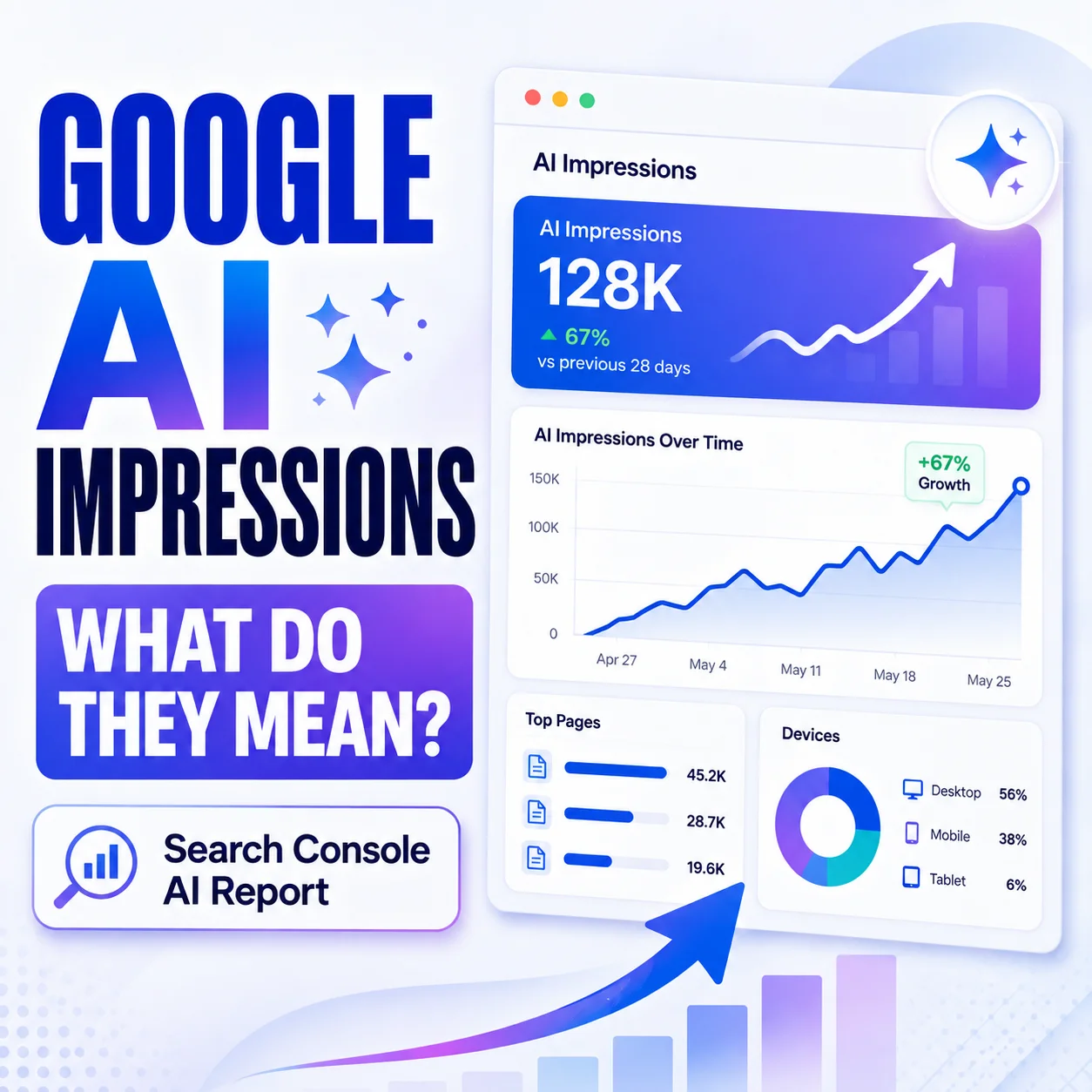
Google has started giving website owners more visibility into generative AI performance inside Search Console. Google’s Search Central blog announced Search Generative AI performance reports on June 3, 2026, and Google’s Search Console help page explains that the generative AI performance report includes impressions for AI Overviews and AI Mode when the report is available for a website property.
Official sources to understand this shift
This matters because business discovery is changing. People can ask AI tools for recommendations, comparisons, summaries, service providers, product options, website ideas, local businesses, and trusted sources. If your business is not easy to understand online, AI systems may have a harder time including you in those answers.
The practical takeaway is simple: your website should clearly answer who you help, what you offer, where you serve customers, why you are trustworthy, and what makes your content useful. The clearer your public information is, the easier it is for both people and AI-powered search systems to understand you.
The 10-Minute Manual AI Visibility Test
You can run this simple AI search visibility checklist once a week. Use the same prompts each time so your results are easier to compare. Do not paste private customer data, passwords, unpublished business plans, or sensitive internal information into AI tools.
Pick your core searches
Choose 3 to 5 topics your customers actually search for. Focus on your service, product, city, problem, or main use case.
Ask each AI tool
Test the same question in ChatGPT, Gemini, Perplexity, and Google AI Mode if you have access. Keep your wording consistent.
Record what appears
Note whether your brand is mentioned, cited, linked, described correctly, placed near competitors, or ignored completely.
Check the source quality
Look at which websites AI tools reference. Are they competitor pages, directories, review sites, old articles, forums, or your own site?
Improve one weak signal
Update one page, improve one title, add one helpful answer, request one real review, or earn one relevant mention.
Repeat weekly
AI answers change. A weekly check helps you see whether your visibility is improving, staying flat, or getting weaker.
Useful Prompts to Test Your Brand in AI Tools
The right prompts make your test more useful. Do not only search your brand name. Test the way a real customer would search when they do not know you yet.
Recommend the best [service or product] providers for someone in [city or region]. Include why each option is worth considering and mention any trusted sources you used.
Replace the brackets with your real service, product, and location. This tests whether your business appears in recommendation-style AI answers.
What are the top-rated [type of business] options for [customer problem]? Compare the strongest choices and explain what makes each one trustworthy.
This tests whether AI tools understand your trust signals, reviews, expertise, and competitor position.
Can you find information about [brand name or website]? Summarize what this business does, who it helps, where it operates, and whether the information looks trustworthy.
Use this to check whether AI tools describe your business accurately or confuse it with another brand.
What websites, directories, reviews, articles, or public sources would you check to verify whether [brand name] is a trustworthy option?
This helps you discover which public trust signals may influence how AI tools evaluate your brand.
If you want help creating better test prompts for your business, you can use the AI Prompt Generator to turn a rough question into a clearer AI visibility test.
How to Score Your AI Search Visibility
After you run your test, give each tool a simple score. You do not need a complicated dashboard at the beginning. A simple spreadsheet can show whether your AI visibility is moving in the right direction.
| Visibility signal | Score 0 | Score 1 | Score 2 |
|---|---|---|---|
| Brand mention | Your brand is not mentioned. | Your brand is mentioned, but not clearly recommended. | Your brand is clearly mentioned as a relevant option. |
| Accuracy | The answer is wrong or confused. | The answer is partly correct but missing key details. | The answer describes your business correctly. |
| Source support | No useful sources or links appear. | Some sources appear, but they are weak or indirect. | Your website or trusted third-party sources are referenced. |
| Trust signals | No reviews, experience, results, or proof are visible. | Some trust signals appear, but they are thin. | Reviews, experience, examples, credentials, or helpful proof appear clearly. |
| Competitor position | Only competitors appear. | You appear below stronger competitors. | You appear alongside or above relevant competitors. |
Add up your score for each AI tool. A low score does not mean your business is bad. It usually means your public information is not clear, strong, recent, or trusted enough yet.
Check Google Search Console for AI Visibility Data
If your website has access to Google’s generative AI performance report in Search Console, check it alongside your manual tests. This report can help you see how your site appears in supported Google generative AI features such as AI Overviews and AI Mode.
What to check inside Search Console
- Open Search Console and review whether your property has access to generative AI performance data.
- Look for impressions from AI Overviews and AI Mode if the report is available.
- Check which pages receive visibility in AI features.
- Compare countries, devices, dates, and page-level changes.
- Look for pages that get visibility but need better titles, clearer answers, or stronger calls to action.
Search Console data is useful because it comes from Google’s own reporting environment. Manual AI testing is useful because it shows how real prompts may describe your brand across different AI tools. Use both together instead of relying on only one source.
When you find a page that receives impressions but has a weak search snippet, test your title and description with the Title/Meta Previewer. A clearer title can help people understand the page faster, and a better meta description can explain why the page is worth opening.
Why AI Tools May Ignore Your Business
If AI tools do not mention your brand, the issue is often not one single problem. It is usually a mix of weak signals. Here are the most common reasons your website may be hard for AI tools to understand or trust.
Your website is too vague
If your homepage says things like “innovative solutions for modern teams” but does not clearly explain what you sell, who you serve, and where you operate, AI tools may struggle to summarize you accurately.
Your content is too thin
Short pages with generic claims give AI systems very little to work with. Helpful service pages, FAQs, examples, guides, and comparison pages are easier to understand.
Your trust signals are weak
Reviews, case studies, testimonials, author details, updated pages, clear policies, contact information, and third-party mentions can all support trust.
Your site has crawl or index issues
If important pages are blocked, noindexed, slow, broken, duplicated, or difficult to crawl, search systems may not process them properly.
Your local signals are incomplete
Local businesses should keep their name, address, phone, service areas, business hours, reviews, and Google Business Profile information accurate and consistent.
Your reputation is not visible
If nobody mentions your business outside your own site, AI tools may have fewer external signals to evaluate. Relevant directories, articles, partnerships, and reviews can help.
How to Improve Your AI Search Visibility
The best way to improve AI search visibility is to become easier to understand and easier to trust. That means stronger content, clearer structure, better public information, and more useful proof.
1. Make your core pages specific
Every important page should answer basic questions quickly: What do you offer? Who is it for? What problem does it solve? Where do you serve customers? Why should someone trust you?
2. Create helpful answer pages
AI tools often respond to question-style searches. Build pages that answer real customer questions in plain language. Avoid fluff, filler, and generic AI-written content.
3. Show real experience
Add examples, screenshots, workflows, customer scenarios, before-and-after explanations, testing notes, lessons learned, and practical details that prove your content is based on real understanding.
4. Strengthen your trust pages
Keep your contact page, privacy policy, terms page, disclosure page, about page, and editorial notes clear. Trust pages help both readers and search systems understand who is behind the website.
5. Improve titles, slugs, and internal links
Use clear titles, readable URLs, and helpful internal links. If a page is about AI search visibility, the title, slug, introduction, headings, and related links should all support that topic naturally.
6. Earn real mentions
Relevant reviews, directory listings, guest mentions, partner pages, podcasts, interviews, and local citations can help build public proof. Do not buy fake links or fake reviews.
Before publishing new pages, you can use the Slug Generator for clean URLs and the Keyword Density Checker to make sure your writing is not unnaturally stuffed with the same phrase.
What Not to Do for AI Visibility
AI search visibility should be built with trust, not shortcuts. The wrong tactics can make your website look less credible to people and search systems.
- Do not buy fake reviews, fake testimonials, or fake business mentions.
- Do not copy competitor pages and rewrite them with AI.
- Do not stuff “ChatGPT SEO,” “AI visibility,” or “Google AI Mode” into every sentence.
- Do not publish hundreds of low-value AI pages just to chase long-tail searches.
- Do not hide important business details from customers.
- Do not ignore wrong information about your brand when you find it online.
- Do not paste private customer information into AI tools while testing prompts.
The safer strategy is to publish content that a real person would find useful even if AI search did not exist. Clear, helpful, accurate pages are still the foundation.
A Simple Weekly Tracking Sheet
Use a simple table like this once a week. The goal is to track direction, not perfection. AI answers can vary, so look for repeated patterns over time.
| Date | Prompt tested | ChatGPT | Gemini | Google AI Mode | Perplexity | Next improvement |
|---|---|---|---|---|---|---|
| Week 1 | Best [service] in [city] | Mentioned / not mentioned | Mentioned / not mentioned | Mentioned / not mentioned | Mentioned / not mentioned | Improve service page |
| Week 2 | Top-rated [business type] for [problem] | Score 0-2 | Score 0-2 | Score 0-2 | Score 0-2 | Add FAQ section |
| Week 3 | Is [brand] trustworthy? | Accurate / inaccurate | Accurate / inaccurate | Accurate / inaccurate | Accurate / inaccurate | Update about page |
If you are running campaigns, use the UTM Builder to create trackable links. This can help separate normal website traffic from campaign traffic when you review analytics later.
Designs24hr Tools That Help With This Checklist
You can use these free Designs24hr tools while improving your AI search visibility pages, titles, prompts, and tracking links.
Title/Meta Previewer
Preview how your page title and meta description may look before publishing.
Keyword Density Checker
Check whether your content uses your main keyword naturally without stuffing.
Slug Generator
Create short, readable, SEO-friendly slugs for new pages and blog posts.
UTM Builder
Build trackable campaign links so you can measure traffic sources more clearly.
AI Prompt Generator
Turn rough AI visibility questions into clearer prompts for testing your brand.
Explain This For Me
Simplify confusing SEO, AI, or Search Console wording into plain language.
Frequently Asked Questions About AI Search Visibility
What is AI search visibility?
AI search visibility means how likely your business, website, product, or content is to appear inside AI-generated answers, recommendations, summaries, citations, or comparisons from tools like ChatGPT, Gemini, Perplexity, Google AI Mode, and Google AI Overviews.
How do I check if ChatGPT can find my business?
Search your brand name, service, location, and main customer problem inside ChatGPT. Then check whether your business is mentioned, described correctly, linked to, recommended, or missing from the answer. Repeat the same prompts weekly so you can compare changes.
Can Google Search Console show AI visibility?
Yes, when the generative AI performance report is available for a website property, Google Search Console can show data about supported generative AI features on Google Search, including AI Overviews and AI Mode.
Why is my business not showing up in AI answers?
Your business may be missing clear service pages, helpful content, reviews, local signals, trusted mentions, updated information, structured pages, or public proof that explains why your business should be recommended.
Is AI search visibility the same as SEO?
No. Traditional SEO focuses on helping pages rank in search engines. AI search visibility focuses on whether AI tools can understand, trust, cite, summarize, and recommend your brand inside AI-generated answers. The two overlap, but they are not exactly the same.
How often should I check AI search visibility?
For most small businesses and websites, checking once per week is enough. Use the same prompts, tools, and scoring method each time so you can see whether your visibility is improving, staying the same, or dropping.
Can I guarantee that AI tools will recommend my business?
No one can guarantee that an AI tool will recommend a specific business. The best approach is to improve your website clarity, content quality, trust signals, reviews, public mentions, local information, and technical SEO so your business is easier to understand and evaluate.
The Takeaway
If AI tools cannot find, understand, or trust your business, potential customers may not find you there either. Start with a simple weekly AI search visibility checklist. Test real buyer prompts. Check whether your brand appears. Review your sources. Improve one weak signal at a time.
Better AI visibility starts with the same thing good SEO has always needed: clear pages, useful answers, accurate information, real trust signals, and content that genuinely helps people make better decisions.
Create better AI visibility prompts