AI PC vs regular laptop sounds like a choice between a smart new computer and an outdated one. In practice, the difference is narrower: an AI PC adds dedicated hardware—most importantly a neural processing unit, or NPU—that can run supported AI workloads efficiently on the device.
That does not mean you need an AI PC to use ChatGPT, Gemini, Microsoft Copilot, AI search, cloud image generators, or most browser-based AI tools. If those are your main uses, a capable regular laptop can still be the better buy.
Buy an AI PC when you are already replacing your laptop and can name the local or Copilot+ features you expect to use. Do not replace a good laptop simply because a newer model has an NPU or an “AI” label.
AI PC vs Regular Laptop: The Quick Decision
For most buyers, the right choice depends less on the label and more on the tasks they actually perform.
| If you mainly… | Start with… | Why |
|---|---|---|
| Browse, email, stream, write, and use office apps | Regular laptop | An NPU usually is not the deciding factor for these everyday tasks. |
| Use ChatGPT, Gemini, or other cloud AI in a browser | Regular laptop | Most of the AI computation happens in the service’s cloud infrastructure. |
| Want specific Windows Copilot+ experiences | Copilot+ PC | Some Windows AI features require qualifying NPU hardware. |
| Frequently use supported local AI applications | AI PC | An NPU can run compatible AI workloads efficiently without relying entirely on the cloud. |
| Game or perform heavy GPU-accelerated creative work | Compare the GPU first | The NPU should not distract you from GPU, CPU, memory, cooling, and display requirements. |
| Already own a fast laptop that handles everything you need | Keep it | An NPU alone usually is not a strong reason for an early replacement. |
What Is an AI PC?
An AI PC is generally a computer that combines a CPU, GPU, and dedicated NPU so compatible AI workloads can be handled locally and more efficiently.
The CPU remains the general-purpose processor. The GPU handles graphics and highly parallel workloads. The NPU is a specialized processor designed to handle supported AI inference efficiently, especially sustained workloads where power use matters.
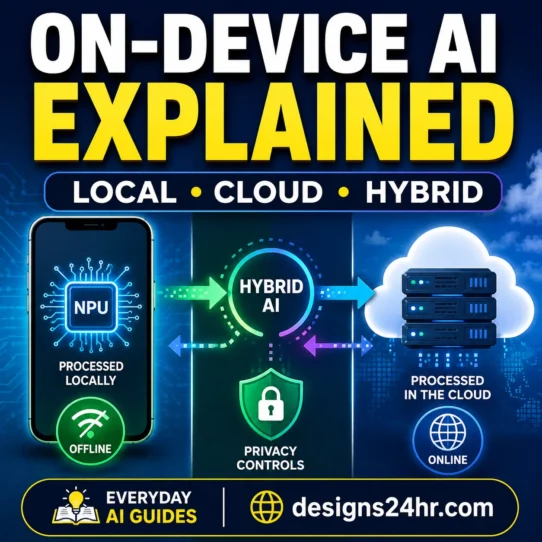
If you want the deeper explanation of local processing, privacy tradeoffs, offline capability, and cloud versus device processing, read our guide to how on-device AI differs from cloud AI. This article stays focused on the buying decision.
An NPU does not automatically make every task faster. Your laptop’s CPU, GPU, RAM, storage, cooling, software support, and overall design still matter.
What Actually Changes When You Buy an AI PC?
The biggest difference in an AI PC vs regular laptop comparison is not whether both computers can “use AI.” Both often can. The more useful question is where compatible AI processing happens and which hardware-specific features become available.
| Area | Regular laptop | AI PC |
|---|---|---|
| Everyday computing | Browsing, documents, video, email, and normal apps | Also handles the same everyday tasks |
| Cloud AI | Can use browser and cloud AI services | Can use the same cloud AI services |
| NPU | May lack a modern dedicated NPU or have lower-capability AI acceleration | Typically includes a dedicated NPU intended for AI workloads |
| Local AI | Some workloads may run on CPU/GPU depending on the software | Compatible workloads can also be assigned to the NPU |
| Power efficiency | Depends on task and hardware | NPU can be more efficient for supported AI workloads |
| Windows AI features | Normal Windows 11 features plus cloud-based AI where available | Qualifying Copilot+ PCs can access additional hardware-dependent experiences |
| Privacy potential | Depends on the app and whether processing is local or cloud-based | Local processing can reduce data sent to the cloud for compatible features |
| Buying priority | CPU, RAM, storage, display, battery, GPU, ports, price | All of those still matter; NPU is one additional specification |
What Does an NPU Actually Do?
An NPU, or neural processing unit, is specialized hardware designed for AI and machine-learning calculations. It works alongside the CPU and GPU rather than replacing them.
- CPU: flexible general-purpose processing and everyday computer tasks.
- GPU: large parallel workloads such as graphics, rendering, gaming, and many demanding AI workloads.
- NPU: power-efficient processing for compatible AI inference and sustained AI features.
This is why “an NPU makes your laptop faster” is too broad. A better statement is: an NPU can handle supported AI workloads efficiently when the operating system or application is designed to use it.
AI Tasks That Do Not Require an AI PC
This is where marketing can cause unnecessary upgrades. You do not need a dedicated NPU simply to access most cloud AI services.
A capable existing laptop can usually handle the front end for:
- ChatGPT in a browser or supported desktop app
- Gemini and other browser-based assistants
- Web-based Microsoft Copilot
- AI-powered search tools
- Cloud writing assistants
- Online summarizers
- Cloud image and design generators
- Many AI research and productivity services
You do not need an “AI laptop” just to use AI. If your favorite AI service performs most of its computation in the cloud, the NPU in your computer may have little impact on that specific experience.
What Can Actually Benefit From AI PC Hardware?
An NPU becomes more relevant when software is specifically built to run useful processing locally or continuously without handing every task to a CPU, GPU, or remote server.
Depending on the laptop, operating system, application, language, and feature availability, potential uses include:
- real-time captions and translation;
- camera and microphone effects;
- local image or text processing;
- semantic search and content retrieval;
- background AI workloads;
- offline-capable AI features;
- privacy-sensitive workloads that can remain on the device;
- AI applications specifically optimized for an NPU.
The key phrase is “supported software.” Buying an NPU does not guarantee that every AI application you use will take advantage of it.
AI PC vs Copilot+ PC: They Are Not the Same Thing
This distinction matters when comparing Windows laptops.
AI PC
AI PC is a broad industry term. Intel, for example, describes an AI PC as combining a CPU, GPU, and NPU for local and efficient AI processing.
Copilot+ PC
Copilot+ PC is Microsoft’s hardware class for Windows 11 computers that meet additional requirements for specific Windows AI experiences.
Microsoft’s current developer guidance says many new Windows AI features require an NPU capable of 40+ TOPS. Current Copilot+ experiences can include features such as Click to Do, improved Windows Search, Windows Studio Effects, Live Captions, Recall, and other supported features, although availability can vary by device, software version, region, language, and rollout.
A laptop can contain an NPU without necessarily qualifying as a Copilot+ PC. If a particular Copilot+ feature is important to you, verify the exact model and feature requirements before buying.
Does 40 TOPS Tell You Which Laptop Is Better?
No. TOPS—trillions of operations per second—is useful for describing certain AI-processing capabilities, but it is not a universal measure of laptop quality or even the performance of every AI workload.
A higher NPU number should not make you ignore:
- CPU performance;
- GPU capability;
- RAM capacity;
- storage capacity and speed;
- battery performance;
- display quality;
- cooling and sustained performance;
- ports and connectivity;
- software compatibility;
- warranty and support;
- the total price.
The strongest laptop is the one that performs your real workload well—not necessarily the model with the most prominent AI badge.
The AI Feature Reality Check
Before accepting an AI-related marketing claim, translate it into a question you can verify.
| Marketing phrase | What to ask instead |
|---|---|
| “AI-powered” | Which exact feature uses AI? |
| “Built for AI” | Which software I use benefits from this hardware? |
| “Includes an NPU” | Which applications can actually use that NPU? |
| “Runs AI locally” | Which specific tasks stay on the device? |
| “Private AI” | What information still leaves the computer? |
| “Future-ready” | Which valuable features are usable today? |
Who Should Consider an AI PC?
An AI PC makes more sense if…
- You are already due for a new laptop.
- You want specific supported Copilot+ experiences.
- You regularly use applications optimized for local AI.
- Offline AI functionality is genuinely useful to you.
- You benefit from running compatible workloads locally.
- The AI-capable model also meets your normal CPU, GPU, RAM, battery, and display needs.
You probably do not need to upgrade if…
- Your current laptop already performs well.
- Your AI use is mostly browser-based.
- You mainly browse, write, stream, email, and use office software.
- You cannot name a specific NPU-dependent feature you need.
- You would have to sacrifice RAM, GPU, display quality, or another important specification to afford the “AI” model.
Use This 5-Question AI PC Decision Test
If the AI PC vs regular laptop decision still feels unclear, use these five questions before comparing model numbers.
- Which AI feature do I actually want?
Write down the specific task or feature—not simply “I want to use AI.” - Does that feature require or meaningfully benefit from an NPU?
Check the app or operating-system requirements instead of assuming. - Can my current laptop already do the job?
If yes, an early replacement may provide poor value. - Am I giving up a more important specification for the AI label?
Compare RAM, CPU, GPU, storage, display, battery, ports, and price. - Would I still choose this laptop if “AI” disappeared from its product name?
If not, investigate whether the marketing is driving the decision more than your needs.
Buy the best laptop for your actual workload. Treat the NPU as one useful specification—not as permission to overlook everything else.
Should Students Buy an AI Laptop?
Most students should not make the NPU their first buying criterion unless their course software or intended workflow has a known use for it.
A better order is:
- required course software and compatibility;
- battery life;
- enough RAM;
- CPU performance;
- storage;
- portability;
- GPU requirements for the course;
- warranty and repair support;
- NPU capability where it provides a real benefit.
For writing papers, browsing research, watching lectures, spreadsheets, presentations, and using cloud AI tools, a good regular laptop can remain completely practical.
What About Creators, Gamers, and Local AI Users?
Creators
Check the exact software you use. Some creative applications can make use of local AI acceleration, while others may depend more heavily on the GPU or cloud processing. An “AI PC” label alone does not tell you which setup is best.
Gamers
For gaming, the graphics processor, CPU, cooling, memory, display, and game requirements are typically more important buying criteria than NPU branding.
Local AI users and developers
If you intentionally run AI models on your computer, the decision becomes more technical. GPU capability, available memory, model size, runtime support, NPU compatibility, and software frameworks can all matter. Do not assume a 40+ TOPS NPU replaces the need for an appropriate GPU in demanding local AI workloads.
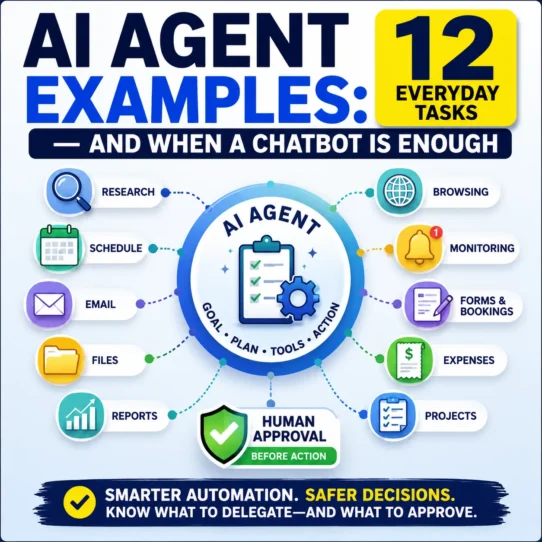
Also remember that an NPU-equipped laptop is not automatically an autonomous computer. If you are trying to understand the difference between ordinary AI features and software that can take actions across tools, see what AI agents can actually do.
Should You Replace a Good Laptop Just to Get an NPU?
Usually, no.
If your existing computer runs your required software smoothly, has adequate memory and storage, delivers acceptable battery life, and already gives you access to the cloud AI services you use, the NPU alone is rarely a compelling reason for an early replacement.
The calculation changes when you are already replacing the device. At that point, an NPU may be a sensible addition—especially if the price difference is reasonable and the laptop is otherwise the right machine.
Not sure whether the upgrade is worth the money?
Compare the real use, full cost, alternatives, and tradeoffs before buying.
Check Whether the Upgrade Is Worth ItAI PC Buying Checklist
Use this checklist before paying more for AI hardware:
- ☐ List the applications you actually use.
- ☐ Identify the specific AI features you want.
- ☐ Check whether those features require an NPU.
- ☐ Verify NPU capability rather than relying on an “AI PC” label.
- ☐ Confirm Copilot+ qualification if Copilot+ features matter to you.
- ☐ Compare CPU performance.
- ☐ Compare GPU performance for gaming, creative, or technical workloads.
- ☐ Check RAM capacity.
- ☐ Check storage capacity.
- ☐ Compare battery results from reliable independent reviews.
- ☐ Check screen quality, size, and resolution.
- ☐ Confirm ports and connectivity.
- ☐ Verify important app and accessory compatibility, particularly when considering an Arm-based model.
- ☐ Compare warranty and repair options.
- ☐ Compare the final price—not just the processor name.
Final Verdict: Do You Need an AI PC in 2026?
For most buyers, the answer to AI PC vs regular laptop is not “AI PC automatically wins.” A regular laptop can still use cloud AI, handle everyday work, and remain the smarter value when you do not need hardware-specific local AI features.
An AI PC becomes more attractive when you are already buying a new computer, the rest of its specifications fit your needs, and you can identify supported local or Copilot+ features that will genuinely improve your workflow.
Buy the laptop first. Buy the “AI” label second.
For a deeper understanding of what actually happens on your computer instead of in a remote data center, continue with our guide to on-device AI. You can also browse more plain-English technology explainers in AI Trends Made Simple.
Frequently Asked Questions
What is the difference between an AI PC and a regular laptop?
An AI PC typically includes a dedicated NPU designed to handle compatible AI workloads efficiently. A regular laptop may rely more on its CPU, GPU, or cloud services for AI tasks. Both can still use many cloud-based AI services.
Do I need an AI PC to use ChatGPT?
No. You do not need an NPU-equipped AI PC to use ChatGPT in a browser or other cloud-based forms of the service. Cloud AI processing happens primarily on remote infrastructure rather than on your laptop’s NPU.
Is an NPU necessary in 2026?
Not for every user. An NPU is most relevant when the applications or operating-system features you use are designed to take advantage of local AI acceleration. For ordinary browsing, office work, streaming, and cloud AI, it may not be necessary.
Is an AI PC the same as a Copilot+ PC?
No. AI PC is a broad industry term for computers with dedicated AI acceleration. Copilot+ PC is Microsoft’s defined class of Windows 11 PCs that meet additional hardware requirements for specific Windows AI experiences.
Is an AI laptop worth paying more for?
It can be, but only when the extra hardware enables features you will actually use and the laptop is competitive on CPU, GPU, RAM, storage, display, battery life, support, and price. Paying substantially more simply for AI branding is difficult to justify.
Should I upgrade my current laptop just for AI?
Usually not if your existing laptop already performs your normal work well and the AI services you use are cloud-based. Upgrading becomes easier to justify when the existing computer already needs replacement and the new machine’s AI hardware provides a specific benefit.
Sources and Verification
This guide uses current first-party documentation for the technical distinctions discussed above:
- Microsoft Learn — Copilot+ PC developer guidance
- Microsoft Support — Copilot+ PCs and Windows 11 PCs
- Intel — What is an AI PC?
AI features, hardware eligibility, languages, software support, and rollouts can change. Check the exact laptop model and software requirements before purchasing.