Can parents see ChatGPT chats? Not through ChatGPT’s parental controls. Linking a parent or guardian account to a teen account does not give the parent access to the teen’s conversations, chat history, prompts, responses, or real-time activity.
Parents can manage selected features, set schedules such as Quiet Hours and Study Hours, and receive limited safety notifications in certain serious situations. But those controls are designed to manage how a teen uses ChatGPT—not to create a hidden conversation-monitoring dashboard.
No. ChatGPT parental controls do not let parents or guardians read a linked teen’s conversations, chat history, or real-time activity. Parents can manage selected settings and schedules and may receive limited safety notifications, but OpenAI says those notifications do not include conversation transcripts.
Can Parents See ChatGPT Chats?
No. OpenAI’s current parental-controls documentation says linking accounts does not give a parent or guardian access to a teen’s conversations, chat history, or real-time activity.
That means the linked parent does not get a parent-facing inbox showing what the teen asked, what ChatGPT answered, which conversations were opened, or what the teen is typing right now.
- Selected safety settings
- Voice Mode access
- Image-generation access
- Memory-related settings
- Study settings and schedules
- Quiet Hours
- Certain ChatGPT Work controls
- Safety-notification preferences
- Conversation transcripts
- Chat history
- Individual prompts
- ChatGPT responses
- Real-time activity
- A live monitoring feed
- Routine conversation details
Saying that parental controls cannot show chats is different from saying that a parent could never see a conversation under any circumstance. Someone who separately has access to the teen’s unlocked device or account is outside the parental-controls feature discussed in this guide.
Can Parents See ChatGPT History?
Not through the linked-parent controls. A teen account may have saved conversations in its own ChatGPT history, but linking that account to a parent does not make that history visible inside the parent’s account.
This distinction is easy to miss: the existence of chat history and a parent’s ability to access it are two different things.
If you are trying to understand how ChatGPT conversation history itself works, see our guide to searching ChatGPT history and finding old chats.
Can Parents Monitor ChatGPT in Real Time?
No. OpenAI explicitly says parental controls do not provide access to a teen’s real-time activity.
A linked parent therefore cannot use the parental-control system like screen-monitoring software to watch prompts appear as they are entered or follow an active conversation live.
ChatGPT parental controls manage settings—not ordinary conversations.
What Can Parents Control on ChatGPT?
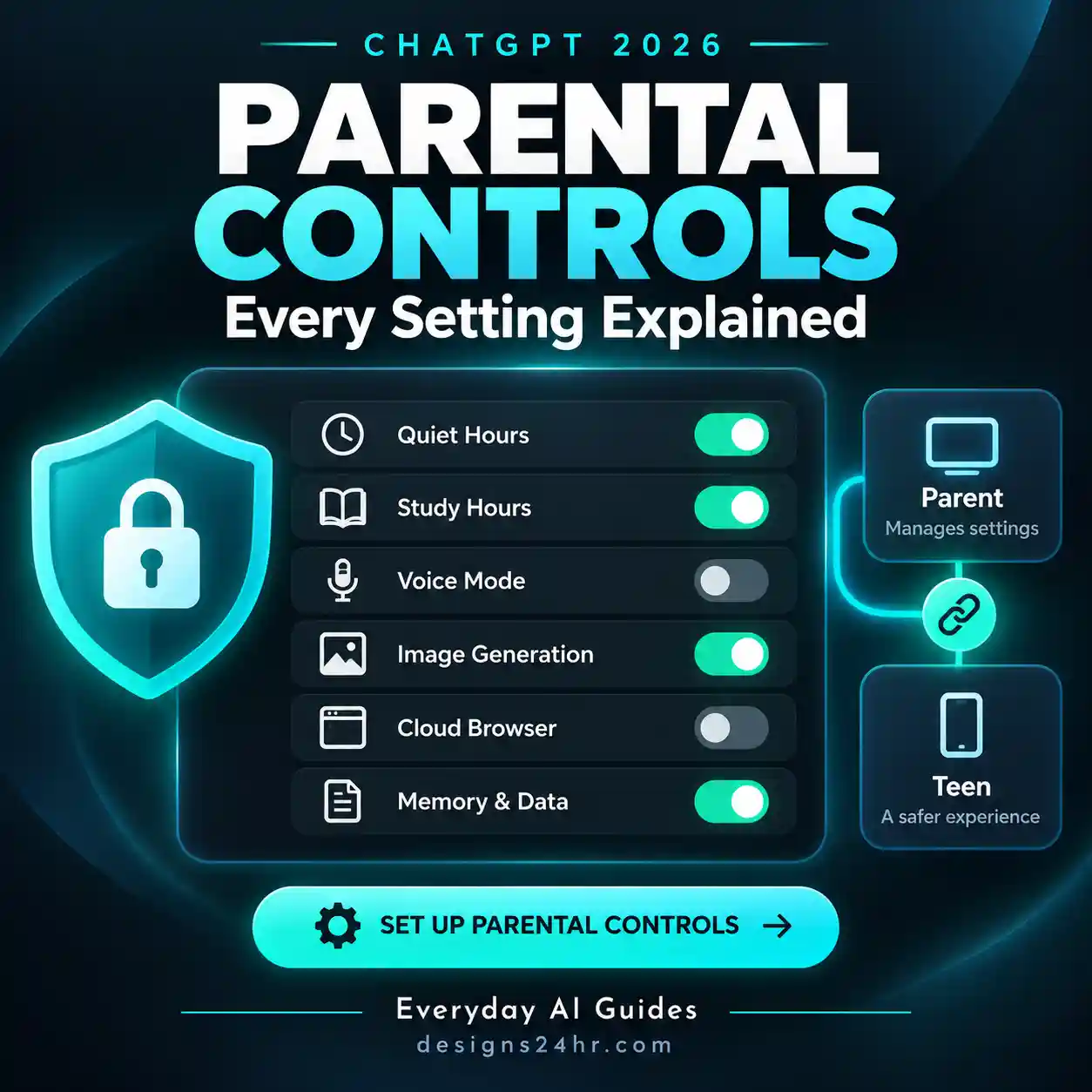
Linking accounts gives a parent or guardian control over selected features in the teen account. OpenAI’s available controls currently include several content, personalization, learning, scheduling, and feature-access settings.
| Feature | Parent can manage? | Does this reveal chat content? |
|---|---|---|
| Reduce sensitive content | Yes | No |
| Improve the model for everyone | Yes | No |
| Reference saved memories | Yes | No |
| Voice Mode | Yes | No |
| Image generation | Yes | No |
| Study settings | Yes | No |
| Study Hours | Yes | No |
| Quiet Hours | Yes | No |
| Conversation transcripts | No | No access |
| Chat history | No | No access |
| Real-time prompts and responses | No | No access |
Reduce Sensitive Content
Teen accounts receive additional safeguards intended to reduce certain sensitive or age-inappropriate content. OpenAI lists examples such as graphic material, risky viral challenges, sexual or romantic roleplay, violent roleplay, and extreme beauty ideals.
A linked parent may be able to manage the Reduce Sensitive Content setting. Changing that one setting does not turn a teen account into an adult account or remove every other teen-specific protection.
Improve the Model for Everyone
Parents can manage whether the teen’s conversations may be used to help improve OpenAI’s models. This is a data-use setting—not a way for the parent to inspect those conversations.
Reference Saved Memories
Parents can manage whether ChatGPT can use saved memories to personalize responses where the feature is available.
Memory is separate from ordinary chat history. If you need to understand or remove stored memory information, see how to delete ChatGPT memory completely.
Voice Mode and Image Generation
A linked parent can manage whether the teen can use Voice Mode and whether image generation is available. Disabling these features limits access to the feature itself; it does not reveal previous voice conversations or image prompts to the parent.
When Does ChatGPT Notify Parents?
This is the biggest exception people misunderstand.
When parent and teen accounts are linked, ChatGPT may send the parent a safety notification in limited serious situations. OpenAI currently says this can include cases where specially trained reviewers identify a serious self-harm concern or when an account is deactivated for conversations relating to acts of violence under OpenAI’s policies.
But a safety notification is not a copy of the conversation.
Teen uses ChatGPT normally. The linked parent does not receive the chat, transcript, history, or a live activity feed.
ChatGPT may send a limited notification describing the type of concern and relevant support information. The conversation itself is not included.
OpenAI says a safety notification may contain a brief description of the type of concern, relevant information about an account deactivation when applicable, and support resources or instructions.
OpenAI specifically states that safety notifications are not real-time monitoring, may not identify every concern, and do not include the teen’s conversation, transcript, or chat history.
Study Hours vs. Quiet Hours: What’s the Difference?
These two parental controls sound similar, but they do very different things.
| Setting | What it does | Blocks ChatGPT? |
|---|---|---|
| Study Hours | Starts eligible new main ChatGPT conversations in Study Mode during scheduled times. | No |
| Quiet Hours | Sets scheduled times when the linked teen cannot use ChatGPT, including ChatGPT Work. | Yes |
What are ChatGPT Study Hours?
Study Hours are an optional learning schedule. During the selected times, eligible new conversations in the main ChatGPT experience can begin in Study Mode, which is designed to guide the user through a topic with questions, explanations, and step-by-step support rather than simply supplying a final answer.
Study Hours do not block access to ChatGPT. OpenAI also says they do not apply in the same way to existing conversations, GPTs, or Projects.
What are ChatGPT Quiet Hours?
Quiet Hours are actual access restrictions. During a scheduled Quiet Hours period, the linked teen cannot use ChatGPT, including ChatGPT Work.
Parents can configure more than one Quiet Hours time block from Settings → Parental controls.
Study Hours change how eligible chats begin. Quiet Hours stop ChatGPT access during the scheduled period.
Can Teens Change Their Parent-Managed Settings?
While the accounts remain linked, a teen cannot change settings that are managed by the linked parent or guardian.
The teen can still review which controls are enabled or disabled, and OpenAI says teens can ask ChatGPT about the controls applying to their account. But the parent-managed settings themselves remain under the parent’s control while the link is active.
Can a Teen Unlink ChatGPT Parental Controls?
Yes. Either the teen or the linked parent or guardian can unlink the accounts.
If the teen unlinks the account, OpenAI says the parent or guardian is notified. Once accounts are no longer linked, the parent cannot manage the teen’s linked parental-control settings or receive teen safety notifications for that account.
One parent or guardian can link with multiple teen accounts, but each teen can currently link to only one parent or guardian at a time.
Can Parents See Deleted ChatGPT Chats?
The more useful way to think about this question is that parental controls do not provide a parent-facing chat-history dashboard in the first place.
Because linked parents cannot access ordinary conversation history through parental controls, the feature does not provide a separate view showing which chats are present, deleted, or previously opened.
This is separate from how ChatGPT stores, searches, or deletes conversations inside the teen’s own account.
How to Link a Parent and Teen ChatGPT Account
Either the parent or the teen can start the linking process. On the web, a parent can currently invite a teen using a phone number or email address.
Open your profile menu and select Settings.
Open the parental-controls section from Settings.
Choose the option to invite the teen account.
Enter the phone number or email address associated with the teen you want to invite.
The teen receives a link by text or email and may also receive a ChatGPT notification.
Once accepted, the connected account appears under Family members.
Select the teen under Family members and configure the controls that make sense for your household.
ChatGPT Parent Setup Checklist
Linking accounts is only the first step. A useful setup should match the teen’s age, school expectations, schedule, and how they actually use AI.
- Confirm you linked the correct account. Make sure the invitation is accepted by the teen account you actually intend to manage.
- Review Reduce Sensitive Content. Understand what the added safeguard changes before adjusting it.
- Review model-training permissions. Decide whether the teen’s conversations may be used to improve OpenAI models.
- Review saved-memory personalization. Decide whether ChatGPT should reference saved memories when responding.
- Decide whether Voice Mode is appropriate. Disable it if you do not want the feature available.
- Review image generation. Decide whether creating or editing images should be available.
- Configure Study Hours when useful. Use them to encourage a more learning-focused ChatGPT experience at selected times.
- Use Quiet Hours for actual access limits. Schedule periods when ChatGPT should not be usable.
- Review safety-notification contact options. Confirm where available alerts can reach you.
- Explain what parental controls do and do not show. Avoid creating the false impression that every conversation is being secretly watched.
- Agree on household AI rules separately. Technical controls cannot replace clear expectations about homework, privacy, personal information, and responsible AI use.
Parent Control vs. Parent Surveillance
This distinction is the easiest way to understand the entire system.
Parents can turn selected capabilities on or off and manage certain privacy or personalization settings.
Study Hours can encourage learning-focused sessions, while Quiet Hours restrict access.
Qualifying safety alerts can provide limited information without revealing the actual chat transcript.
ChatGPT parental controls do not provide routine transcript access, chat-history access, or live monitoring.
In other words, ChatGPT parental controls provide control, scheduling, and limited safety notifications without giving the parent routine surveillance access to the teen’s conversations.
What Happens When a Teen Turns 18?
OpenAI says that when ChatGPT identifies a linked teen account as belonging to someone 18 or older, the account moves out of the ChatGPT for Teens experience.
When that happens, the parental-controls connection ends. The parent can no longer manage the account’s settings, teen safety notifications stop, teen-specific protections are turned off, and the account holder gains full control over their ChatGPT settings.
OpenAI says the teen account holder and the linked parent or guardian are notified when this transition occurs.
What ChatGPT for Teens Changes—and What It Doesn’t
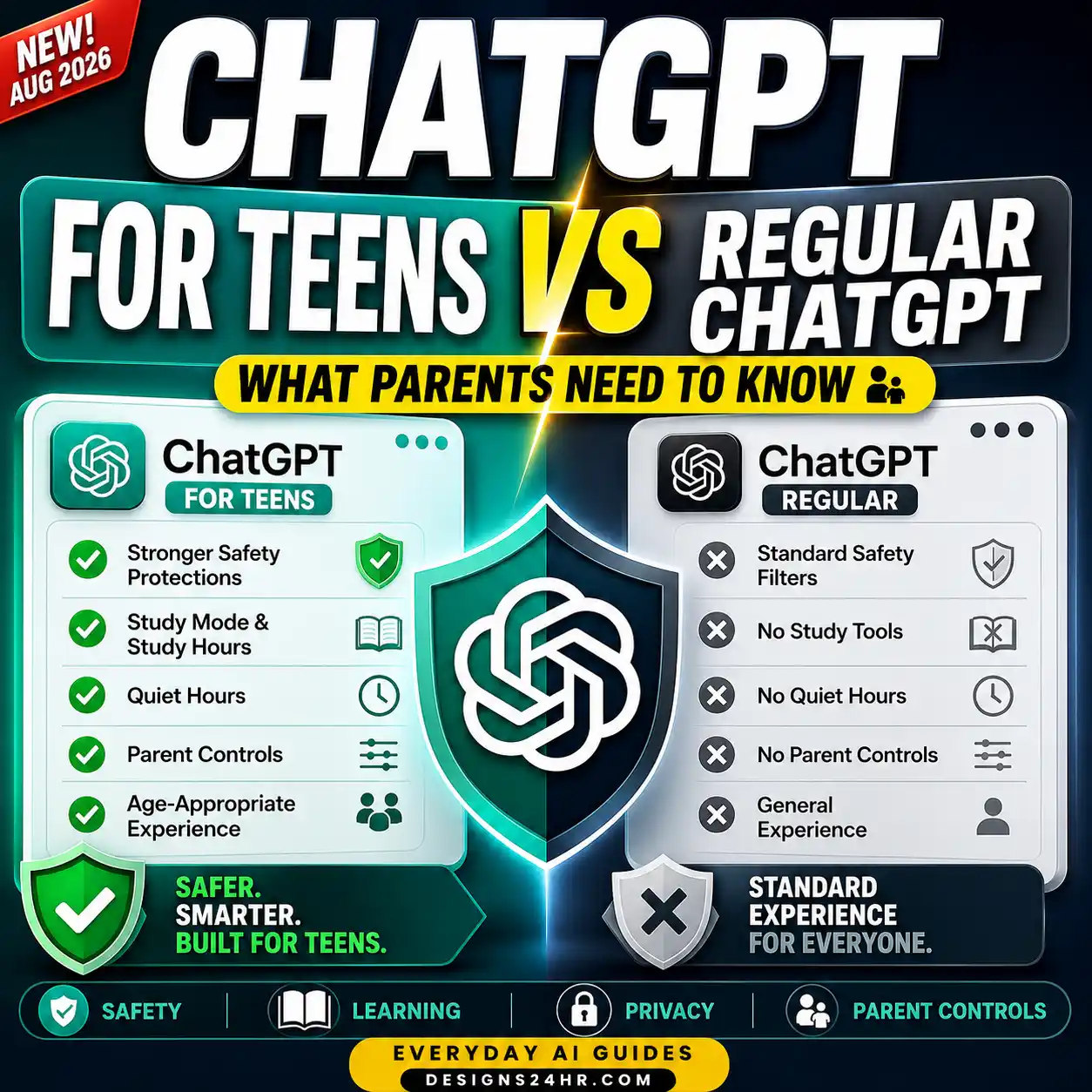
OpenAI introduced ChatGPT for Teens in August 2026 as a dedicated experience for users it identifies as ages 13–17. The experience adds stronger built-in protections and learning-oriented features, including Study Mode, responsible-homework reminders, sensitive-image upload reminders, and teen-specific onboarding.
Those safeguards do not mean every interaction becomes visible to the parent. OpenAI’s current design still keeps ordinary conversations private from the linked parent account.
For broader questions about how AI tools interact with young users, see our guide to AI companion chatbots and what parents should know.
What About ChatGPT Computer History and Other Stored Activity?
Parent visibility and ChatGPT’s own storage or memory features should not be treated as the same thing.
A setting may affect what ChatGPT remembers or stores for the account without automatically making that information visible to a linked parent.
If you are reviewing privacy more broadly, continue with ChatGPT Computer History and what it records.
Frequently Asked Questions
Can parents see ChatGPT chats?
No. ChatGPT’s linked parental controls do not provide access to a teen’s conversations, chat history, or real-time activity.
Can parents read a teen’s ChatGPT history?
No. Linking accounts through parental controls does not make the teen’s ChatGPT history visible to the parent.
Can parents see what their child searches on ChatGPT?
Not through parental controls. Parents do not receive a routine list of prompts, searches, questions, or responses.
Can parents monitor ChatGPT in real time?
No. OpenAI specifically says parental controls do not provide access to real-time activity.
Does ChatGPT send parents conversation transcripts?
No. Even when a qualifying safety notification is sent, OpenAI says the notification does not include the conversation, chat transcript, or chat history.
Does ChatGPT ever notify parents?
Yes, in limited serious safety situations when linked accounts are active. These alerts may provide a brief description of the concern but are not a live monitoring system.
What are ChatGPT Quiet Hours?
Quiet Hours let a linked parent schedule times when the teen cannot use ChatGPT, including ChatGPT Work.
What are ChatGPT Study Hours?
Study Hours are scheduled periods when eligible new main ChatGPT conversations can begin in Study Mode. They do not block access to ChatGPT.
Can parents turn off Voice Mode or image generation?
Yes. OpenAI currently lists Voice Mode and image generation among the features a linked parent can manage for a teen account.
Can a teen unlink parental controls?
Yes. Either side can unlink the accounts. OpenAI says the parent or guardian is notified if the teen unlinks.
Can more than one parent link to the same teen?
OpenAI currently says each teen can link to only one parent or guardian at a time, while one parent or guardian may link to multiple teens.
What happens to parental controls when a teen turns 18?
When the account leaves the ChatGPT for Teens experience, the linked parental-controls connection ends, teen safety notifications stop, and the account holder receives full control over their settings.
The Bottom Line
Can parents see ChatGPT chats? Not through ChatGPT’s parental-controls feature.
Parents can manage selected features, privacy choices, learning settings, Study Hours, Quiet Hours, and limited safety-notification preferences. But they do not receive routine access to conversations, chat history, prompts, responses, or real-time activity.
The clearest way to understand the system is this: ChatGPT parental controls give parents control over selected settings—not a secret window into their teen’s conversations.