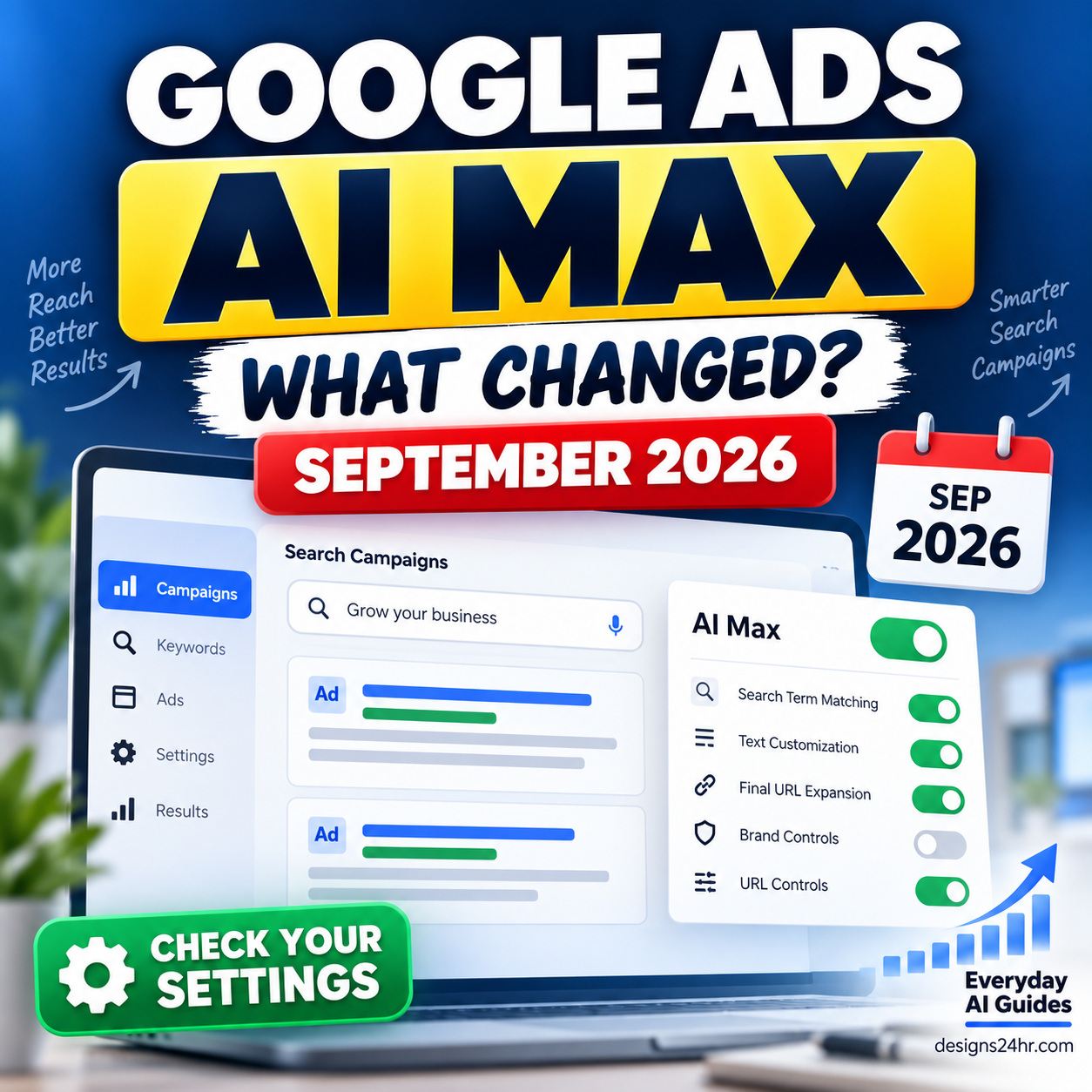
If you want to know how to advertise on ChatGPT, the starting point is OpenAI Ads Manager Beta. Eligible advertisers can create campaigns, choose CPM, CPC or conversion-optimized CPC objectives, set budgets and locations, add ads and context hints, measure results, and manage campaigns from one dashboard.
The opportunity is interesting, especially for small businesses and marketers looking for new paid-acquisition channels. But ChatGPT Ads is still an evolving advertising platform. That means your first goal should not be to spend aggressively. It should be to understand the system, make sure your website and measurement are ready, and run a controlled test you can actually evaluate.
Can You Advertise on ChatGPT?
Yes, businesses in supported markets can apply for access to OpenAI Ads Manager Beta and create advertising campaigns for ChatGPT. However, self-service access is not yet available everywhere, and creating an account does not automatically mean your advertiser account is ready to run campaigns.
OpenAI currently requires an advertiser setup process that includes business information, account details, verification, billing and payment. Applications may remain under review until OpenAI grants full platform access.
Where is self-service Ads Manager available?
As of September 1, 2026, OpenAI lists self-service Ads Manager access as available in Australia, Brazil, Canada, Japan, Korea, Mexico, New Zealand, the United Kingdom and the United States.
A number of additional markets are marked “Coming Soon.” For example, India is not currently listed as self-service available. Because this list is changing, check OpenAI’s live availability page before planning a campaign.
How Much Does It Cost to Advertise on ChatGPT?
There is no single fixed price for a ChatGPT ad. Your costs depend on the campaign objective, bid, available ad opportunities, competition, relevance, delivery and the results your campaign generates.
OpenAI currently lists a $25 USD minimum daily budget per campaign in the United States. Minimums vary by billing currency and market, so advertisers outside the U.S. should check the current campaign-spend table inside OpenAI’s documentation.
A crucial detail is that the daily budget is not necessarily a hard same-day spending cap. OpenAI describes a daily budget as the average amount the campaign should spend per day over a seven-day period. Spend can be higher or lower on individual days while the system paces toward the applicable seven-day limit.
What does a click cost?
There is no reliable universal ChatGPT Ads CPC benchmark yet. OpenAI says the platform does not currently have broad performance benchmarks across advertisers, industries or campaign types.
For standard CPC campaigns, OpenAI currently suggests starting with a maximum CPC bid around $3–$5 USD per click. Treat that as platform bidding guidance, not as a promise that your actual clicks will cost that amount or that the campaign will be profitable.
Choose the Right ChatGPT Ads Objective
OpenAI Ads Manager currently supports three main campaign objectives: CPM, CPC and oCPC. The right starting choice depends on what you actually want the campaign to accomplish.
| Your goal | Objective | How you pay | Good starting fit |
|---|---|---|---|
| Reach more potential customers | CPM | Per 1,000 impressions | Awareness and visibility |
| Drive website or product visits | CPC | Per valid click | Traffic and engagement |
| Optimize toward purchases, leads or sign-ups | oCPC | Per valid click | Tracked downstream conversions |
oCPC means conversion-optimized cost per click. The campaign still pays for eligible clicks, but delivery is optimized toward clicks that are more likely to produce the conversion event you selected.
How to Set Up OpenAI Ads Manager
Before you can advertise on ChatGPT, complete the advertiser-account setup. OpenAI currently separates this process into account creation, verification, account information, billing and team access.
How to Create Your First ChatGPT Ad Campaign
Once your advertiser account, billing and required verification are complete, build the campaign around one clear business goal. Avoid creating a complicated structure just because the dashboard gives you many options.
Track the traffic before you pay for it
Build a clean campaign URL before launching. Designs24hr’s free UTM Builder lets you set the source, medium and campaign name, then copy the finished tracking link.
How ChatGPT Ad Targeting Actually Works
The biggest mistake is assuming ChatGPT Ads works exactly like traditional paid search.
OpenAI says its advertising system can consider multiple signals when evaluating ad relevance, including the current conversation’s context and intent, the landing page, ad title and copy, advertiser-provided context hints and, when ad personalization is enabled, certain eligible signals from a user’s broader ChatGPT experience.
| Traditional search mindset | ChatGPT Ads mindset |
|---|---|
| Start with a search query | Consider the current conversational need and context |
| Keywords can be explicit controls | Context hints help describe relevance but are not exact-match controls |
| Search term often defines intent | Intent may develop across a conversation |
| Keyword-to-ad alignment matters | Ad, landing page, context hint and user need should align |
Location and platform controls
OpenAI currently supports campaign-level country targeting and additional supported geographic areas. U.S. advertisers can search for supported states, designated market areas and ZIP codes in the campaign location picker. Platform targeting can include iOS App, Android App and Web.
If you run a local or regional business, verify the exact location inside Ads Manager rather than assuming every city or ZIP code is available.
How to Write Better Context Hints
A useful context hint explains more than a broad product category. OpenAI recommends describing what the product does, whom it helps, or the situation where it is useful.
For example, OpenAI’s own guidance contrasts a broad phrase such as “running shoes” with a more descriptive use case built around cushioned everyday running shoes for a beginner preparing for a first 5K.
Use the P-N-S Context Hint Formula
Write context hints around three ingredients:
- Product: What are you actually offering?
- Need: What real customer problem or goal does it address?
- Situation: When or why would that solution be useful?
This produces useful context without turning the field into a pile of disconnected keywords.
Context hint example for a local accountant
Context hint example for project-management software
Context hint example for an ecommerce store
Can You Use Custom Audiences?
Yes. ChatGPT Ads currently supports custom audiences built from advertiser customer or prospect lists using supported identifiers such as email addresses or phone numbers.
Advertisers can use eligible audiences for campaign inclusion, campaign exclusion and certain ad-group bid adjustments. But there is an important practical limitation for smaller businesses: OpenAI currently requires a custom audience to contain at least 25,000 matched users before it can be used, and recommends audiences of at least 100,000 users.
Set Up Conversion Tracking Before You Optimize for Conversions
Clicks alone do not tell you whether paid traffic created business value. If your goal is leads, registrations or purchases, conversion measurement should be part of the campaign setup rather than an afterthought.
OpenAI currently supports conversion events through the OpenAI Pixel, Conversions API, or both. Ads Manager can then evaluate eligible events against the conversion event configured for a campaign.
- Decide what action counts as a useful conversion.
- Create the appropriate conversion data source in Ads Manager.
- Install the Pixel on relevant pages when using browser-side measurement.
- Use the Conversions API for supported server-side measurement where appropriate.
- Test the intended conversion event before meaningful ad spend begins.
- Keep your UTM naming consistent for independent analytics reporting.
- Compare reporting using the same dates and time zone.
OpenAI also notes that Ads Manager and third-party analytics can show different numbers because attribution methods, consent conditions, browser behavior, time zones, redirects and other measurement details may differ.
ChatGPT Product Feed Ads for Ecommerce
Retail advertisers with larger or frequently changing catalogs can also create campaigns from structured product feeds. This lets products from the catalog become eligible for ad formats without manually creating every product ad one at a time.
OpenAI currently supports feed imports through:
- CSV or TXT upload for manual or occasional updates.
- Hosted URL for a catalog available at a stable HTTPS address.
- SFTP for more automated server-to-server updates.
OpenAI states that product-feed advertisers have been among the stronger performers in its program so far. Treat that as an OpenAI-reported platform observation, not as an independent guarantee that product-feed ads will outperform standard campaigns for your store.
Before Spending Your First $25: ChatGPT Ads Readiness Test
The platform minimum is not the same as a sensible budget for every business. Before launching, ask whether your business is ready to learn anything useful from paid traffic.
The 10-point first-campaign checklist
- You have one clear offer to advertise.
- The landing page accurately matches the ad promise.
- You know the campaign’s primary goal.
- You can measure the result that matters.
- Your geographic targeting matches where you can serve customers.
- Your ad group focuses on one coherent need or product area.
- Your context hints describe real customer situations.
- You have more than one meaningful creative variation.
- Your landing URL includes clean tracking parameters.
- You can afford for the test to fail without harming the business.
Are you ready or should you wait?
Ready to consider a test
- Clear product or service
- Useful landing page
- Known conversion goal
- Tracking works
- Customer value is understood
- Test budget is affordable
Probably wait first
- Offer is still unclear
- Landing page is unfinished
- No reliable conversion tracking
- Margins are unknown
- You need instant guaranteed ROAS
- $25/day would strain the business
If your business is not ready, improving your organic discoverability may produce more durable value before adding another paid channel. Use the AI Search Visibility Checklist to see whether ChatGPT, Gemini and Google AI can understand and surface your business.
ChatGPT Ads vs Traditional Search Ads
ChatGPT Ads and traditional paid search can both connect businesses with people showing intent, but the experience is different enough that you should not copy a search campaign structure blindly.
| ChatGPT Ads | Traditional paid search |
|---|---|
| Ad relevance can use conversational context | Search query is a central signal |
| Uses advertiser context hints | Often built heavily around keyword systems |
| Still an early advertising ecosystem | Mature ecosystem with long-established workflows |
| Limited broad performance benchmarks | Large body of industry benchmark data |
| Useful for reaching people during AI-assisted exploration and decisions | Useful for reaching people actively searching or browsing within established ad networks |
Do not interpret “new” as automatically “better.” ChatGPT Ads should earn budget by producing measurable business results compared with your other realistic acquisition options.
10 ChatGPT Advertising Mistakes to Avoid
- Treating context hints like exact-match keywords. They guide relevance but do not guarantee placement in specific conversations.
- Launching without working conversion measurement. You cannot optimize intelligently if you cannot tell what happened after the click.
- Mixing unrelated offers inside one ad group. Keep themes and customer needs focused.
- Using generic ad copy. Make the value proposition specific enough for the right customer to understand quickly.
- Sending traffic to an unrelated landing page. The ad promise and destination should match.
- Choosing oCPC simply because “conversions” sounds better. Conversion optimization depends on useful conversion signals.
- Assuming the daily budget is a strict same-day cap. Review OpenAI’s seven-day pacing rules.
- Testing only one creative. Different messaging can reveal what users actually respond to.
- Ignoring geographic availability. Confirm both Ads Manager access and the locations you want to target.
- Expecting guaranteed ROAS from a beta ad platform. OpenAI itself says broad performance benchmarks are not yet established.
Is Advertising on ChatGPT Worth Trying?
For the right business, yes—as a controlled experiment.
ChatGPT Ads becomes more interesting when your customers already research, compare, plan or make decisions with AI, your offer has enough margin to support paid acquisition, and your website can reliably turn qualified visits into measurable actions.
It is less attractive when the business is still fixing its offer, landing page, analytics or conversion process. In that situation, a new advertising channel can amplify an existing weakness rather than solve it.
A Simple First-Campaign Action Plan
Frequently Asked Questions About ChatGPT Ads
Can you advertise on ChatGPT?
Yes. Eligible advertisers in supported markets can use OpenAI Ads Manager Beta to create campaigns for ChatGPT. Self-service access is country-dependent and advertiser accounts may require verification and review.
How much does it cost to advertise on ChatGPT?
There is no universal cost per result. In the United States, OpenAI currently lists a $25 USD minimum daily budget per campaign. Actual costs depend on your objective, bid, delivery and campaign performance.
What is the minimum ChatGPT Ads budget?
The current U.S. minimum is $25 per day per campaign. Minimum daily spend differs by billing currency, and the current amount should be confirmed in OpenAI’s campaign documentation before launch.
Does ChatGPT Ads use keywords?
Advertisers can provide context hints that may include topics or relevant language, but OpenAI says these are not exact-match keywords and do not guarantee delivery in a specific conversation.
Can a small business advertise on ChatGPT?
Potentially, yes, if the business is in a supported advertiser market, passes the required account process and can support the campaign budget. Small businesses should still evaluate whether their landing page, margins and measurement are ready before paying for traffic.
Can ChatGPT Ads track purchases and leads?
Yes. OpenAI currently provides conversion measurement using the OpenAI Pixel, Conversions API or both for supported conversion events and campaign measurement.
Can ecommerce businesses upload product feeds?
Yes. Retail advertisers can create eligible product-feed campaigns using supported catalog imports such as CSV/TXT, hosted URLs and SFTP.
Can ChatGPT Ads target U.S. locations?
Yes. In addition to country targeting, OpenAI currently supports selected U.S. states, DMAs and ZIP codes. Availability should be checked in the campaign location picker.
Is OpenAI Ads Manager still in beta?
Yes. OpenAI currently describes Ads Manager as a beta platform, which means features, availability, limits and best practices may continue to change.
Continue Building Your AI Marketing System
Official Sources and Further Reading
ChatGPT Ads is changing quickly. These OpenAI resources are the best places to confirm current platform details before spending money:
- OpenAI — Ads Manager Availability
- OpenAI — Ads Manager Beta Account Setup
- OpenAI — Create Campaigns for ChatGPT Ads
- OpenAI — Daily Budgets
- OpenAI — Create Ad Groups and Context Hints
- OpenAI — Conversion-optimized Campaigns
- OpenAI — Conversion Measurement
- OpenAI — Custom Audiences
- OpenAI — Product Feed Campaigns
- OpenAI — ChatGPT Ads FAQ
The Takeaway
Learning how to advertise on ChatGPT is now practical for businesses with access to OpenAI Ads Manager, but access alone does not make a campaign worth running.
The strongest first campaign starts with a clear offer, the right objective, focused ad groups, useful context hints, accurate landing pages, reliable measurement and an affordable test budget. Treat ChatGPT Ads as a channel that must prove its value—not as a shortcut to guaranteed customers.
If your business is not ready to pay for AI-driven discovery yet, start by checking your organic visibility in ChatGPT and improving the public information customers and AI systems already use to understand your business.