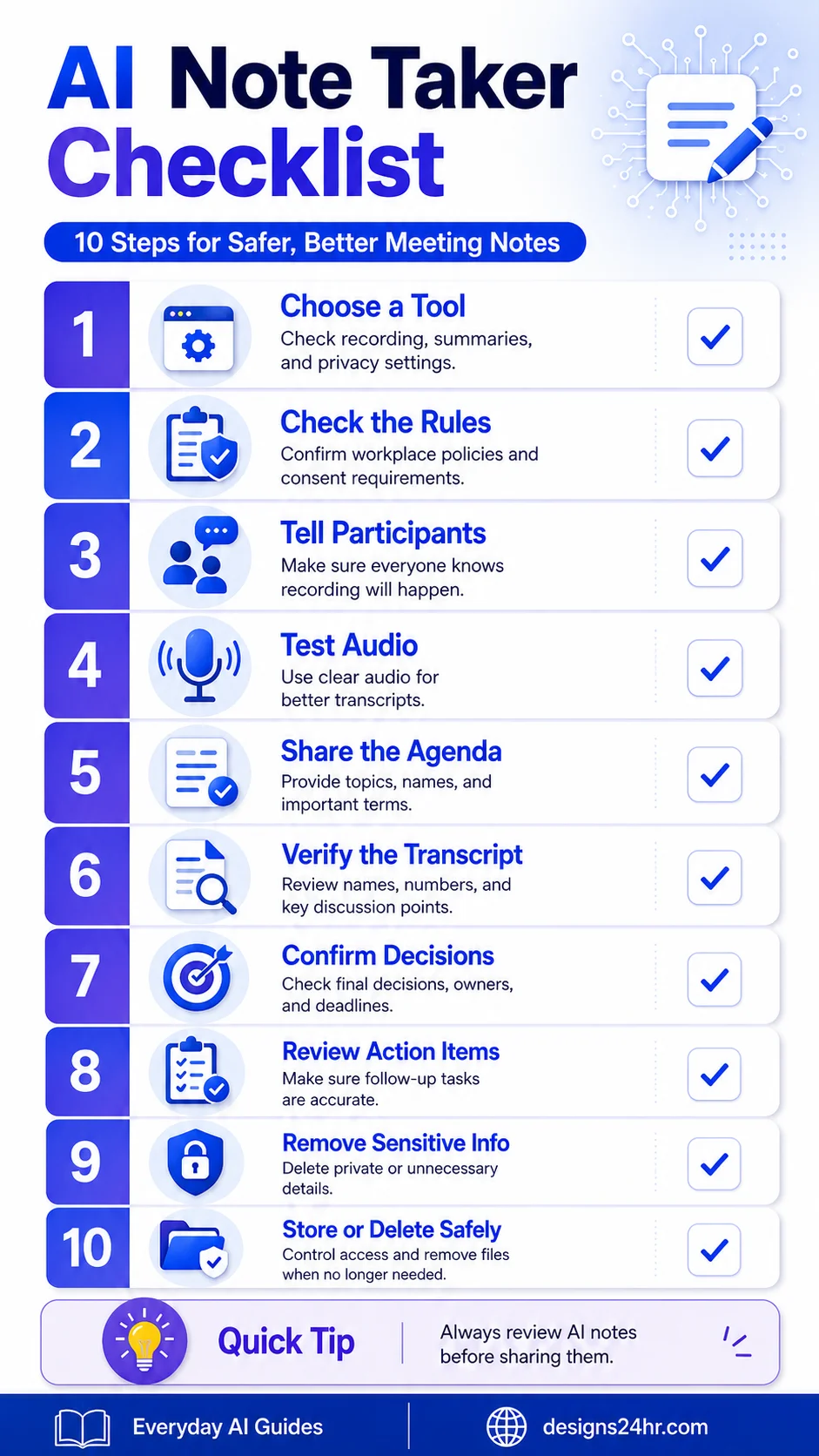
An AI note taker checklist helps you decide what the tool may capture, whether recording or transcription is appropriate, how participants will be informed, and how the final transcript, decisions, action items, and files will be reviewed. AI can save time, but it can also mishear a name, remove a crucial negative word, turn a suggestion into a decision, assign work to the wrong person, or share information more widely than intended.
Last reviewed: August 1, 2026
How should you use an AI note taker?
Use an AI note taker only after confirming the meeting is suitable, checking applicable rules and organizational policy, informing participants, and reviewing exactly what the service can capture, store, share, or send to connected apps. After the meeting, verify the transcript against the recording or another reliable source, separate decisions from ideas, confirm every action item, remove unnecessary sensitive information, restrict access, and delete source files when their purpose has ended.
Where This Checklist Fits in the Meeting Workflow
This page owns the capture-to-approved-record workflow: consent, recording or transcription, transcript verification, decisions, action items, sharing, retention, and deletion.
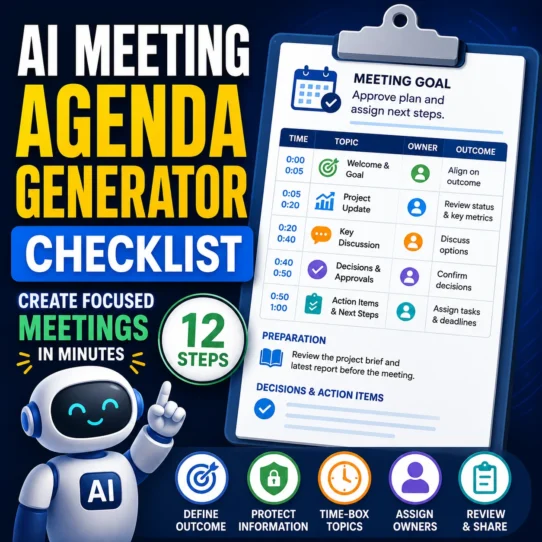
An agenda is a different task. It plans what should happen before the call. Use the AI Meeting Agenda Generator Checklist when defining the meeting outcome, participants, time blocks, preparation, and topics. Use this page after deciding that the meeting will happen and that AI-assisted notes may be appropriate.
The Before, During, and After AI Note-Taking Workflow
A reliable workflow separates approval from capture and capture from publication. Complete each phase rather than treating the generated summary as the finished record.
Hard-stop rule
Do not enable AI notes—or stop and remove the tool—when permission is missing, organizational policy prohibits it, the provider’s data handling is unclear, or the meeting involves information that should not be processed by the selected service. For sensitive meetings, use an approved restricted workflow, manual notes, or a trusted internal note taker.
What Is an AI Note Taker?
An AI note taker converts speech into text and may organize that transcript into a summary, discussion points, decisions, questions, follow-up tasks, and action items. Depending on the provider, it may join the call as a visible bot, operate inside the meeting platform, record through a browser or desktop app, process an uploaded audio file, or work from an existing transcript.
The output can reduce manual writing, but it is not an authoritative record merely because it looks organized. Audio quality, speaker overlap, accents, specialist terms, sarcasm, tentative language, missing context, and unclear decisions can all change the result.
Treat the transcript and summary as structured drafts. A person who attended the meeting should approve high-impact facts, decisions, commitments, owners, deadlines, and sharing permissions before the notes become a project record.
Know What the AI Meeting Tool May Capture
Do not assume the service creates only a short summary. Review its current settings and documentation to identify every input, generated output, storage location, and connected destination.
| Question | What to verify | Safer decision |
|---|---|---|
| What is captured? | Audio, transcript, chat, screen content, files, participant data, or metadata | Enable only the features needed for the meeting |
| Where is it stored? | Meeting platform, cloud drive, workspace, vendor account, or connected app | Use an approved location with restricted access |
| Who receives it? | Host, all participants, workspace members, external guests, or app users | Turn off automatic broad sharing |
| How long is it retained? | Audio, transcript, summary, derived tasks, and backups may differ | Set a purpose-based retention period |
| Can it leave the meeting system? | Email, documents, task tools, calendars, CRM, or automation services | Disconnect unnecessary integrations |
AI Note Taker Checklist: 10 Essential Steps
Choose an approved tool
Check capture methods, transcript editing, exports, privacy terms, access controls, retention, deletion, and administrator settings.
Check the meeting rules
Review applicable law, participant locations, workplace or school policy, contracts, client restrictions, and confidentiality duties.
Inform participants clearly
Explain what is being captured, why it is needed, who receives it, and how concerns or non-consent will be handled.
Map capture and sharing
Identify audio, transcript, chat, files, auto-sharing, integrations, storage locations, and downstream task or calendar actions.
Prepare the agenda and audio
Provide purpose, names, roles, terminology, and desired outputs; test the microphone and reduce overlapping speech.
Verify the transcript
Review names, speakers, dates, numbers, specialist terms, negatives, conditions, objections, and unresolved statements.
Confirm decisions
Separate approved decisions from proposals, brainstorming, temporary positions, recommendations, and open questions.
Approve action items
Confirm the task, owner, due date, output, dependency, and whether the responsible person accepted the assignment.
Minimize and review access
Remove unnecessary sensitive information, inspect automatic recipients, and share the shortest useful record.
Retain or delete deliberately
Apply separate retention decisions to audio, transcripts, summaries, tasks, downloads, and connected-app copies.
Choose the Right AI Note Taker
Start with the meeting type and data involved. A routine internal update may need a basic transcript and edited summary. A client, interview, employee, financial, legal, or strategic meeting may require administrator approval, restricted storage, stronger access controls, or no external AI note-taking at all.
Features worth checking
- Capture method: visible meeting bot, platform feature, browser extension, local recorder, or uploaded audio.
- Notice controls: participant prompts, visible indicators, host confirmation, and custom notices.
- Editing controls: speaker labels, terminology, redaction, corrections, and version history.
- Sharing controls: default recipients, external guests, public links, downloads, and auto-email settings.
- Connected apps: documents, task tools, calendars, CRM systems, email, or team chat.
- Retention and deletion: separate treatment of audio, transcript, summaries, derived tasks, and backups.
- Data-use terms: storage, subprocessors, model-improvement use, administrator controls, and regional settings.
Record a short, non-sensitive practice meeting. Verify names, speaker changes, numbers, negative statements, action items, automatic sharing, connected-app behavior, and deletion before using the tool for an important call.
Check Recording Rules and Organizational Policy
Recording and transcription requirements can depend on the locations of the participants, the type of conversation, contractual duties, workplace policy, and the selected platform. The Reporters Committee Recording Guide summarizes U.S. state recording laws and emphasizes that its guide does not replace legal advice.
This article provides general information, not legal advice. When the requirements are unclear, do not assume that a platform notification is sufficient. Obtain appropriate approval and consult the responsible employer, school, client, organizer, compliance owner, or qualified legal professional.
Tell Participants Before Capture Begins
Do not allow a meeting assistant to listen silently. State whether the service will record audio, create a transcript, generate a summary, extract tasks, or send information to other apps. Explain the purpose, recipients, and expected retention period.
Some meeting platforms provide recording or AI-specific consent prompts. Zoom, for example, documents participant consent prompts and administrator-configurable notices. These controls can support transparency, but the organizer still must follow applicable rules and policies.
Prepare the Meeting for Accurate Capture
Clear structure and audio reduce avoidable transcription errors. Provide the meeting purpose, participant roles, agenda sections, unusual terminology, and the format expected for decisions and action items.
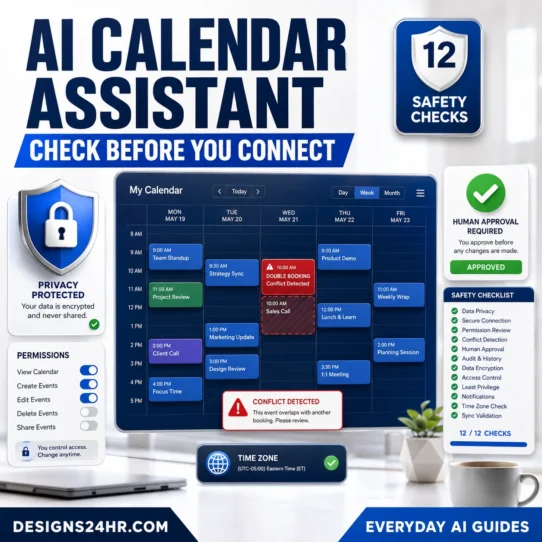
The AI Calendar Assistant Checklist covers attendee details, time zones, calendar permissions, invitations, and scheduling actions. Keep those scheduling controls separate from the note taker’s permission to listen, summarize, or distribute meeting content.
- Test the correct microphone and audio source.
- Reduce background noise, echo, and overlapping speech.
- Provide names, roles, acronyms, products, and specialist terminology.
- Use verbal markers such as “the decision is,” “this remains open,” and “the action item is.”
- Keep a manual backup note for high-impact decisions.
- Pause the tool when the discussion moves into restricted material.
Verify the Transcript Before Summarizing
Correct high-impact transcript errors before asking AI to produce polished notes. Otherwise, the same mistake may spread into the summary, action list, follow-up email, calendar event, task system, or project record.
| Transcript problem | Possible consequence | Manual check |
|---|---|---|
| Wrong speaker | A commitment or task may be attributed to the wrong person. | Confirm the speaker and responsible owner. |
| Incorrect number | A budget, quantity, price, percentage, or deadline may become misleading. | Compare with the recording or approved source document. |
| Missing negative word | “We cannot approve” may become “We can approve.” | Review high-impact decisions word by word. |
| Lost condition or objection | A conditional approval may appear unconditional. | Restore the condition, dependency, objection, or exception. |
| Unclear terminology | The notes may describe the wrong product, process, or requirement. | Correct the term before generating the summary. |
Separate Decisions, Ideas, and Open Questions
A discussion can contain proposals, objections, alternatives, recommendations, temporary positions, and final approvals. Do not let the summary convert every confident sentence into an agreed decision.
- Was the item explicitly approved?
- Who had authority to approve it?
- Were conditions, exceptions, or dependencies attached?
- Was the decision final, temporary, or pending another review?
- Did the group select an option or only discuss it?
- Was silence incorrectly interpreted as agreement?
Approve Every Action Item
A complete action item identifies the task, confirmed owner, deadline, expected output, and dependency. Mark missing details as unresolved instead of allowing the AI to infer them.
When approved tasks need scheduling, use the calendar workflow only after the meeting record is confirmed. Do not let an unverified action item automatically create an event or invite participants.
The person who mentioned a task is not automatically its owner. Confirm that the responsible person accepted the work and understands the output and due date.
Copyable Prompt for Verified AI Meeting Notes
Use this prompt only after correcting major transcript errors and removing information that the selected service does not need. The AI Prompt Generator can help structure other instructions, but the meeting organizer must still supply the verified facts and boundaries.
Minimize Sensitive Information and Sharing
A complete transcript may contain far more information than the team needs. Remove passwords, personal contact details, private comments, customer or employee information, protected records, confidential strategy, privileged discussion, and other unnecessary restricted material.
Follow the minimum-information rules in What Not to Share With ChatGPT before uploading transcripts to another AI service or attaching notes to a prompt.
A short approved summary may be sufficient. Do not distribute full audio, video, transcripts, chats, and connected files merely because the service created them.
Review Automatic Recipients and Connected Apps
Check whether the service automatically emails the summary, posts it to a team channel, creates a document, adds tasks, updates a CRM record, or writes to a calendar. Remove unintended recipients and disconnect unnecessary integrations.
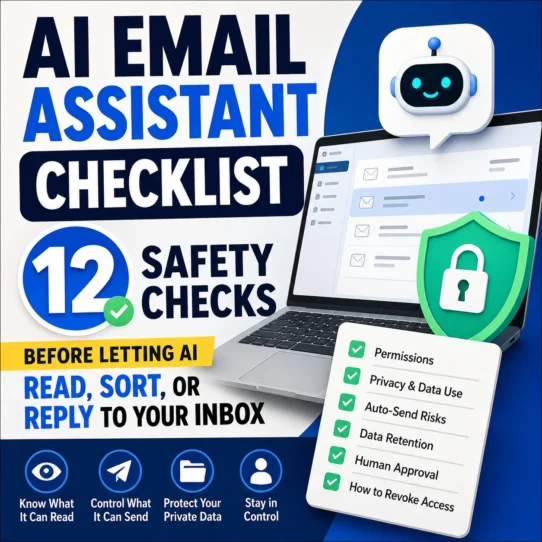
When meeting notes are used to prepare a follow-up message, apply the access and send controls in the AI Email Assistant Checklist. Verify the recipient list, attachments, claims, commitments, and tone before sending.
Store, Retain, and Delete Deliberately
Audio, video, transcript text, summaries, action items, exported files, backups, and connected-app copies may require different retention periods. Keep only what serves a legitimate purpose and is permitted by the applicable policy.
- Restrict access to people who genuinely need the information.
- Avoid unrestricted or public recording links.
- Review external guests, workspace permissions, and download rights.
- Remove duplicate downloads and temporary exports.
- Delete recordings and transcripts when their purpose has ended.
- Check whether connected apps retain their own copies.
- Record the final approved summary separately from the raw transcript.
The NOTES Test: A Fast Final Review
Use the NOTES Test before sharing the summary, storing it as a project record, or allowing another system to act on its contents.
Decision and Action-Item Approval Log
Use a log like this when the meeting creates commitments, deadlines, customer promises, spending decisions, or other high-impact follow-up.
| Item | Type | Owner or approver | Deadline or status | Evidence checked | Review result |
|---|---|---|---|---|---|
| [Exact decision or task] | Decision / Action / Open question | [Confirmed person or role] | [Date, final, temporary, pending] | [Recording time, transcript line, source document] | Confirmed |
| [Exact decision or task] | Decision / Action / Open question | [Person to verify] | [Missing or uncertain] | [What still needs checking] | Needs review |
| [AI-inferred item] | Unverified inference | None confirmed | Do not schedule or send | No reliable support | Remove |
Do not publish or automate from unverified notes
Stop before sending, scheduling, assigning, paying, approving, or updating another system when the record contains an uncertain speaker, missing negative word, unconfirmed owner, invented deadline, unresolved condition, confidential information, or unclear participant approval.
Common AI Note Taker Mistakes to Avoid
Enabling the tool without mapping what it captures
A summary feature may also create a transcript, save participant data, use chat messages, or send information to connected services.
Starting without clear notice
Participants should not have to guess whether audio, transcription, AI summarization, or a meeting bot is active.
Assuming the transcript is accurate because it is polished
Names, numbers, negatives, technical terms, and speaker labels can remain wrong inside fluent text.
Treating suggestions as decisions
Brainstorming, objections, and tentative language must not be converted into approvals or commitments.
Accepting automatically assigned action items
An AI may assign work to the person who mentioned it rather than the person who accepted responsibility.
Ignoring automatic sharing
A correct summary can still become a privacy problem when sent to the wrong participant, workspace, channel, client, or connected app.
Keeping every source file permanently
Indefinite storage increases the amount of sensitive material that must be secured, governed, found, and deleted later.
Final AI Note Taker Quality Checklist
- The tool and meeting were approved for AI-assisted capture.
- Applicable recording, workplace, school, client, and contractual requirements were checked.
- Participants were informed about capture, purpose, sharing, and retention.
- The exact data captured and connected destinations were mapped.
- The microphone, agenda, participant roles, and terminology were prepared.
- Names, speakers, dates, numbers, negatives, conditions, and terminology were verified.
- Final decisions were separated from ideas, proposals, and open questions.
- Every action item has a confirmed task, owner, deadline, output, and dependency.
- Sensitive and unnecessary information was removed.
- Automatic recipients, links, integrations, and exports were reviewed.
- Audio, transcripts, summaries, and derived records have appropriate retention rules.
- A responsible person approved the final notes before sharing or automation.
Authoritative Resources
Frequently Asked Questions About AI Note Takers
What does an AI note taker do?
An AI note taker converts speech into text and may organize the transcript into summaries, discussion points, decisions, questions, and action items. The exact capture, storage, and sharing behavior depends on the provider and settings.
Do I need permission to use an AI note taker?
Requirements vary by participant location, meeting type, local law, workplace or school policy, contracts, and organizational rules. Check the applicable requirements and clearly inform participants before enabling recording, transcription, or AI notes.
Are AI-generated meeting notes accurate?
They can provide a useful draft, but they may contain incorrect speaker labels, numbers, names, decisions, conditions, or action items. Important details should be reviewed by someone who attended the meeting.
What can an AI meeting notes tool capture?
Depending on the service, it may process audio, video, transcripts, speaker labels, chat messages, shared-screen context, calendar details, documents, summaries, action items, and connected-app information. Review the current settings rather than assuming only a short summary is created.
Can an AI note taker identify decisions and action items?
Many tools attempt to extract them, but they can confuse proposals with decisions or assign a task to the wrong person. Confirm every decision, owner, deadline, condition, and expected output.
When should I avoid AI meeting notes?
Avoid or pause AI capture when permission is missing, policy prohibits it, the provider is not approved, data handling is unclear, or the meeting contains legal, employment, medical, financial, confidential, or other restricted information that should not be processed by the selected tool.
Should I keep the full meeting recording?
Keep it only when there is a legitimate purpose, appropriate approval, suitable access control, and a defined retention period. A reviewed summary may be enough for many routine meetings.
Should AI meeting notes be reviewed before sharing?
Yes. Verify transcript details, decisions, action items, owners, deadlines, sensitive information, recipients, connected apps, and retention before sharing or allowing another system to act on the notes.
Create Meeting Notes You Can Actually Trust
AI can organize the first draft, but the organizer owns the final record. Use the category hub to continue the connected workflow from agendas and scheduling through notes, follow-up, and delivery.
Explore AI for Work & ProductivityEditorial limitation: This guide provides a practical review process and does not certify any note-taking service as legally compliant, private, secure, or accurate for every meeting. Features, settings, policies, laws, and organizational requirements can change. Review the current service documentation and obtain qualified guidance when the consequences are significant.