If Google Messages Official Chat suddenly appeared above your normal conversations, the important question is not what the feature is called—it is what happens if you tap Accept. The invitation joins you to an official RCS for Business conversation designed to show Google Messages feature and media updates. It is separate from your existing personal conversations, and you can decline the invitation if you do not want the update thread.
Tapping Accept on the Google Messages Official Chat invitation starts an official RCS business conversation used for Google Messages updates. It is not the same as turning on RCS, it does not combine your existing chats into the official thread, and current Google Messages controls let supported U.S. RCS business conversations be unsubscribed from later. If you do not want the updates, you can choose No thanks.
What Is the Google Messages Official Chat?
The Google Messages Official Chat is an RCS for Business conversation that Google Messages is using to introduce or explain features inside the messaging app. During the current rollout, some users see an invitation near the top of their conversation list asking them to join the official chat for future feature and media updates.
Current rollout reports show that accepting the invitation creates a separate verified Google Messages conversation. The thread can show information about features such as RCS media sharing, scheduled messages and other Google Messages functions.
This is different from an ordinary conversation with a friend or family member. It is a business messaging thread, which matters because Google applies different verification, privacy and encryption rules to RCS conversations with businesses.
You can accept the update conversation or choose No thanks.
The Official Chat appears as its own conversation rather than replacing your personal chats.
The conversation is designed to explain and highlight Google Messages features.
Google says businesses that send RCS business messages need the user’s explicit consent. That is why the invitation matters: it gives you a choice before joining this particular business conversation.
You can read Google’s explanation of how these conversations work in Get started with RCS chats with businesses.
What Happens If You Accept the Google Messages Official Chat?
If you tap Accept, Google Messages opens the official RCS business conversation and can use that thread to deliver feature information. Accepting is best understood as opting into this update channel—not as granting the Official Chat control over your other conversations.
1. A new Official Chat conversation appears
The Google Messages Official Chat becomes a separate conversation in your inbox. Your existing SMS and RCS conversations remain separate from it.
2. Google Messages can send feature information in the thread
The purpose of the chat is to help users discover Google Messages features. Current rollout reports show examples covering RCS media quality and other app functions.
3. You may see suggested actions instead of a normal reply box
In the version currently being reported, normal free-form replies may be turned off. Instead, the conversation can provide suggested buttons such as options to learn more about a feature.
Because Google can change the experience during a gradual rollout, the exact buttons or messages on your phone may differ from someone else’s.
4. Accepting does not mean you are turning RCS on
The invitation is specifically about joining the Official Chat. Google manages the broader RCS setting separately in Google Messages.
RCS itself is the messaging standard that can provide features such as higher-resolution media, typing indicators, read receipts and internet-based messaging. Joining Google’s update thread should not be confused with changing that general RCS setting.
Accept vs. No Thanks: What Should You Choose?
There is no need to treat the invitation as an urgent decision. The practical choice depends on whether you want Google Messages feature announcements inside your messaging inbox.
| Choice | What it means | Useful if… |
|---|---|---|
| Accept | Join the Google Messages Official Chat and receive its feature information. | You want to discover Google Messages features inside the app. |
| No thanks | Do not join the Official Chat at that point. | You prefer not to add a feature-update conversation to your inbox. |
| Already accepted | You can keep the thread or use available unsubscribe controls later. | You joined first and want to decide after seeing what the conversation contains. |
Before accepting: • Do I actually want Google Messages feature updates in my inbox? • Does the conversation show a verified business identity? • Am I comfortable with this being an RCS business conversation rather than an end-to-end encrypted personal chat? • Do I know where the Unsubscribe option is if I change my mind?
Is the Google Messages Official Chat Legitimate?
A genuine Google Messages Official Chat should be treated like any other verified RCS business conversation: verify the sender inside the app rather than trusting a familiar name alone.
Google’s documentation explains several signs that can identify a verified business in Google Messages.
- Look for a verification checkmark beside the business name.
- Open the business information and confirm that the sender is shown as verified.
- Look for a branded business identity rather than relying only on message wording.
- If anything looks inconsistent, do not follow unexpected links or provide sensitive information.
Google says the verification checkmark indicates that Google, a mobile carrier or a third-party verification provider has confirmed the business’s identity. You can review Google’s current guidance in RCS chats with businesses.
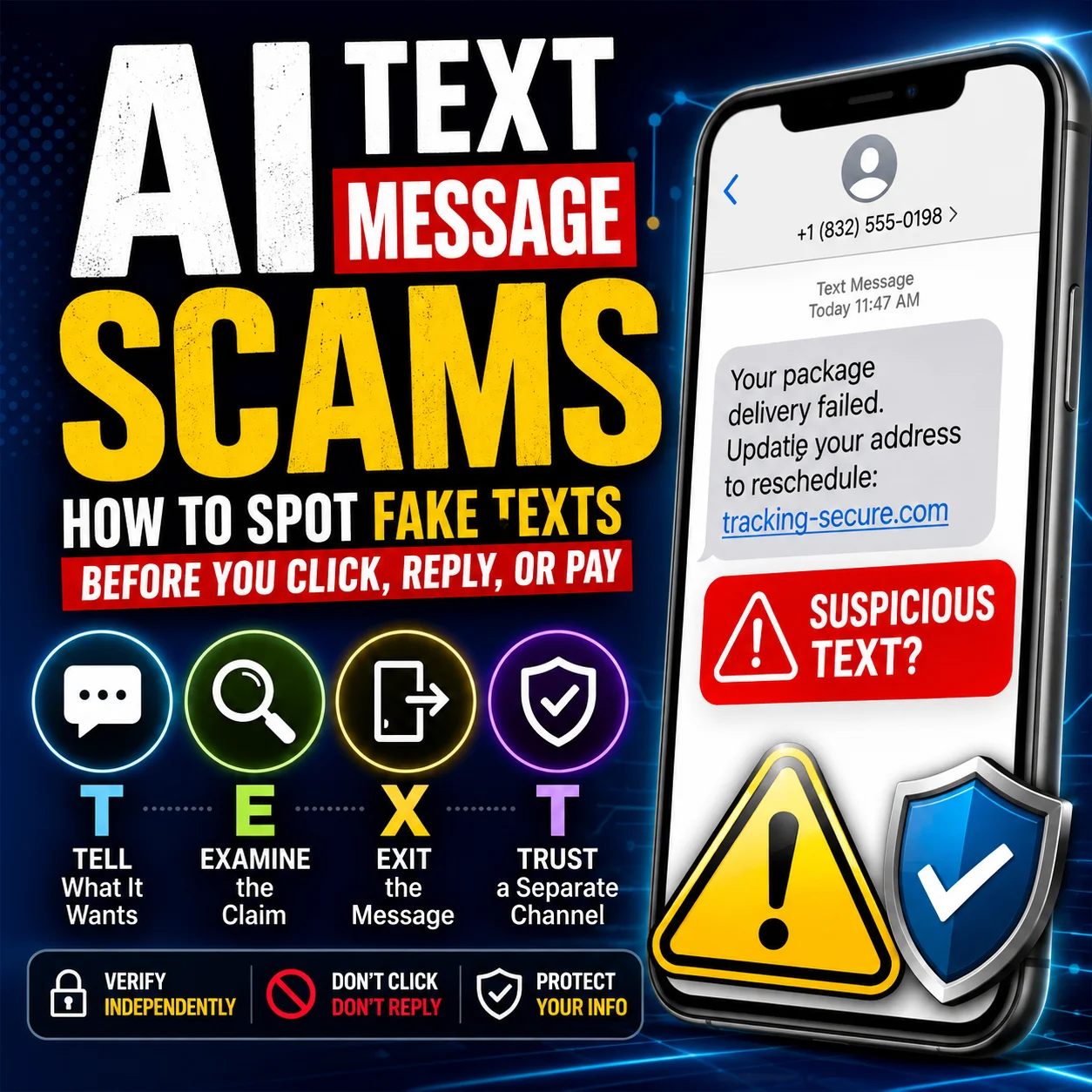
For a broader verification process, our guide to spotting suspicious text messages explains how to verify a message through a separate trusted channel instead of relying only on how professional it looks.
Is the Google Messages Official Chat Private?
This is the part worth understanding before you accept.
Google Messages supports end-to-end encryption for eligible RCS conversations between Google Messages users. However, Google’s current documentation specifically says that verified RCS chats between businesses and users are not end-to-end encrypted.
| Privacy question | What Google’s documentation says |
|---|---|
| Is a verified business identity checked? | Yes. A verification mark means the business identity has been verified by Google, a carrier or another verification provider. |
| Is a verified RCS business chat end-to-end encrypted? | No. Google’s documentation says verified RCS conversations between businesses and users are not end-to-end encrypted. |
| Can other entities be involved in delivering a business conversation? | Yes. Google says businesses, messaging solution providers and operators can be involved in managing RCS business conversations. |
| Is verification the same as end-to-end encryption? | No. Verification confirms business identity; encryption describes how message content is protected. |
Google further explains that entities operating RCS business conversations—and in some cases carriers—may be able to access message content for delivery and related purposes. Google’s documentation says Google can access business-to-user message content for spam and abuse protection, while messages sent by users to businesses are not accessible to Google.
That does not automatically make the Official Chat suspicious. It simply means you should not assume that a verified RCS business conversation has the same privacy model as an eligible end-to-end encrypted personal RCS chat.
Google’s separate end-to-end encryption documentation explains how encryption works for eligible conversations between Google Messages users.
If you use other Google services and want to understand broader data-access controls, see our Gemini Connected Apps privacy and permissions guide.
Does Accepting the Official Chat Change Your Existing Messages?
The Google Messages Official Chat is a separate conversation. Accepting it does not mean your existing personal conversations are moved into that chat.
| After you accept | What to expect |
|---|---|
| Your existing SMS conversations | They remain separate from the Official Chat. |
| Your existing RCS conversations | They remain separate conversations. |
| The RCS master setting | Accepting the invitation is not the same action as enabling RCS. |
| Google Messages feature information | The Official Chat can provide feature explanations and updates. |
| Your ability to leave later | Supported RCS business conversations have an Unsubscribe control. |
Does Joining the Official Chat Share Your Location?
Joining the Google Messages Official Chat should not be confused with deliberately using a location-sharing feature in Google Messages.
Current versions of the Official Chat can explain various Google Messages capabilities, including location-related features. Seeing information about a feature does not mean that simply accepting the update conversation has automatically shared your real-time location with another person.
How to Unsubscribe From the Google Messages Official Chat
If you already accepted the Google Messages Official Chat and later decide that you do not want the updates, Google provides unsubscribe controls for supported RCS for Business conversations in the United States.
-
Open Google Messages.
Find and open the Official Chat conversation. -
Open the conversation menu.
Look for the menu or conversation options in the upper area of the chat. -
Choose Unsubscribe.
Google notes that the Unsubscribe option can also appear near the bottom of some business conversations. -
Select a reason if requested.
Choose the option that best describes why you want to stop the messages. -
Confirm Unsubscribe.
Google Messages should process the unsubscribe request for that sender.
According to Google’s current documentation, the app can send the appropriate unsubscribe instruction to the business sender. Google also provides a Subscribe option if you later choose to receive supported business messages again.
See Google’s official unsubscribe instructions for the latest supported countries and controls.
What If the Google Messages Official Chat Looks Suspicious?
Do not assume that every conversation using the words “Google Messages” is genuine. A familiar sender name, polished wording or convincing design should not replace verification.
Use this order:
-
Check the verification status inside Google Messages.
A genuine verified RCS business should display the appropriate verification indicator. -
Inspect what the message is asking you to do.
Be especially cautious with unexpected requests for passwords, one-time codes, payment details or account information. -
Avoid suspicious links.
If something feels wrong, leave the conversation and verify the information independently. -
Block or report suspicious messages when appropriate.
Google Messages includes controls for blocking senders and reporting spam.
Google explains that reporting a conversation as spam can block the sender and move the conversation to the Spam & blocked folder. You can review the current process in Google’s spam-reporting instructions.
VERIFY BEFORE INTERACTING 1. Check for the verified business indicator. 2. Open the sender’s profile inside Google Messages. 3. Check what the message actually wants from you. 4. Do not provide passwords, verification codes or payment details. 5. If anything looks wrong, verify through an official Google support page instead of a link inside the suspicious message.
If the wording of any notification or message is confusing, you can also use our plain-language message explainer. Remove phone numbers, account information and other sensitive details before pasting text into any online tool.
Why Don’t I See the Google Messages Official Chat?
Not seeing the Google Messages Official Chat does not necessarily mean anything is wrong with your phone.
Reporting from September 2026 indicates that the feature is still rolling out gradually. Some users received the Official Chat earlier in the month while other users still did not have the invitation when broader coverage began.
Availability can therefore differ between users even when they are both using Google Messages.
- Make sure Google Messages is up to date.
- Remember that server-side rollouts do not necessarily reach every account simultaneously.
- Do not reinstall or reset your messaging app solely because this optional Official Chat is missing.
- Check again later if you specifically want the feature and it has not appeared yet.
Google Messages Official Chat: What Changes and What Doesn’t?
| Question | Answer |
|---|---|
| Do you get a new conversation? | Yes. The Official Chat becomes its own RCS business thread. |
| Does it replace your normal chats? | No. Your existing conversations remain separate. |
| Does Accept turn RCS on? | No. Joining the chat and controlling the general RCS setting are different actions. |
| Can you choose No thanks? | Yes. The current invitation provides a decline option. |
| Can you leave after accepting? | Yes. Supported business conversations provide unsubscribe controls. |
| Is the business chat end-to-end encrypted? | No. Google’s documentation says verified RCS business-user conversations are not end-to-end encrypted. |
| Does Accept automatically share your location? | No. Joining an update conversation is separate from deliberately using a location-sharing feature. |
So, Is It Safe to Accept the Google Messages Official Chat?
If the conversation is the genuine, verified Google Messages business chat, accepting it is essentially choosing to receive Google’s feature information inside an RCS business conversation.
The more useful question is whether you want that conversation. If feature announcements inside your messaging inbox sound useful, accepting gives you that option. If you prefer to keep your inbox limited to your own conversations, choosing No thanks is reasonable.
From a privacy perspective, remember the distinction that matters most: a verified business chat is not the same thing as an end-to-end encrypted personal RCS conversation. Do not send sensitive information simply because a sender has a verification badge.
Frequently Asked Questions
What is the Google Messages Official Chat?
It is an official RCS for Business conversation designed to show Google Messages users information about messaging features and updates.
What happens if I accept the Google Messages Official Chat?
Accepting starts the Official Chat as a separate RCS business conversation. The thread can provide information about Google Messages features and may offer suggested buttons for learning more.
Do I need to accept the Google Messages Official Chat?
The invitation is for the optional Official Chat update thread. It should not be confused with a requirement for using your ordinary Google Messages conversations.
Does accepting the Official Chat delete or change my existing messages?
The Official Chat appears as a separate conversation. Accepting it does not mean your existing SMS or RCS conversations are moved into that thread.
Does Accept turn on RCS?
No. The Accept button is for joining this particular Official Chat. Google Messages manages the broader RCS setting separately.
Is the Google Messages Official Chat end-to-end encrypted?
Google’s documentation says verified RCS conversations between businesses and users are not end-to-end encrypted. That is different from eligible personal RCS conversations between Google Messages users, which can be end-to-end encrypted.
How can I tell whether the Google Messages chat is really from Google?
Check the business identity inside Google Messages and look for the verified business indicator. Google says the checkmark confirms that Google, a carrier or a third-party verification provider has verified the business identity.
Can I unsubscribe after accepting?
Yes. Google currently provides an Unsubscribe control for supported RCS for Business conversations in the United States and several other countries. Open the conversation menu and look for Unsubscribe.
Does joining the Official Chat automatically share my location?
Joining an informational business conversation is separate from intentionally using a location-sharing feature. The Official Chat may explain Google Messages features without automatically activating those features for your personal conversations.
Why don’t I have the Google Messages Official Chat?
The feature is still rolling out gradually as of September 2026. Not every Google Messages user is seeing the invitation at the same time.
Official Sources & Verification
This guide was reviewed on September 26, 2026. Google Messages features, interface labels, supported countries and rollout availability can change, so the official Google documentation below should be treated as the source of truth for current controls.
- Google Messages Help — RCS chats with businesses
- Google Messages Help — Get started with RCS chats with businesses
- Google Messages Help — Unsubscribe from business senders
- Google Messages Help — End-to-end encryption
- Google Messages Help — Report spam
Bottom line: The Google Messages Official Chat is an optional RCS business conversation for learning about Google Messages features. Accept it if you want those updates, choose No thanks if you do not, verify the business identity before trusting the sender, and remember that verified business RCS conversations do not have the same end-to-end encryption model as eligible personal Google Messages RCS chats.
Designs24hr is an independent educational website and is not affiliated with or endorsed by Google. Google, Google Messages and related product names are trademarks of their respective owners. Interface labels and feature availability may change as the rollout continues.