Why is my writing flagged as AI when I wrote it myself? If an AI detector says your essay, assignment, email, or report was written by artificial intelligence, the result can feel confusing—especially when you know you wrote it.
The important thing to understand is that an AI detection score is not proof of who wrote a document. AI detectors estimate whether text resembles patterns associated with AI-generated writing. They can misclassify both human-written and AI-generated content.
If your writing has been flagged, you do not need to immediately rewrite everything or buy an AI humanizer. A better response is to understand the result, preserve your genuine writing evidence, and follow any applicable school or workplace review process.
Why Is My Writing Flagged as AI?
Your writing may be flagged because an AI detector identifies patterns it associates with AI-generated text, even when those patterns appear in human writing. Concise sentences, predictable wording, repeated structures, formal language, and certain writing styles can be difficult for detection systems to classify reliably.
What to do: Save your original document, check its version history, gather genuine notes and drafts, review the institution’s AI-use policy, and calmly request a human review if the result has consequences.
A high detection score alone does not establish that you used AI improperly.
Why AI Detectors Flag Human Writing
An AI detector false positive occurs when a detection system incorrectly classifies human-written material as AI-generated.
AI writing detection is not the same as matching a passage to a known source. A detector generally evaluates features of text using a trained model and produces a classification or probability-like score based on its own system.
Because AI-generated and human-written text can share similar characteristics, the distinction is not always reliable.
Predictable wording
Common phrases, conventional transitions, and straightforward explanations may resemble patterns present in AI-generated text. Predictability alone does not indicate AI use.
Formal academic style
Academic assignments often require consistent organization, neutral language, and structured paragraphs. Those features can also appear in AI-generated writing.
Concise or formulaic writing
Some research and developer guidance has identified difficulties with formulaic writing and certain non-native English writing patterns. This does not mean a particular writer will necessarily be flagged.
Classification limitations
Detection tools vary in training data, models, thresholds, and supported content. A result that appears convincing may still be incorrect for the individual document.
Can grammar correction cause an AI flag?
It is possible for substantial automated rewriting to affect the writing patterns evaluated by a detector. However, a detection score cannot reliably tell whether someone used a grammar checker, accepted a suggested sentence, or generated an entire essay.
Also, your school or employer may distinguish between ordinary spelling corrections and AI-generated rewriting. Review the relevant policy instead of assuming all editing tools are treated the same way.
Are AI Detectors Accurate Enough to Prove AI Writing?
No AI detector result should automatically be treated as conclusive proof that a particular person used generative AI.
Accuracy varies across tools, languages, document types, text lengths, and evaluation conditions. Performance statistics from a company’s test dataset do not necessarily establish reliability for every real-world essay or report.
Turnitin’s official AI Writing Report guidance explicitly acknowledges that its detection model may incorrectly identify human-written or AI-generated text. Turnitin advises against using its AI report as the sole basis for adverse action against a student.
Likewise, OpenAI’s educator guidance explains limitations encountered in its own AI detection research and the risk of false positives.
Three questions to ask about any AI detector
- What does the score actually represent? Check the provider’s documentation rather than assuming it means a probability of misconduct.
- What writing is supported? Text length, language, format, and other requirements can affect whether a result is meaningful.
- How will the result be reviewed? A responsible process should consider context, writing evidence, applicable policies, and human judgment.
A detector may provide a reason to ask questions about a document. It is not a substitute for a fair review of how that document was produced.
What If an AI Detector Says Your Writing Is 100% AI?
If an AI detector says your writing is 100% AI-generated, it can be tempting to interpret that result as absolute certainty. That interpretation is not justified without understanding the specific tool’s scoring system.
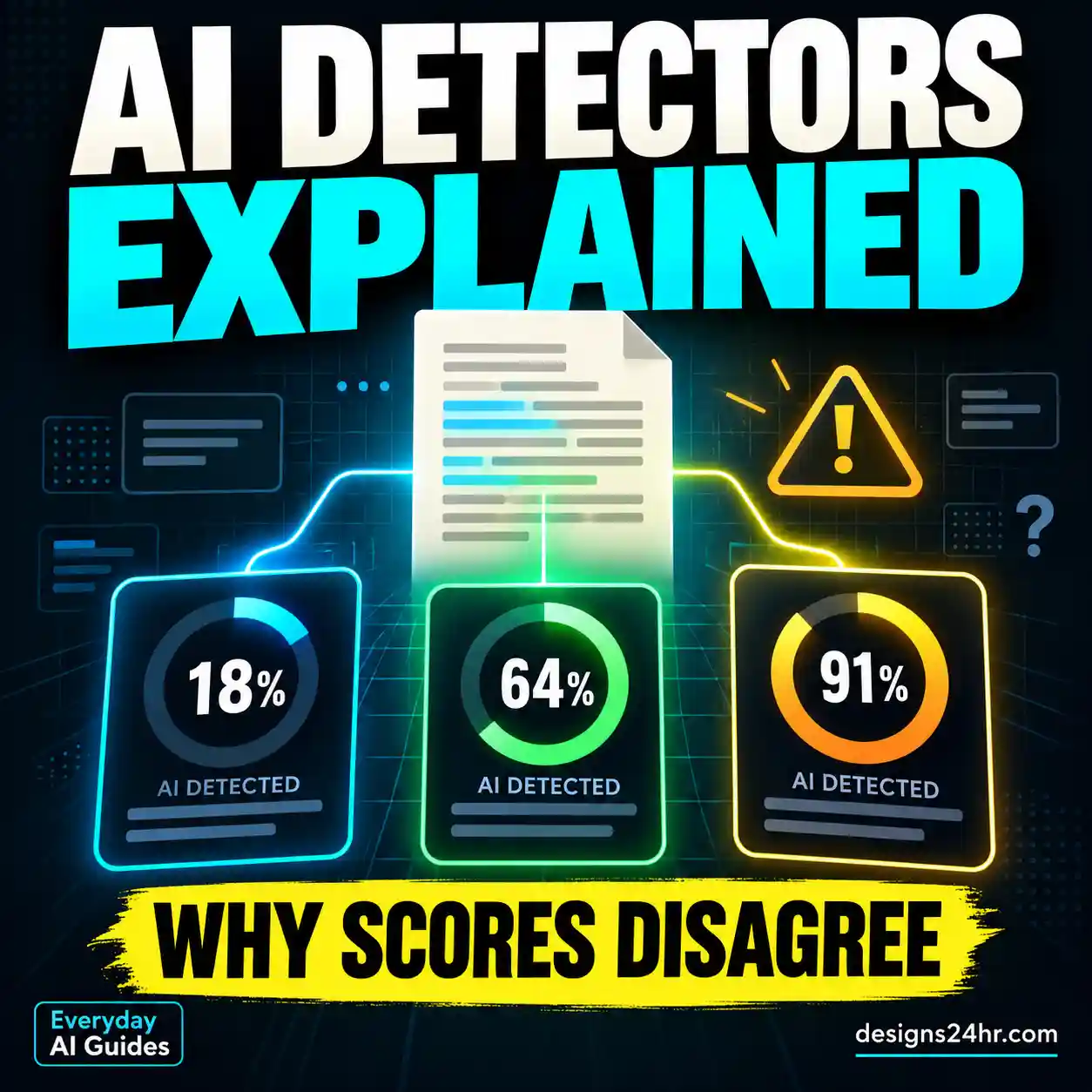
A displayed percentage may represent the share of text classified as AI-like, a model’s confidence, or another provider-defined measure. Different detectors do not necessarily calculate or display their scores in the same way.
| What you see | What it may mean | What to do |
|---|---|---|
| Low AI detection score | The tool identified fewer AI-like patterns under its criteria. | Do not treat a low score as proof of human authorship. |
| High AI detection score | The model classified substantial content as AI-like. | Check the scoring explanation and preserve original evidence. |
| 100% AI result | The tool’s output reached its highest displayed classification. | Do not assume absolute certainty; request contextual review if needed. |
| Different scores across tools | The systems may use different models, data, and thresholds. | Avoid choosing whichever result supports your preferred conclusion. |
For example, one tool might flag a document while another does not. This disagreement does not establish which tool is correct.
Do not submit your writing to dozens of unfamiliar AI checkers. Every additional upload creates a potential privacy or data-handling concern, especially when a document includes unpublished research, personal details, confidential information, or institution-owned material.
What to Do If Your Writing Is Flagged as AI
If an AI detector says your writing is AI-generated but you wrote it yourself, use this response process before making major changes.
Preserve the original document
Keep the file in its existing form. Preserve drafts, document metadata, and available version history. If you need to continue editing, consider working in a separate copy while retaining the original evidence.
Identify which detector produced the result
Record the tool’s name, the date, any report or reference number, and the exact score explanation. A free online AI checker and an institutional misconduct report do not have the same consequences.
Gather genuine writing-process evidence
Collect any available outlines, planning notes, research materials, previous drafts, feedback, and revision history that existed during the writing process.
Check the applicable AI policy
Read the assignment instructions or your institution’s academic integrity policy. Determine whether the concern is about AI-generated writing, undisclosed assistance, citation problems, or another requirement.
Request a review based on context
If a teacher, professor, editor, or employer raises the issue, respond professionally. Explain your actual process, offer relevant evidence, and ask how the concern will be evaluated.
Use formal review procedures if necessary
If the matter becomes a formal allegation, check deadlines and available appeal or student-support procedures. An adviser, student advocate, ombudsperson, or other appropriate representative may be able to explain the process.
What not to do
- Do not fabricate drafts, timestamps, notes, or screenshots.
- Do not delete genuine records merely to change the appearance of your writing history.
- Do not assume that running text through a humanizer establishes authorship.
- Do not make statements about your AI use that you know are inaccurate.
- Do not ignore an official deadline because you believe the detector is wrong.
How to Show That You Wrote Your Essay Yourself
If you wrote your essay or report yourself, contemporaneous records of the writing process may help explain how your work developed.
However, no single piece of evidence automatically proves authorship. Each source has limitations, and the strongest explanation usually comes from several consistent pieces of genuine information.
Authorship evidence comparison table
| Evidence | What it can show | Important limitation |
|---|---|---|
| Document version history | Changes to a document over time, including some timestamps and revisions. | It may not identify the actual author of every sentence or capture every editing step. |
| Early drafts | How ideas, paragraphs, and arguments developed. | Drafts alone cannot establish who wrote them. |
| Planning notes and outlines | Topic selection, research planning, and early reasoning. | Notes should be interpreted alongside other evidence. |
| Research history | Sources consulted and how research informed the document. | Reading a source does not establish authorship of the final writing. |
| Instructor feedback | Comments and revisions made during the assignment process. | Feedback may cover only part of the finished work. |
| Writing-process explanation | Your ability to discuss arguments, evidence, and revisions. | A convincing explanation alone is not conclusive proof. |
Example: a genuine writing timeline
Illustrative example only — not a real student record.
- Monday: Assignment reviewed and initial topic notes created.
- Tuesday: Research materials collected and an outline drafted.
- Wednesday: First version of the essay written.
- Thursday: Citations reviewed and paragraphs revised.
- Friday: Final proofreading and submission.
A student could use existing dated documents to explain a timeline like this. Never create or backdate records to make a timeline appear more complete than it really is.
How to Check Google Docs or Microsoft Word Version History
Google Docs
If you used Google Docs and have the necessary permissions:
- Open your original document on a computer.
- Select File → Version history → See version history.
- Review the available dated versions and recorded changes.
- Identify relevant earlier drafts and revisions.
- Preserve genuine records using sharing or copying options appropriate to your situation.
Google explains the process in its official version-history instructions.
Remember that Google Docs may group some revisions, permissions can restrict access, and available history does not necessarily capture every stage of authorship.
Microsoft Word
Depending on the Microsoft Word version and where the file is stored, you may be able to access version history through Word’s file information or version-history controls.
Version History is generally associated with files stored in supported cloud locations such as OneDrive or SharePoint. A locally saved document may not have the same revision record.
If version history is unavailable, look for genuine previously saved copies, notes, comments, tracked changes, or other contemporaneous files.
AI Detector False Positive: Choose Your Next Step
Not every AI detection result requires the same response. Choose the situation that best matches what happened.
Read the tool’s limitations and avoid repeatedly uploading the document. If no school, workplace, or publication decision depends on the result, you may not need to take further action.
Preserve your drafts and notes, review the assignment policy, and explain your actual writing process. Ask what information would help with a fair review.
Read the allegation carefully, identify response deadlines, preserve evidence, and follow the formal procedures. Seek appropriate student-support advice if available.
Document the assistance accurately and compare it with the policy in effect for the assignment. Do not claim that no AI was used when some assistance was involved.
Review the relevant contract, editorial requirements, or workplace AI policy. Offer appropriate process evidence without disclosing confidential material unnecessarily.
This framework is intended to help you organize a response, not determine the outcome of a disciplinary or contractual process.
What to Say When a Teacher or Professor Says You Used AI
A calm and specific explanation is usually more useful than arguing about an AI detector’s percentage alone.
The following template is for someone who genuinely wrote the work themselves. Edit it to reflect only what actually happened.
Use the statement “I wrote the assignment myself” only if it is accurate. If you used permitted AI assistance, describe that assistance truthfully instead.
What if the instructor asks for more evidence?
Offer the most relevant records you actually have. It is reasonable to ask what specific concern needs clarification and whether there is a formal procedure for reviewing the result.
A useful response focuses on what can be documented rather than claiming that all detection software is useless or that a teacher must accept a particular file as proof.
What If You Used AI for Grammar, Editing, or Brainstorming?
A question about AI authorship is not always the same as a question about whether AI assistance was permitted.
One assignment may allow spelling corrections and brainstorming but prohibit generating substantive paragraphs. Another may require disclosure of all generative AI assistance.
These requirements can differ between instructors, institutions, workplaces, and publications.
| Type of assistance | What to check |
|---|---|
| Spelling and punctuation suggestions | Whether standard proofreading tools are allowed without disclosure. |
| Rephrasing individual sentences | Whether automated rewriting is considered generative assistance. |
| Brainstorming ideas or outlines | Whether idea generation is allowed and whether attribution is required. |
| Generating paragraphs or essays | Whether AI-generated substantive text is prohibited or must be disclosed. |
| Summarizing research sources | Whether the process is allowed and whether original sources must be checked. |
Do not assume a tool is acceptable merely because it is marketed as a grammar checker. Evaluate what the feature actually does and compare it with the policy.
Example AI-use disclosure
If you did use AI assistance, a concise, truthful disclosure may help clarify what happened. The following is an editable example—not a statement to use unless it reflects your actions.
If you need to verify factual information provided by an AI assistant, see our guide to fact-checking AI answers.
AI Detector False-Positive Checklist
Use this checklist to prepare an accurate and organized response. You can mark completed tasks below or print the page for your records.
The best next action
Use the documents you already have, explain the writing process truthfully, and request a contextual review when a detection result may affect your education, employment, or reputation.
There is no universal document, screenshot, detector score, or checklist that guarantees a particular outcome.
Common Mistakes After an AI Detector Flags Your Writing
Running the same essay through many detectors
This may produce a confusing collection of scores without resolving the question of authorship. It can also expose your work to additional third-party services.
Rewriting everything just to lower the AI score
A lower score does not prove that the original essay was human-written. Rewriting under pressure may also complicate the record of your actual work.
Using an AI humanizer as evidence
A humanizer cannot verify who originally wrote a document. Using one to conceal prohibited AI assistance may also violate an applicable academic or workplace policy.
Claiming version history proves everything
Version history can provide useful context, but it is not a complete record of thought, research, authorship, or external assistance.
Responding without reading the policy
A detector flag, an instructor inquiry, and a formal allegation are different situations. Review the relevant policy and procedure before deciding how to respond.
Frequently Asked Questions About AI Detector False Positives
Why is my writing flagged as AI when I wrote it myself?
AI detection systems can mistake human writing for AI-generated content because they classify text using imperfect statistical patterns. A flag alone does not establish who wrote the document. Preserve your work and any genuine writing-process records if the result matters.
Can an AI detector be wrong about an essay?
Yes. AI detectors can produce false positives and false negatives. Their reliability depends on the particular system and the type of writing being evaluated.
What does 100% AI-generated mean?
It means the detector has returned its highest displayed AI classification according to its own scoring method. It does not necessarily mean there is a 100% factual certainty that AI wrote the text.
Can Turnitin falsely flag human writing?
Yes. Turnitin acknowledges that its AI writing detection model may misclassify text and should not be used as the sole basis for adverse action against a student. Institutions must apply their own policies and human judgment.
How can I prove I wrote my essay without AI?
You can provide genuine drafts, planning notes, revision history, research records, and an accurate explanation of your writing process. These can support your account, although no single item conclusively proves authorship.
Does Grammarly or another grammar checker cause AI detection?
Automated rewriting may affect text characteristics, but there is no universal rule that using a particular grammar tool causes an AI flag. The significance of that assistance depends on what the feature did and the applicable policy.
Should I use an AI humanizer to fix my score?
Not as a way to prove authorship. Humanizing tools do not verify who wrote the original text, and using them to conceal disallowed assistance could create further problems. Preserve your genuine work instead.
Can ChatGPT tell whether it wrote my essay?
No. ChatGPT cannot reliably determine whether it previously generated a particular piece of text simply by examining it. Its statements about authorship should not be treated as evidence.
What should I do if a professor accuses me of using AI?
Read the concern carefully, preserve relevant records, review the applicable policy, and respond with an accurate explanation. If there is a formal process, check its deadlines and consider appropriate student-support resources.
Can short writing samples be flagged incorrectly?
Yes. Short samples may provide limited information for classification, and some detectors impose minimum length requirements. Check the specific provider’s supported inputs and score limitations.
Know Someone Whose Writing Was Flagged as AI?
A detection score can raise questions, but it should not replace an evidence-based review. Share this guide with someone who needs an organized and practical response.
Continue Learning About AI Detection and Trust
Detection tools, automated grading systems, and AI-generated information require careful interpretation. These related Everyday AI Guides explain how to evaluate such systems more responsibly.
Sources and Further Reading
The following official resources provide background on AI detector limitations and document revision history.
-
Turnitin — Using the AI Writing Report
Official explanation of AI report interpretation, limitations, and the need for human judgment. -
OpenAI — How Can Educators Respond to AI-Generated Content?
Discussion of AI detection limitations and responsible educational evaluation. -
Google Docs Help — Find What’s Changed in a File
Official instructions for examining document version history.
Final Takeaway: A Detection Score Is Not an Authorship Verdict
If you are wondering why your writing is flagged as AI when you wrote it yourself, remember that detection tools are imperfect classification systems.
The most useful response is not to chase a better score. Instead, preserve genuine writing records, understand the relevant policy, and explain your process clearly.
When the result carries consequences, ask for a fair review that considers available evidence and context—not the detector score alone.