Claude Sonnet 5.5 is Anthropic’s September 2026 Sonnet model, designed to balance strong reasoning with faster responses and lower task-level cost than its predecessor. The practical question is not simply whether the new model is more capable. It is how to choose the right effort level, give it a well-scoped task, understand its limits and decide when Sonnet is a better fit than a heavier model such as Claude Opus 5.5.
This guide focuses on those decisions. You will learn how to use Claude Sonnet 5.5, what its Low, Medium, High, Xhigh and Max effort levels actually mean, which tasks suit the model, how its context window and API pricing work, and how to get better results without automatically turning every setting to maximum.
Quick Answer: What Is Claude Sonnet 5.5?
Claude Sonnet 5.5 is Anthropic’s latest Sonnet model, released September 28, 2026. Anthropic lists a 1 million-token context window, up to 128,000 tokens of standard output, adaptive thinking, a June 2026 knowledge cutoff and API pricing of $2 per million input tokens and $10 per million output tokens. The Claude API defaults Sonnet 5.5 to High effort, but harder is not always better: simpler chat and routine work can often start at Low or Medium, while difficult reasoning, coding and agentic work may justify High or above.
| Claude Sonnet 5.5 fact | Current specification | What it means in practice |
|---|---|---|
| Release date | September 28, 2026 | A very recent model; behavior and integrations may continue to evolve. |
| Context window | 1M tokens | Designed to accept very large inputs, but a large context does not remove the need for clear instructions or verification. |
| Standard max output | 128K tokens | Allows long responses and long-running work when configured appropriately. |
| Thinking | Adaptive | The model can vary how much reasoning it applies based on the task and settings. |
| API default effort | High | A strong default for complex API workloads, but not necessarily the most efficient setting for every task. |
| API pricing | $2/M input · $10/M output | Per-token rates are separate from Claude consumer-plan access and usage limits. |
| Knowledge cutoff | June 2026 | Recent events after the cutoff still require current sources or connected retrieval. |
What Is Claude Sonnet 5.5?
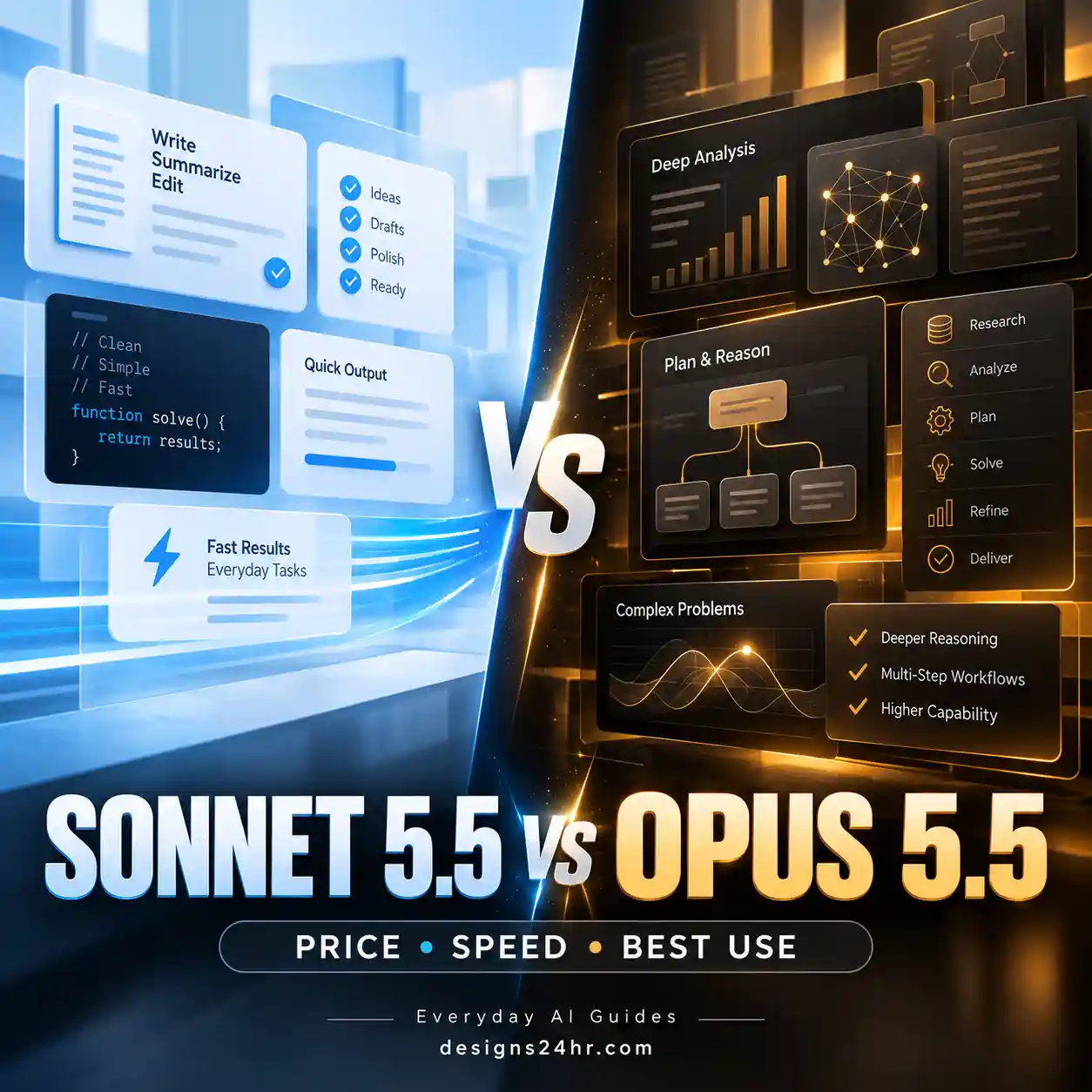
Claude Sonnet 5.5 is the second model in Anthropic’s Claude 5.5 family. Anthropic positions it as a faster, lower-cost complement to Claude Opus 5.5: Sonnet is aimed at well-scoped everyday work, coding, bug fixing and polished documents, slides and spreadsheets, while Opus is positioned for harder open-ended work that needs more sustained judgment.
Anthropic says Claude Sonnet 5.5 generates output more than 30% faster than Sonnet 5 and can cost up to 30% less per task in its own testing, even though the headline per-token rate remains $2 per million input tokens and $10 per million output tokens. Those are Anthropic’s measurements, not independent Designs24hr benchmark results.
The distinction matters. A model can have the same token price as its predecessor yet cost less for a completed task if it needs fewer tokens, fewer tool calls or fewer attempts. The opposite can also happen on unusually demanding settings, which is why choosing an effort level matters more than simply selecting the newest model and leaving every control at maximum.
If you use Claude for browser work as well as normal chat, see our separate guide to Claude in Chrome and its permission controls. Browser access is a different capability from the underlying model choice.
How to Use Claude Sonnet 5.5
You do not need a complicated prompt to start using Claude Sonnet 5.5. The more important habit is to make the task bounded enough that you can judge whether the result is correct.
- Select Claude Sonnet 5.5. In Claude, choose the model from the model selector where it is available. Developers can use the model ID claude-sonnet-5-5 through supported Anthropic and cloud APIs.
- State the result you want. Ask for a deliverable, not just a topic. “Create a six-point decision memo from these notes” gives the model a clearer endpoint than “tell me about these notes.”
- Provide the source context. Give Claude the documents, data, constraints, examples or background it needs. A large context window cannot compensate for information you never supplied.
- Choose an effort level that fits the job. Routine work can start lower. Difficult reasoning, coding or longer agentic tasks can justify more effort.
- Define boundaries. Tell Claude what it must not invent, what sources are authoritative, what format to use and what should be flagged as uncertain.
- Review the output before relying on it. Check important facts, calculations, quotations, code behavior and conclusions against the underlying source or a reliable external reference.
Claude Sonnet 5.5 Effort Levels Explained
One of the most useful controls in Claude Sonnet 5.5 is effort. Effort changes how thoroughly Claude approaches the response and affects text, tool calls and thinking. Anthropic documents five available levels for Sonnet 5.5: Low, Medium, High, Xhigh and Max.
Effort is not a strict token allowance. A lower setting does not mean Claude is forbidden from reasoning, and a higher setting does not guarantee a better answer. It is better understood as a behavioral signal that changes how much work the model is encouraged to spend on the task.
| Effort level | Good starting use | Main tradeoff |
|---|---|---|
| Low | Simple chat, extraction, short transformations, high-volume routine tasks | Prioritizes speed and efficiency over maximum depth |
| Medium | Writing, structured analysis, well-specified multistep tasks, routine agentic work | Balanced starting point when High feels unnecessary |
| High | Difficult reasoning, coding, debugging and complex tool-based work | More time and output resources than lower settings |
| Xhigh | Long-running coding and agentic jobs where additional reasoning has measurable value | Higher token use and latency |
| Max | The hardest tasks where maximum capability is worth the resource cost | Highest potential token use; unnecessary for normal work |
Anthropic recommends starting Sonnet 5.5 at High for general API use, starting at Medium for well-specified agentic coding and multistep tool use, and trying Medium or Low for latency-sensitive chat. Its documentation specifically recommends using Xhigh or Max only where your own evaluations show a quality benefit.
That last point is important for ordinary users too: do not assume Max is the “best” setting for everything. If the job is to rewrite three sentences, extract five values from a document or summarize a simple email, making the model spend more effort can add latency without adding meaningful value.
Which Claude Sonnet 5.5 Effort Level Should You Choose?
The safest way to choose is to start with the lowest reasonable effort for the complexity of the task, inspect the result, and move up only when the weakness appears to come from insufficient reasoning rather than missing instructions or missing context.
| Your task | Practical starting point | Move higher when… |
|---|---|---|
| Rewrite an email or short paragraph | Low | The task contains difficult constraints or sensitive nuance |
| Summarize straightforward notes | Low–Medium | The notes conflict or require synthesis across many sources |
| Create a structured report | Medium | The report needs deeper analysis rather than organization |
| Analyze a spreadsheet or dataset | Medium | The task involves ambiguous patterns, complex logic or extensive validation |
| Compare several long documents | Medium–High | Conflicts, exceptions or subtle differences are being missed |
| Debug difficult code | High | The problem spans a large codebase or requires long-horizon investigation |
| Run a well-defined agentic workflow | Medium | The workflow becomes harder, longer or more ambiguous |
| Solve an open-ended complex problem | High | Your own evaluation shows Xhigh or Max materially improves the result |
What Is Claude Sonnet 5.5 Best For?
Anthropic highlights well-scoped everyday work, coding and polished knowledge-work outputs as Sonnet 5.5 strengths. In practical terms, that makes it most interesting where you want more capability than a lightweight model but do not automatically need the heavier Opus tier.
Writing and document work
Use Sonnet 5.5 to turn notes into structured drafts, reorganize long documents, compare versions, extract decisions, improve clarity or convert source material into an action-oriented deliverable. Give it the original material and specify what must remain unchanged.
If the deliverable is a presentation, our Claude Slides guide covers a separate plan → generate → simplify → verify → export workflow for AI-generated decks.
Research and analysis
Sonnet 5.5 can help organize evidence, compare competing explanations, create decision tables and identify unanswered questions. Its June 2026 knowledge cutoff means you should not treat its internal knowledge as a live news database. For current information, provide current sources or use an appropriate connected retrieval workflow.
Coding and debugging
Coding is one of Anthropic’s headline areas for the model. Sonnet 5.5 can inspect code, reason about bugs, propose bounded changes and participate in longer tool-based workflows. For difficult debugging, High is a sensible starting effort. For a well-defined multistep coding job, Anthropic suggests beginning at Medium and increasing effort when the task becomes harder or longer.
Spreadsheets and structured information
The model can help classify rows, explain patterns, define formulas, convert messy information into tables and review analytical logic. Do not treat AI-generated calculations as automatically correct. Important formulas, totals and business decisions still need verification.
Long documents and large-context work
The 1M-token context window makes Sonnet 5.5 suitable for unusually large source packets, codebases and document sets. But “fits in context” and “will use every detail perfectly” are not the same statement. Tell Claude which sources matter most, what question it must answer and which evidence should support the conclusion.
Agentic and multistep tasks
Sonnet 5.5 can work across longer sequences involving tools. The more autonomy a workflow has, the more important scope becomes. Define what the model may change, where it must ask before acting and what completion looks like. For browser automation specifically, permission design matters as much as model capability; see our Claude in Chrome permissions guide.
Claude Sonnet 5.5 Limits and Context Window
| Specification | Claude Sonnet 5.5 |
|---|---|
| Context window | 1 million tokens |
| Standard maximum output | 128,000 tokens |
| Batch API maximum output | Up to 300,000 tokens in the documented beta configuration |
| Inputs | Text and images |
| Output | Text |
| Thinking | Adaptive |
| API default effort | High |
| Knowledge cutoff | June 2026 |
| Claude API model ID | claude-sonnet-5-5 |
A 1M-token context window is capacity, not a guarantee of flawless long-document reasoning. Large inputs still benefit from structure. For example, label documents, state which files are authoritative, identify the time period you care about and ask Claude to cite or quote the supplied source when a conclusion depends on it.
Claude Sonnet 5.5 Pricing
For developers using the API, Anthropic currently lists the following Claude Sonnet 5.5 pricing:
| API usage | Current listed price |
|---|---|
| Input | $2 per million tokens |
| Output | $10 per million tokens |
| 5-minute cache write | $2.50 per million tokens |
| 1-hour cache write | $4 per million tokens |
| Cache read | $0.20 per million tokens |
| Batch API | 50% discount on listed input and output pricing |
These prices apply to API usage, not the same thing as subscribing to a Claude consumer plan. Anthropic says Sonnet 5.5 keeps the same headline input/output rates as Sonnet 5 but may use fewer tokens to complete typical tasks. Because task complexity and effort settings change token use, calculate costs from your own workload rather than assuming a fixed percentage saving.
Claude Sonnet 5.5 vs Sonnet 5: What Changed?
Anthropic describes Sonnet 5.5 as a clear upgrade over Sonnet 5, with faster generation, better coding performance and improved task-level efficiency in its internal measurements. Existing Sonnet 5 prompts are expected to remain a reasonable starting point, but effort levels have been recalibrated.
| Area | What to know about Sonnet 5.5 |
|---|---|
| Speed | Anthropic reports output generation more than 30% faster than Sonnet 5. |
| Task-level cost | Anthropic reports up to 30% lower cost for most work in its testing, despite unchanged headline token rates. |
| Effort calibration | The same named effort level should not be assumed to behave exactly like it did on Sonnet 5. |
| Thinking behavior | Sonnet 5.5 uses adaptive thinking and introduces updated behavior for reducing up-front thinking in API workflows. |
| Migration | Developers should review Anthropic’s documented breaking changes rather than only swapping the model ID in production. |
For everyday Claude users, the main takeaway is simpler: do not assume the setting you preferred on Sonnet 5 is automatically the right setting on Sonnet 5.5. Re-evaluate the task at Low, Medium or High before paying the latency or token cost of the highest levels.
Should You Use Claude Sonnet 5.5 or Opus 5.5?
Choose between Sonnet and Opus based on the work, not on the idea that one model should replace the other for everything.
Start with Sonnet 5.5 when…
- the task is well defined;
- speed matters;
- you are doing routine writing, analysis or coding;
- you expect repeated iterations;
- you need a lower API price than Opus;
- you can review the result against a clear target.
Consider Opus 5.5 when…
- the problem is unusually difficult or open ended;
- the work requires sustained judgment across many steps;
- a failure is expensive enough to justify a heavier model;
- Sonnet repeatedly misses important reasoning despite good instructions and sufficient context.
Anthropic’s own Sonnet 5.5 prompting guidance says an Opus model is the better choice for the hardest long-horizon work. That does not mean every complex-looking job needs Opus. A clear, bounded task can often be a better Sonnet workload than a poorly defined task sent to a more expensive model.
5 Practical Claude Sonnet 5.5 Prompts
These prompts are designed to make the task easier to verify. Replace the bracketed placeholders with your own information rather than pasting the prompt unchanged.
1. Turn messy notes into an action plan
Why this works: it tells Claude to distinguish facts from gaps instead of smoothing uncertain notes into a confident-looking plan.
2. Analyze a long document without losing the question
3. Improve a draft without changing its meaning
4. Review code before changing it
5. Compare options using explicit criteria
If you are moving between assistants and want Claude to start with useful context, our guide to transferring useful ChatGPT context to Claude explains what can and cannot move between the two services.
Claude Sonnet 5.5 Not Showing or Not Working as Expected
A missing model or unexpected result can have several causes. Diagnose the specific symptom before assuming Sonnet 5.5 itself is broken.
| Problem | What to check |
|---|---|
| Sonnet 5.5 is not in the model selector | Confirm you are using an up-to-date Claude app or web session and check current Anthropic availability for your account or workspace. |
| Responses feel slower than expected | Check the effort level and task size. High, Xhigh and Max can spend more resources than a simple task needs. |
| Claude gives an overcomplicated answer | Lower effort where appropriate and tighten the requested output, length and scope. |
| Claude misses part of a large document set | Label the sources, state which are authoritative and ask for evidence tied to the relevant document or section. |
| An API integration breaks after migration | Review Anthropic’s Sonnet 5.5 migration notes and breaking changes instead of only replacing the model ID. |
| An answer contains a plausible but unsupported detail | Return to the source material, require evidence for important claims and explicitly instruct Claude to mark missing information rather than fill it in. |
When Claude Sonnet 5.5 May Not Be the Best Choice
A useful AI guide should also explain when not to use the tool or setting.
- Trivial tasks: Max effort is unnecessary for simple formatting, extraction or short rewrites.
- The hardest open-ended work: Anthropic recommends an Opus model for its hardest long-horizon tasks.
- Live information without current sources: Sonnet 5.5 has a June 2026 knowledge cutoff. Current facts need current evidence.
- High-stakes decisions without review: A polished response is not proof that every claim or calculation is correct.
- Tasks containing information you should not upload: Before sending confidential, personal or restricted material to any AI service, follow your organization’s rules and the service’s current privacy controls.
Is Claude Sonnet 5.5 Worth Using?
Claude Sonnet 5.5 makes the most sense when you want a strong general-purpose Claude model for writing, analysis, coding and well-scoped multistep work without defaulting to the higher API price of Opus 5.5.
The more useful question is not “Is Sonnet 5.5 good?” It is “Does Sonnet 5.5 at an appropriate effort level meet the quality bar for this particular task?” Start with a representative task you can verify. If Medium produces a complete and accurate result, there may be little reason to run High or Max. If a difficult problem remains weak after you provide good context and instructions, move up in effort or consider Opus.
That approach gives you a repeatable way to balance quality, latency and cost as Anthropic continues updating the Claude model family.
Frequently Asked Questions About Claude Sonnet 5.5
What is Claude Sonnet 5.5?
Claude Sonnet 5.5 is Anthropic’s September 2026 Sonnet model. It is positioned as a fast, capable model for well-scoped everyday work, coding, documents, spreadsheets and agentic workflows, with a 1M-token context window and adaptive thinking.
When was Claude Sonnet 5.5 released?
Anthropic released Claude Sonnet 5.5 on September 28, 2026.
Is Claude Sonnet 5.5 free?
Anthropic says people can chat with Sonnet 5.5 through Claude on the web, iOS and Android. Access and usage allowances can vary by plan and account, so check the current model selector and plan information rather than assuming all plans receive identical limits.
What is the Claude Sonnet 5.5 context window?
Claude Sonnet 5.5 has a 1 million-token context window. That allows very large inputs, but it does not guarantee perfect use of every detail. Structure long inputs and tell Claude which sources or sections matter most.
What effort level should I use with Claude Sonnet 5.5?
For API use, Anthropic defaults Sonnet 5.5 to High. Its guidance suggests Medium for well-specified agentic and multistep work and Medium or Low for latency-sensitive chat. Xhigh and Max are best reserved for workloads where testing shows the extra reasoning materially improves the result.
Is Claude Sonnet 5.5 better than Sonnet 5?
Anthropic describes Sonnet 5.5 as an upgrade over Sonnet 5 and reports faster generation and better task-level efficiency in its own testing. However, the practical improvement for your workflow depends on the task, effort setting, instructions and evaluation criteria.
Is Claude Sonnet 5.5 better than Opus 5.5?
They are positioned for different needs. Sonnet 5.5 emphasizes speed, cost and strong performance on well-scoped work. Anthropic positions Opus 5.5 for harder tasks requiring more sustained judgment. Choose by workload rather than assuming one is universally better.
What is the Claude Sonnet 5.5 API model name?
The Claude API model ID documented by Anthropic is claude-sonnet-5-5. Developers migrating an existing integration should also review the current Sonnet 5.5 migration notes because Anthropic documents behavior and API changes beyond the model name.
Save This Claude Sonnet 5.5 Decision Rule
Simple task → Low. Routine structured work → Medium. Hard reasoning or coding → High. Long-running specialist work → test Xhigh. Max → use only when evidence shows it is worth the extra resources.
If an answer is weak, improve the task definition and source context before assuming the model needs more effort.
Keep Learning About Claude
Claude Sonnet 5.5 is only one part of the current Claude ecosystem. For related workflows, continue with:
- Claude in Chrome: How to Install, Use It & Control Permissions
- Claude Slides: How to Create, Edit & Export AI Presentations
- How to Transfer ChatGPT Memory to Claude
- Browse AI Tools & Beginner Guides
Official Sources and Further Reading
- Anthropic — Introducing Claude Sonnet 5.5: release announcement, positioning and Anthropic-reported performance and efficiency changes.
- Anthropic Claude Platform — Claude Sonnet 5.5 overview: current context window, output limits, pricing, model ID, cutoff and availability.
- Anthropic Claude Platform — Effort documentation: Low, Medium, High, Xhigh and Max effort levels and Sonnet 5.5 workload guidance.
- Anthropic Claude Platform — Prompting Claude Sonnet 5.5: model-specific prompting, scope, effort and long-horizon guidance.