Microsoft Copilot Autopilot is Microsoft’s new persistent AI agent for work. Unlike a normal AI chat that waits for another prompt, Autopilot is designed to keep context, stay active in the background, and continue approved work using Microsoft 365, Work IQ, and the permissions and policies set by you or your organization.
The important catch is availability. Microsoft currently lists Copilot Autopilot as Private Preview, so most Microsoft 365 Copilot users should not expect to see an Autopilot button in their account yet.
Microsoft Copilot Autopilot is an always-on, cloud-hosted AI agent with its own identity, memory, and access to approved tools. Microsoft positions it for ongoing work that benefits from persistent context and proactive follow-through. If you need one defined multi-step task completed now, Copilot Cowork is usually the more relevant current feature. Autopilot remains in Private Preview.
This guide explains what Microsoft Copilot Autopilot actually does, who can access it, how it differs from Cowork and Chat, what happened to Microsoft Scout, how usage-based billing fits in, and when an always-on agent could make practical sense.
Microsoft Copilot Autopilot: 7 Essential Facts
Autopilot is designed to retain context and continue working instead of starting from zero every time you return.
Microsoft describes Autopilot as an always-on agent that can keep work moving even when you are not actively prompting it.
The agent operates with its own identity and acts within the permissions and policies established by the user and organization.
Microsoft’s earlier Scout announcement has been updated to state that Microsoft Scout is now Autopilot.
Cowork is built around delegated end-to-end tasks. Autopilot is positioned around persistent, proactive work over time.
As of September 27, 2026, Microsoft lists Copilot Autopilot as available in Private Preview.
Microsoft has said its long-running agentic capabilities, including Autopilot, use usage-based billing rather than a simple unlimited-use model.
What Is Microsoft Copilot Autopilot?
Microsoft Copilot Autopilot is a persistent, proactive AI agent designed to keep work moving in the background. Microsoft’s current Copilot product page describes Autopilot as an always-on personal agent with its own identity, memory, and access to tools. It is cloud-hosted and uses Microsoft 365 and Work IQ to act within organizational guardrails.
That is a meaningful shift from the familiar chatbot pattern. A conventional AI conversation normally looks like this: you ask a question, the AI responds, and the interaction stops until you provide another instruction.
Autopilot is intended for work where that stop-start pattern is inefficient. Instead of treating every interaction as a separate request, the agent can maintain context around an ongoing responsibility and continue appropriate work according to the permissions, tools, and policies available to it.
“Always-on” does not mean unrestricted. Microsoft says Autopilot works within the guardrails set by the user and organization. Persistent access makes permission design more important, not less.
How Does Copilot Autopilot Work?
Microsoft’s description centers on four ideas: identity, memory, tools, and persistent context.
1. Its own identity
An Autopilot can operate through its own identity rather than simply behaving like another temporary chat response. This allows organizations to define what the agent can access and what actions it can take.
2. Persistent memory and context
Autopilot is designed to retain useful context about the work it is responsible for. That makes it better suited to an ongoing process than a workflow where the user repeatedly has to explain the same project, people, documents, priorities, and next steps.
3. Access to approved tools
Microsoft says Autopilot can work with Microsoft 365 and Work IQ and take actions through the tools made available to it. The exact capabilities available to any organization can depend on its environment, policies, integrations, and preview configuration.
4. Background activity
The defining idea is that the agent can continue approved work while your attention is elsewhere. Microsoft describes Autopilot as persistent and proactive rather than an assistant that only reacts when a new prompt arrives.
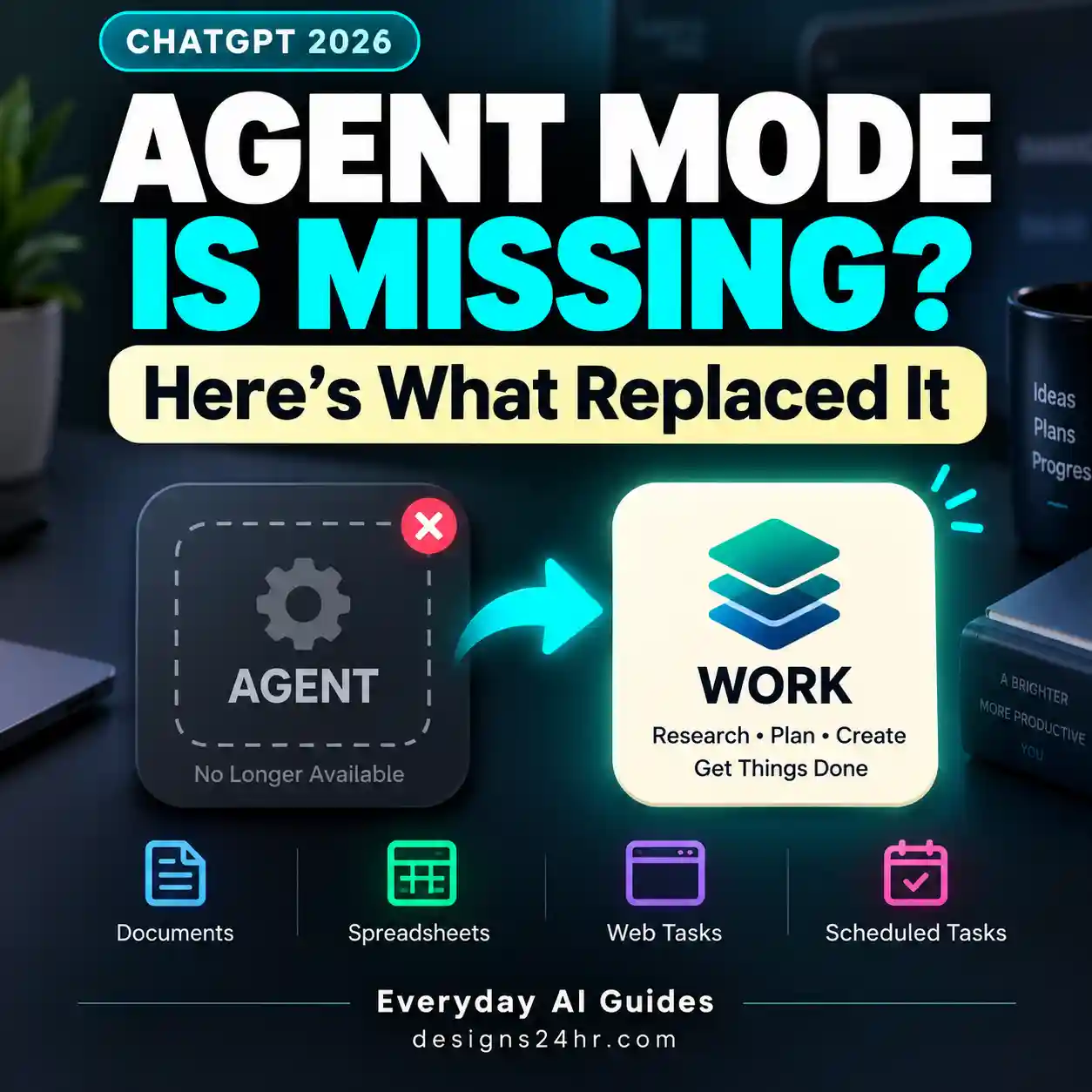
This broader movement from chat toward delegated work is also visible across other AI products. For context, see our guide to what replaced ChatGPT Agent Mode and our explanation of the ChatGPT Cloud Browser. The products work differently, but they illustrate the same larger shift from answering questions toward completing work.
Can You Use Microsoft Copilot Autopilot Right Now?
Not broadly. As of September 27, 2026, Microsoft lists Microsoft Copilot Autopilot as Private Preview.
That means you should not assume Autopilot is included in your Microsoft 365 Copilot account just because you already use Copilot Chat or Cowork.
If you cannot find Microsoft Copilot Autopilot in your account, that does not automatically indicate a technical problem. The feature has not reached broad general availability.
Microsoft’s September 25 announcement introduced a redesigned Copilot experience built around Home, Code, and Autopilot. Home brings Chat and Cowork together, Code provides tools for building solutions, and Autopilot represents the persistent-agent layer.
Because Autopilot is still in Private Preview, this guide deliberately does not give generic “click here, then enable Autopilot” instructions. Those steps could be misleading for users whose accounts are not eligible.
Microsoft Scout Is Now Copilot Autopilot
If you previously saw articles about Microsoft Scout, you are not looking at an unrelated product.
Microsoft introduced Scout in June 2026 as its first always-on personal agent. Microsoft’s original Scout page has since been updated with a clear statement: Microsoft Scout is now Autopilot.
The core concept remains familiar: an agent that stays active in the background, understands work across connected systems, retains useful context, and can take approved actions without needing to be prompted for every individual step.
This rename is worth understanding because searches for Microsoft Scout, Microsoft Autopilot AI, and Copilot Autopilot can currently lead to information describing different stages of the same product evolution.
Microsoft Copilot Autopilot vs Cowork
The easiest way to understand Copilot Autopilot vs Cowork is to focus on the duration and shape of the responsibility you are delegating.
Cowork is designed for complex, multi-step work that has a defined outcome. You give it the task, Cowork plans and executes the work, and it returns a completed result.
Autopilot is designed for work that does not necessarily end after one result. It is intended to remain available, maintain context, notice relevant developments, and keep an ongoing responsibility moving.
| Capability | Copilot Chat | Copilot Cowork | Copilot Autopilot |
|---|---|---|---|
| Best fit | Questions, drafting and quick assistance | Defined multi-step tasks | Persistent ongoing responsibilities |
| Waits for a user prompt | Usually | User delegates a task | Designed to continue approved work proactively |
| Runs long tasks | Not its main purpose | Yes | Designed for ongoing work over time |
| Persistent identity | Not positioned this way | Not the defining feature | Yes |
| Persistent memory/context | Conversation-dependent | Task-focused | Core part of the product concept |
| Current availability | Available based on account/product | Generally available to Microsoft 365 Copilot customers | Private Preview |
Should You Use Cowork or Autopilot?
A useful decision rule is:
Use Cowork when the work has a clear beginning and end: research this issue, analyze these files, prepare this deliverable, or complete this multi-step task.
Autopilot makes more conceptual sense when the responsibility continues: watch this workstream, retain the context, notice important changes, and keep the process moving over time.
This is an editorial decision framework based on Microsoft’s product positioning rather than a claim that every workflow must fit neatly into one category.
Example: one-time project review
Imagine you have a folder of project files and want an AI system to analyze them, compare progress against a plan, identify blockers, and return a finished status report. That has a clear deliverable. Cowork is the more natural fit.
Example: ongoing project coordination
Now imagine the responsibility continues week after week: keep track of the project context, notice when important information changes, follow relevant threads, and help maintain momentum. That is closer to the persistent-agent problem Microsoft is trying to solve with Copilot Autopilot.
I am deciding whether this workflow is better suited to a one-time delegated AI task or a persistent ongoing agent.

Workflow:
[Describe the work here]

Analyze it using these questions:

1. Does the work have a clear beginning and completed deliverable?
2. Does it need to stay active after the first result?
3. Does it need to notice future changes or events?
4. Does it require persistent project context over time?
5. What data, apps, files, or permissions would it need?
6. Which actions should always require human approval?
7. What could go wrong if the workflow continued automatically?

Then classify it as:
A) regular AI chat,
B) a Cowork-style delegated task,
C) an Autopilot-style persistent responsibility,
or D) a combination.

Explain the reasoning without assuming access to features that are not available in my account.
What Could Microsoft Copilot Autopilot Be Used For?
Because Microsoft Copilot Autopilot is still in Private Preview, examples should be treated as workflow illustrations, not promises that every preview customer has every capability described below.
Based on Microsoft’s description of persistent, background agents, likely useful patterns include:
- Ongoing project follow-through: retaining important project context and helping keep an active workstream moving.
- Recurring coordination: reducing the need to repeatedly re-explain the same people, files, goals, and responsibilities.
- Monitoring approved work signals: watching permitted systems for information relevant to an assigned responsibility.
- Preparing next actions: surfacing work that needs attention based on the context available to the agent.
- Cross-tool workflows: acting through approved Microsoft 365 tools instead of keeping every workflow inside one chat window.
The key word is ongoing. If a normal Copilot prompt solves the problem in thirty seconds, building a persistent agent around it would add unnecessary complexity.
How Is Autopilot Different From a Scheduled Task?
A scheduled task usually starts because a clock reaches a specific time: every weekday morning, every Friday afternoon, or on another defined schedule.
A persistent agent is broader. It can maintain responsibility and context around work instead of merely repeating the same isolated instruction on a timer.
| Question | Scheduled workflow | Persistent agent |
|---|---|---|
| What starts the work? | Usually a defined schedule or trigger | An ongoing delegated responsibility |
| Does context need to persist? | Sometimes | Often central to the workflow |
| Is the same action repeated? | Often | Not necessarily |
| Can the work evolve with the situation? | Depends on the automation | That is part of the persistent-agent concept |
If you want a broader example of how recurring and agentic workflows differ, our guide to current ChatGPT agent alternatives explains why a scheduled task, one-time work session, and event-triggered workflow solve different problems.
Does Microsoft Copilot Autopilot Cost Extra?
There is not currently a simple universal retail price that we can accurately label as “the Copilot Autopilot price.”
Microsoft’s September 25 announcement says that its long-running agentic capabilities, including Cowork, Code, and Autopilot, operate through usage-based billing.
We already have a clearer example of how that model works with Copilot Cowork. Microsoft says Cowork is generally available to Microsoft 365 Copilot customers and uses Copilot Credits. Microsoft also provides administrative cost controls and usage reporting for Cowork.
Because Autopilot remains in Private Preview, avoid treating Cowork’s current pricing structure as a guaranteed final public Autopilot price. Microsoft can change packaging, preview terms, eligibility, credit usage, or pricing before wider release.
Is Microsoft Copilot Autopilot the Same as GitHub Copilot Autopilot?
No. Do not treat every “Copilot Autopilot” search result as referring to the same product.
This article is specifically about Microsoft Copilot Autopilot: the persistent personal agent Microsoft introduced as part of its new work-focused Copilot experience.
GitHub also uses Copilot and Autopilot terminology in developer-focused contexts. That creates a real naming collision in search results.
If you are researching Microsoft’s persistent work agent, look for context around Microsoft 365, Work IQ, Cowork, Scout, Home, Code, persistent agents, or Private Preview. Developer-focused GitHub results may be discussing a different product or capability.
What Should Businesses Check Before Using an Always-On AI Agent?
The more persistent an AI workflow becomes, the more important its boundaries become.
- Define the responsibility precisely. Give the agent a narrow job rather than an undefined instruction to “handle everything.”
- Limit permissions to what the task actually needs. Persistent access should not automatically mean broad access.
- Decide what requires approval. Separate analysis and preparation from actions that create financial, legal, customer, security, or reputational consequences.
- Identify sensitive data. Review which messages, documents, contacts, calendars, or systems the workflow may encounter.
- Set failure boundaries. Decide what the agent should do when data conflicts, a tool fails, instructions become ambiguous, or required information is missing.
- Review activity and cost. Persistent workflows can create ongoing resource usage rather than a single visible prompt.
- Keep human accountability. Delegating work to an AI agent should not make ownership of important decisions unclear.
Review this proposed persistent AI-agent workflow before I automate it.

Workflow:
[Describe the workflow]

Create a practical safety review covering:

- minimum data access required,
- minimum app permissions required,
- actions the agent can prepare independently,
- actions that should require human approval,
- sensitive information it may encounter,
- likely failure cases,
- what should happen when information is missing or contradictory,
- spending or usage limits worth setting,
- what activity should be logged or reviewed,
- a simple kill-switch condition for stopping the workflow.

Prefer the smallest permission set and simplest workflow that can still achieve the goal.
How Autopilot Fits Into Microsoft’s New Copilot
Microsoft’s September 25 redesign organizes the next Copilot experience around three major areas:
The starting point where Chat and Cowork come together, with Office capabilities integrated into the Copilot experience.
A workspace for building solutions, using technology connected to the same broader development foundation behind GitHub Copilot.
The persistent and proactive layer intended to keep approved work moving over time.
This structure makes Microsoft’s direction easier to understand. Copilot is increasingly becoming a collection of different working modes rather than one universal chat box.
That also means choosing the right mode matters. A quick question should remain a quick question. A defined multi-step task may belong in Cowork. An ongoing responsibility may eventually justify Autopilot.
How Is Copilot Autopilot Different From Sharing a Copilot Chat?
Sharing and persistent delegation solve completely different problems.
A shared Copilot conversation lets another person see useful AI-generated context or a response. Autopilot is about assigning an ongoing responsibility to an AI agent.
If your goal is simply to hand a result or conversation to another person, see our step-by-step guide to Microsoft Copilot Share Chat. Do not add agentic complexity when a normal collaboration feature already solves the problem.
What Microsoft Copilot Autopilot Cannot Tell Us Yet
Because the product is still in Private Preview, several details should remain explicitly uncertain until Microsoft publishes broader release documentation.
- The exact date of general availability.
- Whether every Microsoft 365 Copilot customer will receive the same Autopilot features.
- The final public packaging and pricing model.
- Which capabilities will remain preview-only at launch.
- Whether different organizations, regions, languages, or licensing configurations will receive Autopilot at different times.
- The exact setup process that will apply to ordinary users after broader release.
For that reason, be cautious with guides claiming you can already enable Microsoft Copilot Autopilot through a universal sequence of settings. Current access is limited.
Frequently Asked Questions
What is Microsoft Copilot Autopilot?
Microsoft Copilot Autopilot is a persistent, cloud-hosted AI agent for work. Microsoft describes it as an always-on personal agent with its own identity, memory, and access to approved tools that can keep work moving in the background within organizational guardrails.
Is Microsoft Copilot Autopilot available now?
Autopilot exists, but Microsoft currently lists it as Private Preview. It is not yet a generally available feature that every Microsoft 365 Copilot customer should expect to see.
Why can’t I find Copilot Autopilot?
The most important reason is current availability. As of September 27, 2026, Microsoft lists Autopilot as Private Preview. A missing Autopilot option therefore does not necessarily indicate an account or technical problem.
Is Microsoft Scout now called Autopilot?
Yes. Microsoft’s original Scout announcement has been updated to state that Microsoft Scout is now Autopilot. Scout was introduced as Microsoft’s first always-on personal agent before the newer Autopilot branding was announced.
What is the difference between Copilot Cowork and Autopilot?
Copilot Cowork is designed to execute a delegated multi-step task from start to finish and return a completed result. Autopilot is positioned as persistent and proactive, making it better suited conceptually to ongoing responsibilities where context and follow-through need to continue over time.
Is Copilot Cowork available now?
Yes. Microsoft announced general availability of Copilot Cowork for Microsoft 365 Copilot customers worldwide in June 2026. Availability details can still depend on tenant, language, administration, and product configuration.
Is Microsoft Copilot Autopilot free?
There is not currently enough public information to label Autopilot simply free or paid with one universal retail price. Microsoft says its long-running agentic capabilities use usage-based billing, while Autopilot itself remains in Private Preview.
Can Microsoft Copilot Autopilot work when my computer is off?
Microsoft describes Autopilot as cloud-hosted and designed to keep work moving in the background. The exact behavior available to a specific preview user depends on the agent’s configuration, tools, permissions, and supported capabilities.
Is Copilot Autopilot the same as GitHub Copilot Autopilot?
No. This guide covers Microsoft Copilot Autopilot, Microsoft’s persistent work agent associated with Microsoft 365, Work IQ, and the redesigned Copilot experience. GitHub Copilot uses similar naming in developer-focused contexts, so check the product context before following a search result.
Should I wait for Autopilot instead of using Cowork?
Not necessarily. If you already have access to Cowork and your job is a defined multi-step task with a completed deliverable, Cowork may already fit the requirement. Autopilot addresses a different need: persistent, ongoing work that benefits from retained context and proactive follow-through.
Bottom Line
Microsoft Copilot Autopilot is not simply a more powerful version of Copilot Chat. Microsoft is positioning it as an always-on personal agent that can retain context, work through approved tools, and continue an ongoing responsibility in the background.
The simplest way to think about the current Copilot lineup is:
- Chat: ask and respond.
- Cowork: delegate a defined multi-step task.
- Autopilot: assign an ongoing responsibility that benefits from persistent context and proactive follow-through.
The biggest limitation today is access. Microsoft Copilot Autopilot remains in Private Preview as of September 27, 2026, while Cowork is already generally available to Microsoft 365 Copilot customers.
That makes this the right time to understand where Autopilot fits—not to redesign every workflow around a feature most users cannot broadly access yet.
For more practical AI workflow guides, explore our Everyday AI Guides, learn how to share a Microsoft Copilot chat or response, or see how ChatGPT Cloud Browser handles delegated web tasks.