ChatGPT for Teens is not simply regular ChatGPT with a parental-control switch added. It is an age-specific ChatGPT experience for eligible users under 18, with stronger default protections, learning-focused features, healthy-use tools, and optional controls for linked parents or guardians.
If you are comparing ChatGPT for Teens vs regular ChatGPT, the most important differences are not cosmetic. They affect how sensitive topics are handled, how homework help is guided, which settings a linked parent can manage, when ChatGPT can be restricted, and what happens when the account holder reaches adulthood.
ChatGPT for Teens vs Regular ChatGPT at a Glance
“Regular ChatGPT” is used here as a simple way to describe the standard experience available when an account is not operating under ChatGPT’s teen protections. Some features, including Study Mode, can exist in both experiences. The difference is the additional age-specific protections and teen-focused controls.
| Area | ChatGPT for Teens | Standard ChatGPT Experience |
|---|---|---|
| Who it is designed for | Eligible users under 18, including users who state they are 13–17 or are estimated to be under 18 | Accounts not operating under teen protections |
| Age-specific protections | Stronger teen protections apply by default | Standard safety systems without the complete teen-specific protection layer |
| Sensitive content | “Reduce sensitive content” is on by default while teen protections apply | Eligible adult accounts can manage the setting themselves where available |
| Study Mode | Available and integrated into teen learning features | Study Mode may also be available; it is not exclusive to teen accounts |
| Study Hours | Optional schedule that starts eligible new conversations in Study Mode | Teen-linked Study Hours stop managing the account once that parental-control connection ends |
| Quiet Hours | A linked parent can schedule periods when the teen cannot use ChatGPT | The teen parental-control Quiet Hours schedule does not continue after the account leaves that connection |
| Homework behavior | Includes responsible homework reminders intended to redirect shortcut attempts toward learning | No equivalent teen-specific homework protection should be assumed |
| Parent management | Linked parents can manage selected settings | The account holder generally controls their own available settings |
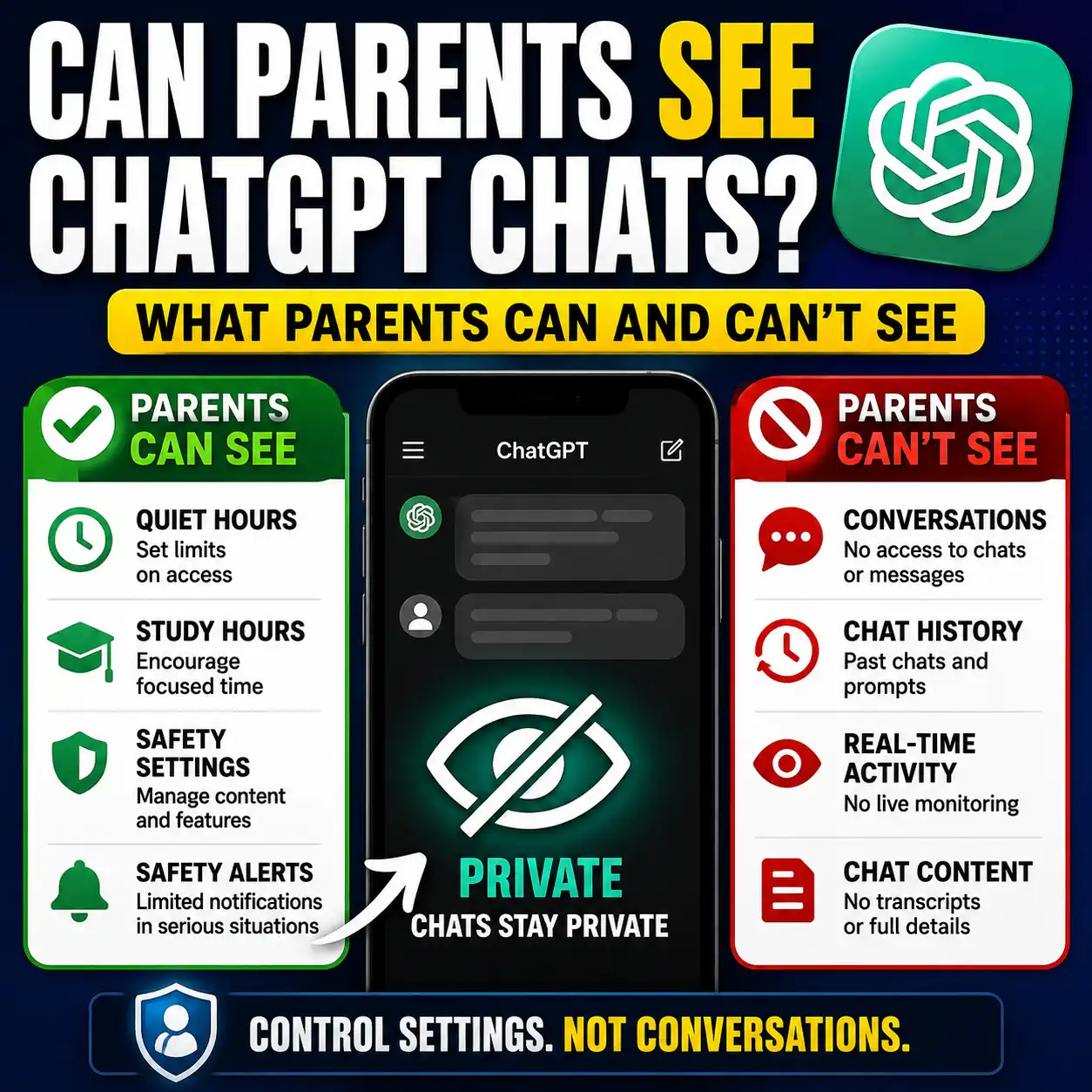
| Can parents read chats? | No | Not applicable as a teen-monitoring feature |
| Healthy-use features | Includes teen-focused break reminders and product cues | Standard product experience |
| When identified as 18+ | Teen protections are removed as the account transitions out of the teen experience | The account holder receives control of adult-available settings and features |
What Is ChatGPT for Teens?
OpenAI introduced ChatGPT for Teens as an experience designed to help teens learn, explore, and use AI while applying stronger protections appropriate for users under 18.
According to OpenAI, if its system estimates that someone is under 18, or the person states that their age is between 13 and 17, an eligible account can be placed into the teen experience automatically. A user does not need to manually switch on a separate “teen mode.”
OpenAI also uses an age prediction system as an additional safety check. It may consider account-related signals such as general topics discussed, usage patterns, times of use, and account age. OpenAI explicitly notes that age prediction is not perfect. An adult incorrectly placed into the teen experience can use the available age-verification process.
7 Important Differences Parents Should Understand
Stronger Protections Are Built Into the Teen Experience
Teen accounts receive additional age-appropriate protections by default. OpenAI says these protections are designed to reduce exposure to harmful or developmentally inappropriate material while preserving useful learning and creative uses.
Higher-risk areas receiving additional attention include self-harm, violence, eating disorders, dangerous activities, and explicit sexual or graphic material.
ChatGPT Can Use Age Prediction
Age information is not limited to the birthday entered when an account is created. OpenAI says its age prediction system can use additional signals to help determine whether an account should receive teen protections.
This is an extra safeguard rather than a guarantee. OpenAI acknowledges that the system can make mistakes.
Learning Behavior Is More Deliberate
ChatGPT for Teens combines Study Mode with additional learning features. Study Mode uses guiding questions, step-by-step support, and knowledge checks rather than simply aiming to provide an immediate final answer.
OpenAI has also introduced responsible homework reminders that can respond when a teen appears to be trying to shortcut an assignment and encourage a more learning-focused workflow.
Study Hours Can Make Study Mode the Default
Study Hours are optional scheduled periods when eligible new conversations in the main ChatGPT experience begin with Study Mode turned on.
Study Hours do not block access to ChatGPT. Their purpose is to change how eligible new conversations begin during the selected schedule.
Quiet Hours Can Restrict Access
Quiet Hours are different. A linked parent or guardian can schedule periods when their teen cannot use ChatGPT, including ChatGPT Work.
This makes Quiet Hours useful for household boundaries such as overnight periods, homework routines, family time, or other times when AI access should be paused.
Parents Can Manage Selected Settings
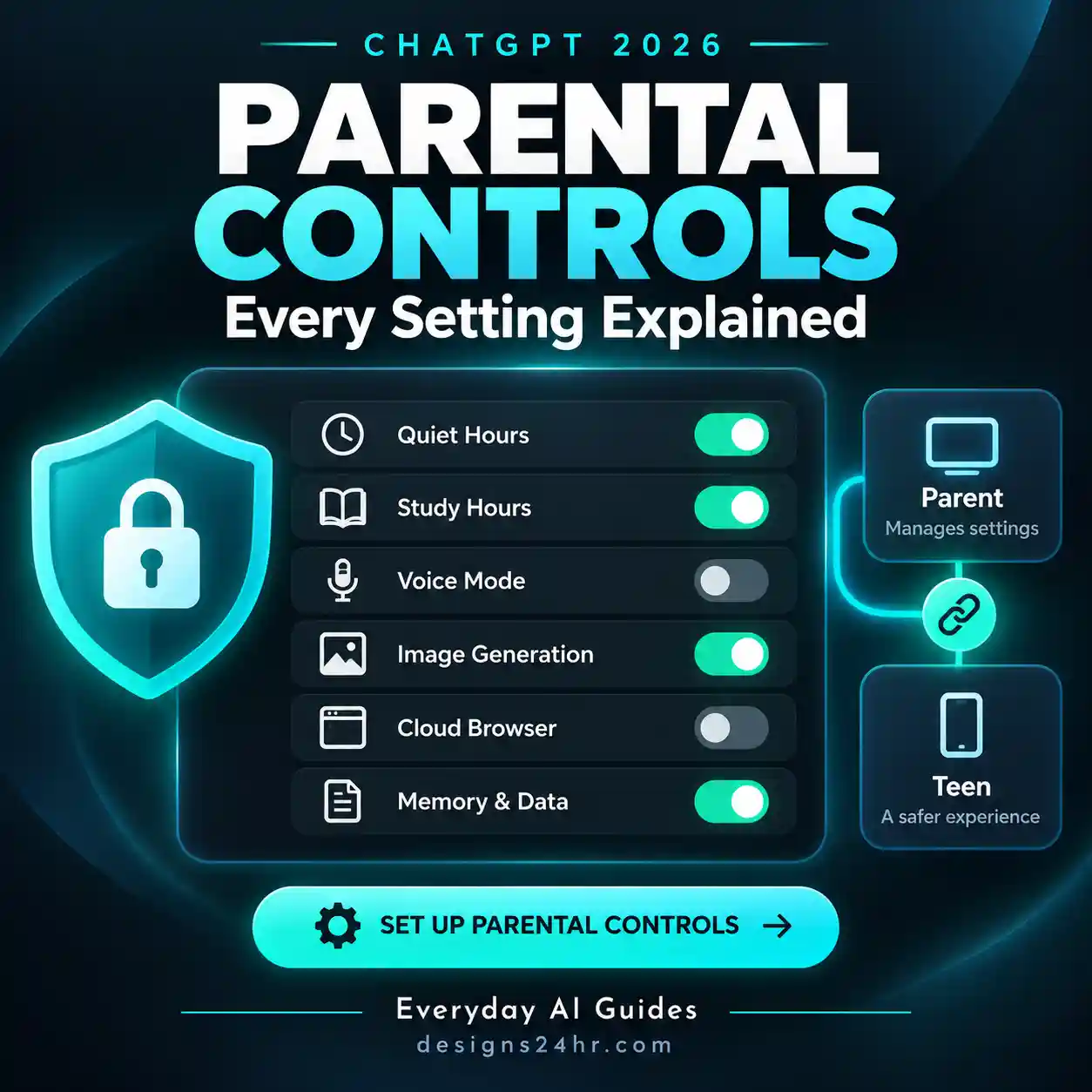
Once accounts are linked, a parent can manage supported controls such as sensitive-content safeguards, memory use, Voice Mode, image generation, Study Mode, Study Hours, Quiet Hours, and certain ChatGPT Work settings.
Availability can vary by feature, account, or region, so parents should review the controls currently shown inside their own ChatGPT settings.
Parents Still Cannot Read Teen Conversations
Linking accounts does not give a parent access to conversation transcripts, chat history, or real-time activity.
OpenAI may send limited safety notifications in certain serious situations, but those notifications do not contain the teen’s conversation transcript.
Built In vs Parent Controlled vs Family Controlled
One of the easiest ways to understand ChatGPT for Teens is to separate protections into three layers.
Teen Experience
- Age-appropriate model behavior
- Stronger sensitive-content protections
- Teen-focused learning behavior
- Healthy-use reminders
- Additional caution around higher-risk topics
Linked Settings
- Quiet Hours
- Study Hours
- Supported feature access
- Selected privacy and data settings
- Limited safety notifications
Real-World Rules
- When AI is appropriate for homework
- Which information should never be shared
- When answers need independent verification
- When to ask a teacher, parent, or expert instead
- How much AI use fits your household
Study Hours vs Quiet Hours: They Do Different Jobs
The names sound similar, but parents should not treat these settings as interchangeable.
Study Hours
Purpose: Encourage learning-focused use.
During scheduled Study Hours, eligible new conversations in the main ChatGPT experience begin in Study Mode.
ChatGPT remains accessible.
Quiet Hours
Purpose: Create an access boundary.
During scheduled Quiet Hours, the linked teen cannot use ChatGPT, including ChatGPT Work.
ChatGPT access is restricted.
For example, a family might use Study Hours during an after-school homework period but use Quiet Hours overnight. The first encourages a particular way of using AI; the second controls whether ChatGPT can be used during that period at all.
What Parents Can Control vs What Parents Can See
This is one of the most important distinctions in the entire parental-control system. Management access is not surveillance access.
Parents May Be Able to Control
- Reduce sensitive content
- Study Mode behavior for eligible new conversations
- Study Hours
- Quiet Hours
- Voice Mode availability
- Image-generation availability
- Reference saved memories
- Whether conversations may help improve models
- Selected ChatGPT Work controls
Parents Should Not Expect to See
- Conversation transcripts
- Complete chat history
- Real-time activity monitoring
- Every prompt their teen submits
- Every response ChatGPT gives
What Does “Reduce Sensitive Content” Actually Do?
For teen accounts, OpenAI says Reduce sensitive content is enabled by default while the account remains in the ChatGPT for Teens experience.
It adds safeguards intended to reduce sensitive or age-inappropriate responses, including material involving graphic content, risky viral challenges, certain sexual or romantic roleplay, violent roleplay, and extreme beauty ideals.
A teen cannot turn this safeguard off independently while teen protections apply. If the account is linked through parental controls, a parent or guardian may be able to manage it.
Does ChatGPT for Teens Stop Homework Cheating?
It would be too strong to say that ChatGPT for Teens can prevent academic dishonesty. What it does provide is a more learning-oriented design.
OpenAI says responsible homework reminders can recognize some situations where a teen appears to be seeking a shortcut and redirect the interaction toward Study Mode and step-by-step problem solving. But no AI safeguard should be treated as a substitute for school rules, teacher expectations, or family guidance.
A better household standard is to decide what AI is allowed to do before an assignment begins. Our guide to AI homework rules for kids provides a practical framework families can use to set those boundaries.
What ChatGPT for Teens Does Not Guarantee
Stronger protections are useful, but they should not be confused with a guarantee that every answer or interaction will be appropriate, correct, or suitable for every teenager.
AI Can Still Be Wrong
Teens should verify important facts rather than treating a confident AI response as proof. This matters especially for school research, health information, safety questions, and other consequential topics.
Safeguards Are Not Perfect
OpenAI itself notes that age prediction is imperfect, and safety systems should not be assumed to detect every possible concern or edge case.
Parental Controls Do Not Replace Communication
Controls can shape product access and settings, but they cannot determine a family’s values, school rules, privacy expectations, or appropriate level of AI use.
School Policies Still Apply
Study Mode and homework reminders do not override a teacher’s instructions or a school’s academic-integrity policy. Students should follow the rules for the specific class and assignment.
If your child is beginning to use AI independently, it is also worth teaching the basic habits in our AI literacy for kids checklist, including privacy, verification, prompting, and knowing when not to rely on AI.
What Happens When a ChatGPT Teen Turns 18?
OpenAI says that when an account is identified as belonging to someone 18 or older, it can transition out of the ChatGPT for Teens experience.
When that transition occurs:
- Teen protections are turned off by default.
- The account holder gains access to settings and features available to adults.
- The account holder receives full control of their ChatGPT settings.
- If parental controls were linked, that parental-control connection ends.
- Teen safety notifications associated with that connection stop.
- Other account settings are not automatically reset.
OpenAI says eligible accounts may receive advance notice before the transition. If an account is moved out of the teen experience too early, an under-18 user can use the available age-verification process to correct the account status.
A 5-Minute Parent Review
You do not need to understand every AI setting before talking with your teen. Start with these five checks.
-
Confirm which experience applies.
Check whether the account is receiving the ChatGPT for Teens experience and review any age-related notices. -
Review the linked parental controls together.
Discuss why each setting exists instead of changing controls without context. -
Decide whether Study Hours would help.
Use them when you want eligible new conversations to begin in a more learning-focused mode. -
Decide whether Quiet Hours fit your household.
Consider overnight periods or other times when ChatGPT should not be accessible. -
Create one non-negotiable verification rule.
Important school, safety, health, financial, or personal decisions should never rely only on an AI response.
So, Is ChatGPT for Teens Better for Teenagers?
For an eligible teenager, the teen experience provides a more appropriate default than simply treating the account like a standard adult ChatGPT account. It adds age-specific protections, teen-focused learning behavior, healthy-use measures, and the option for linked parental controls.
The stronger approach, however, is not to think of it as “safe mode on, parenting done.” ChatGPT for Teens works best as one layer in a broader family approach that includes privacy awareness, fact-checking, school rules, healthy screen habits, and open conversations about when AI is useful—and when a person is the better source of help.
For broader context on how young people are already using these tools, continue with how tweens and teens use AI in 2026. Parents who want a wider safety review can also use our AI chatbot safety checklist for parents.
Frequently Asked Questions
Is ChatGPT for Teens different from regular ChatGPT?
Yes. ChatGPT for Teens adds age-appropriate protections and teen-focused features on top of the broader ChatGPT experience. These include stronger safety behavior, learning-focused features, healthy-use measures, and optional controls for linked parents or guardians.
Who gets ChatGPT for Teens?
OpenAI says eligible users can be placed into ChatGPT for Teens if they state that they are between 13 and 17 or if its age prediction system estimates that they may be under 18.
Can parents see their teenager’s ChatGPT conversations?
No. OpenAI says parental controls do not give parents or guardians access to a teen’s conversations, chat history, or real-time activity. Limited safety notifications also do not contain chat transcripts.
Can a teen turn off the sensitive-content protection?
Not independently while teen protections apply. OpenAI says Reduce sensitive content is enabled by default for teen accounts. A linked parent or guardian may be able to manage that specific setting.
What is the difference between Study Hours and Quiet Hours?
Study Hours make eligible new conversations begin in Study Mode during scheduled periods but do not block ChatGPT access. Quiet Hours are scheduled periods when a linked teen cannot use ChatGPT.
Does regular ChatGPT have Study Mode?
Yes, Study Mode is not exclusive to ChatGPT for Teens. The teen experience adds additional learning-focused behavior and allows Study Hours to be used as part of the teen parental-control system.
Does ChatGPT for Teens prevent homework cheating?
It should not be described as a guaranteed cheating-prevention system. OpenAI says responsible homework reminders can redirect some shortcut-seeking behavior toward Study Mode, but teachers, schools, parents, and students still need clear rules for acceptable AI use.
What happens when a ChatGPT user turns 18?
When ChatGPT identifies the account holder as 18 or older, the account can move out of the teen experience. Teen protections are turned off by default, the account holder gains control over adult-available settings, and any linked teen parental-control connection ends.
Continue the Parent AI Safety Guide
Build a clearer family AI policy with these related Designs24hr guides.
Explore more practical resources in AI for Families & Kids .
Sources & Method
Designs24hr organized this comparison around five parent-relevant dimensions: built-in protections, learning behavior, parental controls, privacy and visibility, and healthy-use features. Product claims were checked against current OpenAI documentation. Designs24hr did not claim first-hand testing of ChatGPT for Teens for this comparison.
- OpenAI — Introducing ChatGPT for Teens
- OpenAI Help Center — Parental controls in ChatGPT
- OpenAI Help Center — Age prediction in ChatGPT
- OpenAI Help Center — Reduce sensitive content in ChatGPT
- OpenAI Help Center — What changes when a ChatGPT user turns 18
Editorial note: ChatGPT features and parental controls can change. Review the current settings shown in your account and OpenAI’s latest documentation before making decisions based on a specific feature.