How AI Can Make Back-to-School Planning Easier
Back-to-school season can feel like everything arrives at once: supplies, lunches, forms, pickup times, school emails, activities, bedtime changes, homework expectations, and morning routines. An AI back-to-school routine planner can help you turn that messy list into a simple weekly system you can actually follow.
The goal is not to let AI run your family life. The goal is to use AI as a planning assistant. You still review every suggestion, protect private information, follow school instructions, and make the final decisions. AI can simply help you organize the moving parts faster.
Quick answer
You can use AI to create a school supply checklist, weekly lunch ideas, morning and evening routines, after-school reminders, pickup notes, and a simple “what to prepare tonight” plan. The safest way is to give AI general details, avoid private student information, and review the plan before using it.
PwC reports that 73% of families plan to use AI in some form during the 2026 back-to-school shopping process, including research, comparison, budgeting, and deal finding.
What AI Can Help You Plan
An AI planner works best when you give it a clear job. Instead of asking, “Plan back-to-school for me,” ask it to organize one part of the week at a time. This keeps the plan realistic and easier to check.
School supplies
Turn teacher lists, grade-level needs, and household supplies into a clean checklist by child, category, or store.
Lunches
Create a simple weekly lunch plan using foods your family already buys, leftovers, budget limits, and allergy rules.
Schedules
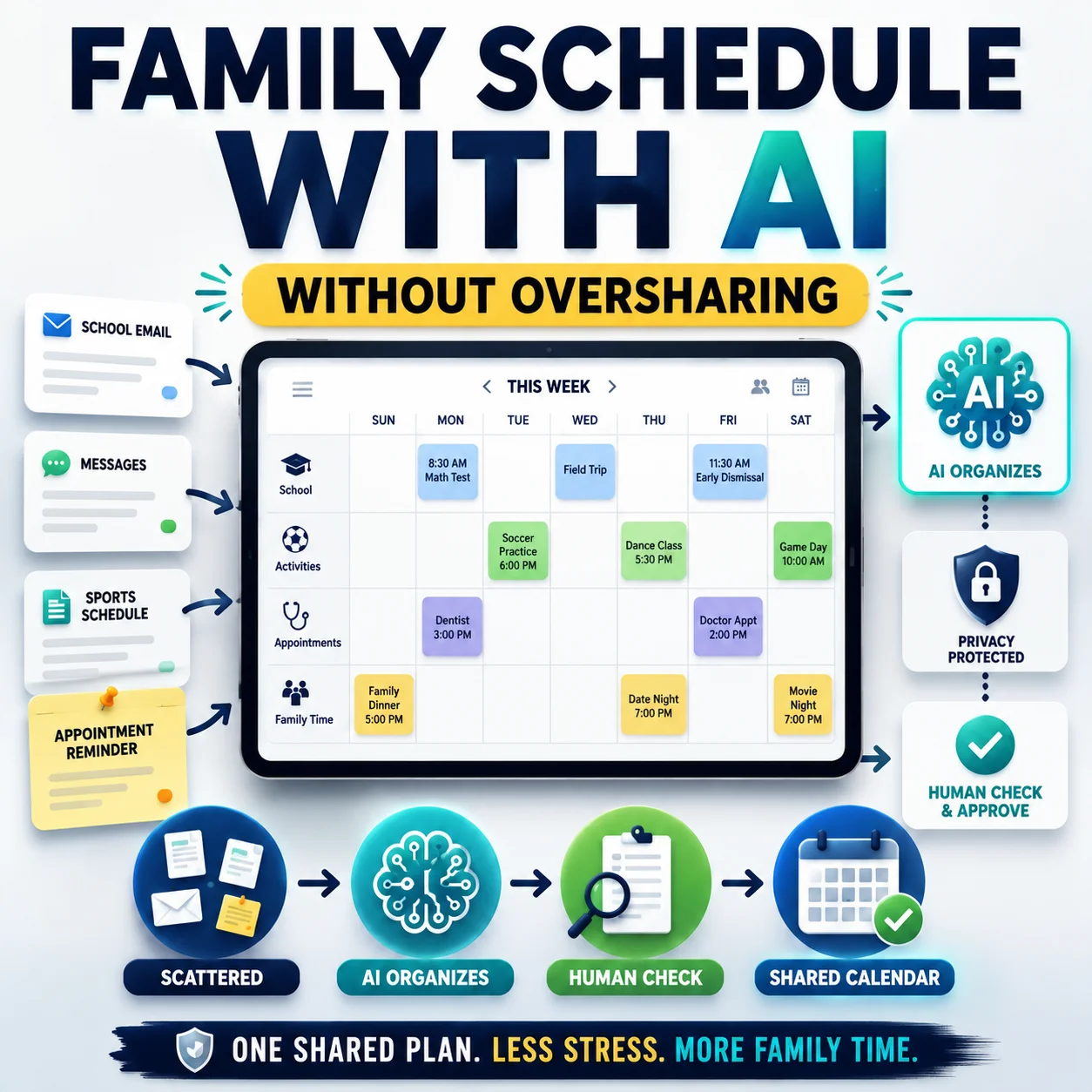
Organize classes, pickup times, bus times, sports, clubs, homework blocks, and weekly review reminders.
Morning routines
Build a step-by-step morning routine so backpacks, breakfast, water bottles, clothes, and departure times are easier to manage.
Evening resets
Create a short night-before checklist for packing bags, checking forms, choosing clothes, and setting reminders.
Parent messages
Draft polite school emails, pickup notes, absence messages, teacher questions, and schedule-change wording.
What to Plan Before School Starts
Back-to-school planning is starting earlier for many families. Reuters reported in July 2026 that American families are beginning back-to-school shopping earlier as household costs put pressure on budgets. The National Retail Federation also reported that about one-third of back-to-school shoppers had already started browsing and buying by early June 2026, the highest early-June rate since NRF began asking the question in 2018.
That means your planning system matters. A calm routine can help you avoid last-minute shopping, forgotten forms, rushed mornings, and too many decisions packed into one week.
- School supply list: notebooks, folders, pencils, markers, backpack, lunchbox, water bottle, labels, and teacher-requested items.
- Calendar items: first day of school, orientation, bus schedule, pickup rules, sports tryouts, clubs, picture day, and teacher meetings.
- Morning routine: wake-up time, bathroom time, breakfast, clothes, backpack check, lunch check, and departure time.
- Evening routine: homework folder, signed forms, lunch prep, clothes, devices charged, alarm set, and bag by the door.
- Lunch plan: easy meals, leftovers, snacks, water bottle, allergy rules, budget, and backup options.
- Communication plan: who handles school emails, permission slips, calendar updates, and pickup changes.
- NRF reports that about one-third of back-to-school shoppers had started browsing and buying by early June 2026.
A Simple AI Back-to-School Routine Checklist
Use this checklist before asking AI to make a routine. The more organized your input is, the better your output will be.
Write down the fixed times first
Start with times that cannot easily change: school start time, bus pickup, drop-off window, work start time, after-school pickup, tutoring, sports, or childcare. AI should build around reality, not around an ideal schedule that looks nice but fails on Monday morning.
List the repeated daily tasks
Include breakfast, packing lunch, filling the water bottle, signing forms, checking homework folders, charging devices, choosing clothes, brushing teeth, and getting out the door. These small tasks are usually what create the morning rush.
Add the weekly tasks
Ask AI to place weekly tasks into a simple rhythm: grocery planning, lunch prep, laundry, backpack reset, calendar review, library book check, activity bag prep, and school email review.
Ask for a simple version first
Do not ask AI for a perfect master plan on the first try. Ask for a simple routine with only the most important steps. You can always add more later.
Review and adjust it yourself
AI does not know your child’s energy, your home layout, your traffic, your school rules, or your real morning stress points. Review the plan and remove anything unrealistic.
How to Use AI for School Supply Lists
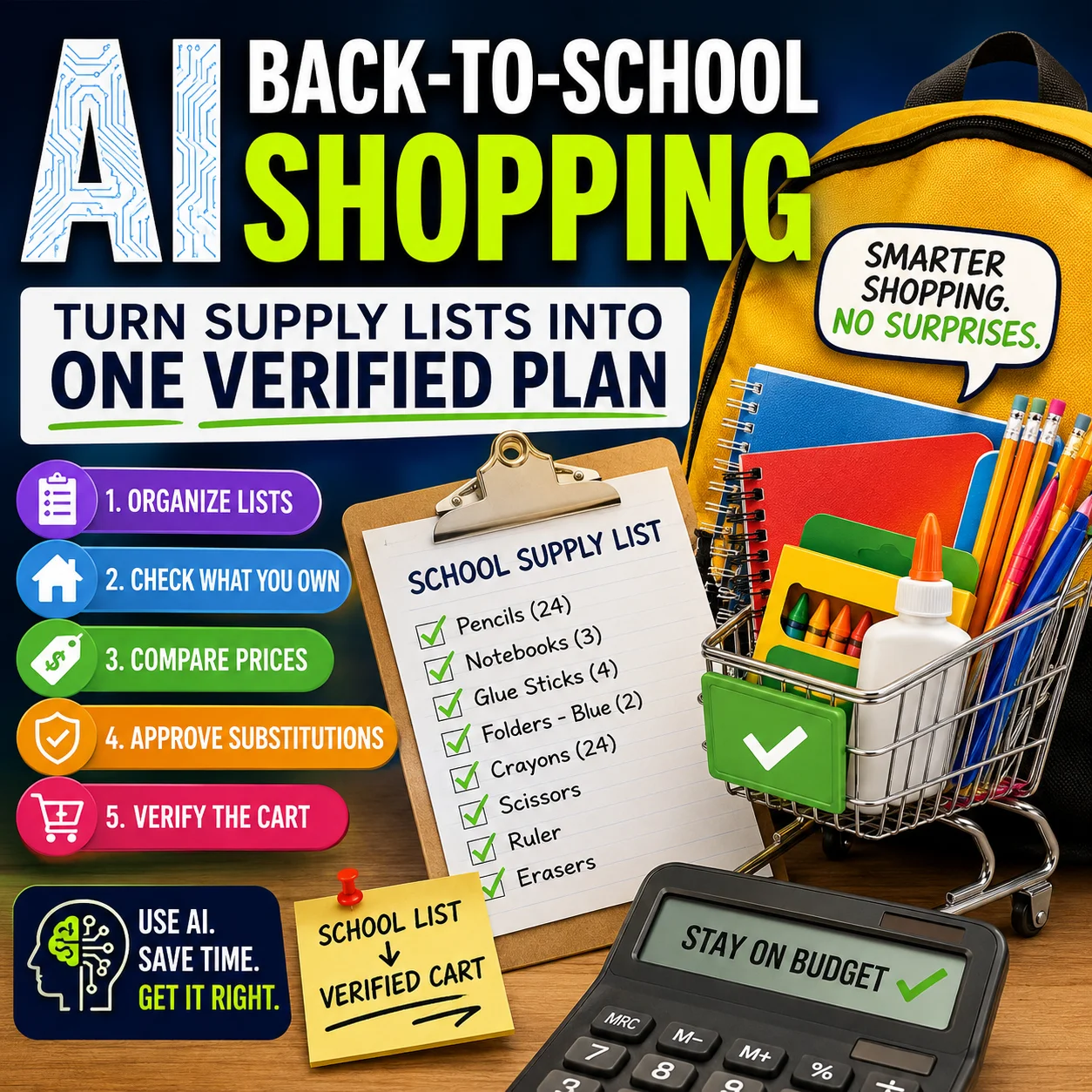
School supply lists can get confusing when you have multiple children, multiple classrooms, or a mix of teacher lists and household basics. AI can help you organize the list, remove duplicates, group items by store section, and separate “must buy now” from “check at home first.”
What to give AI
- The school supply list copied from the teacher or school website.
- The grade level, but not your child’s full name or private student ID.
- What you already have at home.
- Your budget range or shopping priority.
- Any item rules from the school, such as color, size, or brand requirements.
Useful prompt to copy:
Organize this school supply list into a simple shopping checklist. Group items by category: writing supplies, paper, folders, classroom items, lunch items, and items to check at home first. Remove duplicates, keep school-required details, and make the list easy to scan. Do not add extra items unless they are clearly optional.

Supply list:
[paste the list here]
Tip: Do not paste private student numbers, account logins, addresses, medical records, or anything confidential.
After AI creates the list, compare it with the original school instructions. If the teacher requested a specific size, color, quantity, or label rule, keep the school’s version.
How to Use AI for Lunch Planning
Lunch planning works best when AI has practical limits. A generic lunch plan may sound good, but it often ignores what your family actually eats, what your child will bring home untouched, what your school allows, and what you can prepare during a busy week.
Before you ask AI for lunch ideas, list your real constraints. Include food allergies, school rules, foods your child avoids, prep time, budget, and whether the lunch needs to stay cold or work without reheating.
Ask AI for simple lunch categories
Instead of asking for five random lunches, ask for a repeatable pattern: main item, fruit or vegetable, snack, drink, and backup option.
Use leftovers wisely
Ask AI to suggest lunchbox versions of dinners you already cook, such as wraps, pasta, rice bowls, sandwiches, or snack boxes.
Useful prompt to copy:
Create a simple five-day school lunch plan. Use easy foods, low prep time, and budget-friendly ideas. Include one main item, one fruit or vegetable, one snack, and one backup item each day. Avoid these foods: [list foods to avoid]. Follow these allergy or school rules: [add rules]. Keep the plan realistic for a busy family.
For more meal ideas, you can also use the Designs24hr AI Recipe Generator to brainstorm simple lunchbox-friendly combinations.
How to Use AI for Morning and Evening Routines
The best school morning routine usually starts the night before. AI can help you create both routines together: an evening reset that reduces morning decisions, and a morning checklist that keeps everyone moving.
| Routine Area | What to Include | AI Prompt Angle |
|---|---|---|
| Evening reset | Pack backpack, sign forms, choose clothes, prep lunch, charge devices, check calendar. | Ask AI for a 10-minute night-before checklist. |
| Morning flow | Wake up, bathroom, breakfast, clothes, lunchbox, water bottle, shoes, out the door. | Ask AI to build backward from the departure time. |
| After school | Snack, homework, reading, activities, chores, dinner, backpack reset. | Ask AI for a calm after-school rhythm with breaks. |
| Weekly review | Upcoming forms, supplies, events, sports, library books, lunch groceries, laundry. | Ask AI for a Sunday or Friday family reset checklist. |
Useful prompt to copy:
Create a realistic school morning routine by working backward from our departure time. We need to leave by [time]. Include wake-up, breakfast, getting dressed, packing lunch, filling water bottles, checking backpacks, and getting out the door. Make it simple, calm, and easy to follow.
After you get the routine, paste the final tasks into the AI Daily Task Planner to turn them into a clearer daily order.
Use AI to Understand School Emails and Forms
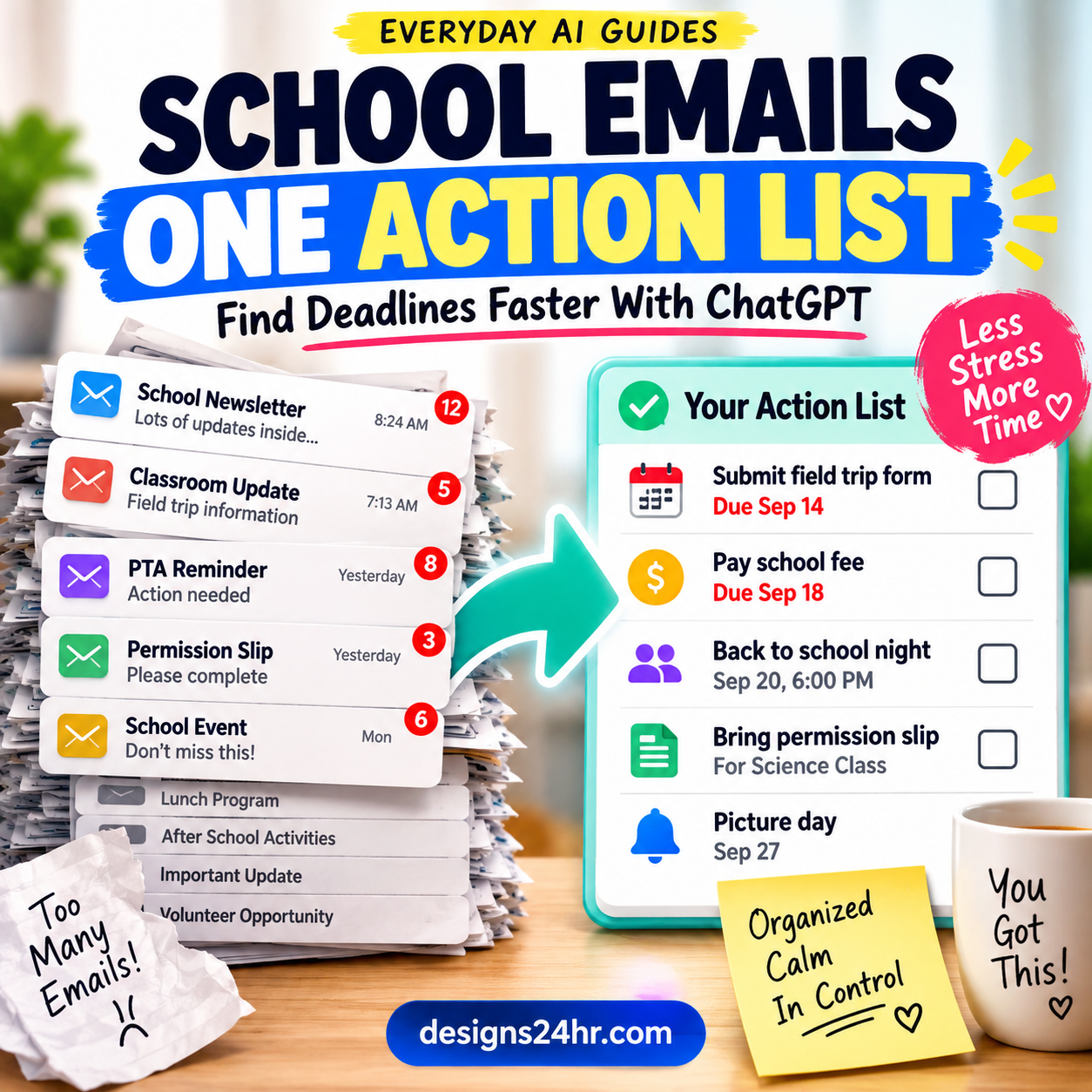
Back-to-school messages can be long, rushed, or packed with details. AI can help you summarize school emails, pull out deadlines, and turn confusing instructions into a simple action list. This is especially useful when one email includes supply rules, schedule changes, pickup notes, forms, payment links, and event dates.
If the message contains private information, remove names, IDs, phone numbers, addresses, medical details, account numbers, and login links before using an AI tool. You can still ask for a summary using a cleaned-up version.
For confusing messages
Use Explain This For Me to turn a complicated school notice into plain language.
For polite replies
Use How Do I Say This? when you need to ask a teacher, coach, or school office a clear question without sounding rushed.
Useful prompt to copy:
Summarize this school message into simple parent action steps. List deadlines, items to bring, forms to complete, dates to remember, and questions I may need to ask. Use plain language. Do not add information that is not in the message.

Message:
[paste cleaned-up message here]
Always check the original school message before acting on the AI summary.
Useful Prompt to Copy
Use this full prompt when you want AI to build the first version of your back-to-school system. Replace the bracketed parts with your real details, but keep private information out.
Useful prompt to copy:
Help me create a simple back-to-school routine for my family. Ask me one question at a time if needed. Include school supplies, lunches, morning routines, after-school activities, pickup times, homework, bedtime, and daily reminders. Keep the plan realistic, easy to follow, and flexible for busy mornings.

Here are the fixed details:
- School start time: [add time]
- We need to leave home by: [add time]
- Pickup or bus time: [add time]
- After-school activities: [add activities]
- Lunch rules or food limits: [add rules]
- Important weekly tasks: [add tasks]
- Things we often forget: [add common problems]

Create:
1. A simple morning routine
2. A night-before checklist
3. A weekly lunch planning rhythm
4. A school supply checklist structure
5. A reminder list for the first two weeks of school
For stronger prompts, use the AI Prompt Generator to turn a rough idea into a cleaner, more useful instruction.
Back-to-School AI Mistakes to Avoid
AI can make planning easier, but it can also create problems if you treat the output as automatically correct. Use it carefully, especially when school policies, children’s information, transportation, health, or safety are involved.
- Do not paste private student information. Avoid full names, student ID numbers, addresses, passwords, account links, medical details, or confidential school records.
- Do not let AI override school instructions. If the school says a specific folder color, form deadline, pickup policy, allergy rule, or device rule, follow the school.
- Do not overbuild the routine. A 25-step morning plan may look impressive but fail in real life. Start with the fewest steps that solve the biggest problems.
- Do not rely on AI for allergy or health decisions. Use confirmed school and medical guidance for allergies, medications, meals, and safety needs.
- Do not skip human review. Check every AI-generated list, schedule, and email before using it.
A Simple First-Week Back-to-School Plan
If you feel overwhelmed, start with a one-week plan instead of trying to solve the whole school year. AI can help you create a gentle first-week system that focuses on consistency.
| Day | Planning Focus | Simple Action |
|---|---|---|
| Sunday | Weekly reset | Review school emails, prep clothes, plan lunches, pack supplies, and check the calendar. |
| Monday | Keep it basic | Use the shortest morning routine and write down what did not work. |
| Tuesday | Fix one problem | Adjust one thing only, such as wake-up time, lunch prep, or backpack placement. |
| Wednesday | Check supplies | Review what came home from school and update the supply list. |
| Thursday | Prepare for Friday | Check forms, events, activity gear, library books, and lunch supplies. |
| Friday | Review the week | Ask what worked, what felt rushed, and what should change next week. |
If you are stuck on what to do first, use What To Do Next? to turn overwhelm into one simple next action. If you are choosing between two routines, supply options, or schedule ideas, use Decision Helper to compare them more clearly.
Frequently Asked Questions
Can AI help parents plan back-to-school routines?
Yes. AI can help parents organize school supplies, lunch ideas, morning routines, evening checklists, pickup times, reminders, and weekly schedules. The best approach is to use AI as a planning assistant and review everything before using it.
What can I ask AI to organize before school starts?
You can ask AI to organize supply lists, lunch plans, school calendars, after-school activities, pickup details, homework routines, bedtime habits, morning steps, and reminders for forms or events.
Can AI make a school supply checklist?
Yes. Paste a cleaned-up school supply list into AI and ask it to group items by category, remove duplicates, mark items to check at home first, and create a shopping checklist. Always compare the AI version with the original school list.
How can AI help with school lunch planning?
AI can suggest weekly lunch ideas, organize leftovers, create a simple grocery list, and build lunchbox combinations. Give it your real constraints, such as allergies, school rules, foods to avoid, budget, and prep time.
Is it safe to use AI for family schedules?
It can be useful if you avoid sharing private information and review the output. Do not paste full names, addresses, school account details, medical information, passwords, or confidential records into an AI tool.
What should parents avoid sharing with AI?
Avoid sharing student ID numbers, passwords, addresses, medical details, confidential school records, private account links, payment information, and any details you would not want stored or seen by others.
Should AI replace the school calendar or teacher instructions?
No. AI should not replace official school instructions, teacher messages, school calendars, transportation rules, allergy guidance, or parent judgment. Use AI to organize and simplify, then verify with the original source.
Final Back-to-School Planning Tip
Do not try to create the perfect routine in one day. Start with the three things that usually cause the most stress: what needs to be packed, what needs to happen before leaving, and what needs to be prepared the night before.
Once those three areas are clear, AI can help you build the rest: lunch ideas, weekly reminders, activity schedules, school email summaries, and simple family checklists. Plan today, stress less tomorrow.