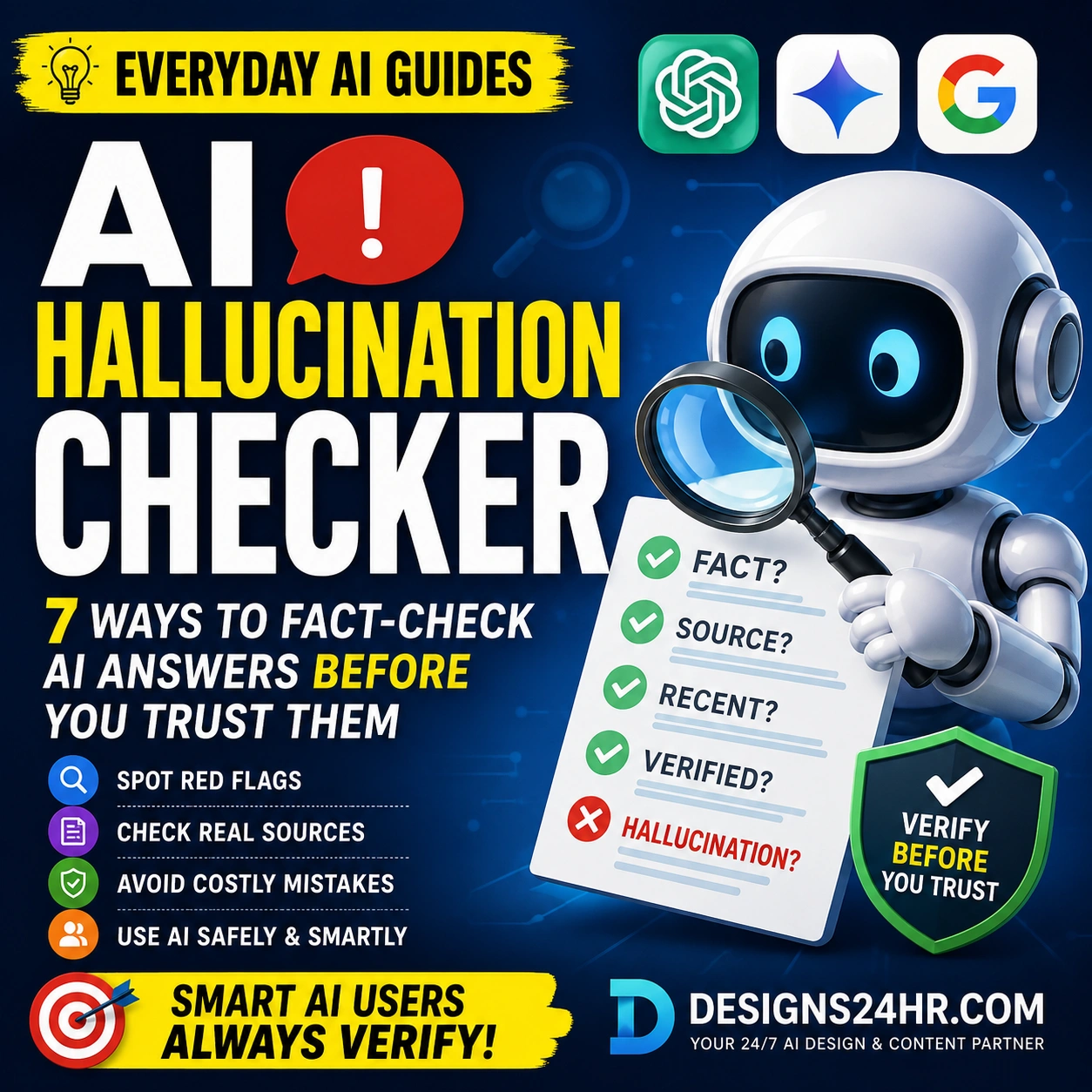
AI Hallucination Checker: 7 Ways to Fact-Check ChatGPT, Gemini, and AI Search Answers Before You Trust Them
AI can save time, explain confusing topics, and help you think faster. But it can also sound confident while giving an answer that is outdated, incomplete, misleading, or completely made up. Use this AI hallucination checker before you rely on an AI answer for work, school, money, health, travel, shopping, or family decisions.
An AI hallucination happens when an AI tool gives information that sounds real but is not reliable. It may invent a source, mix old and new facts, misread a question, create a fake quote, or present a guess like a proven fact.
This guide gives everyday U.S. readers a simple, practical way to fact-check ChatGPT, Gemini, Copilot, AI search results, and other AI answers before using them. You do not need to be technical. You just need a repeatable safety habit.
Quick rule: AI is useful for drafts, ideas, explanations, summaries, and planning. But important answers should be checked against real sources, especially when the decision involves money, health, legal issues, school, employment, safety, or official deadlines.
What Is an AI Hallucination?
An AI hallucination is an AI-generated answer that looks believable but contains false, unsupported, outdated, or fabricated information. Google Cloud explains that AI hallucinations can include incorrect facts, irrelevant answers, nonsensical responses, or fabricated links. OpenAI also warns that ChatGPT may produce incorrect or misleading information and recommends checking important answers with reliable sources.
That does not mean AI is useless. It means AI should be treated like a helpful assistant, not the final authority. The safest approach is to let AI help you organize, explain, compare, and draft, then verify the claims that matter.
The 30-Second AI Hallucination Checker
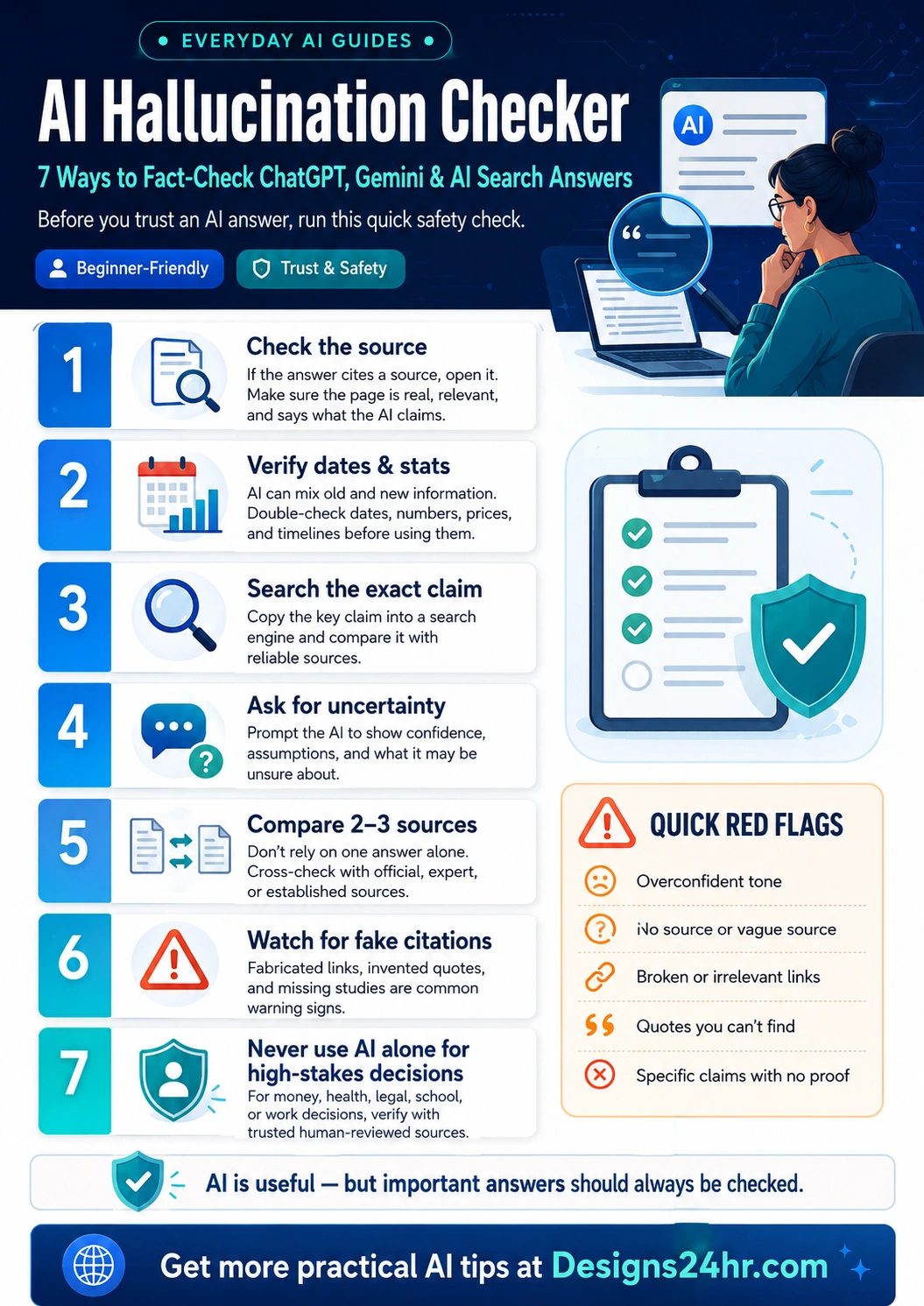
Before you trust an AI answer, ask these seven questions:
- Does the answer name a real source I can open?
- Are the dates, prices, laws, statistics, or deadlines current?
- Can I find the exact claim outside the AI answer?
- Did the AI explain what it is unsure about?
- Do at least two or three reliable sources agree?
- Are any citations, quotes, studies, or links fake or irrelevant?
- Is this a high-stakes decision that needs a human expert or official source?
If the answer fails one or more of these checks, do not use it as-is.
7 Ways to Fact-Check AI Answers Before You Trust Them
Check the Source First
If an AI answer cites a source, open it. Do not assume the citation is real just because it looks professional. Check whether the page exists, whether it is from a trustworthy organization, and whether it actually says what the AI claims.
For example, if an AI answer gives advice about federal student aid, taxes, immigration, benefits, banking, or consumer rights, look for official government, school, bank, or agency pages instead of relying only on a chatbot response.
Verify Dates, Prices, Laws, and Statistics
AI tools can mix old information with new wording. This is especially risky for prices, software features, tax rules, deadlines, travel policies, sports schedules, public programs, and product availability.
When an answer includes a number or date, search that specific claim. Add the current year, the official organization name, or the location. For U.S. readers, state-specific rules can matter, so a general AI answer may not be enough.
Search the Exact Claim
Copy the most important sentence from the AI answer and search it in a search engine. If the claim is real, you should usually find a reliable source that confirms it. If you only find low-quality pages, copied AI content, or nothing at all, treat the answer as unverified.
This works especially well for claims like “a new law passed,” “a study found,” “experts recommend,” “this tool is free,” “this product is safe,” or “this policy changed.”
Ask the AI What It Is Unsure About
Many AI answers sound more confident than they should. A safer prompt is to ask the AI to show uncertainty, assumptions, and verification steps.
Before I use this answer, list the claims that need verification. Tell me what might be outdated, what sources I should check, and what you are uncertain about.
This does not guarantee accuracy, but it helps expose weak spots in the answer.
Compare Two or Three Reliable Sources
Do not rely on one AI answer alone. For important information, compare the answer with two or three reliable sources. Good sources include official help centers, government pages, university pages, recognized medical organizations, established news outlets, product documentation, and expert-reviewed resources.
If the sources disagree, slow down. The AI answer may be oversimplifying the issue or missing context.
Watch for Fake Citations and Broken Links
AI can create citations that look real but do not exist. It may also cite a real website but describe the page incorrectly. Warning signs include broken links, vague source names, quotes you cannot find, studies with no author, or citations that lead to unrelated pages.
If the answer depends on a quote, study, case, report, or statistic, verify it directly before using it in an article, school assignment, business document, email, or decision.
Never Use AI Alone for High-Stakes Decisions
AI can help you prepare questions, summarize documents, compare options, and understand complicated wording. But it should not be the only source for legal, medical, financial, tax, insurance, safety, immigration, school, or employment decisions.
For example, the Consumer Financial Protection Bureau has warned that chatbots in consumer finance can create problems when people need accurate, timely, and personalized help. That same caution applies broadly: when the cost of being wrong is high, verify with a trusted human, official source, or qualified professional.
Quick Red Flags That an AI Answer May Be Wrong
It sounds too certain
Be careful when the answer gives a confident conclusion but does not explain where the information came from.
It gives vague sources
Phrases like “experts say,” “studies show,” or “according to reports” are weak unless the answer names real sources.
The links do not match
A link may open, but the page may not support the claim. Always check the page content, not just the domain name.
The answer skips limits
Reliable answers usually mention uncertainty, exceptions, context, or cases where the advice may not apply.
What to Fact-Check by Situation
| Situation | What to Check | Best Source Type |
|---|---|---|
| School or college work | Quotes, citations, dates, definitions, and whether the source really supports the claim | Teacher instructions, library databases, textbooks, .edu pages, and original sources |
| Work emails or reports | Numbers, policy claims, names, deadlines, client details, and company-specific facts | Internal documents, official company pages, trusted reports, and direct confirmation |
| Shopping or product choices | Current price, warranty, features, availability, return policy, and compatibility | Retailer page, manufacturer page, recent reviews, and official documentation |
| Money or banking questions | Fees, eligibility, deadlines, account terms, protections, and risk | Bank, CFPB, IRS, official program pages, or a qualified professional |
| Health or safety questions | Symptoms, medication, dosage, emergency signs, and personal medical context | Doctor, pharmacist, CDC, FDA, NIH, or another trusted medical source |
| Legal, tax, or immigration questions | State rules, deadlines, eligibility, forms, penalties, and recent changes | Official government pages or a qualified professional |
Copy-and-Paste Prompts to Check AI Answers
Use these prompts when you want AI to help you verify an answer instead of simply giving you another confident response.
Prompt 1: Find Weak Claims
Review your last answer like a fact-checker. List every claim that needs verification, especially names, dates, statistics, prices, laws, policies, sources, and quotes.
Prompt 2: Ask for Better Sources
Give me source types I should check before trusting this answer. Prioritize official, expert, or primary sources. Do not invent links or citations.
Prompt 3: Separate Facts From Assumptions
Separate this answer into confirmed facts, assumptions, likely but unverified claims, and claims that may be outdated. Tell me what I should verify manually.
Prompt 4: Check for High-Stakes Risk
Is this answer safe to rely on? Identify whether any part involves legal, medical, financial, tax, safety, school, job, or official-deadline risk. Tell me when I should consult a human expert or official source.
How Designs24hr Tools Can Help You Verify AI Answers
After you get an AI answer, you can use free Designs24hr tools to slow down, simplify the information, and ask better verification questions.
Understand confusing answers
Paste complicated wording into Explain This For Me to turn confusing text into plain language before you decide what to verify.
Create safer prompts
Use the AI Prompt Generator to create clearer prompts that ask for assumptions, limitations, sources, and verification steps.
Think through choices
Use Decision Helper when an AI answer affects a real decision and you need to compare options more carefully.
Keep learning safely
Browse Everyday AI Guides and the AI Safety, Privacy & Trust category for more simple guides about safer AI use.
Beginner Example: How to Check a ChatGPT Answer
Imagine ChatGPT tells you: “A new federal rule changed the deadline for a financial form this year.” That might be true, outdated, or completely wrong. Here is how to check it:
- Ask the AI which exact rule, form, agency, and deadline it means.
- Search the exact rule name and deadline.
- Open the official agency page, not just a blog summary.
- Check the publish date or last updated date.
- Compare one additional reliable source if the information affects money or compliance.
- Do not act until the official source confirms the deadline.
The goal is not to distrust every AI answer. The goal is to know which parts need proof before you rely on them.
Best Sources for Fact-Checking AI Answers
Final Takeaway: Smart AI Users Verify Before They Trust
The best AI users are not people who believe every answer. They are people who know how to use AI quickly and check it wisely. An AI hallucination checker is simply a habit: check the source, verify the date, search the exact claim, compare reliable sources, and avoid using AI alone for high-stakes decisions.
Use AI to save time, brainstorm ideas, explain difficult wording, and organize your thinking. But when an answer could affect your money, health, work, school, family, rights, safety, or official responsibilities, verify before you trust.
Need a Safer Way to Use AI Every Day?
Explore more simple AI safety tips, beginner guides, and free tools from Designs24hr. Learn faster, check smarter, and use AI with more confidence.
Frequently Asked Questions
What is an AI hallucination checker?
An AI hallucination checker is a simple process for checking whether an AI answer is accurate, current, and supported by real sources. It helps you verify claims before you trust or use them.
How do I fact-check ChatGPT answers?
Check the source, verify dates and statistics, search the exact claim, ask ChatGPT what it is uncertain about, compare reliable sources, and avoid relying on AI alone for high-stakes decisions.
Can ChatGPT make up sources?
Yes. AI tools can sometimes generate citations, links, studies, quotes, or source names that look real but are inaccurate, irrelevant, or fabricated. Always open and check important sources yourself.
Are Google AI Overviews always accurate?
No. AI search answers can be helpful, but they can still make mistakes. For important information, check the original sources and compare more than one reliable reference.
What types of AI answers should I always verify?
Always verify answers about money, health, legal issues, taxes, insurance, immigration, school rules, job decisions, safety, official deadlines, current events, product prices, and anything that could create real consequences if wrong.
Is AI safe to use for research?
AI can be useful for brainstorming, summarizing, outlining, and understanding a topic. It is not a replacement for real research. Use AI as a starting point, then verify important claims with trusted sources.
What is the easiest way to spot an AI hallucination?
Look for unsupported confidence. If an AI answer makes a specific claim but does not provide a real, relevant, checkable source, treat the answer as unverified until you confirm it.
Should students use AI-generated citations?
Students should verify every AI-generated citation before using it. Open the source, confirm the author or organization, check the date, and make sure the source actually supports the point being made.