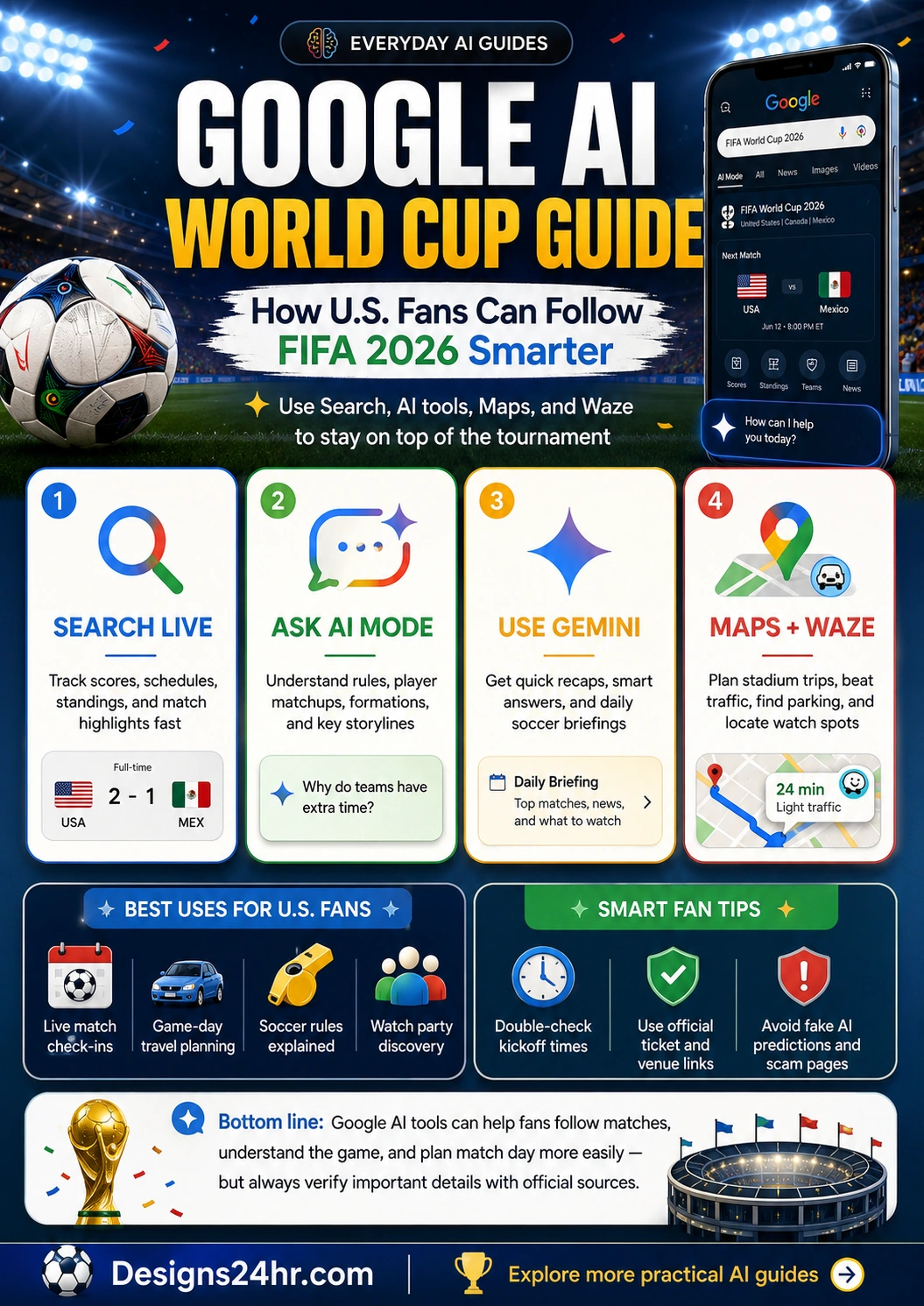
Google AI World Cup Guide: How U.S. Fans Can Use Search, Maps, Waze, and Gemini
Google AI World Cup tools can help U.S. fans follow FIFA World Cup 2026 with live scores, match updates, AI explanations, travel planning, viewing-party ideas, and Gemini-powered matchday help. Here is a simple guide to using Google Search, AI Mode, Maps, Waze, and Gemini without getting lost in hype or fake information.
What is the Google AI World Cup experience?
Google AI World Cup is a practical way to describe how Google’s tools are helping fans follow the 2026 soccer tournament across Search, AI Mode, Maps, Waze, and the Gemini app. Google’s official guide says these tools can help fans follow scores, navigate to matches, find recaps, understand the game, and stay closer to the action.
For U.S. fans, this matters because the FIFA World Cup 2026 is being hosted across North America, with matches across the United States, Canada, and Mexico. That means fans are not only searching for scores. They are also planning stadium trips, looking for watch parties, tracking traffic, learning soccer rules, following teams, and trying to understand fast-changing match storylines.
Use Google’s official soccer tools guide for feature details, and use FIFA’s official World Cup pages for final match schedules, fixtures, venues, tickets, standings, and results.
Read Google’s official soccer tools guide · Visit the official FIFA World Cup 2026 page
Best for live match tracking
Use Google Search for live scores, lineups, standings, brackets, stories, social content, and quick match updates during the tournament.
Best for smart fan help
Use AI Mode and Gemini to understand soccer rules, compare teams, ask follow-up questions, get summaries, and plan your fan routine.
Why this matters for U.S. fans right now
World Cup search demand moves fast. A fan may need a kickoff time in the morning, a route to the stadium in the afternoon, a quick explanation of stoppage time during the match, and a recap before bed. Google AI World Cup tools can help organize that information into a more useful fan workflow.
The important thing is to use the right tool for the right job. Google Search is strong for live match information. AI Mode is useful for deeper questions. Gemini is useful for recaps, planning, and creative fan ideas. Maps and Waze are best for real-world travel, parking, traffic, road closures, transit, and viewing-party searches.
In plain language, these tools can help you:
- Track matches faster with live scores, standings, brackets, lineups, and updates.
- Understand the game by asking AI Mode about rules, tactics, formations, players, and storylines.
- Plan matchday travel with Maps and Waze for traffic, transit, closures, routes, and nearby places.
- Find watch spots by asking Maps for restaurants, bars, or public places showing a match.
- Get daily briefings with Gemini when you want a quick recap of what happened and what to watch next.
Simple example: using Google AI for one matchday
Imagine the U.S. team plays in the evening. In the morning, you search for the match to confirm the kickoff time and group standings. Before lunch, you ask AI Mode to explain the opponent’s formation and key players in simple terms. In the afternoon, you use Google Maps or Waze to check traffic, parking, and nearby viewing spots. After the match, you ask Gemini for a quick recap, highlights, and what the result means for the group.
That is the real value of Google AI World Cup tools: not just one answer, but a smarter fan workflow from pre-match planning to post-match understanding.
The 4 main Google tools U.S. fans should know
Google’s official soccer guide highlights four major ways fans can follow the tournament: Search, AI Mode in Search, Maps and Waze, and Gemini. Each one solves a different problem.
| Tool | Best use | Example fan task |
|---|---|---|
| Google Search | Fast match information, scores, standings, lineups, brackets, stories, and live updates. | Search a team or matchup to check the current score, kickoff time, lineup, or group table. |
| AI Mode in Search | Deeper explanations, soccer rules, team comparisons, tactics, formations, and follow-up questions. | Ask why a team uses a 4-3-3 formation or what extra time means in a knockout match. |
| Google Maps | Stadium routes, nearby places, watch parties, reservations, transit, parking, and local discovery. | Find a nearby place showing the World Cup match with room for your group. |
| Waze | Driving routes, traffic, road closures, event congestion, and quick live score updates when stopped. | Plan a stadium drive while checking road closures and heavy traffic near the venue. |
| Gemini app | Recaps, match questions, daily briefings, highlights, standings, fan ideas, and creative content. | Ask for a morning briefing on your favorite teams and what matches to watch today. |
How to use Google Search for World Cup live updates
Google Search is the fastest starting point for most fans. Google says soccer searches can show real-time information such as live scores, lineups, standings, brackets, stories, and social content. Search is also useful before and after matches when you want quick updates without opening several apps.
Try searches like:
- “FIFA World Cup 2026 schedule”
- “USA next World Cup match”
- “World Cup standings Group D”
- “Mexico vs South Africa score”
- “World Cup bracket 2026”
- “Brazil lineup today”
- “World Cup games today”
If you follow a specific team or match, check whether Google gives you an option to follow it or pin a live score to your phone’s lock screen. This can make quick match tracking easier when you are working, traveling, or watching multiple games.
How to use AI Mode for soccer rules and deeper questions
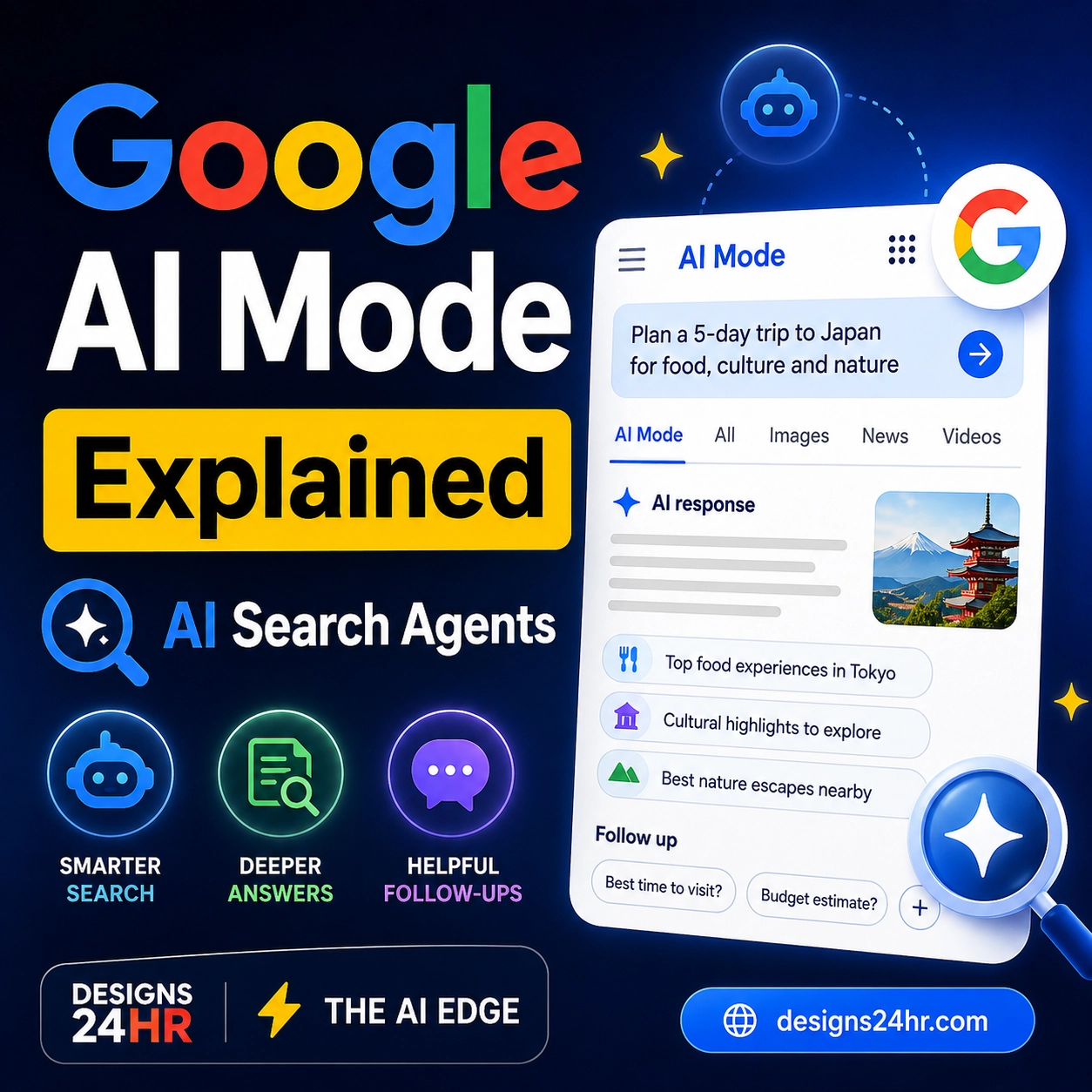
AI Mode in Search is useful when your question needs more than a basic score. For example, a new fan may understand that a team won, but not understand why a formation worked, what an offside decision meant, or how goal difference affects group standings.
Google says AI Mode can help with complex questions around rules, players, teams, and more. For some users and plans, it can also create interactive visuals for questions such as soccer formations and how coaches use them.
Good AI Mode questions for World Cup fans:
- “Explain stoppage time in soccer like I’m new to the World Cup.”
- “What is the difference between a 4-3-3 and a 3-5-2 formation?”
- “Why do teams park the bus late in a match?”
- “How does goal difference work in World Cup group standings?”
- “What should I watch for in a USA vs Mexico match?”
- “Explain penalty shootouts in simple terms.”
AI Mode is a learning helper, not the official match authority. For final scores, official standings, tickets, rules decisions, and venue details, verify with FIFA, official team pages, broadcasters, or venue sources.
How to use Gemini for match recaps and fan planning
The Gemini app can help turn scattered match information into easier summaries. Google says Gemini can reference live soccer game information and news, including scores, highlights, standings, and more as the action unfolds. For some topics, Gemini can also create visual matchday-style elements from up-to-date soccer information.
Try Gemini prompts like:
- “Give me a quick recap of today’s World Cup matches in simple language.”
- “What were the biggest storylines from the USA match?”
- “Explain what today’s results mean for Group D.”
- “Make a 5-minute morning briefing for a U.S. fan following the World Cup.”
- “Create a watch-party checklist for tonight’s match.”
- “Explain this match preview for someone new to soccer.”
Some Gemini features may depend on plan, app availability, region, and rollout timing. Google also mentions Scheduled Actions for Plus, Pro, and Ultra subscribers, which can be used to receive a customized daily soccer briefing at a chosen time and frequency.
How to use Google Maps and Waze on matchday
Maps and Waze matter because World Cup planning is not only digital. U.S. fans may need to drive to a stadium, use transit, find parking, avoid road closures, meet friends, or locate a nearby watch party.
Google says Maps and Waze can provide information about traffic, road closures, pedestrian zones, transit routes, and more. Google also says many stadium Street View images have been updated so fans can preview the area before arriving. Waze can also show live score updates at a glance when your car is stopped.
Useful Maps and Waze searches:
- “Restaurants showing World Cup near me”
- “Sports bars showing USA World Cup match”
- “Parking near [stadium name]”
- “Transit to [stadium name]”
- “Road closures near [stadium name]”
- “World Cup watch party near me”
Do not wait until kickoff to check the route. Stadium traffic, event closures, rideshare zones, security lines, and parking changes can make a normal drive much longer than expected.
Important: verify tickets, kickoff times, and venue details
AI tools can summarize and guide, but they should not be your only source for important tournament details. For tickets, hospitality, official match schedules, venue rules, and final results, use FIFA, official host city pages, official broadcasters, official team pages, or the venue’s own website.
Be careful with fake ticket sites, fake streaming links, unofficial social media posts, and AI-generated predictions that look confident but are not official. A smart fan workflow uses AI for convenience, then verifies important details with trusted sources.
Best everyday uses for Google AI World Cup tools
These tools are useful for different types of fans, from casual viewers to people traveling to matches.
Daily match planning
Use Search or Gemini to check today’s games, kickoff windows, storylines, and which matches are worth watching based on your favorite teams.
Stadium travel
Use Maps and Waze to plan routes, traffic, parking, transit, road closures, pedestrian zones, and post-match travel time.
Soccer learning
Use AI Mode to understand formations, stoppage time, penalties, VAR, group standings, tiebreakers, and tactical decisions.
Watch parties
Use Maps to find restaurants, bars, public fan zones, or nearby places where other fans may be watching a match.
Prompt examples for U.S. World Cup fans
Use these prompts in Gemini or AI Mode to get more useful answers. Adjust the team, location, and time based on the match you are following.
For a matchday briefing
“Give me a simple World Cup matchday briefing for a U.S. fan. Include today’s biggest games, what to watch, and one beginner-friendly soccer concept.”
For a new soccer fan
“Explain the key rules I need to understand before watching a World Cup match today. Keep it simple and practical.”
For a team comparison
“Compare these two teams before today’s match. Explain their strengths, weaknesses, likely style of play, and key players in beginner-friendly language.”
For travel planning
“Help me plan a stadium trip for a World Cup match. Include what to check before leaving, what to bring, and what to verify with official venue sources.”
For a watch party
“Create a simple watch-party checklist for a World Cup match with food, timing, seating, reminders, and a short explanation of the teams for casual fans.”
If you want to improve your prompts before using Gemini or AI Mode, try the free AI Prompt Generator.
How to plan a smarter World Cup day
Because match schedules, traffic, and storylines change quickly, the best approach is to create a simple routine. This works whether you are watching at home, traveling to a stadium, or following matches during a workday.
Morning: check the official schedule
Start with FIFA or a trusted broadcaster for the day’s fixtures, kickoff times, groups, and venues. Then use Google Search for quick summaries and live match cards.
Before lunch: ask AI Mode one deeper question
Ask about a rule, formation, player matchup, or group-stage scenario. This makes the match more interesting, especially if you are new to soccer.
Afternoon: plan travel or viewing
Use Maps and Waze for stadium routes, traffic, parking, road closures, transit, or watch spots near you.
During the match: track live updates
Use Search for scores, lineups, standings, and live updates. Avoid checking unofficial links that promise free streams, tickets, or suspicious giveaways.
After the match: get a recap
Ask Gemini for a short recap, key moments, standings impact, and what to watch next. Then verify final results through FIFA or a trusted sports source.
For a simple day plan, use the AI Daily Task Planner to organize match times, travel, errands, work, and viewing plans into one schedule.
Smart fan safety checklist
World Cup demand creates excitement, but it also creates scams. AI tools can help you move faster, but they can also make fake pages, fake predictions, fake tickets, and misleading posts look more convincing. Use this checklist before clicking, buying, or sharing.
Do this
- Use FIFA and official venue pages for schedules and tickets.
- Check broadcaster information for where to watch.
- Verify kickoff times by time zone.
- Use Maps and Waze before leaving for a match.
- Save official links before tournament days get busy.
Avoid this
- Buying tickets from suspicious search ads or random social posts.
- Trusting AI predictions as facts.
- Clicking fake “free stream” links.
- Sharing personal or payment details on unofficial pages.
- Driving without checking event road closures first.
How families can use Google AI World Cup tools
Families can use the tournament as a fun way to learn geography, teamwork, sportsmanship, time zones, and basic soccer rules. Google Search can show schedules and standings, AI Mode can explain rules simply, Gemini can create short family-friendly recaps, and Maps can help find safe places to watch.
Family-friendly ideas:
- Ask AI Mode to explain soccer rules for kids.
- Use Search to follow one team’s group-stage journey.
- Ask Gemini to create a simple match bingo card.
- Use Maps to find a family-friendly watch spot.
- Ask for a recap without spoilers if someone has not watched yet.
If a soccer rule or article feels confusing, use Explain This For Me or the Plain Language Translator to make it easier to understand.
How workers and students can follow the World Cup without losing the day
Many U.S. fans will follow matches while working, studying, commuting, or managing family responsibilities. A little planning helps you enjoy the tournament without letting it take over your whole day.
Useful routine:
- Check match times in the morning.
- Pick one or two key matches instead of trying to watch everything.
- Use Google Search for quick score checks instead of constant scrolling.
- Ask Gemini for a short recap after work or class.
- Use Maps or Waze early if you are traveling to a watch party or stadium.
If you are deciding which match, route, watch party, or plan is worth your time, use the Decision Helper or What To Do Next? to make a quicker choice.
How small businesses can use the World Cup trend responsibly
Restaurants, local shops, sports bars, creators, and service businesses may want to create World Cup-related content. Google AI tools can help you understand match schedules, plan local posts, organize watch-party reminders, or write simple event descriptions.
Good business uses include:
- Creating a watch-party checklist.
- Planning social posts around match days.
- Writing simple event reminders for customers.
- Using Maps to help customers find the location.
- Checking kickoff times before posting promotions.
Be careful with trademarks, official tournament branding, ticket claims, and broadcast language. Do not imply official FIFA, team, or broadcaster affiliation unless you actually have permission. Use AI for planning and wording, then review everything before publishing.
What not to rely on AI for during the World Cup
AI can make following the tournament easier, but it should not replace official sources for high-stakes details.
Verify these with official sources:
- Ticket availability and pricing.
- Venue entry rules and bag policies.
- Kickoff times and time zones.
- Final match results and standings.
- Official broadcast and streaming options.
- Road closures, transit changes, and parking rules.
- Visa, travel, lodging, or event security details.
Use AI to understand, summarize, and plan. Use official sources to confirm.
Recommended Designs24hr tools to use with this guide
These free tools can help U.S. fans, families, students, workers, and creators turn World Cup information into clearer plans and smarter decisions.
Frequently asked questions about Google AI World Cup tools
What is Google AI World Cup?
Google AI World Cup is a practical phrase for using Google Search, AI Mode, Gemini, Maps, and Waze to follow FIFA World Cup 2026 scores, standings, match updates, travel routes, viewing spots, and fan questions.
Can Google Search show World Cup live scores?
Yes. Google says Search can show real-time soccer information such as live scores, lineups, standings, brackets, stories, and social content. For final official information, also check FIFA or trusted sports sources.
How can AI Mode help soccer fans?
AI Mode can help fans ask deeper questions about soccer rules, formations, players, teams, group scenarios, and match storylines. It is especially useful for newer fans who want plain-English explanations.
How can Gemini help during the World Cup?
Gemini can help with match recaps, news summaries, standings explanations, fan planning, creative ideas, and daily briefings. Some features may depend on your account, plan, app availability, and rollout timing.
How can Maps and Waze help fans?
Maps and Waze can help with routes, traffic, road closures, pedestrian zones, transit, parking, stadium area previews, and nearby places to watch matches. They are especially useful for fans traveling to games or watch parties.
Should I trust AI predictions for World Cup matches?
No. Treat AI predictions as entertainment or analysis, not guaranteed facts. Match results depend on real play, injuries, tactics, refereeing decisions, and many unpredictable factors.
Where should I verify official World Cup schedules and tickets?
Use FIFA’s official World Cup website, official host city pages, official venue pages, and trusted broadcasters for schedules, tickets, standings, results, entry policies, and official viewing information.
Use Google AI World Cup tools as a smarter fan assistant
Google Search, AI Mode, Gemini, Maps, and Waze can make FIFA World Cup 2026 easier to follow, especially for U.S. fans balancing matches, travel, work, family, and watch parties. Use AI for quick answers, planning, and explanations, but always verify important match, ticket, travel, and venue details with official sources.
Explore more Everyday AI Guides