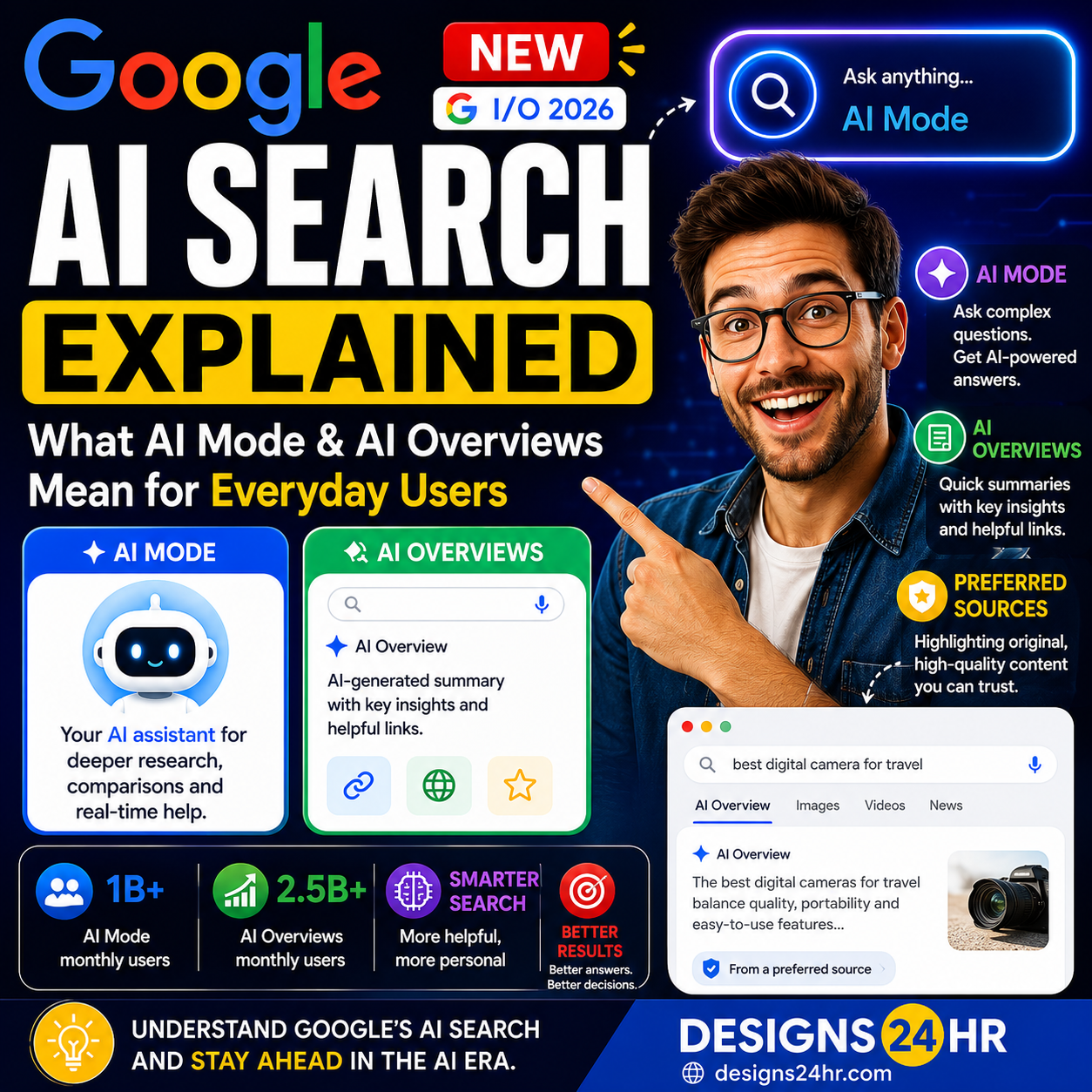
Google AI Mode is one of the biggest changes to Google Search in years. Instead of only typing a few keywords and clicking through a list of links, users can now ask more complex questions, get AI-powered answers, continue with follow-up questions, and explore topics in a more conversational way.
This matters because Google Search is part of everyday life. People use it to compare products, research health questions, plan trips, understand news, find local services, study new topics, shop smarter, and make decisions. When Google changes how search works, it affects how millions of people find information online.
This guide explains what Google AI Mode is, how it is different from normal Google Search, what AI search agents can do, why some users are excited, why others are concerned, and how everyday users can use AI search safely and smartly.
What Is Google AI Mode?
Google AI Mode is an AI-powered search experience that lets users ask longer, more detailed questions and receive organized AI-generated responses with helpful links. It expands on AI Overviews by allowing deeper follow-up questions, more advanced reasoning, and more interactive ways to explore information.
In normal Google Search, you usually type a query and choose from links, snippets, images, videos, maps, shopping results, and other search features. In Google AI Mode, the experience becomes more conversational. You can ask a question, read an AI-organized response, and then ask another question without starting over.
The simple way to understand it is this: traditional Google Search helps you find pages. Google AI Mode tries to help you understand, compare, and continue researching from one place.
Google AI Mode vs Normal Google Search
Google AI Mode does not completely remove traditional search, but it changes the experience. Instead of making users do all the searching, opening, comparing, and summarizing manually, AI Mode tries to organize more of the information upfront.
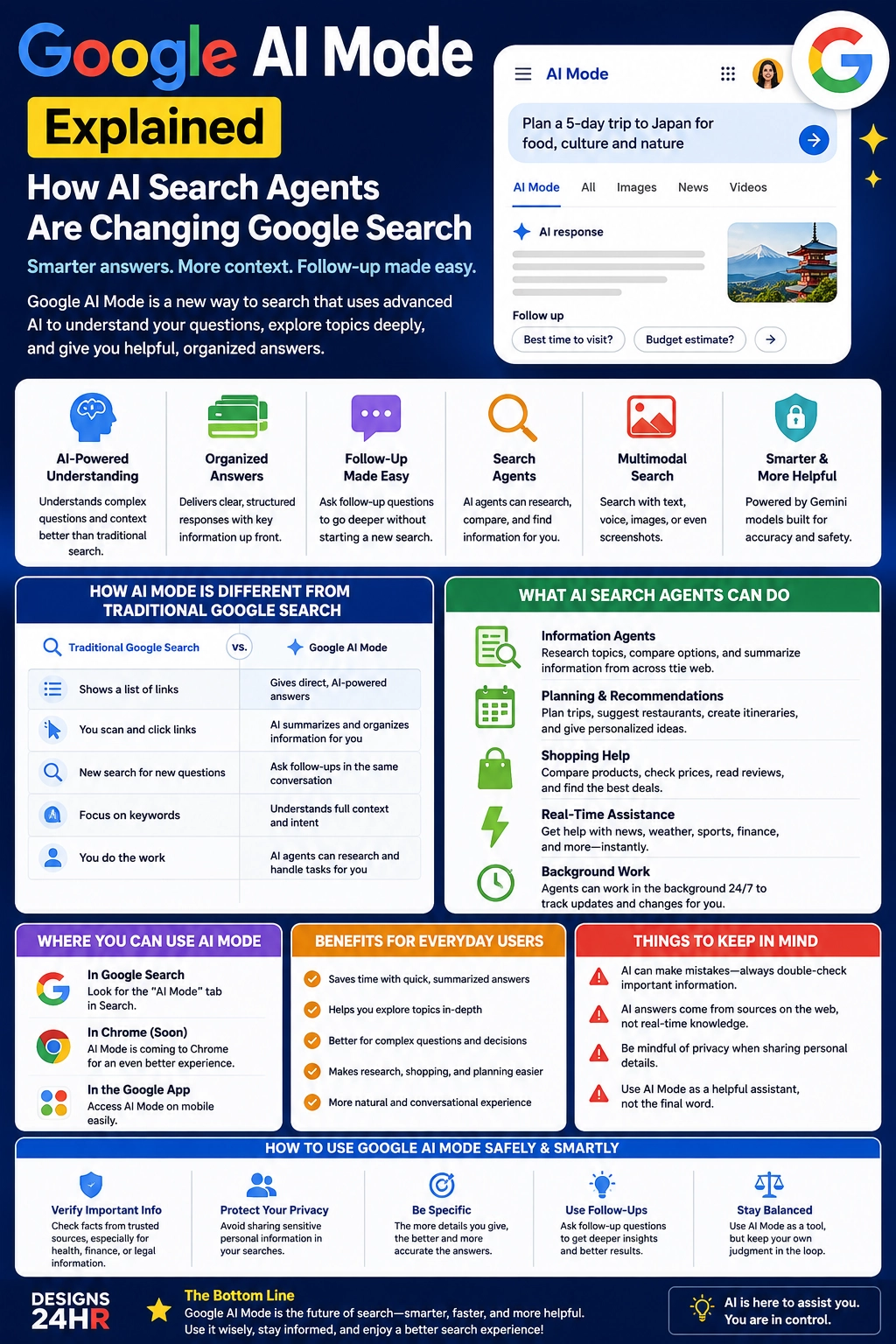
| Normal Google Search | Google AI Mode |
|---|---|
| Shows a list of search results and links | Provides an AI-powered answer with supporting links |
| Works best with short keyword searches | Supports longer, more detailed questions |
| Users open pages and compare information manually | AI helps summarize, organize, and connect information |
| Follow-up searches usually start as new searches | Follow-up questions can continue the same topic |
| Best for finding specific websites quickly | Best for exploring complex questions and decisions |
This is why Google AI Mode feels important. It is not just a new search filter. It changes the way people may interact with information online.
What Are AI Search Agents?
AI search agents are AI-powered systems that can help users search, monitor, compare, summarize, and act on information with less manual effort. Instead of only responding to one search query, an AI search agent can help manage a task or topic over time.
For example, an information agent may help track updates about a topic, monitor availability, compare options, or keep a user informed without requiring them to repeat the same search every day. This is where search starts moving from “find me a link” to “help me stay updated” or “help me make a better decision.”
For everyday users, this could be useful for travel planning, shopping research, local events, price tracking, product comparisons, sports updates, housing searches, job alerts, and personal research topics.
How Google AI Mode Works
Google says AI Mode can break a question into subtopics and search for those pieces at the same time. This helps the system explore more relevant information across the web and create a more complete answer.
For example, if you ask, “Plan a 5-day trip to Japan for food, culture, and nature,” a traditional search may show travel blogs, videos, maps, and booking pages. Google AI Mode can understand the broader goal, organize the topic into parts, and provide a more structured response with follow-up options.
That does not mean users should stop checking sources. AI Mode can help organize research, but the best results still come when users review important links, compare details, and verify anything that matters.
What Google AI Mode Can Help Users Do
Google AI Mode is most useful when the question is more detailed than a simple keyword search. It is designed for complex searches where users need context, comparison, explanation, or planning help.
Here are practical examples of what Google AI Mode can help with:
- Research topics: Understand a subject faster with organized AI-powered explanations.
- Plan trips: Compare places, timing, activities, budgets, and travel ideas.
- Compare products: Review features, prices, use cases, and buyer considerations.
- Explore local options: Look for restaurants, services, events, or nearby places.
- Understand complex questions: Break down bigger topics into simpler explanations.
- Ask follow-ups: Continue a search without starting from zero each time.
- Save time: Reduce the amount of manual clicking, scanning, and comparing.
Why People Are Excited About AI Search
The biggest benefit of Google AI Mode is convenience. Many searches are not just about finding one page. They are about understanding a topic, comparing choices, and deciding what to do next.
AI search can make that process faster. Instead of opening ten tabs, scanning multiple pages, and trying to connect the dots alone, users can get a structured starting point. That can be helpful for students, parents, shoppers, travelers, small business owners, creators, and anyone who uses Google to make everyday decisions.
Another reason users may like AI Mode is follow-up search. People rarely have just one question. They often start broad, then get more specific. Google AI Mode makes that kind of search feel more natural because the conversation can continue.
Why Some Users Are Concerned About Google AI Mode
Not everyone is excited about AI changing Google Search. Some users worry that AI-generated answers may be wrong, incomplete, biased, or too confident. Others prefer traditional search because they want to choose their own sources instead of relying on an AI summary.
There are also concerns about publisher traffic. If users get answers directly from AI summaries, fewer people may click through to websites. That could affect blogs, news sites, small publishers, review sites, and independent creators who depend on search traffic.
Privacy is another concern. When search becomes more personalized, conversational, and agent-like, users should pay attention to what they are sharing, what is being saved, and how much personal context they provide.
Important: Google AI Mode can be helpful, but it should not replace careful judgment. For important topics like health, legal issues, finance, safety, or major purchases, always verify information from trusted sources.
Google AI Mode Privacy, Accuracy, and Trust Issues
The most important question is not only “What can Google AI Mode do?” It is also “When should I trust it?”
AI-generated answers can be useful, but they can still make mistakes. They may summarize outdated information, misunderstand a question, miss important context, or present an answer that sounds more certain than it should. That is why users should always check the linked sources, especially when the answer affects a real decision.
Privacy also matters. Users should avoid sharing sensitive personal details in search prompts unless they understand how the feature works and are comfortable with the privacy settings. This is especially important for searches involving medical details, financial information, private documents, personal addresses, passwords, account information, or anything confidential.
How to Use Google AI Mode Safely and Smartly
Google AI Mode can be powerful when used correctly. The best approach is to treat it as a research assistant, not the final authority.
Here are simple ways to use it better:
- Ask specific questions: The more context you give, the better the answer can be.
- Use follow-up questions: Ask AI Mode to clarify, compare, simplify, or go deeper.
- Check the links: Use the web sources to confirm important details.
- Compare multiple sources: Do not rely on one AI answer for major decisions.
- Protect your privacy: Avoid sharing sensitive personal information unnecessarily.
- Watch for mistakes: If something sounds wrong, verify it before acting.
Best Types of Searches for Google AI Mode
Google AI Mode is especially useful for searches that need explanation, comparison, or planning. It may not be necessary for simple searches like opening a website, checking a basic definition, or finding a quick fact.
| Good for Google AI Mode | Better for Normal Search |
|---|---|
| Planning a trip with multiple preferences | Opening a specific website |
| Comparing products before buying | Checking a brand’s official page |
| Understanding a complex topic | Finding a known article or source |
| Exploring pros and cons | Looking up a phone number or address |
| Researching a decision with follow-up questions | Searching for one simple fact |
What Google AI Mode Means for Everyday Users
For everyday users, Google AI Mode means search may become more like a conversation. You may start with a broad question, get an AI-organized answer, ask a follow-up, compare options, and then use links to go deeper.
This could make search easier for people who do not know the exact keywords to type. Instead of thinking like a search engine, users can ask questions more naturally. That is a major shift because it lowers the barrier for researching complex topics.
At the same time, users need to become better at checking AI-generated information. The future of search may be faster, but it also requires stronger digital judgment.
What Google AI Mode Means for Websites and Creators
Google AI Mode also matters for websites, blogs, businesses, and creators. If search answers become more AI-generated, content needs to be more helpful, more trustworthy, and more clearly written than ever.
Basic content that only repeats common information may become less valuable. Content that provides original insight, clear explanations, real examples, updated details, expert perspective, visuals, FAQs, and trustworthy sources may have a better chance of standing out.
For creators and website owners, the message is clear: write for humans first, but structure content so AI search systems can understand it. That means clear headings, direct answers, helpful summaries, strong examples, and accurate sourcing.
The Future of Google Search
Google AI Mode points toward a future where search is less about typing keywords and more about asking for help. Search may become more personalized, more conversational, more visual, and more agent-driven.
Instead of only finding pages, future search tools may help users track updates, compare options, plan activities, monitor topics, and take action. That is why AI search agents are such an important part of this shift.
The future will likely include both traditional search and AI-powered search. Some users will prefer quick links. Others will prefer organized AI answers. The best experience may be a mix of both: AI to help understand the topic, and trusted links to verify the details.
Final Takeaway
Google AI Mode is changing Search from a simple list of links into a more conversational, AI-powered research experience. It can help users ask deeper questions, get organized answers, continue with follow-ups, and explore topics more easily.
But AI search is not perfect. Users should still check sources, protect privacy, compare information, and avoid trusting AI-generated answers blindly. The smartest way to use Google AI Mode is as a helpful assistant, not as the final word.
At Designs24hr, we’ll continue breaking down the biggest AI updates in a simple, practical way so you can understand what matters, what is changing, and how new AI tools may affect everyday life, work, creativity, and digital productivity. Share your thoughts in the comments and return to Designs24hr whenever you want to learn something new about AI and design.
FAQs About Google AI Mode
What is Google AI Mode?
Google AI Mode is an AI-powered search experience that lets users ask detailed questions, receive AI-generated answers, explore helpful links, and continue with follow-up questions.
How is Google AI Mode different from normal Google Search?
Normal Google Search mainly shows links and search results. Google AI Mode provides more organized AI-powered answers and allows users to continue exploring a topic through follow-up questions.
What are AI search agents?
AI search agents are AI-powered tools that can help search, monitor, compare, summarize, and organize information. Some agents may also work in the background to keep users updated on topics they care about.
How does Google AI Mode work?
Google AI Mode can break a question into subtopics, search for them simultaneously, and generate a structured response with links and follow-up options.
Can Google AI Mode replace traditional search?
Google AI Mode may replace some research-style searches, but traditional search is still useful for opening websites, checking simple facts, finding exact pages, and verifying sources.
Is Google AI Mode accurate?
Google AI Mode can be helpful, but AI-generated answers can still make mistakes. Users should check the linked sources and verify important information before making decisions.
Is Google AI Mode private?
Privacy depends on how the feature is used and what information the user shares. Users should avoid entering sensitive personal details unless they understand the privacy settings and are comfortable with the data being used.
How should everyday users use Google AI Mode safely?
Use Google AI Mode as a research assistant. Ask clear questions, use follow-ups, check sources, compare information, and avoid sharing private details unless necessary.