AI Toy Apps Privacy Checklist: 7 Checks for U.S. Parents
An AI toy can feel harmless because it looks like a friendly robot, plush companion, learning game, or smart play device. But many of these toys depend on a companion app, and that app may request access to location, microphone, camera, contacts, Bluetooth, analytics, or account data.
This AI toy apps privacy checklist gives parents a simple way to review smart toy app permissions before a child starts using the toy. The goal is not to make every connected toy sound scary. The goal is to help families choose smarter, safer settings before play begins.
Quick Answer: What Should Parents Check First?
The fastest AI toy safety check is to review the companion app before your child uses it. Look at the app’s location, microphone, camera, tracker, account, parent-control, and data-deletion settings. If a permission does not clearly match the toy’s purpose, pause before approving it.
Location, camera, and microphone access deserve the closest review.
Look for what is collected, why it is collected, and who receives it.
Choose apps with adult dashboards, approval settings, and clear age controls.
Make sure you can delete the account and personal data later.
Smart toys can be fun and educational. Some help kids practice language, coding, creativity, storytelling, or problem-solving. The risk starts when the toy’s app collects more information than the toy truly needs, stores child data for too long, shares data with third parties, or makes it difficult for parents to control what happens next.
That is why this guide focuses on the app behind the toy. The physical toy may be cute, but the companion app is where most privacy decisions happen.
Why AI Toys for Kids Privacy Matters Right Now
AI-powered toys are becoming more interactive. Some can respond to a child’s voice, personalize play, connect to mobile apps, use cloud services, or adapt based on user behavior. That makes them feel more natural, but it also increases the need for careful parent review.
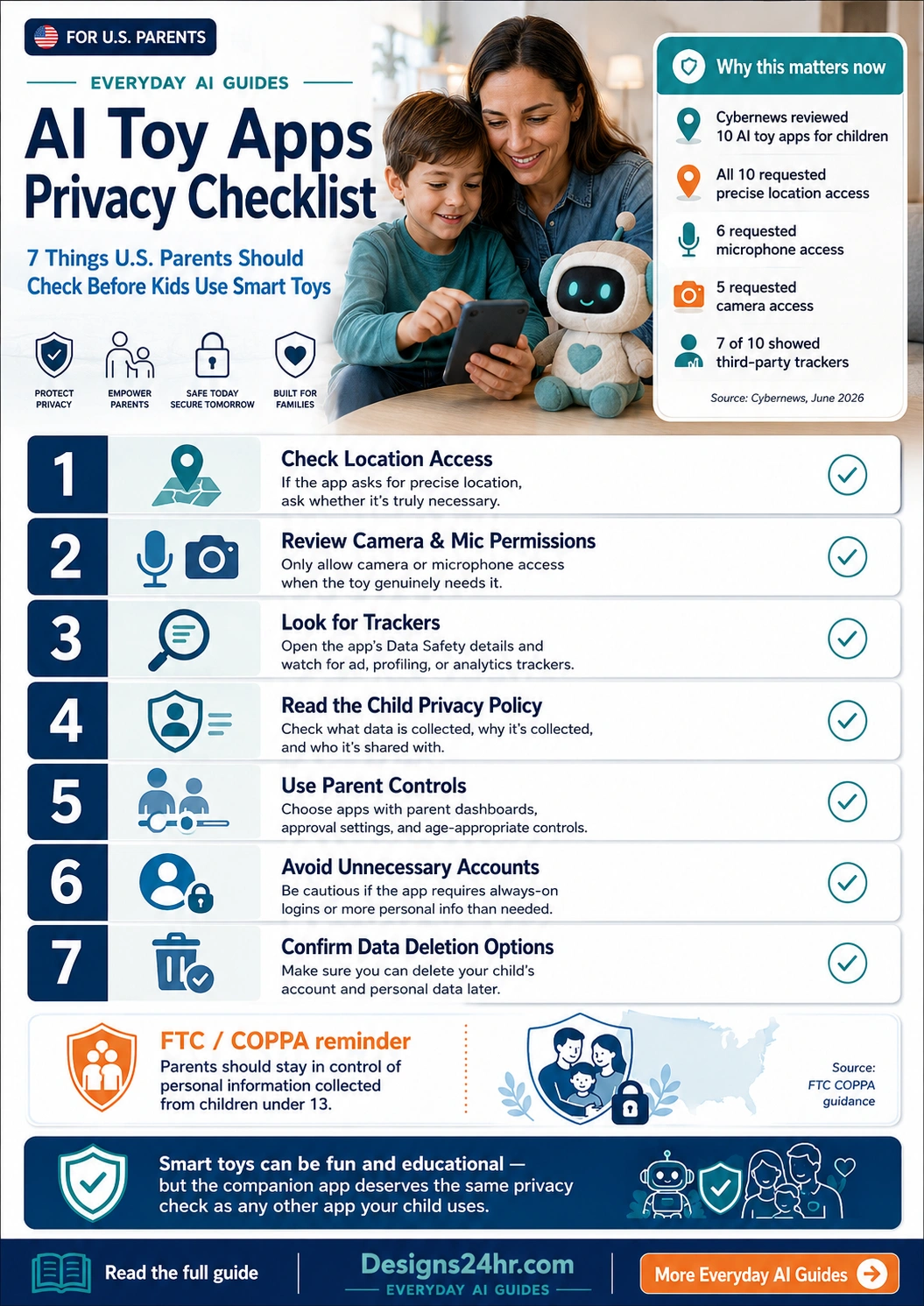
A June 2026 Cybernews analysis of 10 AI toy companion apps for children found that all 10 requested precise location access, 6 requested microphone access, 5 requested camera access, and third-party trackers were detected in 7 of the 10 apps. Those findings do not mean every toy is unsafe, but they do show why parents should not skip the app-permission screen.
What Is an AI Toy App?
An AI toy app is a mobile app that connects to a smart toy, robot, plush companion, learning device, coding toy, or interactive play product. The app may be used to set up the toy, update firmware, create a child profile, record voice commands, unlock learning activities, track progress, or connect the toy to online features.
For parents, the important point is simple: the privacy risk is often not only inside the toy. It is also in the app, the account system, the permissions, the cloud connection, the analytics tools, and the data-sharing choices behind the experience.
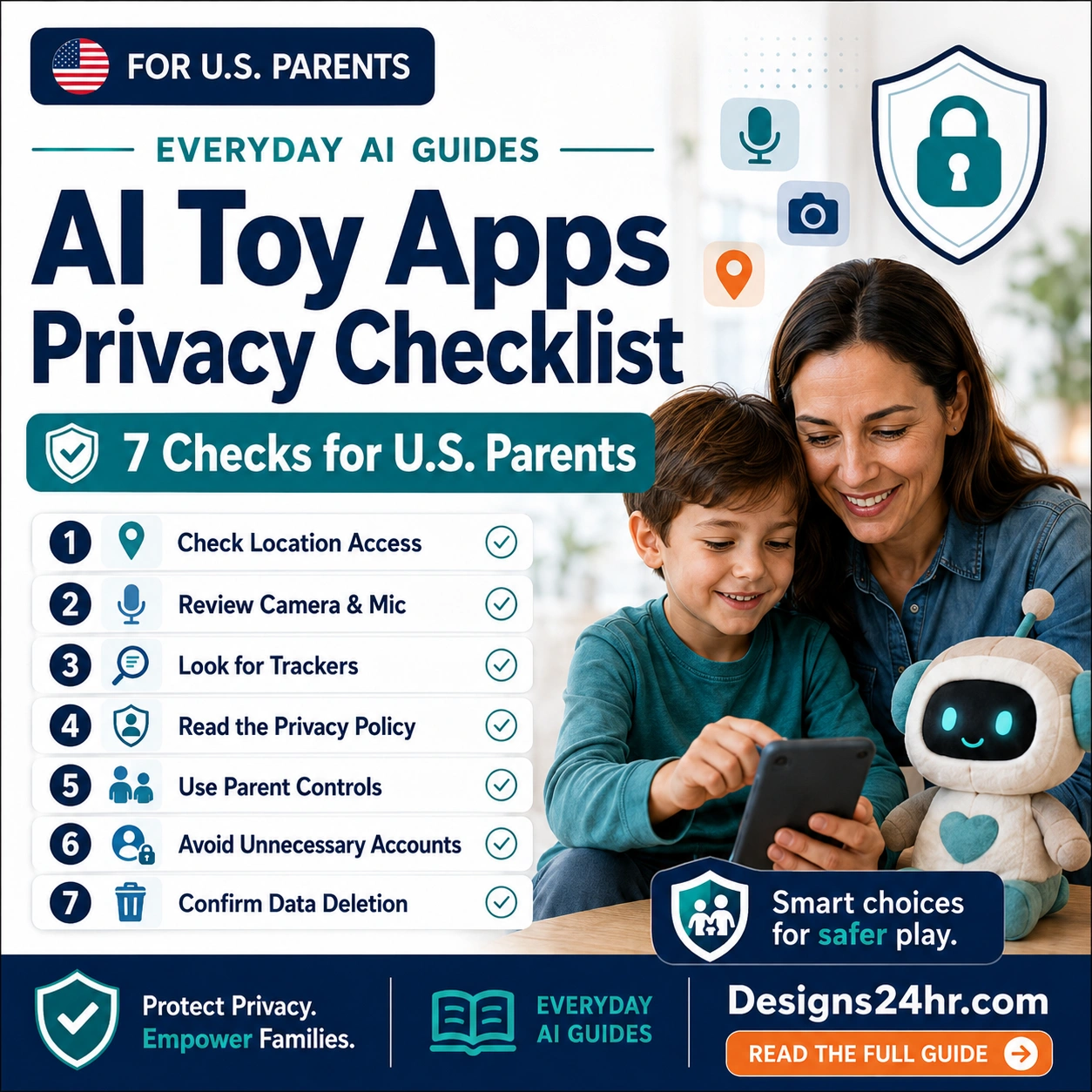
AI Toy Apps Privacy Checklist: 7 Things to Check
Use this AI toy apps privacy checklist before handing a smart toy to your child. You do not need to be technical. You just need to slow down during setup and question anything that feels excessive.
Check Location Access
Precise location access should be treated as a high-sensitivity permission. Some connected toys may use location for setup, Bluetooth connection, regional content, or nearby-device pairing, but many toys do not need constant location access to work.
Choose the lowest permission level that still allows the toy to function. If the app offers “only while using the app,” that is usually safer than always-on access. If the toy works without location, turn it off.
Review Camera and Microphone Permissions
Camera and microphone permissions deserve extra attention because they can involve a child’s face, voice, surroundings, conversations, or home environment. If the toy uses voice commands, microphone access may be part of the experience. But it should still be limited, understandable, and easy to turn off.
Before approving these permissions, ask what the app records, whether recordings are stored, whether recordings are reviewed by humans, and whether the child can use the toy without always-on listening.
Look for Trackers and Data Sharing
Some companion apps include analytics, advertising, profiling, crash-reporting, or location-related trackers. Not every analytics tool is automatically harmful, but parents should know whether a child-focused app is sending data to outside services.
Check the app store’s privacy or data-safety section. Look for language about advertising, analytics, third-party sharing, personalization, profiling, or cross-app tracking. If the app is built for kids, vague data-sharing language is a red flag.
Read the Child Privacy Policy
The child privacy policy should explain what data is collected, why it is collected, how long it is kept, who it is shared with, and how parents can control or delete it. If the policy is hard to find, overly vague, or written only for lawyers, be cautious.
For U.S. families, COPPA is especially important because it is designed to give parents control over personal information collected from children under 13. Parents should look for clear consent, review, and deletion options.
Use Parent Controls Before Play Starts
The safest time to set boundaries is before your child gets attached to the toy. Look for parent dashboards, age settings, communication controls, content filters, purchase restrictions, screen-time settings, voice controls, and approval options.
If the app has a parent mode, set it up first. Do not rely on the child to choose safer settings later.
Avoid Unnecessary Accounts and Personal Details
Some apps ask for a child’s name, birthday, photo, school details, voice profile, interests, or location. Sometimes a nickname and parent email are enough. Avoid sharing full names, school names, addresses, phone numbers, or private family information unless it is truly required.
When possible, use a parent-managed account, a child nickname, and the minimum profile details needed for the toy to work.
Confirm Data Deletion Options
Before using the app long-term, check whether you can delete the child profile, voice recordings, activity history, photos, messages, and account data. A good child-focused product should make this process clear.
If there is no obvious way to delete the child’s information, look for a privacy contact, parent request form, or account deletion setting before you continue.
App Permissions Parents Should Review Carefully
Children’s app permissions can look technical, but most parent decisions come down to one question: does the toy need this information to deliver the feature my child is using?
| Permission or Data Type | Why an App Might Ask | Parent Privacy Check |
|---|---|---|
| Precise location | Pairing, nearby device discovery, region settings, local features, or background tracking. | Allow only when clearly needed. Avoid always-on location for a child’s toy app when possible. |
| Microphone | Voice commands, speech games, pronunciation practice, or chatbot-style interaction. | Check whether audio is stored, shared, reviewed, or used to train systems. Turn off when not needed. |
| Camera | Augmented reality, scanning, photo features, video play, or profile setup. | Ask whether camera access is central to the toy. Avoid uploading a child’s face unless necessary. |
| Bluetooth | Connecting the phone to the smart toy or robot. | Usually expected for connected toys, but review whether location is also being requested with it. |
| Contacts | Sharing, invites, social features, or messaging. | Most kids’ toy apps should not need a parent’s full contact list. Treat this as a major red flag. |
| Photos and files | Profile images, saved creations, uploads, or media features. | Limit access to selected photos if possible. Avoid broad library access for young children. |
| Analytics and trackers | Usage measurement, crash reports, ads, personalization, or profiling. | Look for third-party sharing, advertising language, profiling, and opt-out controls. |
Red Flags Before Installing a Smart Toy App
Some privacy concerns are easy to spot before your child even starts playing. Watch for these warning signs:
- The app asks for precise location, camera, and microphone access before explaining why.
- The privacy policy is missing, vague, outdated, or hard to understand.
- The app encourages creating a detailed child profile with full name, birthday, photo, or school details.
- The app includes advertising, profiling, or broad third-party sharing language.
- There is no clear parent dashboard or adult approval flow.
- There is no obvious way to delete your child’s account or data.
- The app pushes social, chat, sharing, or public profile features that do not fit the child’s age.
FTC / COPPA Reminder for U.S. Parents
For children under 13, U.S. child privacy rules are built around the idea that parents should stay in control of personal information collected from children. When reviewing AI toys for kids privacy, look for clear parental consent, clear data practices, and clear ways to review or delete information.
This guide is educational and is not legal advice. For official information, read the FTC’s children’s privacy guidance linked in the sources section below.
Green Flags That Make a Smart Toy App More Trustworthy
A safer app is usually clearer, quieter, and more parent-controlled. Look for these positive signs:
Good Privacy Signals
- Short, understandable child privacy policy.
- Parent-managed account setup.
- Minimal permissions by default.
- Clear reason for each sensitive permission.
- No unnecessary social or public-sharing features.
Good Control Signals
- Parent dashboard or family settings area.
- Easy microphone, camera, and location controls.
- Age-appropriate content settings.
- Clear account deletion or data request process.
- Helpful support contact for privacy questions.
A 10-Minute Setup Routine for Parents
Use this quick routine before your child plays with any new AI toy or smart toy app:
- Search the app name first. Look for privacy reviews, recent security concerns, and parent complaints.
- Open the app store privacy section. Review the listed data types, permissions, and sharing practices.
- Install the app yourself first. Do not let your child complete setup alone.
- Use the minimum permissions. Start with the lowest access level that allows the toy to work.
- Create a parent-managed account. Use a parent email and avoid unnecessary child details.
- Set parent controls immediately. Review content, voice, connection, and purchase settings.
- Test the toy before handing it over. Try a few interactions and check whether anything feels too open-ended.
- Save the data deletion page. Know where to go if you later want to remove your child’s data.
What to Tell Kids Before They Use an AI Toy
Children do not need a lecture about data privacy. They need simple rules they can remember. Try this family script:
Simple Family Rule
“This toy can be fun, but it is still connected to an app. Do not tell it your full name, address, school, phone number, passwords, family secrets, or anything private. If it asks something weird, bring it to me.”
That one conversation can help children understand that a friendly AI voice is not the same as a trusted adult. The toy may feel like a buddy, but privacy rules still apply.
Should Parents Avoid AI Toys Completely?
Not always. Some smart toys can support creativity, coding, language practice, storytelling, and problem-solving. The better question is whether the toy’s benefits are worth the permissions and data practices behind the app.
A good AI toy safety decision is not based on hype or fear. It is based on fit. Does the toy match your child’s age? Does it teach something useful? Does it work without collecting too much? Can you control settings? Can you delete data? Can your child use it safely without oversharing?
If the answer is yes, the toy may be reasonable for your family. If the answer is unclear, pause until you understand the app better.
Use AI to Understand Confusing Privacy Language
Privacy policies can be difficult to read. If a toy app uses confusing language, you can paste a section into a plain-language tool and ask what it means before you approve the app.
Helpful Designs24hr Tools for Parents
Use these free tools when an app permission, privacy policy, or setup instruction feels confusing.
Best Final Rule: Approve the Toy, Not Every Permission
The most important smart toy privacy rule is simple: buying the toy does not mean you must approve every permission the app requests.
You can let your child enjoy the toy while still saying no to always-on location, unnecessary camera access, broad photo access, detailed child profiles, public sharing, or data collection that does not make sense. Safer AI toy use starts with parents staying in control during setup.
Use this checklist every time a toy app asks for access to sensitive information. The more personal the data, the clearer the reason should be.
Final Takeaway
AI toys can be fun, creative, and educational, but the companion app deserves the same privacy check as any other app your child uses. Before play starts, review permissions, read the child privacy policy, turn on parent controls, avoid unnecessary personal details, and confirm that you can delete your child’s data later.
Sources and Further Reading
- Cybernews: AI toy apps for children request dangerous permissions and include third-party trackers
- FTC: Children’s Privacy
- FTC: Children’s Online Privacy Protection Rule (COPPA)
FAQs About AI Toy Apps Privacy
What is an AI toy apps privacy checklist?
An AI toy apps privacy checklist is a simple set of checks parents can use before a child uses a smart toy companion app. It helps parents review location, microphone, camera, trackers, privacy policies, parent controls, account requirements, and data deletion options.
Are AI toys safe for kids?
Some AI toys may be safe and useful when parents review the app, limit permissions, use parent controls, and avoid oversharing personal data. The safety depends on the toy, the app, the privacy settings, and how the child uses it.
Why do smart toy apps ask for location access?
Some apps may request location access for Bluetooth pairing, nearby-device discovery, regional settings, or app functionality. Parents should still question whether precise or always-on location is truly necessary for the toy to work.
Should I allow microphone access for an AI toy?
Only allow microphone access if voice interaction is central to the toy and you understand how audio is handled. Check whether recordings are stored, shared, reviewed, or used for improvement, and turn off microphone access when it is not needed.
What is the biggest privacy risk with AI toys?
The biggest privacy risk is unnecessary collection or sharing of child-related data, especially location, voice, camera, profile, usage, or behavior data. Third-party trackers and unclear data deletion options can also create concerns.
How can U.S. parents protect children under 13 when using smart toys?
Parents can protect children under 13 by using parent-managed accounts, limiting permissions, reading the child privacy policy, avoiding unnecessary personal details, checking COPPA-related controls, and confirming that the app provides a way to review or delete child data.
What should I do if a toy app privacy policy is confusing?
If the privacy policy is confusing, paste the unclear section into a plain-language tool, look for the app’s parent privacy contact, and do not approve sensitive permissions until you understand what the app collects and shares.