Why do word counters give different results? Usually, the mismatch happens because two tools are not using exactly the same counting rules or are not counting exactly the same text. Hyphenated terms, contractions, URLs, numbers, punctuation, document sections, selected text, and invisible characters can all affect the result.
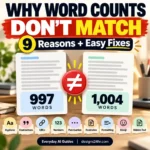
That means a word count mismatch does not automatically mean one tool is broken. A document might show 997 words in one place and 1,004 words in another because each system interprets part of the text differently.
Why Do Word Counters Give Different Results?
A word counter has to decide where one word ends and another begins. Straightforward text such as The meeting starts tomorrow is easy to count. Real documents are more complicated.
Consider well-known, don’t, hello@example.com, $19.99, an em dash, a footnote, or text inside a document header. Different applications can apply different rules to these elements. A plain-text online counter also sees only the text you paste into it, while a document editor may be working with additional document structure.
There is also an important difference between word count and character count. Characters may include letters, spaces, punctuation, symbols, and emoji even when those elements do not increase the number of words. If you need to check all three measurements together, the free Word Counter Pro shows words, characters, and manual lines in one place.
The practical rule: when a specific platform will decide whether you meet a limit, its counting method matters more than whether another counter gives a slightly different result.
9 Reasons Word Counts Don’t Match
1Different counters can use different word-separation rules
At the simplest level, word-count software needs a rule for deciding what counts as a separate word. A basic counter may split text mainly around whitespace. A more sophisticated implementation may also consider punctuation, apostrophes, scripts, special characters, or language-aware text boundaries.
The difference is usually invisible when your document contains ordinary sentences. It becomes more noticeable when the text contains unusual punctuation, web addresses, abbreviations, symbols, or multilingual content.
2Hyphenated words may be interpreted differently
Hyphenated expressions are one of the easiest ways to expose a difference between counting systems. Terms such as well-known, real-time, self-employed, and twenty-one visually contain multiple word parts but are connected by a hyphen.
One implementation may treat the complete expression as a single word-like unit, while another may split or process it differently. The effect is small in one sentence, but a long academic, technical, or marketing document can contain enough hyphenated terms for the totals to drift apart.
3Contractions, apostrophes, and possessives create edge cases
Words containing apostrophes can also be interpreted differently depending on the counter. Common examples include don’t, we’re, you’ve, John’s, and names that contain apostrophes.
Most modern writing applications handle ordinary English contractions predictably, but differences can appear when apostrophe characters change during copy and paste. For example, a straight apostrophe and a typographic curly apostrophe are different Unicode characters even though they look similar to a reader.
4URLs and email addresses are not ordinary words
A web address can contain periods, slashes, hyphens, query parameters, numbers, and other symbols without spaces between them. Email addresses have their own punctuation structure. A counter therefore has to decide whether the entire string is one unit or whether parts of it should be separated.
If your document includes many citations, URLs, tracking links, email addresses, source lists, or technical strings, these differences can become more visible.
5Numbers, dates, prices, decimals, and symbols complicate counting
Numbers are usually straightforward, but combined formats can create more edge cases. Consider a price such as $19.99, a percentage such as 5.6%, a date, a version number, a phone number, or a measurement such as 12.5-inch.
Different parsers may interpret punctuation inside these strings differently. Character totals may also diverge when special symbols, nonbreaking spaces, or copied formatting are present.
6Dashes and Unicode punctuation can change text boundaries
A hyphen (-), en dash (–), and em dash (—) are three different characters. The same is true for straight and curly quotation marks. Readers may barely notice the difference, but software processes the underlying characters.
This becomes especially relevant when text has moved between websites, PDFs, word processors, email apps, and content-management systems. Copying and pasting can preserve or transform punctuation in ways that affect how some counters segment the text.
7Document apps may include or exclude different sections
Sometimes the biggest reason a word count is different has nothing to do with punctuation. The two applications may simply be counting different parts of the document.
For example, Google’s current documentation says that unless you select a specific section, Google Docs counts the document except for headers, footers, and footnotes. Google Docs can also report words, characters, and characters excluding spaces.
You can review the current behavior in the official Google Docs word count documentation.
Microsoft Word also provides document word counts and allows you to select part of a document to see a partial word count. Microsoft documents the current controls in its Word count support guide.
8You may not actually be comparing the same text
This sounds obvious, but it is one of the first things worth checking when your word count is different in Word, Google Docs, a website, or an online counter.
You may have selected only part of the document, accidentally missed the final paragraph, copied a citation list in one version, excluded a table, or included text in one application that does not transfer cleanly as plain text.
Before investigating complicated counting rules, confirm that both counters received the same starting text.
9Invisible spaces and copied formatting can affect the text
Text copied from PDFs, websites, spreadsheets, and formatted documents can contain nonbreaking spaces, unusual line separators, zero-width characters, or other invisible Unicode characters.
Well-designed counters usually handle ordinary whitespace without inflating the word total, but unusual invisible characters can still create differences between implementations. They are even more likely to affect character-count comparisons.
If pasted text behaves strangely, normalize obvious formatting first. The Text Case Converter can help with capitalization, while Find and Replace is useful when the problem involves repeated symbols, spaces, or text patterns.
Which Word Count Should You Trust?
When two word counters give different results, the most useful question is not always Which counter is universally correct? A better question is Which counting method controls the limit I need to meet?
| Situation | Count to prioritize | Why |
|---|---|---|
| Online application with its own word limit | The application’s built-in count | That system ultimately determines whether your submission fits. |
| School assignment | The method specified by the instructor or submission system | The course rules should define what counts. |
| Document specifically required in Microsoft Word | The Word count requested by the recipient | Use the software or method named in the requirement. |
| Draft being written in Google Docs | Google Docs for the working count | It keeps your editing workflow consistent while you draft. |
| Website field with a character or word maximum | The website’s own live counter | The field may enforce its own parsing and limit rules. |
| General writing with no official counter | One reliable counter used consistently | Consistency is usually more useful than switching tools repeatedly. |
How to Find Out Why Your Word Counts Are Different
Instead of repeatedly trying new counters, use this five-step diagnostic. It helps separate a genuine counting-rule difference from a simple copy-and-paste problem.
Copy These Test Strings to Compare Two Word Counters
You do not need to guess which text pattern is causing the mismatch. Copy the small samples below into both counters, one at a time. If the totals diverge, you have isolated a likely cause.
Hyphen Test
This is a well-known real-time writing tool.Contraction Test
I’m sure you’ve reviewed John’s document.Number Test
The price changed from $19.99 to $24.50 in 2026.URL and Email Test
Visit example.com or email hello@example.com for details.Dash Test
Draft-one Draft–two Draft—threeSymbols Test
Growth was 5.6% on a $25/month plan.If every short test produces the same total but your full document does not, the problem is more likely to involve document sections, selection boundaries, copied formatting, or text that did not transfer.
Check Your Text With Word Counter Pro
Need a clean second opinion? Paste the same text into Designs24hr Word Counter Pro to see its word, character, and manual line totals together. Comparing the same plain text is one of the quickest ways to determine whether the mismatch comes from the text itself or the original document environment.
Check My Word Count →Word Count vs. Character Count: Don’t Confuse the Two
A word count mismatch and a character count mismatch are related problems, but they are not identical.
Word count asks how many word-like units the text contains. Character count measures individual characters and may be reported either with or without spaces depending on the application.
Google Docs, for example, currently displays both Characters and Characters excluding spaces in its word-count panel. That distinction matters for forms, advertisements, bios, metadata, social posts, and other fields that use character limits rather than word limits.
| Measurement | What it helps answer | Common uses |
|---|---|---|
| Word count | How many words or word-like units are in the text? | Essays, articles, applications, assignments, reports |
| Characters including spaces | How long is the complete text string? | Forms, metadata, database fields, platform limits |
| Characters excluding spaces | How many non-space characters are present? | Specific writing requirements and text comparisons |
| Line count | How many manual lines or line breaks are present? | Lists, scripts, structured text, formatted drafts |
What to Do If Your Count Is Over the Limit
Once you know which counter matters, stop chasing tiny differences and edit the text against that measurement.
- Remove repeated explanations that make the same point twice.
- Shorten long phrases when a simpler phrase says the same thing.
- Remove unnecessary introductions before the useful information begins.
- Check whether citations, references, or quoted material are included under the rules you were given.
- Keep examples that clarify the answer and remove examples that merely repeat it.
- Recheck the final version in the platform that will receive the text.
If you need to change repeated wording across a long draft, use the Find and Replace Tool. If copied lists contain repeated lines, Smart Deduper can remove exact duplicate entries before you count them.
What to Do If Your Count Is Unexpectedly Low
A lower-than-expected count does not necessarily mean you should add filler. First check whether important content is missing from the text being counted.
- Confirm that the complete document was selected or pasted.
- Check whether text inside tables, notes, headers, footers, or other sections transferred.
- Look for missing paragraphs after copying from a PDF or webpage.
- Make sure a collapsed or hidden section was not accidentally excluded.
- Only add new material when it improves the answer, explanation, evidence, or usefulness of the document.
For publishing work, you can also explore the free Text & SEO Tools to count, clean, format, and review text without turning word count into a writing-quality score.
When Does a Word Count Difference Actually Matter?
A discrepancy matters most when the text is close to a hard limit. If an application accepts no more than 500 words and one counter reports 498 while another reports 505, you need to know which system will enforce the requirement.
A difference matters less when word count is only a rough guideline. If an editor asks for “about 1,000 words,” debating whether a hyphenated term counts as one word or two is unlikely to improve the document. Clarity, completeness, and usefulness matter more.
This is also why word count should not be treated as a quality score. A longer article is not automatically better, and a shorter article is not automatically incomplete. The right length is the length needed to satisfy the actual task without unnecessary material.
Quick Word Count Mismatch Checklist
Before assuming that one counter is inaccurate, work through this list:
- Are both tools counting exactly the same text?
- Did you accidentally count only a selected section?
- Are there many hyphenated words or contractions?
- Does the text contain URLs, email addresses, prices, dates, or version numbers?
- Are there em dashes, unusual apostrophes, or copied Unicode punctuation?
- Does the original document contain footnotes, headers, footers, tables, or text boxes?
- Was the text copied from a PDF or webpage?
- Is the actual requirement based on words or characters?
- Which platform will ultimately enforce the limit?
Why Do Word Counters Give Different Results? The Bottom Line
Why do word counters give different results? Because different tools can interpret text boundaries differently, and document applications may not be counting exactly the same content as a plain-text counter.
Hyphenated words, contractions, URLs, numbers, punctuation, Unicode characters, document sections, text selection, and copied formatting are all worth checking when word counts don’t match.
The solution is not to keep switching between counters until you find the number you prefer. Compare the same text, isolate the cause of the mismatch, and then use the counting system that actually controls your submission requirement.
For an independent text check, open Designs24hr Word Counter Pro. It gives you a quick word, character, and line count without rewriting your text, so you can compare the result with your document editor or submission platform.
Frequently Asked Questions
Why do word counters give different results?
Word counters can use different rules for handling hyphenated terms, contractions, URLs, numbers, punctuation, special characters, and other edge cases. Document applications may also include or exclude different sections of a file.
Which word counter is the most accurate?
There is not always one universally correct counter for every context. If a school, application, employer, publisher, or website specifies a particular counting method, follow that method. Otherwise, use one reliable counter consistently.
Why is my word count different in Microsoft Word and Google Docs?
The applications may be processing document content or text boundaries differently, or you may not be comparing exactly the same selected text. Google Docs, for example, documents that its normal full-document count excludes headers, footers, and footnotes.
Do hyphenated words count as one word or two?
That depends on the counting method being used. A hyphenated expression may be treated as one word-like unit in one implementation while another system may parse it differently. For a strict limit, follow the counting method required by the receiving platform.
Do spaces count in a word count?
Spaces normally separate words rather than count as words themselves. Spaces can matter for character limits, however, which is why some applications report both characters including spaces and characters excluding spaces.
Do URLs count as words?
A counter has to decide how to interpret a URL containing periods, slashes, hyphens, numbers, and other symbols. Different implementations can handle these strings differently, so use the required platform’s own counter when a strict limit applies.
Can copy and paste change my word count?
It can. Text copied from PDFs, websites, spreadsheets, or formatted documents may lose sections, change punctuation, or contain invisible characters. Always confirm that both counters received exactly the same text before comparing their totals.
What should I do if my word count is only a few words different?
If the limit is strict, use the counting system that will enforce the requirement and leave a small safety margin. If the word count is only a general guideline, focus on clarity and completeness rather than chasing a one- or two-word discrepancy.