Last verified: October 4, 2026 · General privacy and account-safety guidance
Is it safe to connect Gmail to ChatGPT? For many everyday tasks, connecting Gmail can be useful, but it is not a decision to make without checking the permissions first. Your inbox may contain years of personal messages, password-reset emails, receipts, work conversations, financial information and other data you would not normally paste into an AI chat.
The important question is therefore not simply whether the Gmail connection is “safe.” It is what access you are granting, what ChatGPT can do with that access, how connected Gmail data is handled, and whether the benefit is worth that access for your particular inbox.
Is It Safe to Connect Gmail to ChatGPT?
There is no responsible one-word answer for every user.
Connecting Gmail to ChatGPT can be appropriate when you understand what you are authorizing, trust the services involved, keep important actions under sensible approval controls, and are comfortable with relevant mailbox information being available for the tasks you request.
The risk is different for someone whose inbox mostly contains newsletters and shopping confirmations than it is for someone whose Gmail account contains confidential client messages, medical correspondence, tax documents, legal discussions or sensitive workplace information.
Best way to think about it: “Safe enough for my use case” is a better standard than “completely safe.” Any connected account creates a new path through which authorized data can be used.
If you regularly connect AI tools to other services, use our AI agent safety checklist to review permissions before granting broad account access.
What Happens When You Connect Gmail to ChatGPT?
Connecting Gmail does not mean giving ChatGPT your Gmail password. Instead, Google uses an authorization process in which you sign in to Google and review the access being requested. Google then allows the connected application to use the authorized data or capabilities.
OpenAI says that when you connect a Google app such as Gmail, Calendar or Drive, ChatGPT can access information needed for the supported requests you make, subject to your Google account permissions and any applicable workspace controls.
Important distinction: authorization is not the same thing as continuous reading. OpenAI says an ordinary Google app connection does not automatically create a personal synced index. That means “I connected Gmail” should not automatically be interpreted as “ChatGPT permanently scans every email in my mailbox.”
Some specialized features can behave differently. For example, eligible event-triggered workflows may react to new Gmail messages when you deliberately configure a Gmail-triggered task. If you use those features, read our guide to ChatGPT event-triggered tasks before allowing automated email workflows.
What Gmail Access Does ChatGPT Actually Get?
This is where the wording on an authorization screen matters more than a marketing description.
OpenAI’s current Google app documentation lists the Gmail OAuth scope gmail.modify among the Google scopes used for Gmail. Google describes that scope as allowing an authorized application to read, compose and send email. Google also states that this scope does not permit immediate permanent deletion of messages while bypassing Trash.
That is broader than a permission that merely lets an app see email subject lines.
Do not judge a permission by its name alone. “gmail.modify” sounds abstract. Read what Google says the scope permits and review the actual authorization screen you are shown before approving it.
Does ChatGPT get your Gmail password?
Google says linked third-party applications do not receive your Google Account password through this type of authorization. You sign in with Google and authorize specific account access instead of handing the third-party app your password.
Can ChatGPT read your Gmail?
The authorized Gmail scope can permit email reading, and ChatGPT can use Gmail information for supported requests when the account is connected. That is why you should assume that relevant email content may become available to ChatGPT when you ask it to work with your inbox.
What you should not assume is that every message is automatically read continuously simply because you clicked Connect. The behavior depends on the feature, request, permissions and any automated workflow you configure.
Can ChatGPT send email from Gmail?
Google’s description of the Gmail authorization scope includes composing and sending email. However, the actions actually available to you still depend on the current ChatGPT feature, your account, app settings, workspace controls and whether a particular action is supported and enabled.
In other words, an OAuth scope describes what the authorization can permit; it does not guarantee that every possible action is available in every ChatGPT account or interface.
Does ChatGPT Use Gmail Emails to Train AI Models?
This question needs more precision than a simple “yes” or “no.”
OpenAI currently states in its Google-specific data controls documentation that it does not train its generalized models on data accessed directly from connected Google apps or derivations of that data, except in certain documented circumstances.
Those exceptions can include situations such as submitting a conversation as feedback, manually copying, pasting or uploading Google data into ChatGPT, or Google-app information becoming part of a ChatGPT response.
Why this distinction matters: “Data directly retrieved through the Gmail connection” and “email text you manually paste into a normal conversation” are not necessarily treated the same way.
OpenAI also says that when the Improve the model for everyone setting is disabled, app data will not be used to improve its models even when it appears in ChatGPT conversations.
Because these controls and policies can change, review the current OpenAI documentation before connecting an especially sensitive inbox rather than relying on an old screenshot or social-media post.
Can ChatGPT Remember Information From Gmail?
Potentially, yes.
OpenAI currently says that if Memory is enabled, eligible information accessed through connected Google apps may help personalize ChatGPT. Whether new information can become part of personalization depends on the source, workflow, settings and applicable restrictions.
This creates another important distinction:
Connected Gmail
Controls whether ChatGPT can access Gmail through the authorized connection for supported requests and workflows.
Memory
Controls whether eligible information can contribute to longer-term personalization where the feature permits it.
Chat history
Conversations containing Gmail-derived information may remain in your ChatGPT history unless you separately delete them.
Google authorization
Controls the Google Account access that you granted to the connected application.
Disconnecting Gmail is not the same as deleting previous chats or Memory. OpenAI explicitly documents these as separate controls.
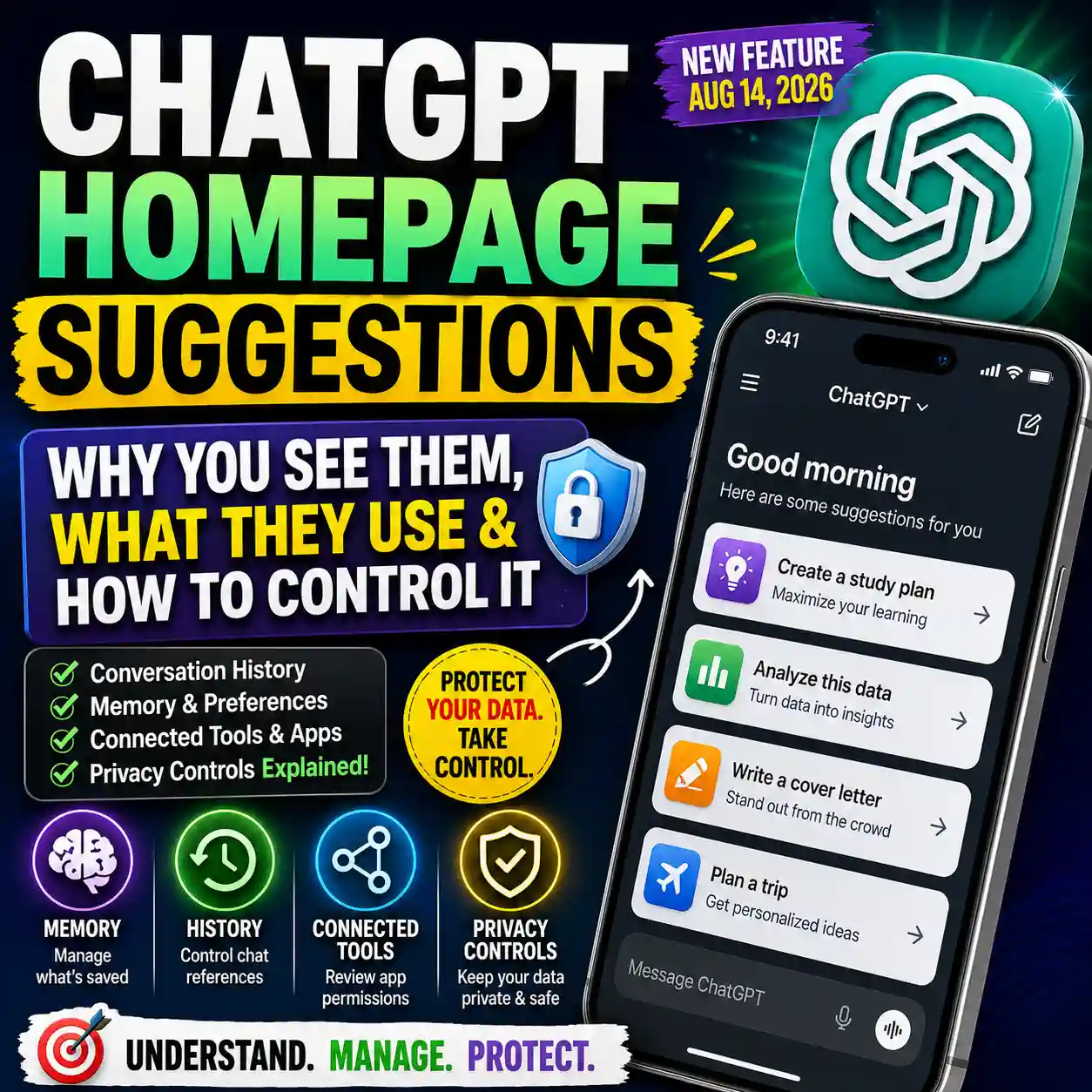
For a deeper look at personalization, see our guide to ChatGPT personalization and homepage suggestions .
Gmail Connection Risk Matrix
The right decision depends partly on what is actually inside the account. Use this Designs24hr risk matrix as a practical starting point, not as a guarantee of security.
| Typical inbox content | Relative concern | What to consider |
|---|---|---|
| Newsletters and routine notifications | Lower | Usually less sensitive, but still review requested permissions. |
| Shopping confirmations and receipts | Low–moderate | May expose addresses, purchases, order numbers and account activity. |
| Personal correspondence | Moderate | Messages may contain information about you and other people. |
| Password-reset and security messages | Higher | Security-related messages deserve extra caution even if the AI task does not need them. |
| Banking, tax or financial correspondence | Higher | Ask whether the productivity benefit justifies connecting the account containing this material. |
| Confidential work or client email | Higher | Employer rules, confidentiality duties and workspace policies may apply. |
| Legal or medical correspondence | Higher | Use particular care with regulated, confidential or highly sensitive information. |
If the task only requires one piece of information, connecting an entire account may not always be the lowest-data option. In some situations, it may be better to manually provide a carefully redacted excerpt instead.
Our guide on what not to share with ChatGPT can help you decide what information should remain outside an AI workflow.
Should You Connect Your Personal Gmail Account?
Connecting a personal Gmail account makes the most sense when you have a specific recurring task that genuinely benefits from mailbox access.
Examples might include finding a travel confirmation, summarizing a particular thread, locating a receipt, drafting a reply or organizing information from messages you would otherwise search manually.
The case becomes weaker when the reason is simply “it might be useful someday.”
The Designs24hr CONNECT Test
C — Clear task: Can you explain exactly why Gmail access is useful?
O — Only necessary access: Are you granting only the access needed for that task?
N — Nature of the inbox: Does the mailbox contain sensitive personal, workplace, financial or confidential material?
N — Necessary approvals: Are consequential actions still set to require your review where appropriate?
E — Existing privacy settings: Have you reviewed Memory and model-improvement settings?
C — Connection exit: Do you know how to disconnect the app and revoke Google access?
T — Trust before convenience: Is the productivity gain large enough to justify the connection?
If you cannot answer the first question—what you actually want Gmail access to accomplish—there is little reason to authorize the connection yet.
Should You Connect a Work Gmail Account?
A work account deserves additional caution.
Your employer may restrict third-party applications, AI tools, external processing of company data or OAuth permissions. A Google Workspace administrator may also control whether an application is trusted or which OAuth scopes are approved.
Do not assume that because ChatGPT technically offers Gmail integration you are automatically permitted to connect your company mailbox.
For workplace email: follow your organization’s AI, security, privacy and data-handling policies. If you are unsure whether connecting Gmail is permitted, check with the person responsible for your organization’s IT or security policies before authorizing it.
7 Things to Check Before Connecting Gmail to ChatGPT
Use this checklist before approving Gmail access.
ChatGPT App Permissions vs. Gmail Permissions
These controls are easy to confuse, but they solve different problems.
| Control | What it controls | What it does not automatically do |
|---|---|---|
| Google OAuth permission | What Google Account access the app is authorized to request or use. | It does not determine every ChatGPT approval prompt. |
| ChatGPT app permission | When ChatGPT should ask before reading app information or taking supported actions. | It does not replace Google’s authorization. |
| Memory | Whether eligible information may contribute to personalization. | Turning Memory off does not disconnect Gmail. |
| Model improvement setting | Your preference regarding eligible conversation data being used to improve models. | It does not remove the Gmail connection. |
OpenAI currently documents app permission options that may include Always ask, Allow read actions, Allow low-risk actions and, for eligible apps or accounts, Allow all actions.
Availability varies by app, account and workspace. The safest default for an unfamiliar or sensitive connection is usually the setting that keeps more important actions behind your review rather than automatically approving everything.
Provider permission and ChatGPT action permission are separate checks. Authorizing Google access does not automatically mean every possible Gmail action runs without another approval.
How to Disconnect Gmail From ChatGPT
OpenAI’s current account-management instructions use the following general path:
Disconnecting stops future access through that individual account connection. OpenAI warns that it does not automatically delete existing conversations, saved files, your Memory summary or other saved memories.
Do not use “Disconnect” as a synonym for “erase everything.” Review conversations, saved information and Memory separately if your goal is to remove information that was previously retained.
How to Remove ChatGPT Access From Your Google Account
You can also review the relationship from Google’s side.
Google provides a linked-apps area where you can inspect third-party connections and remove account access. Google says that after access is revoked, the application can no longer access additional Google Account data through that authorization.
Google also notes an important limitation: removing access does not necessarily delete information that was already shared with the other service. Data already stored elsewhere may need to be handled through that service’s own controls.
Disconnecting Gmail vs. Deleting Your Data
| Action | Main effect |
|---|---|
| Disconnect Gmail in ChatGPT | Stops future access through that individual ChatGPT account connection. |
| Remove Google linked-app access | Revokes the Google-side authorization for future access. |
| Delete a ChatGPT conversation | Handles information retained in that conversation according to ChatGPT’s deletion and retention rules. |
| Change Memory settings | Changes how eligible information may be used for personalization; this is separate from Gmail authorization. |
| Turn off model improvement | Changes your model-improvement preference; it does not disconnect Gmail. |
Safer Ways to Use Gmail With ChatGPT
Connecting an account does not mean every future request should use the maximum amount of available data.
Ask for a specific thread
Narrow instructions are usually better than vague requests such as “look through all my email and tell me what’s important.”
Keep high-impact actions reviewable
Be especially careful with sending, deleting, changing account data or other actions that can affect people outside the conversation.
Use the least sensitive account that works
If a secondary account can solve the task, connecting your most sensitive primary inbox may be unnecessary.
Disconnect unused connections
An integration you no longer use provides little benefit while continuing to represent an authorized connection.
The same principle applies when connecting files. Our guide to using Google Drive with ChatGPT explains how to choose the smallest useful file or folder context instead of automatically using everything available.
Two Useful Prompts After You Connect Gmail
A safer prompt should tell ChatGPT what to use and, just as importantly, what not to do.
Search my connected Gmail only for messages relevant to [TOPIC]. Summarize the useful information and identify the relevant message dates and senders. Do not send, delete, archive, label, forward, or modify any email.
Use the connected Gmail thread about [TOPIC] to draft a reply. Show me the draft in ChatGPT first. Do not send the email or make any changes to my mailbox unless I explicitly ask after reviewing the draft.
Our Recommendation: Should You Connect Gmail to ChatGPT?
Connect Gmail when you have a clear productivity benefit and you understand the account access you are granting.
For routine tasks such as finding specific emails, summarizing a thread or preparing a draft, the connection may save meaningful time. But the convenience is more difficult to justify when a mailbox contains highly sensitive personal or business information and you do not have a specific reason to expose that account to another connected service.
Before connecting, review the Google authorization request, understand the Gmail scope, check ChatGPT’s app permissions, decide whether you want Memory enabled and make sure you know how to revoke access.
Bottom line: Gmail-to-ChatGPT access can be useful, but the safest decision is deliberate. Connect a mailbox because a specific task justifies the permission—not simply because the Connect button is available.
Frequently Asked Questions
Is it safe to connect Gmail to ChatGPT?
Connecting Gmail can be reasonable when you understand the requested access and have a useful reason for the connection. It is not risk-free, because Gmail may contain sensitive information. Review Google’s authorization screen, ChatGPT app permissions, Memory settings and the sensitivity of your mailbox before connecting.
Can ChatGPT read my Gmail emails?
A connected Gmail account can authorize ChatGPT to access email information for supported requests. OpenAI currently lists the Gmail gmail.modify OAuth scope, which Google describes as allowing reading, composing and sending email. This does not mean every email is automatically read continuously simply because the account is connected.
Does ChatGPT get my Gmail password?
No. Google’s linked-app authorization is designed so that you sign in with Google and grant specific account access rather than giving the connected application your Google Account password.
Does ChatGPT train on my Gmail messages?
OpenAI currently says it does not train its generalized models on data directly accessed from connected Google apps or derivations of that data except in specific documented circumstances, such as feedback submission, manually copied or uploaded Google data, or information included in a ChatGPT response. Review OpenAI’s current Google app data controls for the complete policy.
Can ChatGPT remember information from Gmail?
If Memory is enabled, OpenAI says eligible information accessed from connected Google apps may help personalize ChatGPT, subject to your settings, the source and applicable restrictions.
Can ChatGPT send emails from my Gmail account?
Google’s Gmail scope currently listed by OpenAI can authorize composing and sending email. Whether a particular send action is available depends on the ChatGPT feature, account, permissions and workspace settings you are using.
Does disconnecting Gmail delete my previous ChatGPT conversations?
No. OpenAI states that disconnecting an app stops future access through that account connection but does not automatically delete existing or archived conversations, saved files, the Memory summary or other saved memories.
How do I revoke ChatGPT’s Gmail access?
You can disconnect the relevant account from ChatGPT’s current app settings. You can also review and remove third-party account access from your Google Account’s linked-app controls. Because these are separate systems, review both sides when you want to fully end the connection.
Should I connect my work Gmail account to ChatGPT?
Only if your organization’s policies permit it and the connection is appropriate for the information in that mailbox. Company email may contain confidential, regulated or customer information, and administrators may restrict third-party applications or OAuth scopes.
Official Sources
AI integrations and permission settings change. This guide prioritizes current first-party documentation from OpenAI and Google.
Editorial note: This guide provides general educational information about AI privacy, connected accounts and account permissions. Product availability, interfaces, permissions and policies can change. Always review the authorization screen and current provider documentation before granting access to sensitive information. Gmail and Google are trademarks of Google LLC. ChatGPT and OpenAI are trademarks of OpenAI. Designs24hr is not affiliated with or endorsed by Google or OpenAI.