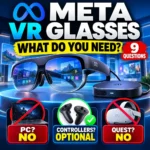
Meta VR Glasses do not need a gaming PC or a Meta Quest headset, but they are not completely self-contained like ordinary glasses. Meta’s new VR device uses a tethered compute puck, relies primarily on eye tracking and hand gestures, and can use compatible controllers when an app requires them.
That unusual setup makes the product easy to misunderstand. If you are wondering whether you need a PC, Quest, controllers, extra accessories or a new game library, this guide separates what Meta has already confirmed from the details that still need final verification before the spring 2027 launch.
You do not need a gaming PC or a Meta Quest headset. You do need the compute puck that is part of the Meta VR Glasses system. Eye tracking and hand gestures are the primary controls, so controllers are not required for the main interface. However, some immersive apps that were designed around physical controllers may still require compatible controllers, which Meta says are sold separately.
No. Meta describes the device as standalone.
Yes. It carries compute, battery and storage.
Optional. Some apps can still require them.
No. Meta VR Glasses are their own device.
Do Meta VR Glasses Need a PC?
No. Meta describes Meta VR Glasses as a standalone VR device. A consumer does not need a gaming PC simply to operate the glasses.
This is important because many older VR systems depend heavily on a powerful computer for graphics processing. Meta VR Glasses use a different architecture: the device runs Horizon OS and moves much of the heavy hardware into a separate puck that is physically connected to the glasses.
Meta’s developer documentation describes its VR devices as standalone, with no PC required.
You can review Meta’s current developer overview here: Meta Horizon OS quick-start documentation.
What Is the Meta VR Glasses Compute Puck?
The compute puck is one of the most important parts of the Meta VR Glasses design.
Instead of placing all processing hardware, battery capacity and storage on your face, Meta splits the device into two parts:
- the glasses contain the displays, sensors and eye-tracking hardware;
- the tethered puck handles compute;
- the puck contains the battery;
- the puck also carries storage;
- an optical tether connects the glasses to the puck.
Meta says this two-part design helps keep the glasses at about 100 grams, substantially lighter than a traditional VR headset.
Meta says the puck handles compute, battery and storage and can clip to a pocket or bag. The company also lists up to three hours of continuous high-resolution media playback from the puck battery and support for 45W fast charging.
For the current hardware description, see Meta’s official VR Glasses announcement.
Do Meta VR Glasses Need Controllers?
No for the primary interface.
Meta VR Glasses are designed around eyes and hands as the main input methods. Meta describes the device as controllerless by default, and its current developer guidance says controllers are not included with the glasses.
In practice, this means many basic interactions can be handled by:
- looking at an interface element;
- using hand gestures;
- pinching to select;
- moving or resizing supported virtual objects;
- using Meta AI voice commands for supported actions.
Meta’s getting-started documentation says the glasses have built-in eye tracking and use eyes and hands as their primary input: Meta VR Glasses developer setup guide.
Can You Use Controllers With Meta VR Glasses?
Yes. Compatible controllers can still be used.
The important detail is that controllers are optional for the device but may still be required by a particular app.
Meta’s compatibility documentation says Meta Quest Touch Plus controllers are optional, are not included with Meta VR Glasses and are separately available.
An older immersive app that requires controllers can still be technically compatible with the system. But when the user launches that app, Meta says a Switch to Controllers dialog can block entry until compatible controllers are turned on.
Meta explains this behavior in its Meta VR Glasses app compatibility guide.
Do You Need a Meta Quest Headset Too?
No.
Meta VR Glasses are their own standalone VR product. You do not need to own a Quest 3, Quest 3S or another Quest headset simply to use the glasses.
However, the products are closely related at the software level.
Meta says VR Glasses:
- run on the same operating system as Quest;
- use the same Meta Horizon Store delivery system;
- use the same payment platform;
- use the same core SDK ecosystem for developers.
This is why existing Quest developers can adapt apps for the new glasses without rebuilding their entire software ecosystem from scratch.
Will Meta Quest Games Work on Meta VR Glasses?
Some will, but do not assume every Quest game will work perfectly.
Meta says VR Glasses use the same Horizon OS and Store ecosystem as Quest. That gives existing Quest apps a strong path to support the new device.
But actual compatibility depends on several things:
- whether the app uses a compatible 64-bit architecture;
- whether the developer targets Meta VR Glasses;
- whether the app supports eyes and hands;
- whether the app requires physical controllers;
- whether the developer has tested its layout and interactions for the new form factor.
Meta’s current compatibility documentation specifically says that an app’s architecture, input support and Store device targeting all matter.
What if a Quest game requires controllers?
That game may still work if you pair compatible controllers. But if you do not own controllers, an app that requires them may be unusable even though it appears in the Store or installs correctly.
What if the game already supports hand tracking?
That is more promising, but Meta still tells developers to verify the full interaction path. Declaring hand-tracking support does not automatically guarantee that every menu, action or gameplay mechanic works correctly without controllers.
Will Existing Quest Purchases Carry Over?
Meta says Meta VR Glasses use the same Store and payment platform as Quest, which strongly supports continuity within the Meta Horizon ecosystem.
But there are two separate questions:
- Do you already own the app in your Meta account? That is an account and Store question.
- Can that app actually run and be controlled correctly on Meta VR Glasses? That is a device-compatibility question.
Do not treat existing ownership as a guarantee of full device compatibility.
Meta’s current developer recap confirms that VR Glasses run on the same operating system, Store and payment platform as Quest: Meta Connect VR developer recap.
How Do You Control Meta VR Glasses?
The new input model is one of the biggest changes compared with controller-first VR.
Eye tracking
Built-in eye tracking lets the system determine what interface element or object you are looking at.
Hand tracking
Natural hand movements and pinch gestures can be used to select, grab and interact with supported content.
Meta AI voice control
Meta says its AI agent is integrated into the operating system. Supported actions can include opening an app, playing media, adjusting a workspace or searching by voice.
Optional controllers
Physical controllers remain available for compatible software, particularly older or more complex immersive experiences that were designed around controller input.
What Can Meta VR Glasses Do Without Controllers?
Meta says the glasses are designed so important experiences can work entirely through eyes, hands and voice.
Current examples announced by Meta include:
- opening apps;
- playing movies and media;
- searching for content;
- adjusting virtual workspaces;
- using supported hand-controlled games;
- using multi-screen productivity environments;
- interacting with Meta AI;
- watching immersive sports and entertainment.
Meta says more than 75 games at launch are planned to work using hand gestures alone.
The company also says Xbox Cloud Gaming can stream hundreds more games.
What Is the Meta VR Glasses Display Like?
Meta says the glasses use a 5K Infinite Display based on micro-OLED panels with 37 pixels per degree.
The company is positioning that display for:
- cinema viewing;
- reading text;
- private multi-screen workspaces;
- immersive sports;
- VR games;
- spatial calling.
Meta also says the device supports Dolby Vision and Dolby Atmos spatial audio.
These are useful specifications, but they should not replace practical questions about comfort, app compatibility and input support. A high-resolution display does not automatically make an existing Quest app work correctly with the new controllerless interface.
Meta VR Glasses vs. Meta AI Glasses: What Is the Difference?
This is an important distinction because Meta now sells or has announced several very different products that all use the word glasses.
| Feature | Meta VR Glasses | Meta AI / everyday smart glasses |
|---|---|---|
| Main purpose | Immersive virtual reality, cinema, games and workspace | Everyday wearable AI, audio, camera and smart-glasses tasks |
| Display | Immersive 5K micro-OLED VR display | Varies by model; many focus on audio/camera/AI rather than immersive VR |
| Processing design | Tethered compute puck | Different architecture depending on the AI-glasses model |
| Main controls | Eyes, hands, voice; optional controllers | Voice, touch, camera and model-specific controls |
| Primary use | VR applications and immersive media | Wearable AI assistance and everyday smart-glasses functions |
Meta’s Connect 2026 announcements treat Meta VR Glasses and its expanding AI-glasses lineup as separate product families.
If you are comparing everyday smart eyewear rather than immersive VR hardware, use our AI smart glasses checklist to evaluate comfort, privacy, recording indicators, battery, compatibility, subscription costs and prescription support.
Does Standalone Mean Everything Runs Locally?
No.
“Standalone” means you do not need a separate gaming PC to operate the VR device. It does not prove that every AI feature, online service, game, search or media experience runs completely offline.
Some experiences can still rely on:
- internet connectivity;
- cloud streaming;
- online accounts;
- remote AI services;
- app servers;
- Store downloads;
- cloud-based media or gaming platforms.
If you want to understand the difference between local processing, cloud processing and hybrid AI, read our on-device AI vs. cloud AI guide.
Can Prescription-Glasses Wearers Use Meta VR Glasses?
Treat this as a verify-before-buying question.
Meta has published prescription information for other products in its AI-glasses family, but those are different devices. You should not assume that lens options advertised for Ray-Ban Meta, Meta Glasses or other everyday smart-glasses models apply automatically to Meta VR Glasses.
Before placing a preorder or purchase, verify:
- official prescription-lens support for Meta VR Glasses;
- supported prescription ranges;
- whether inserts or replacement lenses are used;
- availability in your country;
- additional lens cost;
- warranty implications;
- whether third-party lens providers are officially supported.
When Do Meta VR Glasses Come Out?
Meta says Meta VR Glasses will go on sale in spring 2027 for a U.S. starting price of $1,299.99.
The product has been announced, and developer tools are already available, but the consumer hardware is not shipping yet.
Why this distinction matters
Search results may contain developer screenshots, SDK documentation, compatibility instructions or simulator information. Those do not mean ordinary buyers can currently purchase the hardware.
| Item | Current status |
|---|---|
| Product announcement | Confirmed |
| Developer SDKs | Available before hardware launch |
| Consumer hardware | Expected spring 2027 |
| U.S. starting price | $1,299.99 |
| Controllers | Optional and separately available |
| Every app compatible? | No universal guarantee; verify app-specific support |
What Does the $1,299.99 Price Include?
Meta has announced the U.S. starting price, but buyers should wait for final retail packaging information before assuming every accessory is included.
Verify the final purchase page for:
- the glasses themselves;
- the compute puck;
- charging hardware;
- cables and tether components;
- carrying or protective accessories;
- storage options;
- warranty coverage;
- controller bundles;
- prescription or vision accessories.
Current Meta documentation is already clear that controllers are not included by default.
Can Meta VR Glasses Replace a Quest Headset?
They may overlap with many Quest use cases, but it is too early to assume Meta VR Glasses replace Quest for every user.
The new glasses emphasize:
- much lower face weight;
- eye and hand interaction;
- cinema and media;
- portable workspace use;
- controller-free experiences;
- an open-sided glasses form factor.
Quest-style headsets may still make sense for people whose favorite games depend heavily on physical controllers, who prefer a more traditional VR form factor, or who want hardware already available rather than a pre-release device.
Meta itself is positioning VR Glasses as an expansion of its VR lineup rather than evidence that Quest instantly becomes obsolete.
9 Things to Verify Before Buying Meta VR Glasses
- Your must-have apps: confirm they support Meta VR Glasses rather than assuming all Quest apps carry over.
- Controller requirements: check whether your favorite immersive games require Touch Plus controllers.
- Prescription support: verify official VR-Glasses-specific lens options if needed.
- Final bundle contents: check exactly what ships for $1,299.99.
- Battery expectations: compare Meta’s published media runtime with your actual use case.
- Internet dependence: determine which apps, AI functions and streaming experiences need connectivity.
- Workspace fit: confirm the apps and services you use for productivity are supported.
- Game-library fit: separate Store ownership from device compatibility.
- Launch availability: confirm the actual release date and country before planning around the product.
Use This Prompt to Check a Meta VR Glasses App Before You Buy
If a favorite app or game is important to your purchase, use the prompt below with the developer’s current compatibility page or app description.
I am considering Meta VR Glasses and want to know whether this app or game will actually work for my setup.

APP OR GAME:
[NAME]

CURRENT PRODUCT OR DEVELOPER INFORMATION:
[PASTE CURRENT NON-SENSITIVE INFORMATION]

Check these points separately:

1. Is Meta VR Glasses support explicitly confirmed?
2. Can the app run without physical controllers?
3. If controllers are required, say that clearly.
4. Does it support eye and hand input?
5. Is support available now or only planned?
6. Does ownership on Meta Quest automatically mean device compatibility, or is that unconfirmed?
7. Are there any region, account, subscription or internet requirements?
8. Separate confirmed facts from assumptions or missing information.

Do not assume compatibility merely because the app works on Meta Quest.
Who Should Pay the Most Attention to Compatibility?
Compatibility matters most if you are buying Meta VR Glasses for one specific existing workflow.
Check more carefully if:
- one Quest game is the main reason you want the glasses;
- you depend on physical controllers for VR gaming;
- you need prescription vision support;
- you expect PC VR performance;
- you use a specialized work app;
- you need offline operation;
- you expect every existing Meta Store purchase to work automatically.
Meta’s developer documentation makes an important distinction: software can be technically installable while still needing input changes before it works well on Meta VR Glasses.
Should You Buy Meta VR Glasses or Wait?
Because Meta VR Glasses are still pre-release hardware, the useful question is not whether the product looks impressive. It is whether the currently confirmed setup matches the way you actually want to use VR.
They may fit your needs if:
- you want a lighter immersive form factor;
- you prefer eye and hand controls;
- movies, immersive sports or private workspace use are important;
- you are comfortable with the tethered compute puck;
- the $1,299.99 starting price fits your budget;
- your important apps are confirmed or likely to support the new device.
Consider waiting for final launch details if:
- your favorite apps have not confirmed compatibility;
- you need prescription support that Meta has not yet documented for this product;
- you need exact retail bundle details;
- you rely on controller-heavy games;
- you want independent battery and comfort testing;
- you need a device immediately rather than in spring 2027.
Related Designs24hr Guides
Meta VR Glasses: The Short Version
- No gaming PC is required.
- The compute puck is part of the system.
- Eyes and hands are the primary controls.
- Controllers are optional but some apps may still require them.
- You do not need a Quest headset.
- Meta VR Glasses use the same Horizon OS and Store ecosystem as Quest.
- Not every Quest app should be assumed compatible.
- Meta VR Glasses are different from Meta’s everyday AI glasses.
- The announced U.S. price is $1,299.99.
- Consumer hardware is expected in spring 2027.
Frequently Asked Questions
Do Meta VR Glasses need a PC?
No. Meta describes Meta VR Glasses as a standalone Horizon OS VR device. Consumers do not need a gaming PC to use the glasses.
Do Meta VR Glasses need controllers?
No for the main interface. Meta VR Glasses use eyes and hands as their primary input and ship without controllers. Some immersive apps may still require compatible controllers.
What is the Meta VR Glasses compute puck?
The compute puck is the tethered part of the system that handles compute, battery and storage. Moving these components off the glasses helps reduce the weight worn on the face.
Do I need a Meta Quest headset to use Meta VR Glasses?
No. Meta VR Glasses are their own standalone device. They share Horizon OS, Store infrastructure and other ecosystem technology with Meta Quest, but a Quest headset is not required.
Can Meta VR Glasses play Quest games?
Many existing Quest apps can potentially support Meta VR Glasses because the devices share Horizon OS and Store infrastructure. However, compatibility depends on app architecture, device targeting and input support, so every Quest game should not be assumed compatible.
Will my existing Quest purchases work?
Meta VR Glasses use the same Store and payment platform as Quest, but owning an app does not guarantee that the app is fully compatible with the new glasses. Verify individual titles before relying on them.
Can you use Touch Plus controllers with Meta VR Glasses?
Meta says Meta Quest Touch Plus controllers are optional and separately available for Meta VR Glasses. Controller-required apps can require them before the user can enter the experience.
How do you control Meta VR Glasses?
Built-in eye tracking and hand tracking are the primary input methods. Users can look at interface elements and use gestures such as pinching. Meta AI voice commands and optional controllers can also support specific actions and apps.
Are Meta VR Glasses the same as Meta AI glasses?
No. Meta VR Glasses are immersive virtual-reality hardware with a VR display and tethered compute puck. Meta’s AI-glasses family is designed around different everyday wearable use cases such as audio, cameras and AI assistance.
Do Meta VR Glasses have eye tracking?
Yes. Meta says built-in eye tracking is part of the device and eyes and hands are its primary input methods.
Can you play games without controllers?
Yes, for games designed around eye and hand input. Meta says more than 75 games are planned at launch that can be played solely with hand gestures. Other games may still require controllers.
Do Meta VR Glasses work with Xbox Cloud Gaming?
Meta says Xbox Cloud Gaming can stream hundreds of additional games. Cloud streaming is different from a game running natively on Horizon OS, so the two types of compatibility should not be confused.
Can prescription-glasses wearers use Meta VR Glasses?
Final Meta-VR-Glasses-specific prescription and vision-correction options should be verified before purchase. Do not assume prescription features advertised for other Meta smart-glasses products automatically apply to this device.
How much do Meta VR Glasses cost?
Meta has announced a U.S. starting price of $1,299.99. Final bundle contents, accessories and regional pricing should be checked when retail sales begin.
When do Meta VR Glasses come out?
Meta says consumer Meta VR Glasses will go on sale in spring 2027. Developer SDKs are available before the consumer hardware ships.
Are Meta VR Glasses replacing Meta Quest?
Meta VR Glasses expand Meta’s VR hardware lineup and share much of the Quest software ecosystem, but they should not automatically be treated as a complete replacement for Quest for every user or app.
Primary Sources & Further Reading
Editorial note: Meta VR Glasses are pre-release hardware. This guide was reviewed against Meta’s current product announcement and developer documentation on September 27, 2026. Designs24hr is not affiliated with Meta. Final retail bundles, app compatibility, controller support, prescription options, regional availability, software behavior and launch timing may change before consumer hardware ships in spring 2027. Verify important purchase decisions against the current documentation for the exact app, accessory, account, country and product configuration you plan to use.