AI Scam Text Message Checklist: What U.S. Consumers Should Check Before Clicking Links, Calling Back, or Sending Money
AI scam text message tricks are becoming harder to spot because scammers can use AI to write cleaner, more urgent, and more believable messages. Use this checklist before you click a link, call a number, scan a QR code, share a security code, or send money from a suspicious text.
Quick answer: An AI scam text message is a suspicious text that may use AI-written wording to sound natural, urgent, personal, or official. The safest move is to stop, avoid tapping links, avoid replying, and verify through the real company website, official app, or known phone number instead of using the contact details inside the text.
What Is an AI Scam Text Message?
An AI scam text message is a fraudulent or suspicious text that may be written, improved, translated, personalized, or mass-produced with artificial intelligence. These messages can look like fake toll notices, bank alerts, delivery updates, job offers, government messages, refund notices, account warnings, or payment requests.
This guide is intentionally focused on the AI-powered version of text scams, not just general text-message fraud. The key problem is that AI can help scammers remove awkward grammar, create convincing urgency, imitate brand tone, and quickly test many versions of the same scam.
Cleaner wording
AI can make scam texts sound more professional, polished, and believable than old-fashioned spam messages.
One tap can hurt
A single link can lead to fake login pages, payment forms, malware, stolen account access, or identity-theft attempts.
Verify outside the text
Go directly to the official app or website. Do not use the link, phone number, or QR code inside the suspicious message.
Why Scam Texts Are Getting Harder to Spot
Scam texts used to be easier to recognize because many had obvious spelling mistakes, awkward wording, strange formatting, or unrealistic claims. AI can reduce those clues. A scammer can now generate a realistic bank warning, delivery notice, toll alert, job offer, refund message, or government-style notice in seconds.
The FTC reported that U.S. consumers lost $470 million to scams that started with text messages in 2024. It also warned consumers to never click links or respond to unexpected texts, and to contact companies through phone numbers or websites they know are real.
Important AI-specific warning
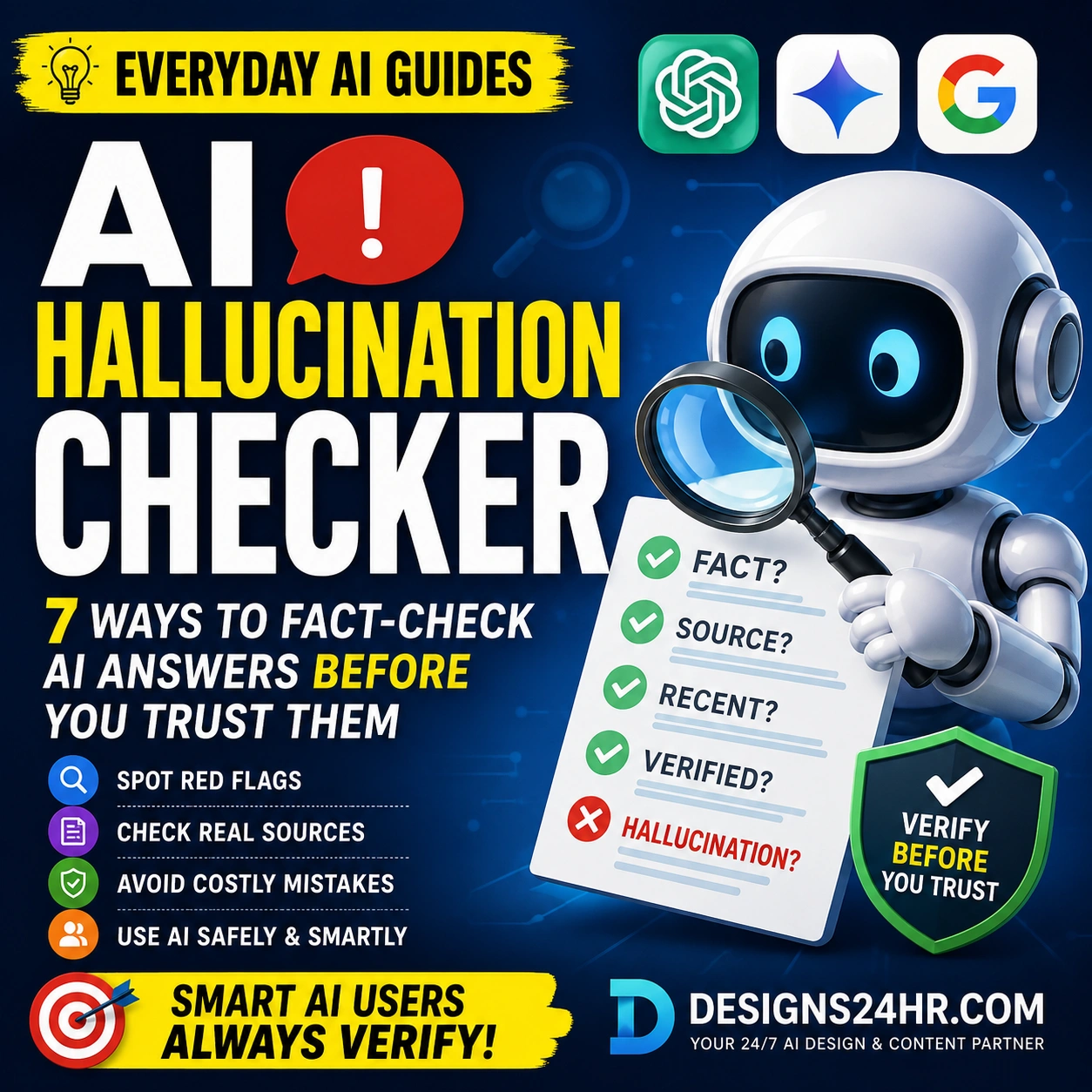
Do not trust a text only because it sounds professional. AI can make a fake message sound calm, official, friendly, urgent, or personalized. Instead of judging only the wording, check the request, link, sender, payment method, and official source.
Common AI Scam Text Examples in the U.S.
AI-written scam texts can copy the style of real brands, agencies, banks, delivery companies, toll programs, hiring platforms, and payment services. Here are common examples U.S. consumers should treat carefully.
Unpaid toll notice
A message claims you owe a toll and must pay quickly to avoid late fees, penalties, or registration problems.
Account alert
A text claims unusual activity, a locked account, or a suspicious purchase and pushes you to verify through a link.
Package problem
A message claims a delivery failed, an address is incomplete, or a small redelivery fee is required.
Too-good job offer
A text offers easy remote work, fast money, or task-based pay, then asks for fees, crypto, gift cards, or personal data.
Refund or penalty
A message pretends to be from a government agency and claims you owe money, missed a duty, or are owed a refund.
Code request
A scammer asks for a one-time code, password reset code, two-factor code, PIN, or account recovery code.
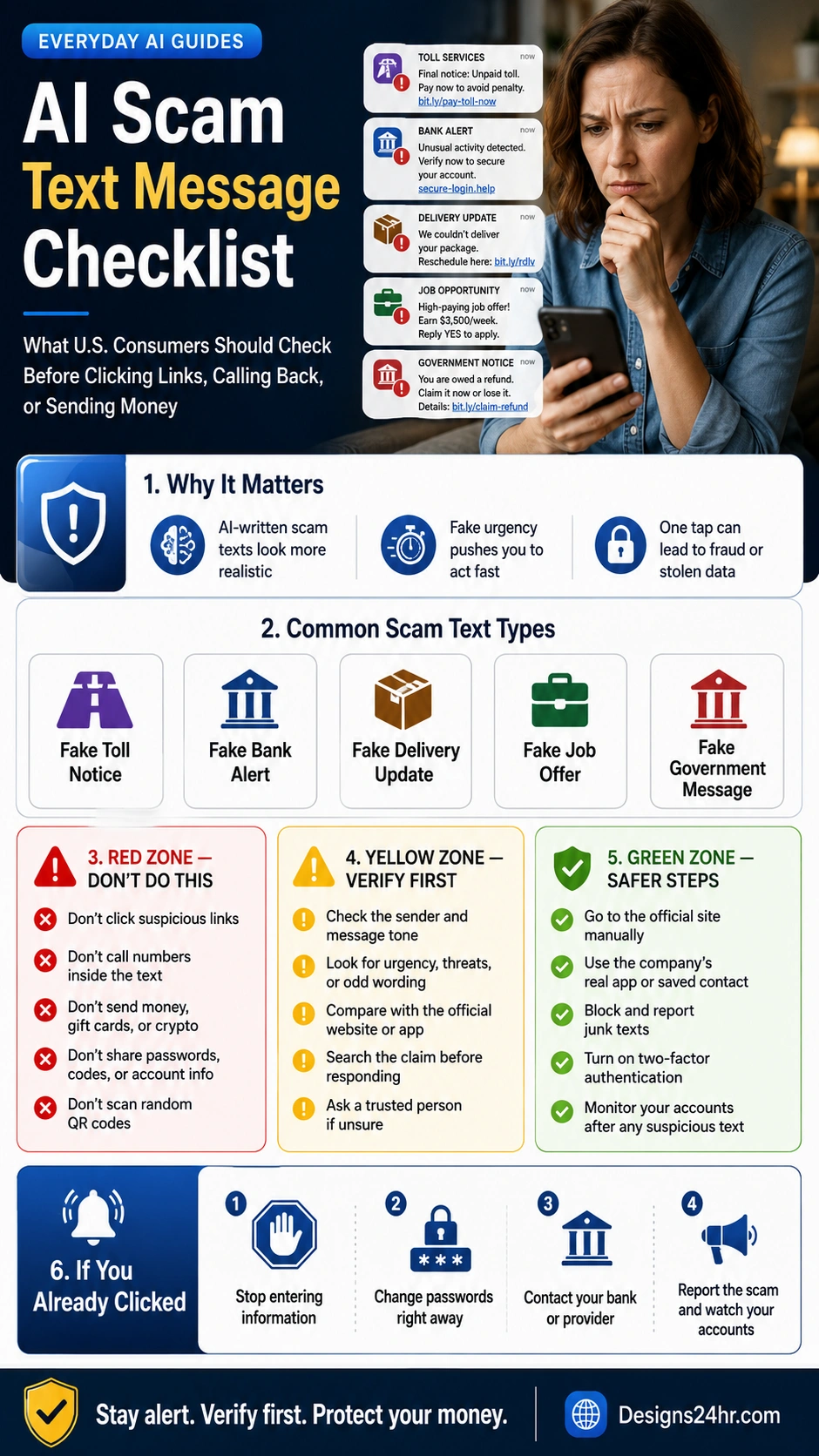
The Red-Yellow-Green AI Scam Text Checklist
Use this checklist whenever a text message feels urgent, unexpected, official, or financially important. Red means stop immediately. Yellow means verify first. Green means safer steps to take.
Don’t Do This
- Do not click suspicious links in unexpected texts.
- Do not call phone numbers listed inside the suspicious message.
- Do not scan random QR codes from a text.
- Do not send money, gift cards, crypto, wire transfers, or payment app transfers.
- Do not share passwords, PINs, one-time codes, Social Security numbers, or account details.
- Do not reply just to see if the message is real.
Verify First
- Check whether the message was expected.
- Look for fake urgency, threats, penalties, refunds, or odd wording.
- Compare the claim with the official company website or app.
- Search the exact message wording plus the word “scam.”
- Ask a trusted person before sending money or personal information.
- Use a phone number or website you already know is real.
Safer Steps
- Go to the official website manually instead of tapping the text link.
- Open the real bank, toll, delivery, or payment app yourself.
- Use your phone’s report junk or block feature.
- Forward unwanted texts to 7726 when appropriate.
- Turn on two-factor authentication for important accounts.
- Monitor accounts after any suspicious message or click.
How to Check Fake Toll, Bank, Delivery, Job, and Government Texts
Do not try to verify a suspicious text by using the link or phone number in the message. That is exactly what scammers want. Use the official website, official app, saved contact, printed card, account statement, or a known customer-service number.
| Text Type | Common Scam Clue | Safer Verification Step |
|---|---|---|
| Fake toll notice | Claims you owe a toll and must pay now to avoid penalties or vehicle registration problems. | Go directly to your state toll agency’s official website or app. Do not use the text link. |
| Fake bank alert | Claims unusual activity, locked access, or urgent verification through a link. | Open your banking app yourself or call the number on your bank card or official website. |
| Fake delivery update | Claims a package failed delivery and asks for a fee, address update, or personal details. | Check the tracking number directly on the real carrier website or retailer account. |
| Fake job offer | Promises fast money, easy tasks, or remote work, then asks for upfront payment or crypto. | Research the company, job listing, recruiter name, domain, and payment request before responding. |
| Fake government message | Claims you owe money, missed a duty, face arrest, or are owed a refund if you act fast. | Visit the official .gov website manually or use a known public agency phone number. |
| Fake security code request | Asks you to share a login code, reset code, verification code, or account recovery code. | Never share one-time codes with anyone. A real company should not ask for your code by text. |
What to Do If You Already Clicked a Scam Text Link
If you clicked a suspicious link, do not panic, but act quickly. The next steps depend on what you did after clicking. Opening a link is less serious than entering a password, payment number, Social Security number, or one-time code.
Stop entering info
Close the page. Do not submit passwords, card numbers, codes, or personal information.
Change passwords
If you entered login details, change the affected password from the official website or app.
Contact your provider
If you shared payment or account data, contact your bank, card issuer, carrier, or service provider.
Watch accounts
Monitor transactions, messages, password resets, and account alerts for suspicious activity.
If you sent money or shared sensitive information
Contact your bank, card issuer, payment app, crypto platform, or service provider immediately. Report the scam to the FTC at ReportFraud.ftc.gov, and if there was significant financial loss or cybercrime, report it to the FBI’s Internet Crime Complaint Center at IC3.gov.
How to Report AI Scam Text Messages
Reporting suspicious texts helps platforms, wireless providers, agencies, and investigators spot patterns and block future scams. Even if you did not lose money, reporting can still help.
Forward to 7726
The FTC says you can copy and forward unwanted texts to 7726, which spells SPAM, to help your wireless provider detect similar messages.
Use report junk
Many phones and messaging apps include a report junk, block, or spam option. Use it before deleting the message.
Report to FTC or IC3
Report scams to the FTC at ReportFraud.ftc.gov. For serious cybercrime or major financial loss, use IC3.gov.
AI Scam Text Warning Signs
AI can make scam texts sound more believable, but the warning signs are still there when you know what to check.
Message clues
- Unexpected link or QR code
- Urgent deadline or threat
- Prize, refund, toll, delivery, or account warning you did not expect
- Odd link domain, short link, misspelled brand, or unusual sender
- Request to reply, call back, pay now, or verify immediately
Payment and data clues
- Gift cards, crypto, wire transfer, or payment app demand
- Password, PIN, security code, or reset code request
- Social Security number or bank information request
- Small “fee” to unlock a package, refund, toll, prize, or job
- Pressure to act before you can think or verify
Helpful Designs24hr Guides and Tools
For more practical AI safety help, explore Everyday AI Guides, especially AI Safety, Privacy & Trust, AI for Everyday Life, and AI Tools & Beginner Guides.
For voice scams
Read AI Voice Cloning Scams to protect your family from fake emergency calls and voice impersonation.
For safer kids and teens
Read AI Chatbot Age Rules Checklist before kids use AI chatbots or AI companion-style tools.
For workplace safety
Read Shadow AI at Work Checklist before using AI tools with company data.
For confusing messages
Use Explain This For Me to simplify confusing wording before you respond.
For plain language
Use Plain Language Translator to turn complex messages into simple language.
For next steps
Use What To Do Next? when you need a simple action plan after a confusing situation.
Official and Reference Sources
Scam tactics change quickly. Always verify important claims through official websites, official apps, known phone numbers, and trusted government resources.
- FTC Consumer Advice: Is that unexpected text a scam?
- FTC: Top text message scams of 2024 and $470 million in reported losses
- FTC Consumer Advice: New trends in imposter scams
- FTC: How to recognize and report spam text messages
- FBI: Cryptocurrency and AI scams bilk Americans of billions
- FBI Internet Crime Complaint Center
FAQ About AI Scam Text Messages
What is an AI scam text message?
An AI scam text message is a suspicious or fraudulent text that may use AI-written wording to sound more natural, urgent, personalized, or believable.
How can I tell if a text message is a scam?
Watch for unexpected links, urgent payment demands, fake toll or delivery notices, bank alerts asking you to verify through a link, requests for codes or passwords, and messages asking for gift cards, crypto, or wire transfers.
Should I click a link in a suspicious text?
No. Do not click links in unexpected messages. Verify through the official company website, official app, or a known phone number instead of using the link inside the text.
What should I do if I get a fake toll text?
Do not click the link. Go directly to your state toll agency’s official website or app, or use a phone number you know is real.
What should I do if I already clicked a scam text link?
Stop entering information, change affected passwords, contact your bank or provider if you shared payment details, turn on two-factor authentication, monitor accounts, and report the scam.
How do I report a scam text message?
You can report unwanted texts by using your messaging app’s report junk option, forwarding the text to 7726, and reporting fraud to the FTC at ReportFraud.ftc.gov.
Can AI make scam texts harder to spot?
Yes. AI can help scammers write cleaner, more believable messages, remove obvious grammar mistakes, and quickly create variations of fake alerts, job offers, delivery notices, and bank warnings.
What information should I never send through a suspicious text?
Never send passwords, PINs, bank details, credit card numbers, Social Security numbers, security codes, account recovery codes, gift card numbers, crypto payments, or wire transfers through a suspicious text.