AI Chatbot Age Rules Checklist: What U.S. Parents Should Check Before Kids Use ChatGPT, Gemini, or Copilot
AI chatbot age rules can be confusing because every platform handles kids, teens, parent permission, and supervised accounts a little differently. This guide gives U.S. parents a simple checklist before children use ChatGPT, Gemini, Copilot, or another AI chatbot.
Quick answer: Parents should check the age requirement, account type, parental consent rule, privacy settings, school expectations, and family boundaries before a child or teen uses any AI chatbot. AI can help with learning and creativity, but it can also give wrong answers, collect information, or feel too personal if kids use it without guardrails.
Why AI Chatbot Age Rules Matter for Families
AI chatbots are no longer only for adults at work. Kids and teens may see them in homework tools, search results, phones, school accounts, browsers, writing apps, and social platforms. That makes age rules important because a chatbot can answer school questions one minute and respond to personal, emotional, private, or risky questions the next.
The goal is not to panic or ban every tool. The goal is to help families decide when an AI chatbot is appropriate, what settings should be turned on, what kids should never share, and when a real adult should be involved.
Check eligibility first
Some platforms are not meant for children under a certain age. Some allow teens with permission. Others vary by country, account type, school setup, or family supervision.
Protect personal details
Kids should not treat AI chats like private diaries. They should avoid sharing names, addresses, passwords, school details, family information, personal photos, or anything sensitive.
Use AI with guidance
AI can explain, brainstorm, and help kids learn, but children still need parent rules, school honesty, fact-checking habits, and limits around emotional dependence.
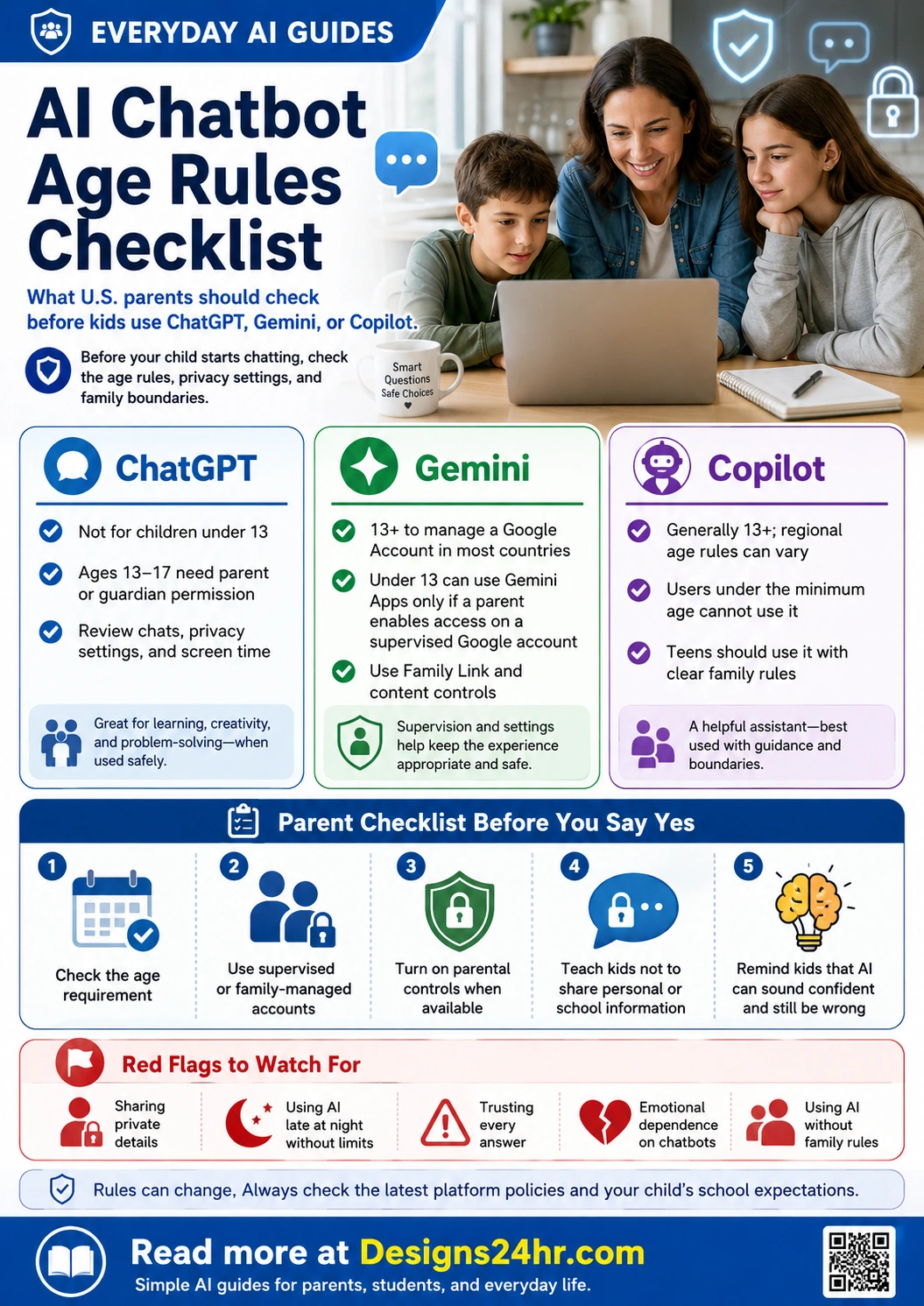
ChatGPT, Gemini, and Copilot Age Rules at a Glance
These platform rules can change, so parents should always check the latest official help pages. Use this section as a starting point before allowing a child or teen to use a chatbot account.
ChatGPT
- ChatGPT is not meant for children under 13.
- OpenAI says ages 13 to 18 need parent or guardian consent.
- Parents should review ChatGPT settings, privacy expectations, memory, shared links, and teen safety options.
- Families should teach kids that ChatGPT can make mistakes and may not be appropriate for every age or situation.
Gemini
- Google says 13 is the minimum age to manage a Google Account in countries not otherwise listed.
- A parent can enable Gemini Apps access for a child under 13 or the applicable age in the country when using a supervised account.
- Parents should review Google Family Link, supervised account settings, and content controls.
- Children should understand that Gemini answers still need fact-checking and adult guidance.
Copilot
- Microsoft says Copilot age requirements vary by country or region.
- If a country or region is not listed, Microsoft says the minimum age requirement is 13.
- These age restrictions can apply regardless of parental consent or account management.
- Parents should check Microsoft Family Safety, account settings, browser controls, and school account policies.
Parent Checklist Before Kids Use an AI Chatbot
Before saying yes to ChatGPT, Gemini, Copilot, or another AI chatbot, walk through these five checks. They are simple, but they can prevent most of the confusion families face later.
Check the age rule
Confirm whether the child is old enough for the platform, whether parent permission is required, and whether the rule changes by region or account type.
Use the right account
Choose a parent-managed, supervised, family, school, or teen account when available instead of letting a child use a random adult account.
Turn on controls
Review parental controls, privacy settings, memory settings, content restrictions, screen time, app permissions, and account safety options.
Set family rules
Decide what AI can help with, what needs parent approval, what should go to a teacher, and what kids should never discuss with a chatbot.
Teach fact-checking
Remind kids that AI can sound confident and still be wrong. Important answers should be checked with trusted sources or a real adult.
What Kids Should Never Share With AI Chatbots
One of the most important AI chatbot safety rules is simple: do not share private information with a chatbot just because it feels friendly or helpful. Children may not realize that an AI chat is not the same as talking privately to a parent, teacher, or counselor.
Never share these details in AI chats
- Full name, home address, phone number, or exact location
- Passwords, login codes, school account details, or recovery information
- School name, class schedule, teacher names, bus routes, or daily routines
- Private family information, financial details, or personal conflicts
- Personal photos, IDs, medical documents, or screenshots with sensitive data
- Anything a child would not want saved, reviewed, copied, or misunderstood later
A helpful family phrase is: “If you would not post it publicly or say it to a stranger, do not type it into an AI chatbot.”
AI Chatbot Rules by Age Group
Every child is different, but families can use age-based expectations to make safer decisions. The right rule depends on maturity, school requirements, account options, and whether the child understands privacy and fact-checking.
| Age Group | Parent Mindset | Safer Rule |
|---|---|---|
| Under 13 | High supervision is needed. Many mainstream chatbot services are not meant for unsupervised child use. | Use only child-appropriate, parent-enabled, school-approved, or supervised options where allowed. A parent should review every setup step. |
| 13 to 15 | Teens may be eligible for some tools, but they still need clear rules, permission, and privacy reminders. | Use teen or supervised settings when available. Keep rules around homework, personal questions, screen time, and private data. |
| 16 to 17 | Older teens may use AI more independently, but they still need guidance around accuracy, emotional dependence, and school honesty. | Use guided independence. Review settings together, talk about risky uses, and require fact-checking for important answers. |
| 18 and older | Young adults can usually manage their own accounts, but privacy and accuracy still matter. | Use strong account security, avoid sensitive details, verify important answers, and understand the platform’s data settings. |
Red Flags Parents Should Watch For
Most AI use is simple and harmless, such as asking for a definition, study tips, or creative ideas. Still, parents should watch for warning signs that a child or teen may be using AI in a risky way.
Sharing personal details
A child is typing private family information, school details, photos, passwords, locations, or emotional secrets into a chatbot.
Believing every answer
The child treats AI answers as always true, even when the answer could be outdated, incomplete, biased, or completely wrong.
Using AI instead of people
The child relies on a chatbot for serious stress, loneliness, conflict, sadness, health questions, or personal advice instead of a trusted adult.
Copying AI work
The child uses AI to complete homework, essays, quizzes, or projects in a way that breaks teacher rules or replaces original thinking.
Late-night AI use
The child uses chatbots late at night, secretly, or for long sessions without a clear learning, creative, or helpful purpose.
No family rules
The family has not discussed what AI is allowed for, what needs permission, and what should go to a parent, teacher, counselor, or doctor.
Safe AI Chatbot Rules for Kids and Teens
Good AI chatbot rules should be clear enough for kids to remember. Families do not need a complicated contract. They need a few repeatable habits that make AI use safer, more honest, and more helpful.
Simple family rules that work
- Use AI to learn, practice, explain, brainstorm, and organize, not to replace your own thinking.
- Ask a parent or teacher before using AI on graded schoolwork.
- Do not share personal, school, family, health, password, or location details.
- Check important answers with trusted sources because AI can be wrong.
- Talk to a real person about serious feelings, safety concerns, health issues, bullying, or emergencies.
- Tell a parent if an AI answer feels strange, scary, inappropriate, or too personal.
Questions Parents Should Ask Before Saying Yes
Instead of asking only “Is this chatbot safe?” parents should ask more specific questions. These questions help families understand whether the tool fits the child’s age, maturity, and real purpose.
Account and age questions
- Is my child old enough for this chatbot under the platform’s current rules?
- Does my child need parent permission or a supervised account?
- Is this a personal account, school account, teen account, or family-managed account?
- Can I review or adjust safety, privacy, and content settings?
Use and safety questions
- What will my child use this chatbot for?
- Does the school allow AI for this purpose?
- What private information should my child never type?
- What should my child do if the chatbot gives a bad, scary, or wrong answer?
How AI Chatbot Rules Connect to Schoolwork
AI chatbot age rules and homework rules are connected. A student may be old enough to use a chatbot but still not allowed to use it for a specific assignment. That is why parents should separate two questions:
Two questions families should ask
Question 1: Is my child allowed to use this AI chatbot based on the platform’s age and account rules?
Question 2: Is my child allowed to use AI for this school assignment based on the teacher’s rules?
If the answer to either question is unclear, the safest choice is to pause and ask first. For more school-focused guidance, read the AI Homework Rules Checklist.
Parent Controls and Settings to Review
Every platform is different, but parents can use the same safety mindset across ChatGPT, Gemini, Copilot, school AI tools, browser AI, and mobile apps. Start with the controls you can actually understand and maintain.
| Setting or Control | Why It Matters | Parent Action |
|---|---|---|
| Age and account type | Some features may be blocked, allowed, or changed depending on the user’s age and account setup. | Use the child’s real age and choose supervised, teen, school, or family-managed settings when available. |
| Parental controls | Controls can help limit exposure, manage settings, or give parents more oversight. | Review ChatGPT parental controls, Google Family Link, Microsoft Family Safety, and school account controls. |
| Privacy and data settings | AI chats may involve saved conversations, account history, personalization, or other data settings. | Review data controls, memory, chat history, shared links, connected apps, and deletion options where available. |
| Content limits | Kids may ask unexpected questions or receive answers that are not appropriate for their age. | Use age-appropriate settings and teach kids to report or show a parent any response that feels wrong. |
| School rules | A platform may allow use, but a teacher may still limit AI use for assignments. | Ask the teacher how AI can be used for brainstorming, grammar, research, math help, and final submissions. |
| Screen time | Even helpful AI tools can become a distraction or late-night habit. | Set time boundaries, keep AI use visible for younger kids, and avoid secret or late-night chatbot sessions. |
Simple Family AI Chatbot Agreement
Use this agreement before a child or teen starts using an AI chatbot. Adjust the wording based on age, maturity, school expectations, and the specific tool.
Child or Teen Promise
- I will not share private personal, family, school, password, or location information.
- I will ask before using AI for homework, tests, essays, or graded projects.
- I will not copy AI answers and pretend they are my own work.
- I will check important answers because AI can be wrong.
- I will tell a parent if an AI chat feels unsafe, strange, inappropriate, or too personal.
Parent Promise
- I will explain the rules clearly before problems happen.
- I will help check age rules, account settings, and school expectations.
- I will stay calm if my child has a question or makes a mistake.
- I will focus on learning, safety, privacy, and honesty instead of fear.
- I will review AI rules again when platforms, school policies, or family needs change.
When Parents Should Step In Immediately
AI chatbots can be useful for general learning, but they are not a replacement for parents, teachers, counselors, doctors, emergency help, or trusted adults. Some situations need real human support right away.
Step in if AI is being used for serious issues
- Self-harm, threats, or unsafe behavior
- Bullying, harassment, grooming, or secret relationships
- Medical, legal, financial, or emergency decisions
- Severe anxiety, depression, loneliness, or emotional dependence on a chatbot
- Sharing private photos, personal details, passwords, or location information
- Cheating, plagiarism, fake citations, or hidden schoolwork shortcuts
For serious health, safety, or emotional concerns, contact an appropriate trusted adult, school support person, medical professional, emergency service, or local crisis resource.
Helpful Designs24hr Guides for Parents
AI chatbot age rules are one part of a larger family safety plan. Parents can keep learning through Everyday AI Guides, especially the AI for Kids & Young Learners, AI for Parents & Families, and AI Safety, Privacy & Trust categories.
For kid-focused privacy
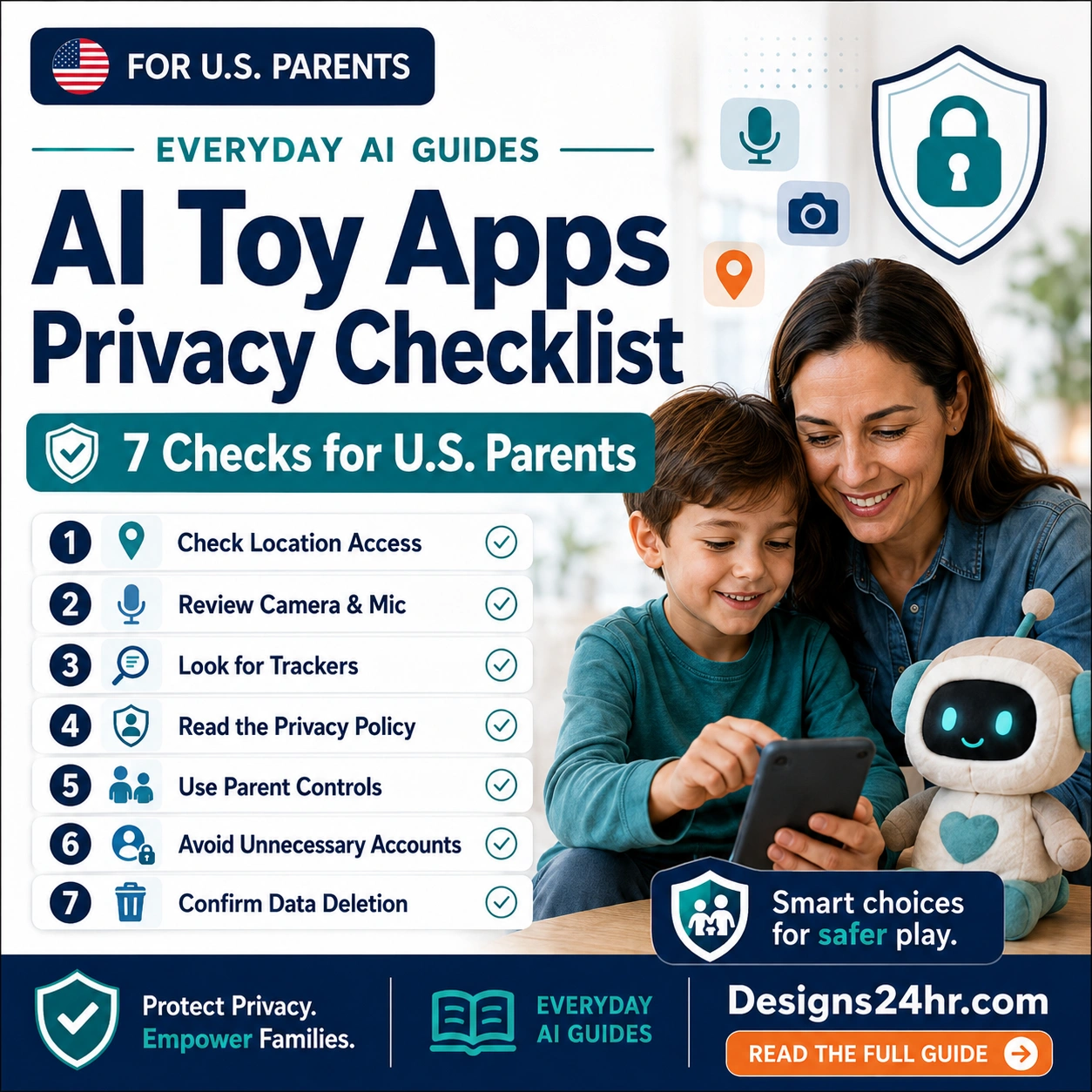
Read the AI Toy Apps Privacy Checklist before allowing smart toys, companion apps, or connected play products.
For learning support
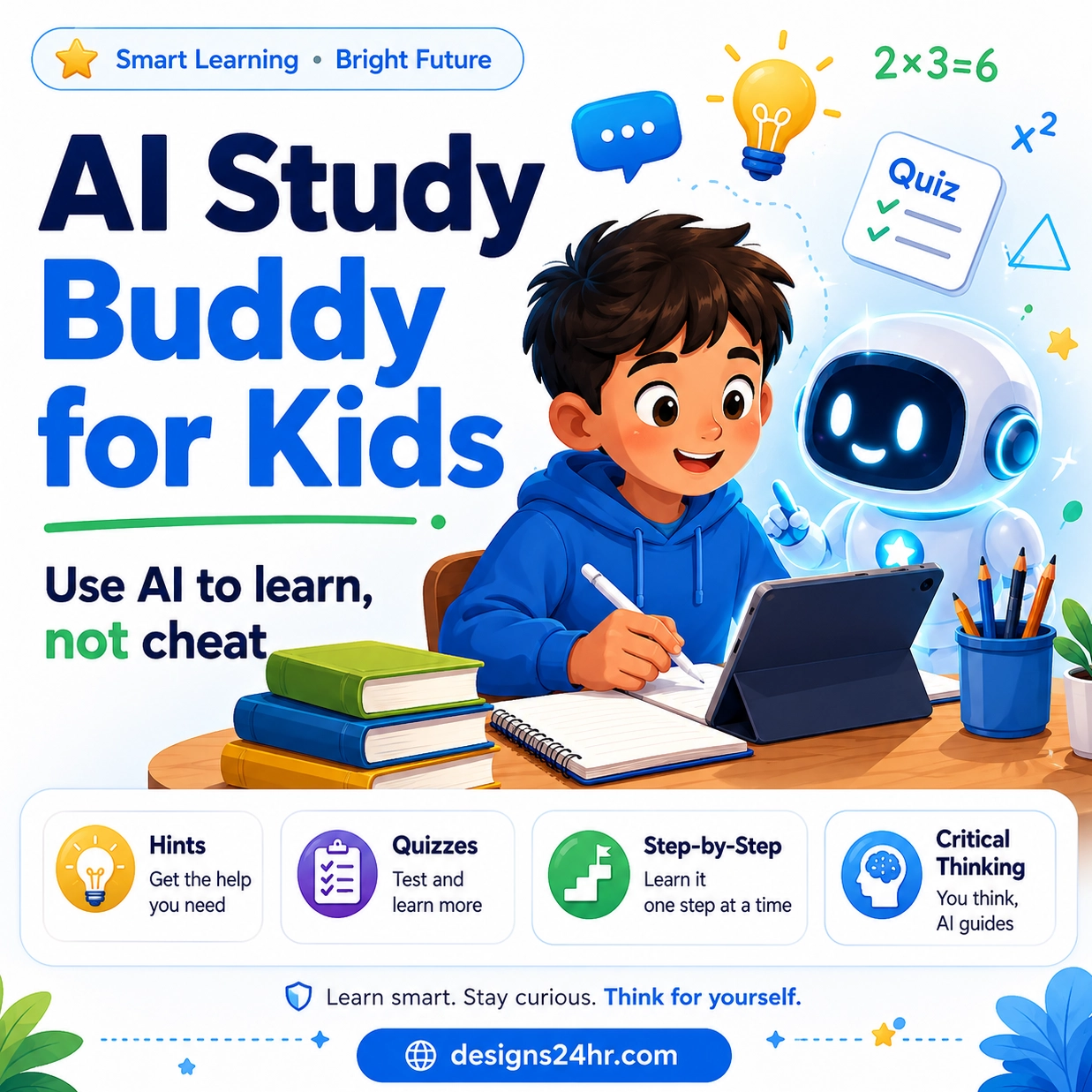
Read AI Study Buddy for Kids to help children use AI for learning without losing critical thinking.
For teen AI chats
Read Meta AI Teen Supervision Explained to understand parent controls and safer teen AI chat habits.
Official Sources Parents Should Check
Because AI chatbot policies can change, parents should always review the official pages for the tool their child wants to use. These are useful starting points:
FAQ About AI Chatbot Age Rules
What are AI chatbot age rules?
AI chatbot age rules are the platform requirements that explain who can use a chatbot, whether children are allowed, whether teens need parent permission, and whether supervised or family-managed accounts are available.
What age can kids use ChatGPT?
OpenAI says ChatGPT is not meant for children under 13, and users ages 13 to 18 need parent or guardian consent before using ChatGPT.
Can children under 13 use Gemini?
Google says a parent must enable access before a child under 13, or the applicable age in the country, can use Gemini Apps with a supervised account.
What is the Microsoft Copilot age limit?
Microsoft says Copilot age requirements vary by country or region. If a country or region is not listed, Microsoft says the minimum age requirement is 13.
Should parents let kids use AI chatbots?
Parents should first check the platform age rules, account settings, parental controls, privacy risks, school expectations, and the child’s maturity. AI can be helpful, but kids need clear rules and adult guidance.
What should kids never share with AI chatbots?
Kids should not share full names, addresses, phone numbers, passwords, login codes, school details, private family information, personal photos, medical information, or anything sensitive.
Are AI chatbots always accurate?
No. AI chatbots can give answers that sound confident but are wrong, outdated, incomplete, or misleading. Kids should double-check important answers with trusted sources or a real adult.
Can AI chatbots replace parents, teachers, or counselors?
No. AI chatbots can support learning and simple questions, but they should not replace parents, teachers, counselors, doctors, emergency services, or trusted adults for serious situations.