What is ChatGPT Work? ChatGPT Work is an AI agent experience designed to handle longer, multi-step tasks and produce finished deliverables. Unlike a typical ChatGPT conversation focused on questions and responses, Work can coordinate research, files, approved tools, and multiple actions to complete a defined project.
But when comparing ChatGPT Work vs Chat, the real question is not simply which one has more features. It is which experience makes sense for the task you need to complete.
If you only want to rewrite an email, explain a concept, or brainstorm ideas, regular ChatGPT may be enough. If you need to compare several documents, analyze data, prepare a report, and deliver a finished result, ChatGPT Work may be more appropriate.
This guide explains the differences between Chat, Work, and Codex; shows how to choose using real-world task examples; and covers access, limitations, privacy, and troubleshooting. It also includes reusable prompts and a practical checklist for your first Work project.
Quick Answer: ChatGPT Work vs Chat
Use Chat for quick questions, conversations, writing help, ideas, and focused explanations.
Use Work when a task requires multiple steps, sources, files, tools, or a finished document, spreadsheet, presentation, report, or Site.
Use Codex when the primary job involves software development, such as changing code, running tests, fixing bugs, or working with repositories.
These are practical guidelines, not absolute boundaries. Chat can also help create substantial content and analyze files. The difference is the workflow and level of delegation.
What Is ChatGPT Work?
ChatGPT Work is a dedicated agent experience inside ChatGPT that helps users move from an instruction to a completed result. It is designed for tasks involving several steps, more extensive context, research, files, and potentially approved actions through connected tools.
OpenAI introduced ChatGPT Work in July 2026. Its central purpose is to help users complete involved tasks rather than only exchange conversational messages.
For example, imagine preparing a monthly business report. You might need to review data, compare performance across several periods, investigate unusual changes, produce charts, write a summary, and present recommendations.
Regular ChatGPT can help with individual parts of that process. Work is specifically designed to coordinate a longer workflow toward the final report.
What can ChatGPT Work do?
Research and compare information
Gather approved information, organize findings, compare sources, and prepare structured research summaries.
Analyze files and data
Work with supplied documents, spreadsheets, and other supported files to identify patterns, inconsistencies, and important findings.
Create finished deliverables
Prepare documents, reports, spreadsheets, presentations, or Sites using the available tools and relevant context.
Coordinate multi-step workflows
Continue through connected steps, use permitted tools, incorporate feedback, and request approval where required.
Important: Work is not a guarantee of accuracy or completion. Capabilities depend on your plan, platform, enabled tools, available permissions, and the complexity of the task. You still need to verify important results.
ChatGPT Work vs Chat: What’s the Difference?
The main difference between ChatGPT Work and Chat is how they approach your request. Chat is optimized for conversational assistance. Work is designed to take on longer, goal-oriented tasks involving several steps and finished outputs.
Both can be useful for writing, research, and analysis. Choosing Work does not automatically make the final answer better. A more involved workflow introduces additional decisions, permissions, usage considerations, and opportunities for errors.
| Feature | Regular ChatGPT | ChatGPT Work |
|---|---|---|
| Main purpose | Conversational help and focused tasks | Longer projects and finished outcomes |
| Typical request | Explain, summarize, brainstorm, draft | Research, compare, organize, create, deliver |
| Task structure | Usually direct conversational steps | Designed for coordinated multi-step work |
| Files | Can analyze supported uploaded files | Can coordinate work across approved files and sources |
| Connected tools | Depends on available Chat tools and apps | Can use approved tools and apps in longer workflows |
| Common results | Explanations, drafts, ideas, analysis | Reports, documents, spreadsheets, presentations, Sites |
| Interaction | Ask, receive an answer, refine | Define a goal, review progress, redirect and approve |
| Best starting point | A focused question or request | A clear deliverable with sources and constraints |
| Usage | Chat plan and model limits apply | Work allowance and applicable credit rules apply |
| Human review | Required for consequential information | Required for outputs and consequential actions |
Comparison based on OpenAI’s product documentation. Availability and exact capabilities can change.
Choose Chat when…
You need a quick response, an explanation, a draft, feedback, or help thinking through a problem.
Example: “Explain this spreadsheet formula and show me how to correct it.”
Choose Work when…
You need a complete project that involves coordinating multiple actions, documents, or deliverables.
Example: “Review the supplied monthly reports, identify trends, and prepare a presentation with recommendations.”
ChatGPT Work vs Chat: Which Should You Use?
Start with the task, not the product name. The following decision framework helps determine whether regular ChatGPT, Work, or Codex is the most sensible starting point.
Three questions to ask
- Do I mainly need an answer or explanation? Start with Chat.
- Do I need a coordinated project with several steps and a finished deliverable? Consider Work.
- Is the core task software development? Consider Codex.
If you are uncertain, start in Chat to clarify the goal. Once the scope and deliverables are clear, you can decide whether Work is worth using.
10 real tasks: Chat, Work, or Codex?
| Task | Suggested mode | Reason |
|---|---|---|
| Rewrite one email | Chat | A focused writing task with a short output |
| Explain a complicated concept | Chat | Primarily conversational learning |
| Brainstorm campaign ideas | Chat | Exploration before execution |
| Summarize one document | Chat | Usually a contained analysis task |
| Compare several vendor proposals and prepare a recommendation | Work | Multiple sources, criteria, and final outputs |
| Produce a monthly performance report from several files | Work | Coordinated analysis and a finished report |
| Prepare a presentation from research and approved material | Work | Several steps leading to a presentation |
| Organize an approved project plan with milestones and deliverables | Work | Structured multi-step planning |
| Debug a software repository and run tests | Codex | Development tools and code changes |
| Review a pull request and suggest fixes | Codex | Code review and technical verification |
These recommendations are an editorial decision aid, not the result of controlled performance testing. The best option can change according to your tools, permissions, and the size of the task.
ChatGPT Work vs Chat: Practical Examples
To understand the difference, compare what you would ask each experience to accomplish.
Example 1: Writing a professional email
Suppose you need to reply to a customer explaining a delayed delivery.
Recommended: Chat
Ask ChatGPT to rewrite your email using a calm, professional tone, include the revised timeline, and keep the message concise.
There is usually no need to delegate a larger workflow just to edit one message.
Example 2: Creating a monthly business report
Imagine having three monthly spreadsheets, a sales summary, a marketing report, and notes from your team.
Recommended: Work
Define the final deliverables: a cleaned comparison table, an executive summary, charts where appropriate, and three supported recommendations.
Supply approved files, explain each metric, and ask Work to flag missing information instead of inventing values.
Independently check important calculations and conclusions before sharing the report.
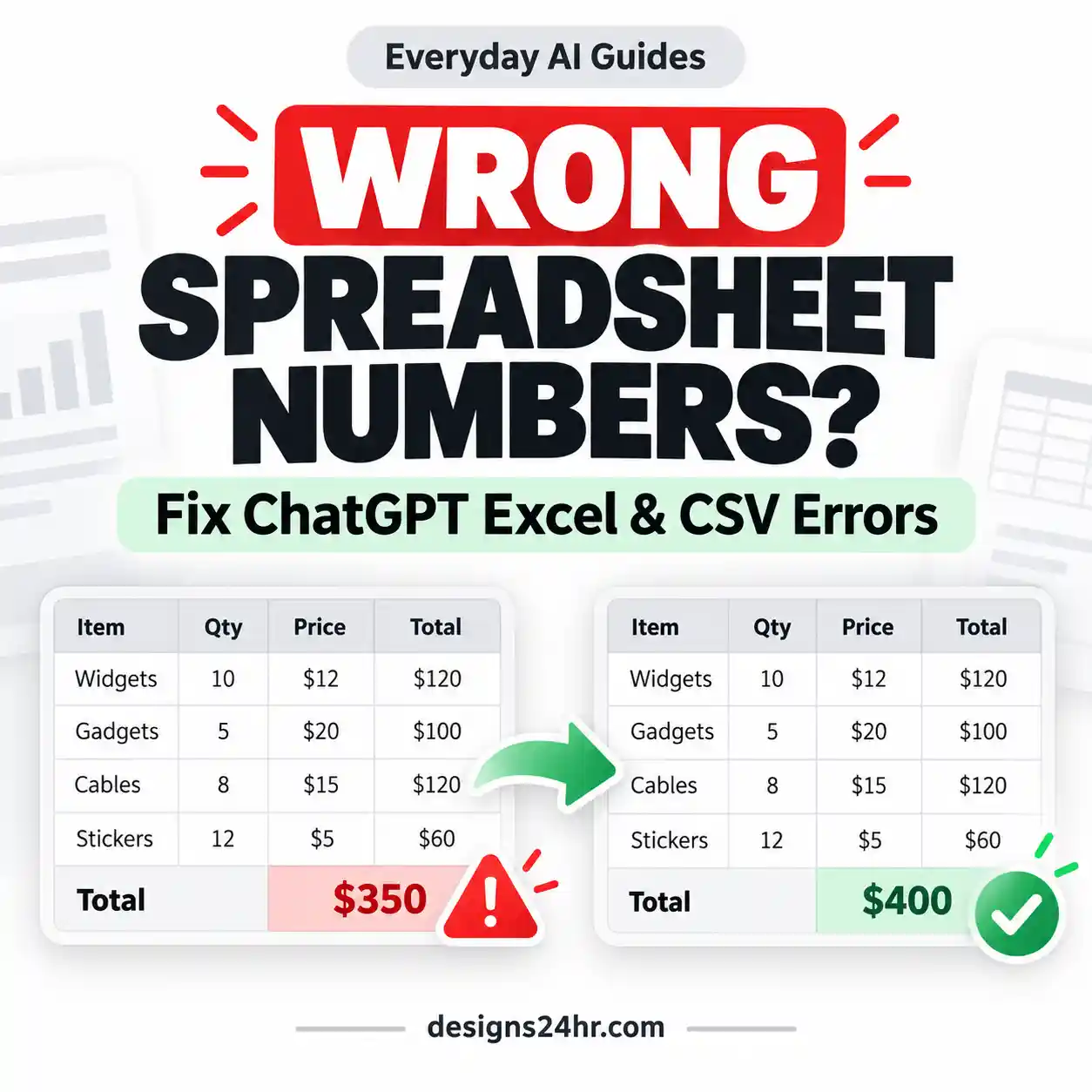
For a more focused spreadsheet workflow, see our ChatGPT for Excel guide .
Example 3: Creating a business presentation
Suppose you need a 12-slide presentation based on approved company research, performance figures, and brand instructions.
Recommended: Work
Provide the target audience, presentation purpose, approved evidence, required sections, and output format.
Request a coherent argument and presentation-ready content rather than a list of loosely related slide ideas.
Review data accuracy, slide readability, and the final presentation before delivering it.
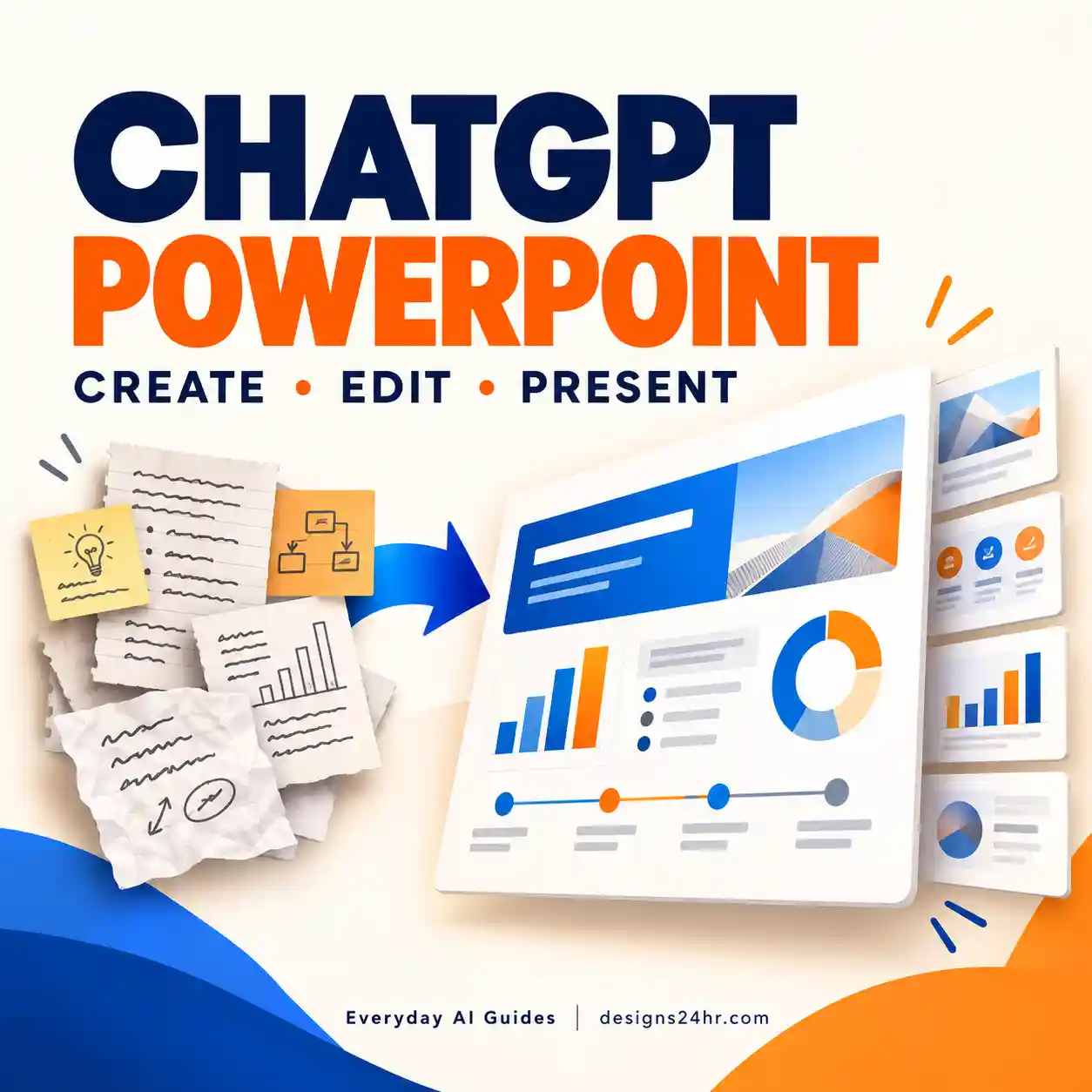
Our ChatGPT for PowerPoint tutorial explains the presentation workflow and final quality checks.
Example 4: Fixing a software bug
If the task involves reviewing a codebase, changing application files, running tests, and checking the implementation, Codex is generally the more appropriate tool.
Work can assist with project documentation or coordination, but Codex is specifically designed for technical development workflows.
ChatGPT Work vs Codex vs Projects
Work, Codex, and Projects are related features, but they do not represent three interchangeable modes.
Chat
The general conversational experience for questions, writing, explanations, and everyday help.
Work
An agent experience for coordinating longer tasks across approved context and producing finished work.
Codex
An agent focused on software development, including code changes, testing, debugging, and repositories.
Projects
An organizational space for related chats, instructions, and files. A Project is not itself the same thing as Work.
Can ChatGPT Work run inside Projects?
Work can use compatible ChatGPT Projects when your plan, workspace, and project configuration permit it.
However, there is an important restriction: according to OpenAI’s Projects documentation, ChatGPT Work is not available inside a project configured with project-only memory.
Shared Projects use project-only memory, so this restriction is especially relevant when collaborating.
Before reorganizing a project or changing memory settings, consider the privacy and context-isolation implications. You may prefer to keep a restricted project separate and start an appropriate Work task outside it.
Reference: OpenAI’s official Projects documentation .
How to Access and Use ChatGPT Work
Work is available through supported ChatGPT interfaces for eligible accounts. Its exact availability depends on your plan, workspace permissions, device, and rollout status.
How to start ChatGPT Work on web or mobile
-
Open ChatGPT.
Sign in to the account that has access to Work. -
Select Work.
Look for Work in the available experience selector. -
Start a new Work task.
You can start a new conversation or open a compatible Project. -
Add relevant information.
Supply approved files, sources, instructions, and necessary context. -
Describe the required outcome.
Identify the deliverable, constraints, deadline if relevant, and review standards. -
Review the work.
Check progress, answer questions, approve important actions where required, and verify the final result.
How to find Work in the desktop app
Open the latest ChatGPT desktop app, sign in, select ChatGPT from the application’s main selector, and choose Work from the Chat/Work control when your account has access.
Codex is a separate development experience within the supported desktop interface.
Can Work access files on your computer?
On supported desktop configurations, Work can use local folders and files with appropriate permission. This is different from Work running in the cloud on web and mobile, where it cannot directly browse arbitrary files on your computer.
Even when a task runs locally, some messages and task context may be stored in the cloud. Review the current data controls and your organization’s policies before sharing confidential files.
Availability reminder: Do not assume every ChatGPT subscription includes identical Work access, model choices, local permissions, or usage allowances. Check the current documentation and the options available inside your own account.
ChatGPT Work Not Showing? What to Check
If ChatGPT Work is missing, it does not automatically mean your application is broken.
Work access may depend on your subscription, workspace role, feature availability, and device configuration.
| Problem | Possible reason | What to check |
|---|---|---|
| Work is missing entirely | Plan eligibility or feature availability | Confirm current account access in OpenAI documentation |
| Work is available on one device but not another | Platform rollout or app version | Update the app and compare supported platforms |
| Work is restricted in a company account | Workspace permission controls | Ask a workspace administrator to check Work access |
| Work is unavailable inside a Project | Project-only memory configuration | Review project memory and sharing settings |
| Cloud Work works but local access does not | Separate local permissions or rollout timing | Check local Work permissions and supported desktop configuration |
| A connected tool cannot complete an action | Missing authorization, tool limitations, or site restrictions | Review the specific app and action permissions |
If you are looking for the older ChatGPT Agent Mode experience, see our guide to why ChatGPT Agent Mode is missing and what replaced it .
That guide focuses on replacing older agent workflows, while this article focuses on deciding when to use ChatGPT Work instead of Chat.
How to Start Your First ChatGPT Work Project
Your first Work project should be useful, low-risk, and easy for you to evaluate.
Avoid beginning with an unfamiliar, high-stakes task that requires access to sensitive accounts or involves irreversible actions.
Begin with a simple document comparison
A practical first task is comparing two or three non-sensitive documents against clearly defined criteria.
-
Define the result.
Ask for a comparison table, a list of differences, and a one-page summary. -
Prepare approved source files.
Remove unnecessary confidential or personal information before uploading. -
Set decision criteria.
Tell Work which factors to compare and how important each factor is. -
Specify boundaries.
Require it to use only approved material, flag missing information, and avoid external actions. -
Review the output.
Verify that claims match the supplied documents and that the recommendation follows your criteria.
What a good first result looks like
The final output should be useful without needing major reconstruction. It should clearly identify the source of important information, separate facts from assumptions, flag missing details, and provide the requested deliverables.
If you still need to correct every comparison or rebuild the document yourself, improve the instructions or simplify the task before expanding the workflow.
12 Things to Check Before Using ChatGPT Work
A longer AI workflow can save time, but it also gives the system more context and more opportunities to make mistakes. Use this checklist before beginning.
-
1. Define the goal.
State the exact result you need. -
2. Confirm the scope.
Decide what is included and excluded. -
3. Choose reliable sources.
Identify the information Work may use. -
4. Limit permissions.
Grant only necessary file and app access. -
5. Set the output format.
Specify the document or deliverable type. -
6. Define acceptance criteria.
Explain what successful work looks like. -
7. Review the proposed approach.
Correct unsuitable assumptions early. -
8. Require approval for important actions.
Review sending, editing, purchasing, or publishing. -
9. Verify source claims.
Open important references yourself. -
10. Check calculations.
Independently verify important figures. -
11. Protect sensitive information.
Follow applicable privacy and data policies. -
12. Review before using the result.
Do not publish or rely on consequential output without checking it.
If your task requires connecting email, cloud storage, calendars, or other accounts, use our AI agent safety checklist before granting permissions.
Best ChatGPT Work Prompts for Beginners
Good Work instructions describe a desired outcome, the available sources, constraints, approval boundaries, and how the final output will be evaluated.
The following templates are original, reusable examples. Replace the bracketed fields with information relevant to your task.
Prompt 1: Decide whether to use Chat or Work
Use this in a regular Chat conversation when you are uncertain which experience fits your task.
I want to complete this task:

[TASK DESCRIPTION]

Help me decide whether regular ChatGPT, ChatGPT Work, or Codex is the best starting point.

Please:
1. Identify the actual outcome I need.
2. List the main steps involved.
3. Identify any files, apps, or permissions required.
4. Explain which experience fits best and why.
5. Tell me whether Work would add unnecessary complexity.
6. Suggest a safe, efficient workflow.
7. Provide a starting prompt for the recommended experience.

Do not assume that extra tools or delegation automatically improve the result.
Prompt 2: Start a ChatGPT Work project
Use this template after selecting Work for an appropriate multi-step project.
Complete the following project:

PROJECT GOAL:
[DESCRIBE THE OUTCOME]

FINAL DELIVERABLE:
[DOCUMENT, SPREADSHEET, PRESENTATION, REPORT, OR OTHER OUTPUT]

TARGET AUDIENCE:
[WHO WILL USE THE RESULT]

APPROVED SOURCES:
[FILES, LINKS, OR CONNECTED SOURCES]

REQUIREMENTS:
[STRUCTURE, CRITERIA, FORMAT, LENGTH, AND CONSTRAINTS]

WORKFLOW:
1. Review the available information.
2. Identify missing context and important assumptions.
3. Outline the approach before making consequential changes.
4. Complete the approved steps.
5. Clearly separate verified facts from estimates and assumptions.
6. Produce the requested deliverable.
7. Summarize sources, limitations, and items requiring review.

IMPORTANT RESTRICTIONS:
Do not send messages, make purchases, delete information, publish content, or change external records without my explicit approval.

Ask for clarification when an essential instruction is missing.

SUCCESS CRITERIA:
[HOW I WILL EVALUATE THE FINAL RESULT]
Prompt 3: Review a completed Work deliverable
This prompt helps identify errors and missing information before the output is used.
Review the completed deliverable against my original instructions.

Check:
1. Whether every requested requirement is satisfied.
2. Whether any facts or figures are unsupported.
3. Whether calculations need independent verification.
4. Whether cited sources support the related claims.
5. Whether assumptions are clearly identified.
6. Whether information is missing or outdated.
7. Whether sensitive information is handled appropriately.
8. Whether the format is usable and complete.
9. Whether any action requires my approval.
10. Whether the result is ready for human review.

Return:
- A brief quality assessment.
- A prioritized list of problems.
- Proposed corrections.
- A list of items I must verify personally.

Do not claim that something was tested or verified unless it actually was.
Prompting tip: A detailed prompt is not automatically a better prompt. Include the information that affects the task, remove irrelevant instructions, and make the desired result easy to evaluate.
ChatGPT Work Limitations, Usage and Privacy
ChatGPT Work offers more structured task execution, but it does not remove the need for accurate inputs, adequate permissions, or human judgment.
1. Work can make mistakes
AI-generated reports may contain incorrect calculations, unsupported conclusions, misunderstood requirements, or incomplete research.
The fact that a workflow involves several steps does not guarantee that each step was performed correctly.
2. Some tools and websites have restrictions
Connected tools can require account authorization, workspace permission, additional approvals, or supported integrations.
Not every website permits the same kinds of automated activity, and not every application supports every requested action.
3. Work usage differs from regular Chat
Work follows the agentic usage structure described in OpenAI’s current Work and Codex documentation. Applicable limits and credit charges can depend on your plan, selected model, task complexity, and other usage factors.
This means Work should be used when its additional workflow capabilities provide meaningful value, not merely because it is available.
Always check current limits and pricing before beginning a large or repeated task.
4. Permissions need deliberate review
When a task involves connected accounts or important external actions, review what the system can access, read, modify, or send.
Use the smallest permissions necessary. Keep consequential decisions and actions subject to appropriate human approval.
5. Privacy requirements still apply
Do not upload sensitive business, medical, financial, or personal information without confirming that the relevant data-handling policies and permissions allow it.
Where possible, redact unnecessary personal details, use non-sensitive samples, and separate source documents from information that should remain private.
6. Recurring tasks require additional planning
Eligible users can use scheduled or supported event-triggered Work tasks. These should have clear conditions, permission boundaries, and review criteria.
A recurring task that produces low-quality information is not automatically useful simply because it runs without repeated prompting.
A useful rule
Delegate preparation and analysis where appropriate, but keep important decisions accountable to a qualified person.
Work is most valuable when it saves meaningful effort while producing an output you can verify.
Common ChatGPT Work Mistakes to Avoid
A well-chosen task can still go wrong if the instructions are incomplete or permissions are too broad.
- Using Work for every question: Short explanations and simple writing requests usually do not require a delegated project.
- Starting with a vague goal: “Improve my business” is less actionable than requesting a defined report based on supplied business data.
- Failing to specify the deliverable: State whether the result should be a document, spreadsheet, presentation, or another format.
- Granting unnecessary access: Avoid connecting an entire account or folder when a limited file or permission is enough.
- Accepting generated figures without review: Important calculations and assumptions need independent verification.
- Confusing Projects with Work: A Project organizes related context. Work is the experience for carrying out longer tasks, subject to project restrictions.
- Assuming every plan has the same tools: Feature availability, permissions, and usage allowances can vary.
When a task requires information outside your expertise, consider asking a qualified reviewer to evaluate the outcome before relying on it.
Frequently Asked Questions About ChatGPT Work
What is ChatGPT Work in simple terms?
ChatGPT Work is an AI agent experience for longer tasks. It can help research information, work with approved files and tools, and create finished deliverables such as reports, spreadsheets, presentations, and documents.
What is the difference between ChatGPT Work and Chat?
Regular ChatGPT is primarily for conversational assistance and focused tasks. Work is designed for coordinating longer, multi-step projects with a clear final outcome. Both can handle writing and analysis, so the best choice depends on the task.
Is ChatGPT Work better than regular ChatGPT?
Not for every task. Work may be a better fit for involved projects requiring several coordinated steps. Regular ChatGPT is often simpler for quick questions, drafting, brainstorming, and explanations.
Is ChatGPT Work free?
Work access depends on your ChatGPT plan, workspace, and platform. OpenAI documents Work availability for eligible accounts and may apply separate agentic usage allowances or credits. Check current plan details rather than assuming it is included without limits.
Can ChatGPT Work create PowerPoint presentations?
Work is designed to help create presentations when the required capabilities are available. Provide your intended audience, research, approved data, structure, and formatting requirements. Review the completed file before sharing it.
Can ChatGPT Work use Excel spreadsheets?
Work can help with supported spreadsheet tasks and deliverables. Exact integration and file capabilities depend on the tools available to your account. Important formulas, calculations, and changes should be independently checked.
Can ChatGPT Work run automatically?
Eligible accounts can use Scheduled Tasks and supported event-triggered workflows. Availability, usage limits, and permissions depend on the account and configuration. Set clear boundaries and review consequential actions.
Why is ChatGPT Work not available in my Project?
One possible reason is project-only memory. OpenAI’s Projects documentation says ChatGPT Work is not available inside projects configured with project-only memory. Your plan and workspace permissions can also affect access.
Should I use ChatGPT Work or Codex?
Choose Work for longer research, productivity, and deliverable-focused tasks. Choose Codex when the main work is software development, code changes, testing, debugging, or repository management.
Can ChatGPT Work replace human workers?
Work can assist with and automate parts of suitable workflows, but it cannot guarantee correct results or replace accountability for consequential decisions. Human expertise, oversight, and approval remain important.
Final Verdict: ChatGPT Work or Chat?
Choose the simplest experience that can complete the task reliably.
For questions, writing assistance, brainstorming, and focused analysis, regular ChatGPT is often the right starting point.
For longer projects involving several sources, steps, approved actions, and complete deliverables, ChatGPT Work may provide a more suitable workflow.
For software development, use Codex when its specialized capabilities match the job.
Ultimately, the best choice in the ChatGPT Work vs Chat comparison is determined by the outcome you need, the tools you can access, and how confidently you can verify the result.
Ready to Try a Practical AI Workflow?
Start with a manageable task, use approved files, define a clear deliverable, and review the result before expanding into more complex projects.
Review the AI Agent Safety Checklist →Official Sources and Further Reading
This article uses official product documentation for feature descriptions, access information, and known limitations.
-
OpenAI — ChatGPT Work and Codex
Official explanation of Chat, Work, Codex, availability, models, usage, and permissions. -
OpenAI — Projects in ChatGPT
Official information about project context, project-only memory, sharing, and Work compatibility. -
OpenAI — Using Codex With Your ChatGPT Plan
Reference for Codex access and usage considerations.
Editorial review: October 10, 2026. Product features, pricing, supported platforms, and model availability may change. Always confirm important account-specific details in current official documentation.
Get new AI guides every week
Short, practical how-tos and free tools from Designs24hr. No spam, unsubscribe anytime.