A family schedule can fall apart even when everyone is trying to stay organized. School dates live in emails, sports practices arrive as PDFs, appointments are buried in text messages, work commitments sit in separate calendars, and somebody is still expected to remember the pickup time.
If you are trying to figure out how to organize a family schedule without turning your household over to an automated system, AI can help—but only in the right role. The goal is not to let AI make family decisions. The goal is to give your household one reliable source of truth and use AI to reduce repetitive sorting, formatting, and conflict-checking.
The simplest way to organize a family schedule with AI is to choose one shared calendar, gather only confirmed commitments, separate calendar events from ordinary tasks, and let AI turn sanitized information into proposed events. Review every date, time, location, person, recurring rule, and privacy setting yourself before anything is saved. Then run a short weekly review so the calendar stays accurate instead of becoming another forgotten system.
1. How to Organize a Family Schedule With AI: Use the SHARE Method
The easiest way to keep the system practical is to follow one repeatable framework. This guide uses the SHARE Family Schedule Method: select one master calendar, hunt down scattered commitments, ask AI to organize rather than decide, review every event, and establish a weekly reset.
This method intentionally keeps the human in control. AI can help turn messy information into a cleaner draft, but it should not invent missing details, decide what deserves priority, or silently add consequential events to your family’s calendar.
1.1 Select One Master Family Calendar
Start with one calendar that acts as the household’s shared source of truth. That does not mean everyone needs to abandon personal calendars. A private work calendar, personal reminder system, or individual task list can still exist. The shared calendar should contain the commitments that other family members actually need to coordinate around.
| Put on the family calendar | Usually keep somewhere else |
|---|---|
| School events and closures | Grocery items |
| Appointments | Ordinary chores |
| Sports practices and games | Long notes and brainstorming |
| Pickup and drop-off commitments | Passwords or account details |
| Trips and family events | Private workplace information |
| Deadlines that affect the household | Sensitive medical details |
1.2 Hunt Down the Scattered Schedule
Before adding AI, collect the places where your schedule already exists. For most households, that can include:
- existing calendars;
- school emails and notices;
- sports or activity schedules;
- appointment confirmations;
- work travel and unusual work hours;
- family text messages;
- paper notices;
- recurring activities; and
- deadlines that affect transportation or preparation.
The important word here is collect, not connect. You do not need to give an AI tool unrestricted access to every inbox, calendar, or account just because the information is scattered. A safer default is to copy only the specific schedule details you need, remove irrelevant private information, and ask AI to organize that smaller set of information.
1.3 Ask AI to Organize—Not Decide
AI is most useful at the messy middle of the process. It can take unstructured dates and transform them into a list of proposed calendar entries with consistent fields such as event name, date, time, location, person, preparation needs, and uncertainties.
A good workflow looks like this:
A risky workflow looks more like this:
Connected apps can request different levels of access to your account data, so review what an app is asking for before linking it. Google explains that third-party apps and services can receive permission to view, copy, create, edit, or delete data depending on the access granted. See Google’s guidance on managing connections between your Google Account and third parties.
You are helping me organize a family schedule.

I will paste selected schedule information below. Turn it into proposed calendar events.

For each proposed event, return:
- Event name
- Date
- Start time
- End time, if known
- Person or category
- Location, if provided
- Preparation needed
- Any missing or uncertain detail

Important rules:
1. Do not guess missing dates, times, locations, people, or recurrence.
2. Clearly label anything uncertain as "Needs review."
3. Do not add personal details that are not needed for scheduling.
4. Keep ordinary tasks separate from fixed-time calendar events.

Schedule information:
[PASTE SANITIZED DETAILS HERE]
1.4 Review Every Event Before Saving
AI can format the information, but you should verify the important details yourself. Use this six-point check before adding an event to the family calendar:
- Date: Is the day and date correct?
- Time: Is AM/PM correct? Is a time zone involved?
- Person: Who actually needs to attend or handle it?
- Place: Is the location accurate and necessary?
- Recurrence: Is this one event or a repeating series?
- Privacy: Does everyone with calendar access need to see every detail?
If you use AI that can directly create, change, or invite people to calendar events, go deeper with the AI calendar assistant checklist. It covers risks such as recurring events, invitations, permissions, ambiguous timing, and accidental calendar changes without turning this family-scheduling guide into a duplicate safety article.
1.5 Establish a Weekly Family Schedule Reset
A scheduling system is only useful if somebody maintains it. A ten-minute weekly reset is usually more sustainable than expecting the calendar to stay accurate automatically.
This is also a good place to use AI again. Give it a sanitized version of the upcoming week and ask it to identify overlaps, missing details, preparation work, or commitments that may need confirmation.
Review the following family schedule for coordination problems.

Look for:
- Overlapping events
- Too little travel time between events
- Pickup or drop-off conflicts
- Missing locations
- Missing start or end times
- Preparation that needs to happen before an event
- Events that may need confirmation
- Recurring events that look inconsistent

Do not change the schedule and do not guess missing information.

Return:
1. Confirmed conflicts
2. Possible conflicts
3. Missing details to verify
4. Preparation tasks
5. Questions a family member should answer

Schedule:
[PASTE SANITIZED WEEKLY SCHEDULE HERE]
2. Calendar or Task List? Put Each Thing in the Right Place
One reason family calendars become unusable is that every chore, idea, shopping item, and reminder gets turned into a calendar event. That creates noise and makes genuine commitments harder to see.
Use the calendar when…
The item must happen at a specific time or on a specific date, or when another family member needs to plan around it.
Use a task list when…
The item simply needs to be completed, can move around, or does not require the rest of the family to reserve time.
For example, “Dentist — Tuesday at 3:00 PM” belongs on the calendar. “Buy toothpaste” does not.
If your household also has a long list of errands, chores, admin, and flexible tasks, the free AI Daily Task Planner can help turn that list into a clearer order without crowding the family calendar.
Keep appointments on the calendar—and flexible work on a task list
Use the free AI Daily Task Planner for household tasks, errands, admin, and other work that needs prioritizing but does not belong on a fixed calendar.
Open the free AI Daily Task Planner3. Three Ways to Use AI With a Family Schedule
You do not need the most connected setup to get useful results. In fact, the simplest approach is often the easiest to control.
Copy-and-Paste AI
You manually provide selected schedule details and ask AI to organize them. This keeps account access low and makes it easier to see exactly what information was shared.
AI-Assisted Calendar Workflow
AI helps structure information or prepare events, but you still approve changes before they enter the live calendar.
Connected Family Organizer
An AI organizer can access calendars, email, or other services. This can reduce manual entry, but it also creates more permissions and more data exposure to evaluate.
Start at the Lowest Level You Need
Do not connect more accounts simply because a tool offers the option. Add convenience only when the benefit is clear enough to justify the extra access.
If you are considering a more connected product, use the AI family organizer app checklist before granting access. It focuses specifically on permissions, connected accounts, child information, retention, purchasing authority, and account security.
4. What Not to Share With AI When Planning a Family Schedule
Family calendars can reveal more than they appear to. A calendar may expose school routines, travel plans, recurring locations, medical appointments, children’s activities, or when nobody is expected to be home.
That does not mean families should avoid AI completely. It means the scheduling workflow should follow a minimum-data rule: give the AI only what it needs to perform the scheduling task.
Avoid unnecessarily entering:
- passwords or authentication details;
- bank or payment information;
- medical diagnoses when “appointment” is enough;
- custody or legal documents;
- private school records;
- full birth dates or unnecessary child identifiers;
- precise location histories;
- confidential workplace information; and
- private messages unrelated to the schedule.
For example, a shared event may only need to say “Appointment — 3:00 PM” instead of including a diagnosis. A school activity may only need the event name, date, and location—not the full message that originally contained those details.
5. Why Family Scheduling Systems Fail
Learning how to organize a family schedule is not just about choosing a calendar. The system also has to survive real family life. These are the failure points worth planning for.
5.1 Too Many “Master” Calendars
If school events live in one calendar, appointments in another, and sports in a third, nobody knows which one is complete. Keep personal calendars where needed, but identify one place where shared commitments must appear.
5.2 Everything Becomes a Calendar Event
A packed calendar can become as useless as an empty one. Keep flexible tasks, shopping items, notes, and ideas outside the calendar unless they need a fixed date or coordination.
5.3 AI Guesses Missing Details
An ambiguous message such as “practice moved to Thursday” is not enough if the original time is missing. AI should mark the event as uncertain rather than silently deciding what probably happened.
5.4 Recurring Events Are Never Rechecked
A mistake in one recurring event can repeat for months. Verify whether the event ends on a certain date, skips holidays, changes seasonally, or only repeats temporarily.
5.5 The Shared Calendar Reveals Too Much
Visibility should match need. Not every person who needs to know that an appointment exists needs to see sensitive details about it.
5.6 Nobody Maintains the System
Even a well-designed AI family planner becomes stale without a human review. The weekly reset is what turns the calendar from a one-time setup into a reliable household system.
6. Example: Turning a Messy Family Week Into One Schedule
Suppose a fictional household has the following information scattered across different places:
AI can convert this into proposed entries, but a human still needs to decide what belongs where.
| Item | AI can propose | Human decision |
|---|---|---|
| Picture day | Wednesday school event | Add to calendar if the family needs the reminder |
| Soccer practice | Tuesday, 6:00 PM | Confirm location and transportation |
| Dentist | Tuesday, 3:00 PM | Keep medical details private |
| Work trip | Friday morning | Specify only what the household needs to coordinate |
| PTA form | Thursday deadline | May belong on a task list instead of as a full event |
| Birthday party | Saturday, 2:00–4:00 PM | Confirm address and who is attending |
That is the difference between using AI as a scheduling assistant and letting AI act like an authority. The software can structure the information, but the family still decides what is true, what is private, and what deserves calendar space.
7. Use AI for the Weekly Family Review
Once the calendar is organized, AI becomes useful again as a review tool. Instead of asking it to control the schedule, ask it to surface what deserves your attention.
Help me review the next 7 days of this family schedule.

Do not add, delete, or change events.

Identify:
1. New dates that need confirmation
2. Scheduling conflicts
3. Pickup or transportation problems
4. Preparation tasks
5. Events with missing details
6. Deadlines that happen before an event
7. Changes or cancellations I should verify
8. Old reminders or stale events that may no longer be useful

For every issue, explain why it deserves human review.

Do not guess any missing information.

Schedule:
[PASTE SANITIZED UPCOMING WEEK HERE]
This keeps AI in a useful supporting role: it scans for gaps while you decide what to change.
8. Make the System Fit the Rest of Your Family Routine
A family schedule works best when it connects naturally to the systems you already use. During busy school periods, for example, you may want to pair the shared calendar with an AI back-to-school routine planner rather than trying to force every morning and evening routine into calendar events.
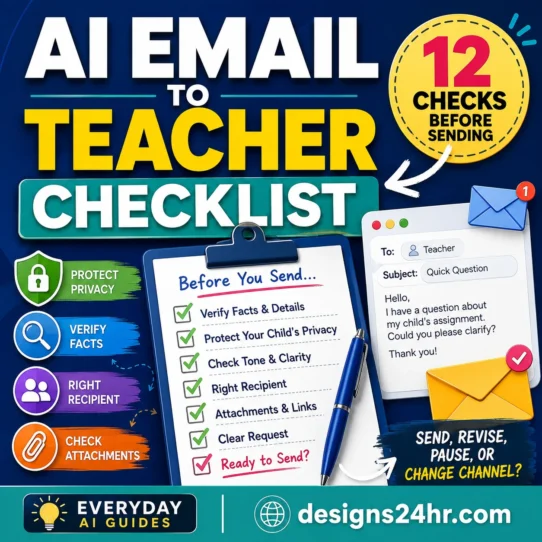
School communication can also create extra scheduling work. If you need to respond to a teacher about an event, timing issue, or school matter, use the AI email-to-teacher checklist to review the message before sending it.
The principle is simple: the family calendar should coordinate time, not become the storage place for every family task, note, routine, or conversation.
9. A Practical Family Schedule Checklist
- Choose one shared calendar as the source of truth.
- Decide what qualifies as a shared calendar event.
- Gather dates before connecting accounts to new services.
- Remove private details AI does not need.
- Ask AI to create proposed events, not final decisions.
- Tell AI never to guess missing information.
- Review date, time, person, place, recurrence, and privacy.
- Keep flexible tasks in a task list.
- Check app permissions before connecting calendars or email.
- Run a short weekly family schedule reset.
If you follow that process, the question of how to organize a family schedule becomes much simpler: one system holds the commitments, AI reduces the repetitive work, and people remain responsible for the decisions.
10. Frequently Asked Questions
What is the best way to organize a family schedule?
Use one shared calendar for commitments the household needs to coordinate, keep ordinary tasks outside it, and review the coming week regularly. The specific calendar app matters less than having one reliable source of truth that everyone understands.
Can AI create a family calendar for me?
AI can turn selected dates and messages into proposed calendar entries, summarize schedules, and identify potential conflicts. It is safer to review the output before saving events rather than assuming AI correctly interpreted every date, location, person, or recurring rule.
Should everyone in the family use the same calendar?
Not necessarily. Family members can keep personal or work calendars while sharing the commitments that affect household coordination. The key is having one agreed place where shared events appear.
What family information should I avoid sharing with AI?
Avoid unnecessary sensitive details such as passwords, medical diagnoses, full birth dates, private school records, custody information, financial details, confidential workplace information, or precise location histories. Share the minimum information needed for the scheduling task.
How often should a family schedule be updated?
Update confirmed changes as they happen, then use a short weekly review to catch conflicts, transportation issues, preparation tasks, missing details, cancellations, and outdated reminders.
11. Final Takeaway
The best family scheduling system is not the one with the most automation. It is the one your household can trust.
Choose one calendar. Collect only the commitments that matter. Let AI organize selected information, not make decisions. Review every event before saving it. Keep unnecessary private details out of the workflow. Then reset the schedule together once a week.
AI organizes the details. Your family stays in control.
Related Everyday AI Guides
Editorial note: This guide provides practical organization and privacy guidance, not legal advice. Product permissions, privacy practices, and AI features can change, so review the current settings and policies of any service before connecting family accounts or sharing sensitive information.