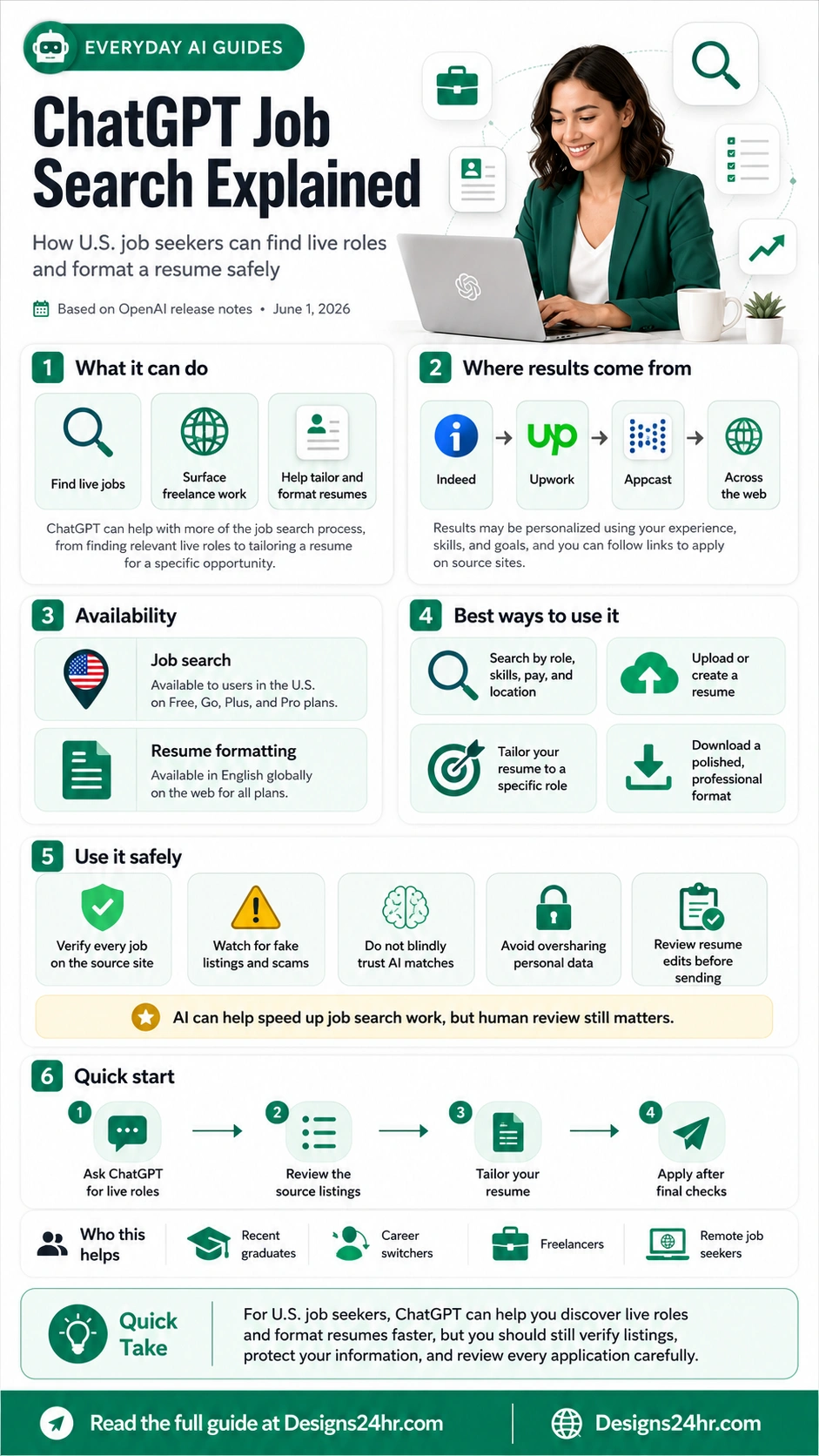
ChatGPT Job Search Explained: How U.S. Job Seekers Can Find Live Roles and Format a Resume Safely
ChatGPT can now help with more of the job search process, including live job listings, freelance opportunities, resume tailoring, and polished resume formatting. Here is what U.S. job seekers should know before using it.
ChatGPT job search can help U.S. users discover live roles, compare opportunities, and tailor a resume, but job seekers should still verify every listing on the original source site and review every application before sending.
Job searching can feel like a full-time job by itself. You have to find real openings, compare roles, update your resume, write follow-up messages, avoid fake listings, and keep track of every application. Now, ChatGPT is becoming more useful for that process.
According to OpenAI’s ChatGPT release notes, ChatGPT can help with more of the job search process, from finding relevant live roles to tailoring a resume for a specific opportunity. OpenAI says ChatGPT can surface live listings and freelance opportunities from sources like Indeed, Upwork, Appcast, and across the web, and users can follow links to apply directly on the source sites.
This guide explains what ChatGPT job search can do, who can use it, how resume formatting works, and how U.S. job seekers can use AI safely without blindly trusting every result.
What Is ChatGPT Job Search?
ChatGPT job search is a ChatGPT feature that can help users find relevant live job listings and freelance opportunities based on their experience, skills, and goals. Instead of only asking ChatGPT for generic job advice, users can now ask for roles that match specific criteria such as job title, location, pay range, schedule, industry, or remote preference.
The useful part is that ChatGPT can help connect your background to real opportunities. For example, you might ask for entry-level marketing roles in Dallas, remote customer support jobs, freelance writing opportunities, or data analyst jobs that match your Excel and reporting experience.
The simple version
ChatGPT job search can help you discover live roles, understand which listings may fit your skills, and tailor your resume for a specific opportunity. It should be treated as a job search assistant, not as a replacement for your own judgment.
What ChatGPT Can Do for Job Seekers
ChatGPT can support several parts of the job search process. The strongest use is not simply “find me a job.” A better approach is to give ChatGPT your target role, skills, experience level, preferred location, salary expectations, and deal-breakers so it can help narrow the search.
Find live job listings
ChatGPT can surface relevant live roles and freelance opportunities from source sites and across the web.
Tailor your resume
ChatGPT can help adapt your resume language to a specific role, job description, or industry.
Format applications
ChatGPT can help users upload or create a resume, tailor it, and download it in a polished format.
Who Can Use ChatGPT Job Search?
OpenAI says job search is available to users in the United States on Free, Go, Plus, and Pro plans. Resume formatting is available in English globally on the web for all plans.
| Feature | Availability | What It Helps With | Important Note |
|---|---|---|---|
| ChatGPT job search | Users in the United States on Free, Go, Plus, and Pro plans | Finding live job listings and freelance opportunities | Always apply through the original source site and verify the employer. |
| Resume formatting | Available in English globally on the web for all plans | Uploading, creating, tailoring, and downloading a resume in a polished format | Review every edit before using it in a real application. |
Where ChatGPT Job Results May Come From
OpenAI says ChatGPT can surface job listings and freelance opportunities from sources like Indeed, Upwork, Appcast, and across the web. That means ChatGPT may help you discover opportunities faster, but the final application still happens on the original source site.
This is important for safety. A job listing that appears through an AI assistant should still be checked like any other job listing. Before applying, open the original listing, confirm the employer, read the requirements, check the pay and location details, and look for signs of a scam.
How to Use ChatGPT Job Search the Smart Way
The best results usually come from specific prompts. If you only type “find me jobs,” ChatGPT may not know what matters most to you. A stronger prompt gives your target role, location, experience level, preferred work style, salary expectations, and skills.
Start with your target role
Tell ChatGPT what kind of role you want. Be specific about job title, industry, seniority level, and whether you want full-time, part-time, contract, freelance, hybrid, remote, or onsite work.
Add your location and pay range
For U.S. job seekers, location matters. Include your city, state, remote preference, commute limit, and salary range if you have one.
Share your strongest skills
List the skills you want matched to job listings, such as customer support, Excel, project management, sales, writing, bookkeeping, social media, data analysis, coding, or operations.
Ask for source links
Ask ChatGPT to include the source site for each role so you can verify the listing and apply directly through the original page.
Review before applying
Use ChatGPT to help compare roles, but make the final decision yourself. Check the company, pay, responsibilities, location, and application instructions.
Best ChatGPT Prompts for Job Search
Use these prompt examples as starting points. Replace the brackets with your own details.
Prompt for finding live roles
Find live job listings for [target role] in [city/state or remote]. I have [years of experience] and skills in [skill list]. Prioritize roles with [salary range], [schedule preference], and [industry preference]. Include source links so I can verify and apply on the original site.
Prompt for comparing job listings
Compare these job listings based on fit for my background, salary potential, required skills, remote or onsite expectations, and red flags. Give me a ranked list and explain what I should check before applying.
Prompt for tailoring a resume
Review my resume against this job description. Suggest ATS-friendly improvements, stronger bullet points, missing keywords, and sections that should be rewritten. Do not invent experience or metrics I did not provide.
Prompt for recruiter follow-up
Write a professional follow-up message for a recruiter after I applied to [role]. Keep it brief, polite, confident, and specific. Mention my experience in [skill/field] and ask about next steps.
For stronger custom prompts, try the free AI Prompt Generator and adapt the result to your target job search.
How Resume Formatting Works in ChatGPT
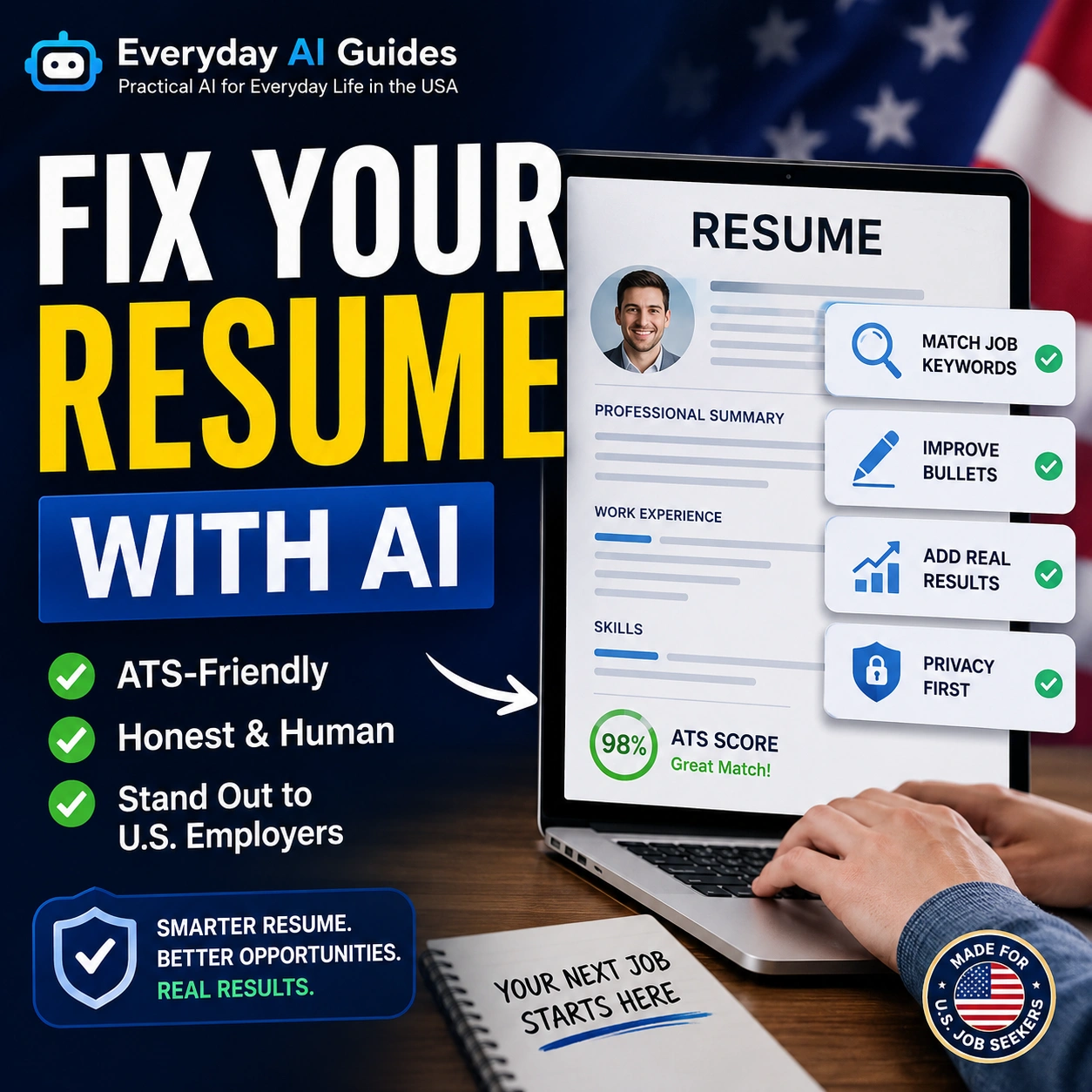
OpenAI says users can upload or create a resume in ChatGPT, tailor it to a specific role, and download it in a polished, professional format. This can save time for job seekers who need a cleaner resume version quickly.
However, resume formatting is not the same as resume truth-checking. AI may improve wording, structure, and presentation, but you still need to confirm that every bullet point, date, skill, employer, number, certification, and achievement is accurate.
Use resume formatting for:
- Cleaning up messy formatting
- Improving bullet point clarity
- Making job titles and sections easier to scan
- Tailoring keywords to a specific role
- Creating a polished resume version for review
You can also use the free AI Resume Optimizer to improve resume bullets, strengthen wording, and make your experience clearer before applying.
What to Check Before You Apply
AI can help speed up the job search, but it should not remove your final review. Before sending an application, use this checklist.
Open the original listing on the source site and confirm that the job is still active.
Search the company website, LinkedIn page, and trusted review sites before sharing personal details.
Confirm salary range, state requirements, remote rules, travel expectations, and schedule details.
Be careful with vague companies, strange email domains, fake checks, equipment-purchase requests, and urgent pressure.
Do not overshare sensitive data during early screening or through unverified links.
Check your resume, cover letter, email, and application answers before submitting.
How to Avoid Fake Job Listings and AI Job Search Mistakes
Scammers often target job seekers because people are under pressure to move quickly. AI can help you find opportunities faster, but faster is not always safer. Treat every listing as something that needs verification.
Red flags to watch for
- The company asks you to pay for training, equipment, software, or background checks through unusual methods.
- The recruiter uses a personal email instead of a company domain.
- The job promises unusually high pay for very little work.
- The employer asks for bank details, Social Security number, or ID documents too early.
- The interview happens only through text messages with no clear company verification.
- The listing has vague responsibilities, copied wording, or inconsistent company details.
If something feels suspicious, slow down. Ask ChatGPT to help you make a verification checklist, but do not rely on AI alone to decide whether a job is real.
ChatGPT Job Search for Different Types of Job Seekers
Different job seekers can use the feature in different ways. The best strategy depends on your career stage and target role.
| Job Seeker Type | Best ChatGPT Use | What to Be Careful About |
|---|---|---|
| Recent graduates | Finding entry-level roles, internships, and resume wording based on school projects or part-time work | Do not exaggerate experience or claim skills you cannot explain in an interview. |
| Career switchers | Translating past experience into new role keywords and finding bridge roles | Make sure your resume clearly explains transferable skills without sounding generic. |
| Remote job seekers | Filtering roles by remote, hybrid, state restrictions, schedule, and time zone | Verify whether “remote” means fully remote, U.S.-only, state-specific, or hybrid. |
| Freelancers | Finding freelance opportunities and tailoring proposals to client needs | Avoid suspicious clients, unpaid test projects, and unclear payment terms. |
| Laid-off workers | Finding roles quickly, updating resumes, and preparing follow-up messages | Do not rush into listings that pressure you for personal information or money. |
A Simple Job Search Workflow Using ChatGPT
Here is a practical workflow for U.S. job seekers:
- Search: Ask ChatGPT for live roles that match your target title, location, salary range, skills, and experience level.
- Verify: Open each source link and confirm the listing is real and active.
- Compare: Ask ChatGPT to compare the top roles based on fit, requirements, pay, location, and red flags.
- Tailor: Use ChatGPT or the AI Resume Optimizer to improve your resume for the selected role.
- Prepare: Use the AI Interview Coach to practice interview answers for the role.
- Follow up: Use What To Say? or How Do I Say This? to write professional recruiter messages.
What ChatGPT Job Search Should Not Do for You
ChatGPT can be a strong assistant, but it should not make every decision for you. Job searching affects your income, privacy, career direction, and personal information, so human review still matters.
Do not use ChatGPT to:
- Apply to jobs without reading the full job description
- Invent resume achievements, numbers, certifications, or employers
- Send personal documents to unverified recruiters
- Accept job offers without checking the employer
- Ignore your own judgment when something feels wrong
- Submit AI-written answers without proofreading and personalizing them
Best Designs24hr Tools to Use After ChatGPT Job Search
After ChatGPT helps you find a role, use simple tools to improve your application and communication before sending anything.
Use the AI Resume Optimizer to rewrite weak bullets, improve clarity, and better match your target role.
Use the AI Interview Coach to prepare for behavioral, technical, situational, and salary negotiation questions.
Use the AI Prompt Generator to write stronger prompts for job search, resume tailoring, and interview prep.
Use What To Say? or How Do I Say This? to create professional follow-ups, replies, and networking messages.
Final Takeaway
ChatGPT job search can make the job hunt faster, but it should not make you careless. For U.S. job seekers, the feature can help surface live roles, freelance opportunities, and resume formatting help. The best results come when you provide clear criteria, verify every listing, tailor your resume honestly, and review every application before submitting.
Think of ChatGPT as your job search assistant. It can help you search, organize, compare, draft, and prepare. You still make the final decision, protect your data, and choose which opportunities deserve your time.
You can read OpenAI’s original update in the ChatGPT release notes, then use Designs24hr’s free tools to improve your resume, prompts, interview answers, and recruiter messages.
Frequently Asked Questions
What is ChatGPT job search?
ChatGPT job search is a ChatGPT feature that can help users find relevant live job listings and freelance opportunities based on their experience, skills, goals, and job search preferences.
Can ChatGPT show live job listings?
Yes. OpenAI says ChatGPT can surface live listings and freelance opportunities from sources like Indeed, Upwork, Appcast, and across the web, with links to apply on the original source sites.
Who can use ChatGPT job search?
OpenAI says job search is available to users in the United States on Free, Go, Plus, and Pro plans.
Can ChatGPT format my resume?
Yes. OpenAI says users can upload or create a resume in ChatGPT, tailor it to a specific role, and download it in a polished, professional format. Resume formatting is available in English globally on the web for all plans.
Should I trust every job listing ChatGPT shows?
No. Always verify job listings on the original source site, check the employer’s website, look for scam signs, and avoid sharing sensitive personal information too early.
Is ChatGPT job search useful for freelancers?
Yes. OpenAI says ChatGPT can surface freelance opportunities from sources like Upwork and across the web, which can help freelancers discover potential projects faster.
Can ChatGPT write my resume for me?
ChatGPT can help write, format, and tailor resume content, but you should review every section carefully. Do not allow AI to invent experience, metrics, certifications, employers, or achievements.
Use AI to Apply Smarter, Not Riskier
Keep learning with Everyday AI Guides and use free Designs24hr tools to improve your resume, interview prep, prompts, and professional messages.
Visit Everyday AI Guides AI for Work & Productivity Try AI Resume Optimizer Try AI Interview Coach