Before You Use AI to Reply to Google Reviews, Use This Checklist
An AI review response can save your small business time, but the final reply still needs to sound human, match the customer’s experience, protect privacy, and avoid fake or misleading review mistakes.
This guide shows you how to use AI for Google review replies without sounding robotic, defensive, or fake.
If you run a local business, every review reply is public. Future customers may read your response before they call, book, visit, or buy. That means your reply is not just customer service. It is also part of your reputation.
You can use AI to draft a first version, improve your tone, shorten a long reply, or handle difficult wording. But you should not use AI to fake customer trust. The goal is simple: respond faster while still sounding like a real, responsible business.
Google explains that local search results are based mainly on relevance, distance, and prominence, and complete business information can help customers understand what your business does, where it is, and when they can visit. The FTC has also made fake reviews and misleading testimonials a serious enforcement issue, including AI-generated fake reviews.
What Is an AI Review Response?
An AI review response is a customer review reply that you draft, rewrite, shorten, or improve with the help of an AI tool. For example, you might paste a Google review into an AI tool and ask it to create a short, friendly reply. You might also ask AI to make your draft sound calmer, warmer, or more professional.
The important word is draft. AI should not be the final decision-maker. You should review every response before posting because AI may add details that are not true, sound too generic, make promises you cannot keep, or miss the emotional tone of the review.
You can use AI to create a first version when you are busy, stuck, or unsure how to start.
You can ask AI to make a review reply warmer, calmer, shorter, more polite, or easier to read.
You should check accuracy, privacy, wording, promises, and whether the reply sounds like your business.
Why Review Replies Matter for U.S. Small Businesses
Review replies matter because they show how your business listens. A thoughtful reply can make a happy customer feel appreciated. A calm reply to a negative review can show future customers that you take concerns seriously.
Even when a review is unfair or incomplete, your response can still protect trust. Many future customers are not only judging the reviewer. They are also judging how you respond under pressure.
A current, thoughtful reply shows that your business pays attention to customer feedback.
People who compare local options often read both the review and the business response.
A calm reply can move complicated customer issues into a private conversation instead of a public argument.
What AI Can Help With in Google Review Replies
AI works best when you give it a clear job. Instead of asking AI to “handle reviews,” ask it to help with one specific task, such as drafting a thank-you reply, softening defensive wording, shortening a long message, or creating a calm response to a complaint.
Use AI to create a starting point when you need to respond quickly.
Turn a cold or defensive reply into a warmer, more professional response.
Ask AI to identify the customer’s main compliment, complaint, or concern before you reply.
Make the response easier for customers to read without removing the main point.
Use AI to remove angry, defensive, or emotional phrasing before you post publicly.
Build flexible reply structures for positive, negative, mixed, and unclear reviews.
Need help making a reply sound warmer?
Use Designs24hr’s free How Do I Say This? tool to rewrite a review reply in a better tone before you post it publicly.
What AI Should Never Do With Reviews
AI should never be used to create fake reviews, fake testimonials, fake customer stories, or fake praise. There is a big difference between using AI to reply to a real review and using AI to pretend a customer had an experience that never happened.
You should also avoid using AI to minimize real complaints, manipulate review sentiment, or make your business sound more perfect than it is. Trust is stronger when your replies sound honest and specific.
You use AI to improve a real response to a real customer review, then check the final wording yourself.
You use AI to invent customer praise, fake star ratings, or misleading testimonials.
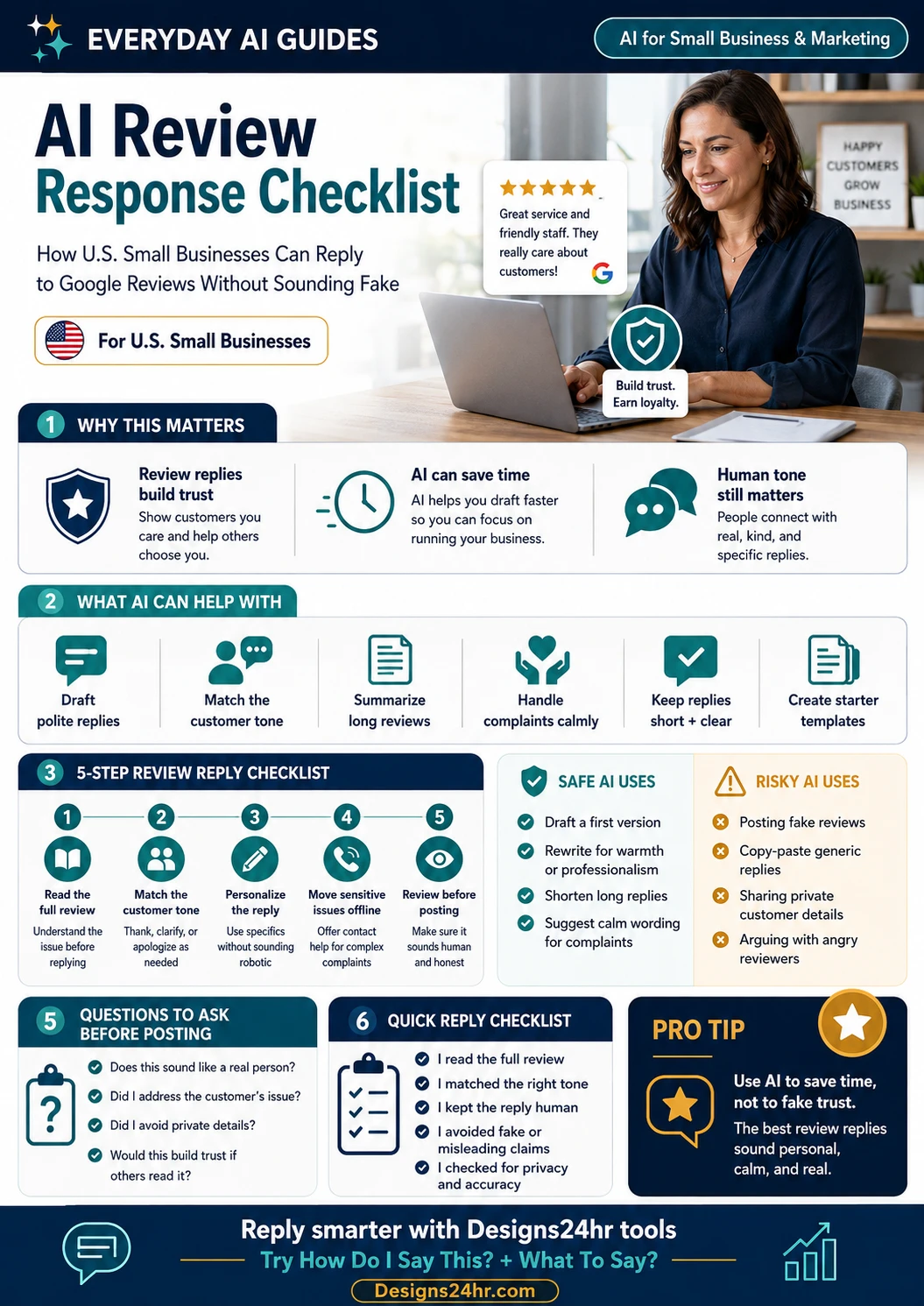
Step 1: Read the Full Review Before Replying
Before you paste a review into an AI tool, read it yourself. Look at the star rating, the customer’s words, the emotional tone, and any specific details they mention. Decide whether the customer is happy, upset, confused, disappointed, or sharing a mixed experience.
Understand the customer’s main point
Ask yourself: What is the customer actually saying? What do they want to be heard on? What should your business avoid saying publicly?
Step 2: Match the Customer’s Tone
A happy review usually needs a warm thank-you. A frustrated review needs a calm and respectful response. A mixed review needs balance. If every response uses the same tone, your business can sound robotic even when the message is technically polite.
Keep the response human
You do not need fancy wording. You need the customer to feel heard and future customers to see that your business responds with care.
| Review Type | Best Tone | What Your Reply Should Do |
|---|---|---|
| Positive review | Warm and thankful | Thank the customer and mention a real detail if possible. |
| Detailed positive review | Specific and appreciative | Respond to one detail from the review so it does not sound copied. |
| Mixed review | Balanced and respectful | Thank them for the positive part and acknowledge the concern. |
| Negative review | Calm and helpful | Avoid arguing and invite the customer to contact your business directly. |
| Unclear review | Polite and curious | Thank them and ask them to contact you privately with more details. |
Handling a difficult customer review?
Use Designs24hr’s What To Say? tool to find calm wording that protects trust without sounding defensive.
Step 3: Personalize the Reply Without Sharing Private Details
Personalization helps your reply sound real, but public replies need privacy protection. You can mention public details from the review, such as a compliment about your team, service, product, appointment, food, repair, delivery, or customer experience.
You should not mention private customer information, account details, addresses, phone numbers, payment issues, health details, order problems, or anything the customer did not publicly share.
Use public details only
If the customer publicly says the appointment was quick, you can thank them for mentioning that. If you know private details from your records, keep those out of the public reply.
Thanks, Lisa. We checked your account and saw the billing issue from Tuesday. Our manager called your cell phone after your appointment.
Thank you, Lisa. We appreciate you sharing your experience. If there is anything else we can help with, please contact our team directly.
Step 4: Handle Negative Reviews Calmly
Negative reviews can feel personal, especially when you work hard to serve customers. But a public review reply is not the place to argue. Future customers are watching how your business responds under pressure.
Acknowledge, stay professional, and move details offline
A strong negative-review reply usually acknowledges the concern, avoids private details, stays calm, and invites the customer to contact your business directly.
That is not what happened. You are leaving out important details. Please remove this review.
We’re sorry to hear about your experience. We’d like to understand what happened and see how we can help. Please contact our team directly so we can look into this.
Does the review need a private follow-up?
If the customer complaint needs more than a public reply, use Designs24hr’s AI Email Reply Generator to write a calm private follow-up email before contacting the customer.
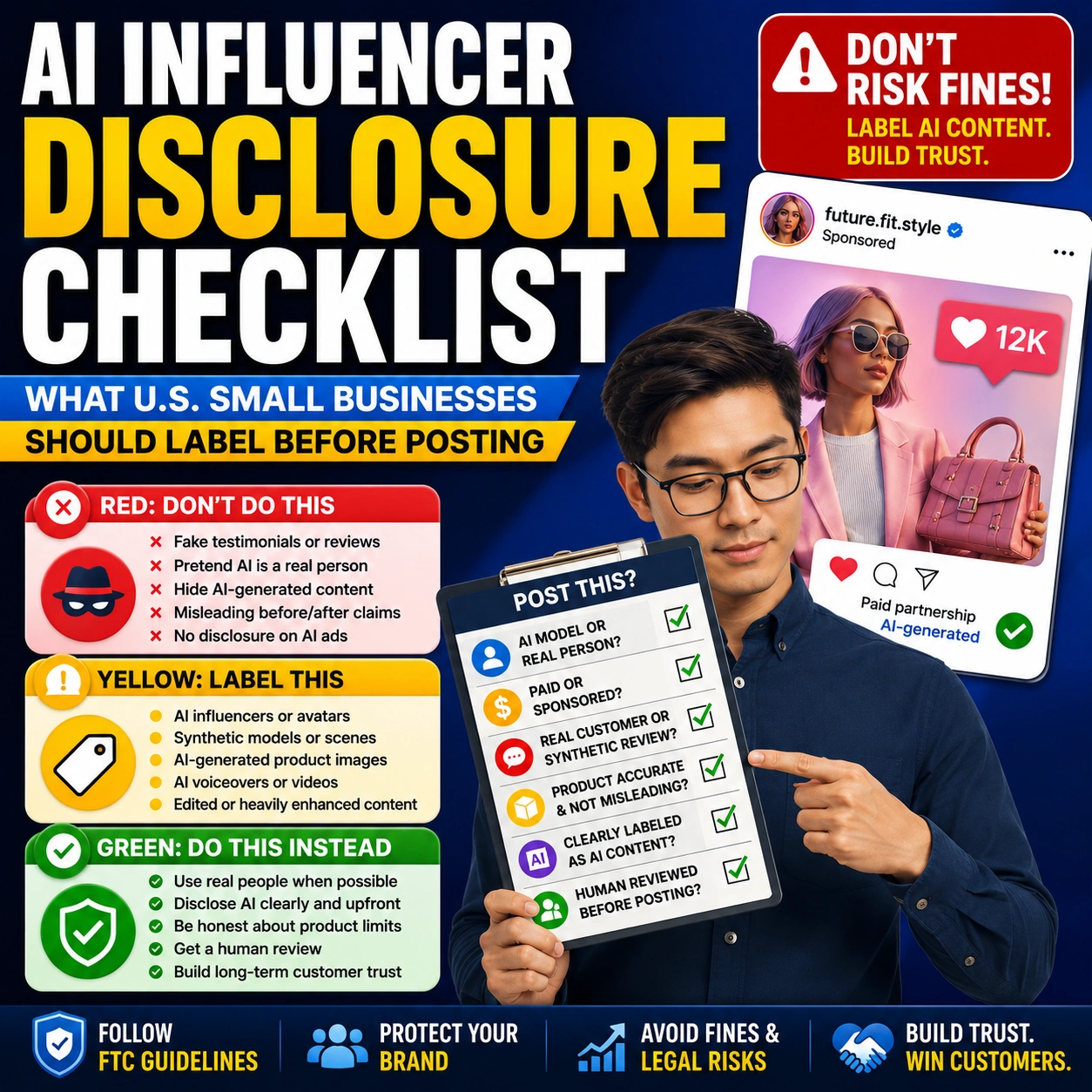
Step 5: Avoid Fake Reviews, Fake Praise, and Review Manipulation
AI should never become a shortcut for fake reputation building. You should not ask AI to write fake customer reviews, fake testimonials, or fake stories. You should not ask employees, friends, family, or insiders to leave reviews without proper disclosure. You should not pressure customers to leave only positive reviews or try to suppress honest negative feedback in a misleading way.
Separate review replies from fake reviews
A review reply is your business responding to a real review. A fake review pretends to be a customer. AI can help you draft the reply, but it should never create fake customers.
Never ask AI to create fake customer stories, fake star ratings, or fake testimonials.
Avoid claims like “everyone loves us” or “we always fix every problem” unless they are accurate.
Treat honest negative feedback as a chance to respond professionally, not something to manipulate.
Good vs Bad AI Review Response Examples
Use these examples to make your Google review replies more human, specific, and trustworthy.
Positive review
Thanks.
Thank you, Jessica! We’re glad you had a great experience with our team. We appreciate you taking the time to share your review.
Detailed positive review
We appreciate your feedback and value your business.
Thank you, Mark! We’re happy to hear the appointment was quick and the team explained everything clearly. We appreciate your support and hope to see you again soon.
Negative review
That is not what happened. Please remove this review.
We’re sorry to hear about your experience, Sarah. We’d like to understand what happened and see how we can help. Please contact our team directly so we can look into this.
Mixed review
Thanks for the feedback.
Thank you for sharing this, David. We’re glad part of your experience went well, and we’re sorry the wait time was frustrating. Your feedback helps us improve.
Unclear review
Can you explain what you mean?
Thank you for your feedback. We’d like to better understand your experience so we can help. Please contact our team directly with more details.
Safe AI Prompts for Review Replies
The best prompts are specific, privacy-aware, and trust-focused. Tell AI what kind of review you are responding to, what tone you want, and what the draft should avoid.
Need a safer AI prompt before drafting?
Use Designs24hr’s AI Prompt Generator to create a clear, privacy-safe prompt before you draft a review response.
Quick Checklist Before Posting an AI Review Response
Before you post any AI-assisted review reply, use this checklist.
You understand the customer’s main compliment, complaint, or concern before replying.
The reply fits the customer’s experience instead of sounding like a copied script.
The response sounds like a real person from your business.
You used public details from the review only and avoided private customer information.
You did not exaggerate, invent, or add details that are not true.
You did not argue, blame, insult, or get defensive in public.
You did not offer refunds, fixes, or outcomes unless your business can actually follow through.
If a new customer reads this reply, it should make your business look honest and professional.
How to Build Simple Review Reply Templates Without Sounding Generic
Templates can save time, but you should not copy and paste the same reply to every customer. A good template gives you a structure. You still need to add real context from the review.
| Review Situation | Template Structure | What to Personalize |
|---|---|---|
| Happy customer | Thank them + mention detail + invite them back | Name, service, product, staff mention, or specific compliment |
| First-time customer | Thank them + welcome them + appreciate their visit | What they tried, booked, bought, or appreciated |
| Repeat customer | Thank them + recognize loyalty + keep it warm | Repeat visit, ongoing trust, or long-term relationship |
| Mixed review | Thank them + acknowledge good part + address issue calmly | The positive detail and the concern they raised |
| Negative review | Acknowledge concern + avoid private details + invite direct contact | The general issue without exposing private information |
When to Move a Review Conversation Offline
Some reviews should not turn into a long public conversation. If the issue involves billing, appointments, account details, employee details, delivery problems, legal concerns, safety issues, or a complicated complaint, keep the public reply short and invite the customer to contact your business directly.
Acknowledge the concern, stay calm, and invite the customer to contact your business directly.
Reveal private details, argue with the customer, or try to prove the reviewer wrong in front of future customers.
Final Takeaway
AI can help your small business respond to Google reviews faster, but the best replies still need human judgment. You should read the review, match the tone, personalize safely, protect privacy, avoid fake claims, and make sure every reply sounds like a real person from your business.
The strongest review strategy is not to sound perfect. It is to sound honest, calm, helpful, and trustworthy. When you use AI that way, you can save time without faking trust.
Reply smarter with Designs24hr tools
Use free Designs24hr tools to rewrite review replies, find the right words for difficult customer situations, create safer AI prompts, and draft private follow-up emails.
FAQs About AI Review Responses
Can small businesses use AI to respond to Google reviews?
Yes, small businesses can use AI to draft or improve Google review replies, but every response should be reviewed by a real person before posting. The reply should be accurate, respectful, and specific to the customer’s experience.
Is it okay to copy and paste the same AI reply to every review?
It is better not to. Generic replies can make your business sound robotic and careless. Use AI as a starting point, then personalize each reply based on the review.
Can AI write replies to negative reviews?
Yes, AI can help draft calm and professional replies to negative reviews. However, your business should avoid arguing, sharing private details, blaming the customer, or making promises it cannot keep.
What should a small business say in a positive review reply?
Thank the customer, mention a specific detail if possible, and keep the reply warm and short. The goal is to show appreciation without sounding fake or overly promotional.
What should a business avoid when replying to reviews with AI?
Avoid fake reviews, fake praise, copied generic replies, private customer details, defensive language, exaggerated claims, and review manipulation.
Can AI help with Google Business Profile reviews?
Yes, AI can help draft responses, summarize review themes, and improve tone. Businesses should still follow platform guidelines, protect customer privacy, and make sure every public reply is accurate.
Does responding to reviews help local businesses?
Responding to reviews can show customers that your business is active, attentive, and willing to listen. Helpful, professional replies can support trust when future customers compare local options.
Are AI-generated fake reviews allowed?
No. Businesses should not use AI to create fake customer reviews or misleading testimonials. A review reply is different from a fake review because it responds to a real customer review instead of pretending to be a customer.
How long should a Google review reply be?
Most review replies should be short and clear. A few sentences are usually enough. For serious complaints, invite the customer to contact your business privately instead of writing a long public argument.
What is the best way to use AI for review responses?
Use AI to draft, shorten, soften, or improve the tone of a response. Then review it yourself, add real context, remove anything inaccurate, and make sure it sounds like your business.
Helpful Sources and Related Tools
Use these trusted resources and free Designs24hr tools to respond to reviews more carefully, protect customer trust, and improve your small business marketing workflow.