AI for Parents & Families
AI Summer Learning Plan Checklist for U.S. Parents
An AI summer learning plan can help your child keep reading, math, curiosity, and project skills active during summer break. The goal is not to turn summer into school all day. The goal is to use AI as a parent-guided helper so your child keeps thinking, asking questions, and learning in a balanced way.
This checklist shows you how to use AI for summer learning without letting it become an answer machine. You will learn how to set simple goals, build a weekly routine, protect privacy, encourage offline play, and help your child practice critical thinking.
Why Parents Are Searching for AI Summer Learning Plans
Summer break can be a great time for kids to rest, play, read, explore hobbies, and build confidence without the pressure of the school year. But many parents also worry about learning loss, screen time, AI shortcuts, and whether kids are still practicing real thinking skills.
That concern makes sense. Microsoft’s 2026 AI in Education Report says AI use in education is already widespread, while academic integrity and responsible-use guardrails remain major concerns. RAND also found that student AI homework use increased in 2025 and that many students worry AI use may harm critical thinking.
For parents, the best answer is not panic or unlimited access. A stronger approach is a simple AI summer learning plan: clear goals, short practice sessions, safe tools, parent review, and lots of real-world learning.
The parent-first rule
AI should help your child understand, practice, brainstorm, and ask better questions. It should not do the thinking, reading, writing, or problem-solving for them.
What AI Can Help With During Summer Break
AI can be useful when you treat it like a learning helper, not a replacement for effort. It can create reading questions, explain confusing topics, make practice problems, suggest projects, and help you plan a realistic week.
For example, you can use the AI Daily Task Planner to turn summer goals into a simple daily routine, the Explain This For Me tool to simplify confusing topics, and the AI Prompt Generator to create better parent-supervised prompts.
Get book ideas, vocabulary help, chapter questions, and simple reading discussions.
Create short practice sets, real-life examples, and step-by-step explanations.
Brainstorm science, writing, art, cooking, nature, and curiosity projects.
Build a flexible schedule that includes learning, play, chores, hobbies, and rest.
Ask better questions after reading, watching a documentary, or visiting a museum.
Help kids practice without shame, pressure, or long worksheets every day.
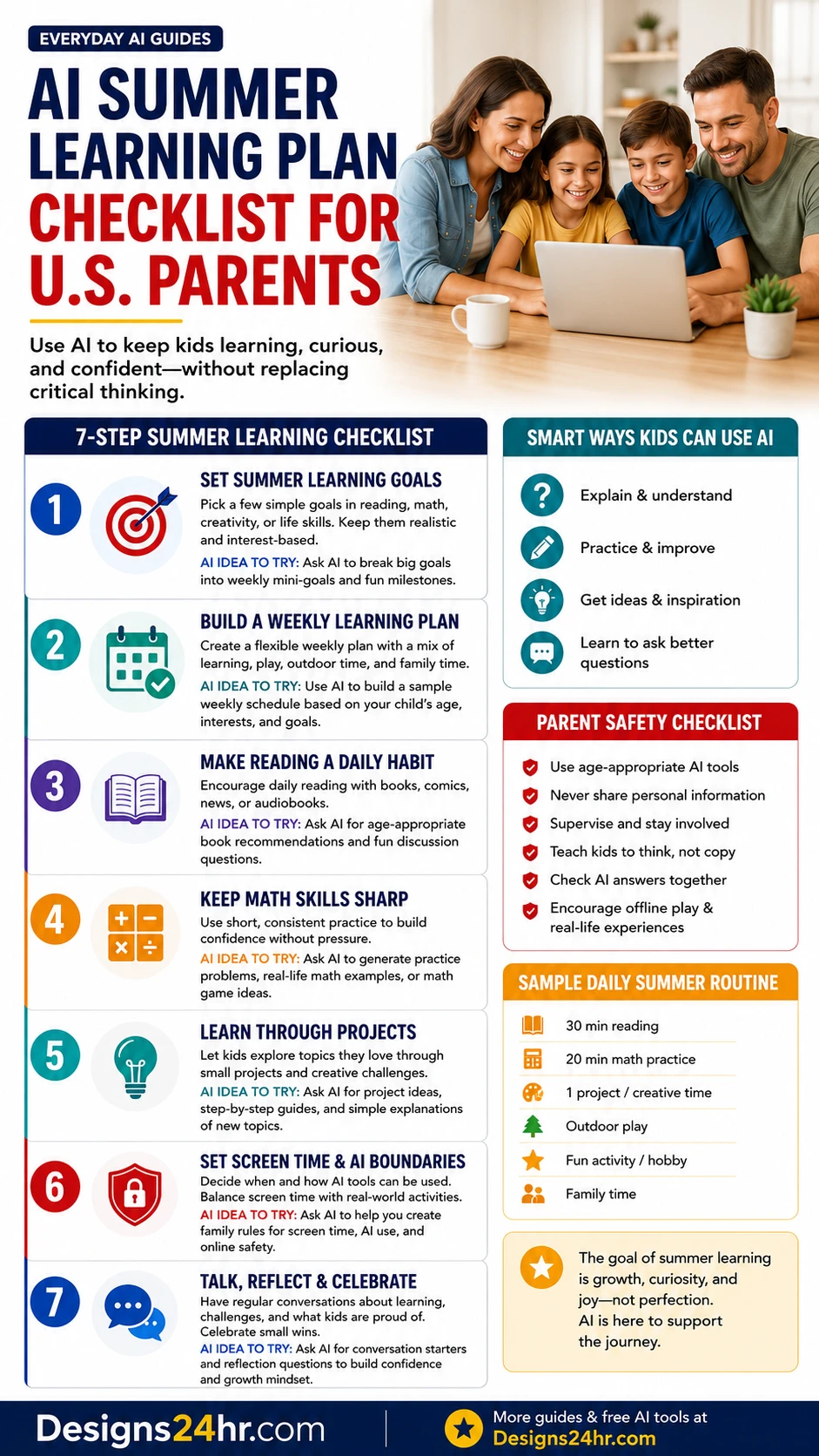
AI Summer Learning Plan Checklist
Use this AI summer learning plan checklist to create a simple routine your family can actually follow. Keep it flexible. Summer learning should feel steady, curious, and manageable, not exhausting.
Set simple summer learning goals
Start with a few goals instead of a huge plan. Choose one reading goal, one math or skill goal, one creative goal, and one real-world curiosity goal. Keep the goals realistic for your child’s age, energy, and summer schedule.
Good goals might include reading four books, practicing multiplication facts three times a week, writing one short story, learning basic cooking skills, or completing one nature project.
Create a simple summer learning plan for a child age [age]. Include reading, math, creativity, outdoor learning, and family discussion. Keep it realistic, fun, and parent-supervised.
Build a weekly learning routine
A weekly routine helps kids know what to expect. You do not need a strict school-style schedule. A simple rhythm can work better: reading most days, math a few days a week, one project block, outdoor play, and a short family check-in.
Use AI to draft the routine, then adjust it for your real family life. If your child has camp, travel, chores, or sports, build around those first.
Build a flexible weekly summer learning schedule for my child. Include short reading, math, project, outdoor, and family reflection blocks. Keep each learning block under 30 minutes.
Make reading a daily habit
Reading is one of the simplest summer learning habits. AI can suggest age-appropriate books, create discussion questions, explain vocabulary, and help parents turn reading into conversation.
The important part is that your child still reads the book, article, comic, or audiobook. AI can support the discussion, but it should not replace the reading experience.
Suggest 10 age-appropriate summer books for a child who likes [interest]. For each book, give one discussion question and one fun activity connected to the story.
Keep math skills sharp
Math practice does not need to be long. Short, consistent practice can help your child keep confidence. AI can create practice problems, explain a step, or turn math into everyday examples like recipes, sports scores, shopping, time, and measurement.
Ask your child to show the work and explain the answer. That one step keeps AI from becoming a shortcut.
Create 10 short math practice problems for a child learning [skill]. Include real-life examples and ask the child to explain their thinking before checking the answer.
Learn through projects
Summer is perfect for projects because kids have more space to explore. AI can help brainstorm ideas, break a project into steps, create a supply list, and suggest safe ways to learn more.
Projects can be simple. Your child might grow herbs, make a weather journal, create a family recipe book, build a cardboard city, design a backyard scavenger hunt, or write a short comic.
Give me five simple project ideas for a child interested in [topic]. For each project, include the goal, materials, steps, safety notes, and one question that encourages critical thinking.
Set screen time and AI boundaries
Before your child uses AI, decide when, where, and how it can be used. Clear rules reduce arguments and help kids understand that AI is a tool with limits.
Good rules might include using AI only in a shared room, never sharing personal information, asking a parent before using a new tool, checking AI answers together, and balancing screen time with outdoor play and offline activities.
Create simple family rules for safe AI use during summer learning. Include privacy, screen time, parent supervision, checking answers, and when AI should not be used.
Talk, reflect, and celebrate progress
Reflection turns activities into learning. At the end of the day or week, ask your child what they learned, what felt hard, what surprised them, and what they want to explore next.
Celebrate effort, curiosity, patience, and problem-solving. The goal of an AI summer learning plan is growth, not perfection.
Create five simple reflection questions I can ask my child after a summer learning activity. Make the questions encouraging, age-appropriate, and focused on effort and curiosity.
Smart Ways Kids Can Use AI Without Copying
AI becomes more useful when kids use it to think better, not to skip thinking. Teach your child the difference between help and copying before summer learning starts.
| AI use | Helpful version | Risky version |
|---|---|---|
| Reading | Ask for vocabulary help, discussion questions, or a simple explanation after reading. | Ask AI for a full summary instead of reading the book. |
| Math | Ask for a hint, a similar example, or a step-by-step explanation after trying first. | Paste the problem and copy the final answer. |
| Writing | Brainstorm ideas, organize an outline, or ask how to improve clarity. | Let AI write the whole paragraph or story. |
| Projects | Ask for project ideas, materials, safety notes, and questions to investigate. | Copy a project report without doing the activity. |
| Research | Ask what to search for, then verify facts with trusted sources. | Assume every AI answer is correct. |
Parent Safety Checklist for AI Learning
AI learning at home needs safety rules. Common Sense Media’s 2026 AI Use by Tweens and Teens research found that kids are already using AI widely, including for schoolwork and homework, while many families have not had a parent-child conversation about AI safety.
Do this
- Use age-appropriate AI tools whenever possible.
- Keep AI use in shared family spaces for younger kids.
- Ask kids to try first before asking AI.
- Check AI answers together.
- Teach kids to ask, “How do I know this is true?”
- Balance AI time with reading, outdoor play, hobbies, and real conversations.
- Use your child’s teacher or tutor when your child needs deeper help.
Avoid this
- Do not let kids use AI unsupervised for long sessions.
- Do not allow kids to share full names, addresses, schools, passwords, photos, or private family details.
- Do not let AI replace reading, writing, math effort, or parent guidance.
- Do not assume AI answers are always correct.
- Do not let kids use AI companionship tools as emotional support without adult awareness.
- Do not treat AI as a babysitter, teacher, or therapist.
Simple family AI rule
“AI can help us understand, practice, and get ideas. It cannot do our work, replace our thinking, or collect our private information.”
Sample Daily Summer Learning Routine
A good summer routine is short and flexible. You can use this as a starting point and adjust it for your child’s age, attention span, summer schedule, and family responsibilities.
Reading
Read a book, article, comic, or audiobook. Ask one question after reading: “What surprised you?” or “What would you do next?”
Math or skill practice
Practice one focused skill. Use AI for hints or examples, then ask your child to explain the answer in their own words.
Project or creative time
Work on a simple project, drawing, journal, experiment, cooking activity, nature observation, or building challenge.
Outdoor play and real-world learning
Protect time for movement, chores, family errands, sports, parks, gardening, or simple real-life practice.
Family reflection
Ask what your child learned, what felt hard, and what they want to try tomorrow.
Best AI Prompts for Parent-Guided Summer Learning
These prompts are designed for parents to use with AI, not for young kids to use alone. Adjust each prompt for your child’s age, reading level, interests, and needs.
Prompt 1: Build the full AI summer learning plan
Create a 4-week AI summer learning plan for a child age [age]. Include reading, math practice, creative projects, outdoor learning, and family reflection. Keep the plan light, fun, and realistic.
Prompt 2: Make reading more engaging
My child likes [interest]. Suggest five age-appropriate books or reading topics, plus one discussion question and one activity for each.
Prompt 3: Practice math without pressure
Create 10 short practice problems for [math skill]. Give hints, but do not give answers first. Include one real-life example for each type of problem.
Prompt 4: Turn curiosity into a project
My child is curious about [topic]. Create a simple project with materials, steps, safety notes, and three questions that encourage deeper thinking.
Prompt 5: Explain a confusing topic
Explain [topic] to a child age [age] using plain language, a real-life example, and one question to check understanding.
Prompt 6: Create family AI rules
Create simple family rules for safe AI use. Include privacy, screen time, parent permission, checking facts, and when AI should not be used.
What Not to Let AI Do for Your Child
The biggest mistake is letting AI remove the learning struggle completely. Kids need practice, mistakes, revision, questions, and real effort. AI can make learning easier to start, but it should not remove the work that builds understanding.
Do not let AI give every answer
Use AI for hints, examples, and explanations. Ask your child to try first, then explain the final answer back to you.
Do not skip reading
AI summaries are not a replacement for reading. Use summaries only after your child has read or listened to the material.
Do not trust every fact
AI can be wrong. Teach your child to verify important facts with books, teacher-approved sites, museums, libraries, or trusted educational sources.
Do not forget offline learning
Cooking, building, gardening, sports, library visits, family conversations, and outdoor play are still powerful learning experiences.
Trusted Resources for Safer AI Learning
Use trusted research and safety resources to shape your family’s AI rules. Microsoft’s AI in Education Report explains why students and educators need clear AI guidance. RAND’s student AI homework research highlights the difference between AI helping learning and AI replacing thinking. Common Sense Media’s AI Use by Tweens and Teens report gives parents a clearer picture of how kids use AI. Stanford SCALE’s AI in K–12 review explains why learning-focused guardrails matter.
How This Connects to School-Year AI Rules
Summer is a good time to practice safe AI habits before school starts again. If your child’s school already has AI rules, use those rules at home. If the rules are unclear, create your own family standard: try first, use AI for help, check the answer, and explain the thinking.
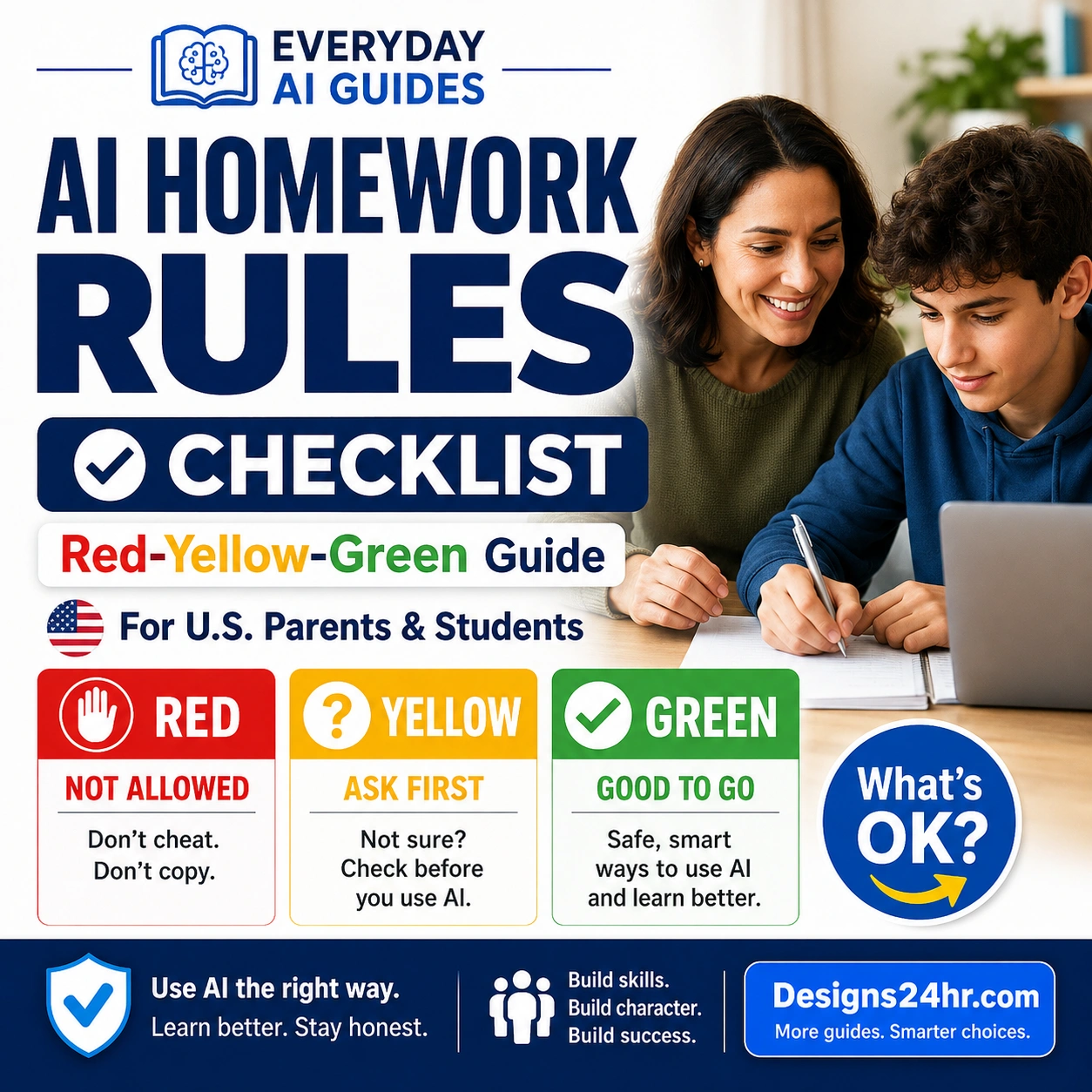
You can also review the AI Homework Rules Checklist for school-year expectations and the AI in Schools Explained guide to understand what parents should ask before kids use AI in class.
For more parent-friendly guides, browse AI for Parents & Families, explore AI for Kids & Young Learners, or visit the full Everyday AI Guides hub.
FAQs About AI Summer Learning Plans
Can parents use AI to create a summer learning plan?
Yes. Parents can use AI to create reading goals, math practice ideas, project plans, weekly schedules, discussion questions, and age-appropriate learning activities. Parents should review the plan and adjust it for the child’s needs.
Is AI safe for kids to use for summer learning?
AI can be helpful when a parent supervises it, chooses age-appropriate tools, protects personal information, and checks the answers. AI should not replace parent guidance, teachers, books, outdoor play, or real-world learning.
How can AI help kids with reading during summer?
AI can suggest age-appropriate books, create reading discussion questions, explain vocabulary, summarize difficult passages, and help parents build a simple reading routine. Kids should still read the actual book or article themselves.
How can AI help kids practice math?
AI can create practice problems, explain steps, make real-life math examples, and turn math into games. Parents should ask kids to show their work and explain how they got the answer.
How do I stop my child from using AI to copy answers?
Set clear rules before AI use. Ask your child to try first, explain their thinking, check AI answers, and rewrite ideas in their own words. Use AI for hints, examples, and questions, not direct copying.
What should kids never share with AI tools?
Kids should not share their full name, address, school name, phone number, passwords, private family details, location, medical details, photos, or anything personal without parent permission.
What is a good daily summer learning routine?
A simple routine could include 20 to 30 minutes of reading, 15 to 20 minutes of math or skill practice, one creative or curiosity project, outdoor play, and a short family reflection. The goal is consistency, not perfection.
Should AI replace tutors or teachers during summer?
No. AI can support practice and explanations, but it should not replace qualified teachers, tutors, parent guidance, or human feedback when a child needs deeper help.
What age should kids start using AI for learning?
There is no single perfect age for every child. Parents should consider the child’s maturity, school rules, tool safety, privacy settings, and whether the child can understand that AI can be wrong. Younger children should use AI only with close adult guidance.
Keep Summer Learning Helpful, Human, and Balanced
An AI summer learning plan works best when it gives your family structure without taking over your child’s thinking. Use AI to plan, explain, and practice. Then keep the real learning human: reading, asking questions, trying again, exploring outside, and talking together.