Everyday AI Guides · AI for Students & Learning
ChatGPT Study Mode Checklist: 7 Smart Tips for U.S. Students
This ChatGPT Study Mode checklist helps U.S. students use AI for better learning, homework review, quiz practice, flashcards, and exam prep without copying answers or breaking school rules.
Students are already using AI for schoolwork, but using AI well is different from letting AI do the work for you. A helpful ChatGPT Study Mode checklist should keep the learning process active: you ask questions, try answers, review mistakes, and explain the final work in your own words.
That is why ChatGPT Study Mode matters. Instead of asking ChatGPT for quick final answers, you can use Study Mode to slow the process down, get step-by-step help, practice weak areas, and build confidence before homework, quizzes, tests, essays, readings, or class discussions.
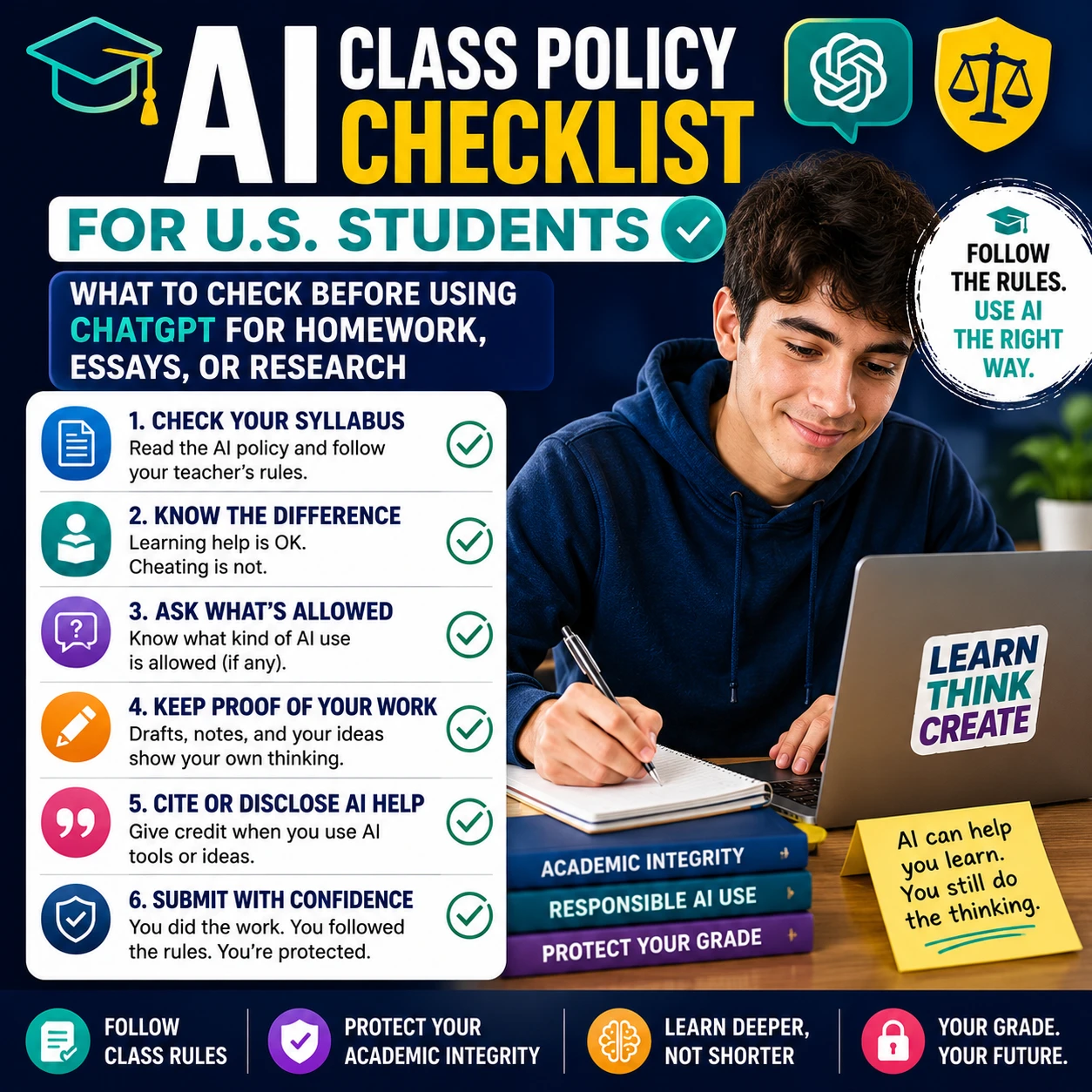
Before you use any AI tool for school, check your teacher’s policy. If your class has unclear rules, start with this related Designs24hr guide: AI Class Policy Checklist for U.S. Students.
Quick Answer: What Is ChatGPT Study Mode?
ChatGPT Study Mode is a learning-focused way to use ChatGPT. It can help you work through concepts, homework-style problems, class notes, readings, quiz prep, and practice questions step by step instead of simply giving you a final answer to copy.
In This ChatGPT Study Mode Checklist
What ChatGPT Study Mode Can Help With
ChatGPT Study Mode works best when you use it for learning support. That means you stay active in the process. You ask questions, try answers, explain what you understand, and use ChatGPT to guide your next step.
OpenAI describes Study Mode as a way to work through problems step by step and build deeper understanding. This ChatGPT Study Mode checklist keeps that same goal: use AI to learn better, not to skip the learning.
📘
Understand a Topic
Ask for a simple explanation, a real-world example, or a breakdown of confusing vocabulary.
🧠
Practice Questions
Turn your notes into quiz questions so you can test what you actually remember.
📝
Review Class Notes
Ask it to organize your notes into key ideas, terms, examples, and possible review questions.
🎯
Prepare for Tests
Build a study plan, practice weak areas, and ask for step-by-step explanations before exam day.
For broader student AI habits beyond Study Mode, read this related guide: AI Study Checklist: 7 Best Ways to Study Smarter.
ChatGPT Study Mode Checklist for Students
Use this ChatGPT Study Mode checklist before you use AI for homework, essays, research, math, science, reading, vocabulary, coding, or test prep.
7 Smart Ways to Use This ChatGPT Study Mode Checklist Without Cheating
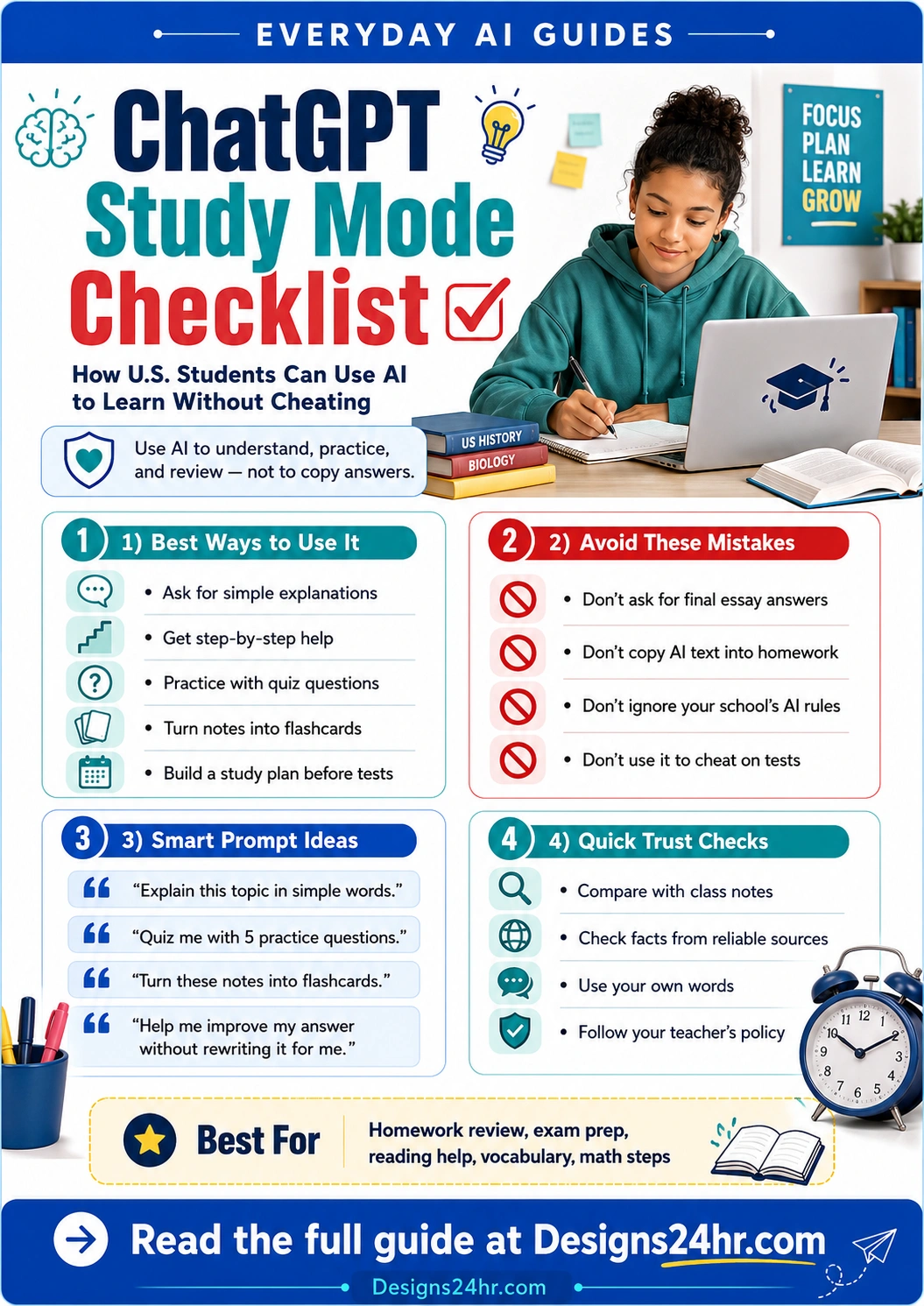
The safest way to use ChatGPT Study Mode is to keep the learning process with you. Let it guide, question, explain, and challenge you, but do not let it secretly complete graded work.
1. Ask for simple explanations
Use Study Mode when a textbook, lecture, or worksheet feels confusing. Ask it to explain the idea in plain language, then compare the explanation with your class notes.
2. Turn notes into practice questions
Paste your own notes and ask ChatGPT to quiz you. This helps you test memory and understanding instead of passively rereading.
3. Get hints before answers
For homework problems, ask for a hint first. Try the next step yourself before asking for another explanation.
4. Build flashcards from class material
Use your notes, vocabulary list, reading guide, or syllabus to create flashcard-style review questions.
5. Practice explaining your answer
After you write your own answer, ask Study Mode to question you about your reasoning so you can explain it clearly.
6. Create a study plan before a test
Give it your test date, topics, weak areas, and available time. Ask for a realistic review plan you can follow.
7. Review mistakes after you try
Show your attempt and ask what concept you misunderstood. This is much better than asking for the final answer first.
Best student mindset
Use this ChatGPT Study Mode checklist like a tutor sitting beside you. A good tutor does not secretly take the test for you. A good tutor helps you understand the next step so you can do the work yourself.
Safe ChatGPT Study Mode Prompt Examples
The prompt you use matters. A risky prompt asks AI to replace your work. A better prompt asks AI to help you learn, practice, or review.
Use These Prompts
- Explain this topic in simple words, then ask me three questions to check my understanding.
- I tried this problem and got stuck here. Give me a hint, but do not give the final answer yet.
- Turn these notes into flashcards and quiz me one question at a time.
- Help me make a 30-minute study plan for this quiz.
- Review my answer for clarity, but do not rewrite it for me.
- Ask me questions that help me find the weak parts of my explanation.
- Explain why my answer is wrong and what concept I should review.
Avoid These Prompts
- Write my final essay for me.
- Solve this graded homework and only give me the answers.
- Create fake sources for my paper.
- Rewrite this so my teacher cannot tell AI helped.
- Answer this take-home test for me.
- Make up a personal story for my assignment.
- Give me the final response so I can submit it.
Need help creating safer study prompts? Try the free Designs24hr AI Prompt Generator and focus your prompt on explaining, practicing, reviewing, or planning instead of copying.
Mini ChatGPT Study Mode Checklist for Better Prompts
Before sending a prompt, check whether it asks ChatGPT to help you learn or asks ChatGPT to replace your work.
- Does the prompt ask for a hint instead of the final answer?
- Does the prompt include what you already tried?
- Does the prompt ask for practice questions or feedback?
- Does the prompt keep the final wording in your control?
How to Use ChatGPT Study Mode for Different Subjects
A good ChatGPT Study Mode checklist should change slightly by subject. Math help is different from essay help. Science review is different from language practice. Use the table below to stay safe and practical.
| Subject | Better Study Mode Use | Avoid |
|---|---|---|
| Math | Ask for a hint, step explanation, similar practice problem, or mistake review after you try. | Copying final answers without showing your own work. |
| Science | Ask it to explain processes, vocabulary, diagrams, lab concepts, or cause-and-effect relationships. | Inventing lab data, fake observations, or unsupported conclusions. |
| English | Ask questions about themes, structure, evidence, vocabulary, or how to strengthen your own draft. | Submitting AI-written paragraphs as your own writing. |
| History | Ask for timelines, cause-and-effect summaries, key terms, or study questions based on your notes. | Using AI-generated citations, quotes, or sources without verification. |
| Foreign Language | Practice vocabulary, pronunciation, grammar patterns, sentence correction, and conversation drills. | Letting AI complete the entire assignment without learning the grammar. |
| Coding | Ask it to explain errors, debug concepts, or suggest what to check next after you attempt the code. | Submitting code you cannot explain or modify yourself. |
If an assignment instruction is confusing, paste the unclear wording into Explain This For Me to understand what the teacher is asking before you decide how to use AI.
What Not to Do With ChatGPT Study Mode
Study Mode can still be misused. A learning-focused tool does not automatically make every use acceptable. Your school, teacher, professor, or assignment instructions still matter.
High-Risk Uses to Avoid
- Submitting AI-written homework, essays, discussion posts, or lab reports as your own work.
- Using AI on quizzes, tests, exams, take-home assessments, or independent work if it is not allowed.
- Copying answers without understanding the steps.
- Letting AI invent citations, authors, quotes, page numbers, statistics, interviews, or sources.
- Using AI to hide the fact that AI helped you when your class requires disclosure.
- Relying on AI so much that you cannot explain the final answer yourself.
Simple test: if your teacher asked you to explain your answer out loud without ChatGPT open, could you explain it honestly? If the answer is no, go back to this ChatGPT Study Mode checklist and study the concept before submitting anything.
How to Check AI Answers Before You Trust Them
AI can be helpful, but it can also be incorrect, incomplete, outdated, or too confident. Students should build a quick fact-checking habit every time they use ChatGPT Study Mode.
Compare with class notes
Your teacher’s notes, slides, syllabus, and examples are usually the best guide for what your class expects.
Use the textbook
Check definitions, formulas, diagrams, dates, and assigned readings against the source your class uses.
Verify sources directly
Never cite a source just because AI named it. Open the source yourself and confirm that it exists and says what AI claims.
Ask your teacher
When class rules or answers are unclear, asking early is safer than guessing and risking a grade problem.
Parent and Teacher Trust Checks
Parents and teachers do not need to ban every AI tool to encourage responsible learning. The better question is whether the student is still thinking, practicing, and explaining the work.
For Parents
- Ask your child what they used AI for.
- Ask them to explain the assignment without the tool open.
- Look for notes, drafts, attempts, and corrections.
- Encourage study prompts instead of answer prompts.
- Check school rules before assuming AI is allowed.
For Teachers
- Tell students which AI uses are allowed and which are not.
- Give examples of acceptable study support.
- Clarify disclosure or citation expectations.
- Ask for process notes, drafts, or reflection when useful.
- Encourage students to use AI for practice, not replacement.
Trust rule
Responsible student AI use should leave a trail: class notes, attempts, questions, drafts, corrections, and a final answer the student can explain.
A Simple Study Mode Routine Students Can Follow
Use this ChatGPT Study Mode checklist routine when you want help studying without crossing into shortcut territory.
- Read the assignment or lesson first. Do not start by asking AI for the final answer.
- Make your own attempt. Write what you understand, try the problem, or outline your thoughts.
- Ask Study Mode for guidance. Request a hint, explanation, quiz, or feedback.
- Try again in your own words. Rewrite, solve, or explain the answer yourself.
- Check the result. Compare with notes, sources, examples, or teacher instructions.
- Save your process. Keep drafts, notes, and attempts if your teacher asks how you worked.
Final Takeaway: Use AI as a Study Coach
This ChatGPT Study Mode checklist can help you use AI for homework review, test prep, reading help, vocabulary, math steps, science concepts, flashcards, and practice questions. But the safest and smartest use is not copying. It is learning.
Use ChatGPT Study Mode to understand the lesson, practice the skill, check your reasoning, and build confidence. Then write, solve, explain, and submit your own work according to your class rules.
Study smarter with Designs24hr tools
Use free tools to create better prompts, simplify confusing instructions, and explore more student-friendly AI guides.
FAQs About This ChatGPT Study Mode Checklist
What is ChatGPT Study Mode?
ChatGPT Study Mode is a learning-focused way to use ChatGPT for step-by-step help, explanations, practice questions, notes review, quiz prep, and studying.
What is a ChatGPT Study Mode checklist?
A ChatGPT Study Mode checklist is a simple set of rules students can follow before using AI for school. It helps students use ChatGPT for understanding, practice, review, and study planning instead of copying answers.
Can students use ChatGPT Study Mode for homework?
It depends on the class rules. Students should check the syllabus, assignment instructions, and teacher policy before using ChatGPT on homework or anything they submit.
Is using ChatGPT Study Mode cheating?
Using Study Mode is not automatically cheating, but it can become a problem if a student copies final answers, submits AI-written work, ignores class rules, or uses AI on independent graded work where it is not allowed.
What should students avoid asking ChatGPT?
Students should avoid asking ChatGPT to write final essays, solve graded assignments, create fake citations, answer tests, or rewrite work to hide AI use.
What are the best prompts for ChatGPT Study Mode?
Good prompts ask for simple explanations, hints, practice questions, flashcards, mistake review, study plans, and feedback on work the student already attempted.
Can ChatGPT Study Mode help with exams?
Yes. Students can use it to create review plans, practice questions, flashcards, vocabulary drills, and explanations for weak topics before a quiz, test, or exam.
Should students trust every answer from ChatGPT Study Mode?
No. Students should check AI explanations against class notes, textbooks, teacher resources, calculators, library sources, or trusted references before relying on them.
How can parents help students use AI safely?
Parents can ask what the student used AI for, check school rules, encourage study prompts instead of answer prompts, and ask the student to explain the work in their own words.