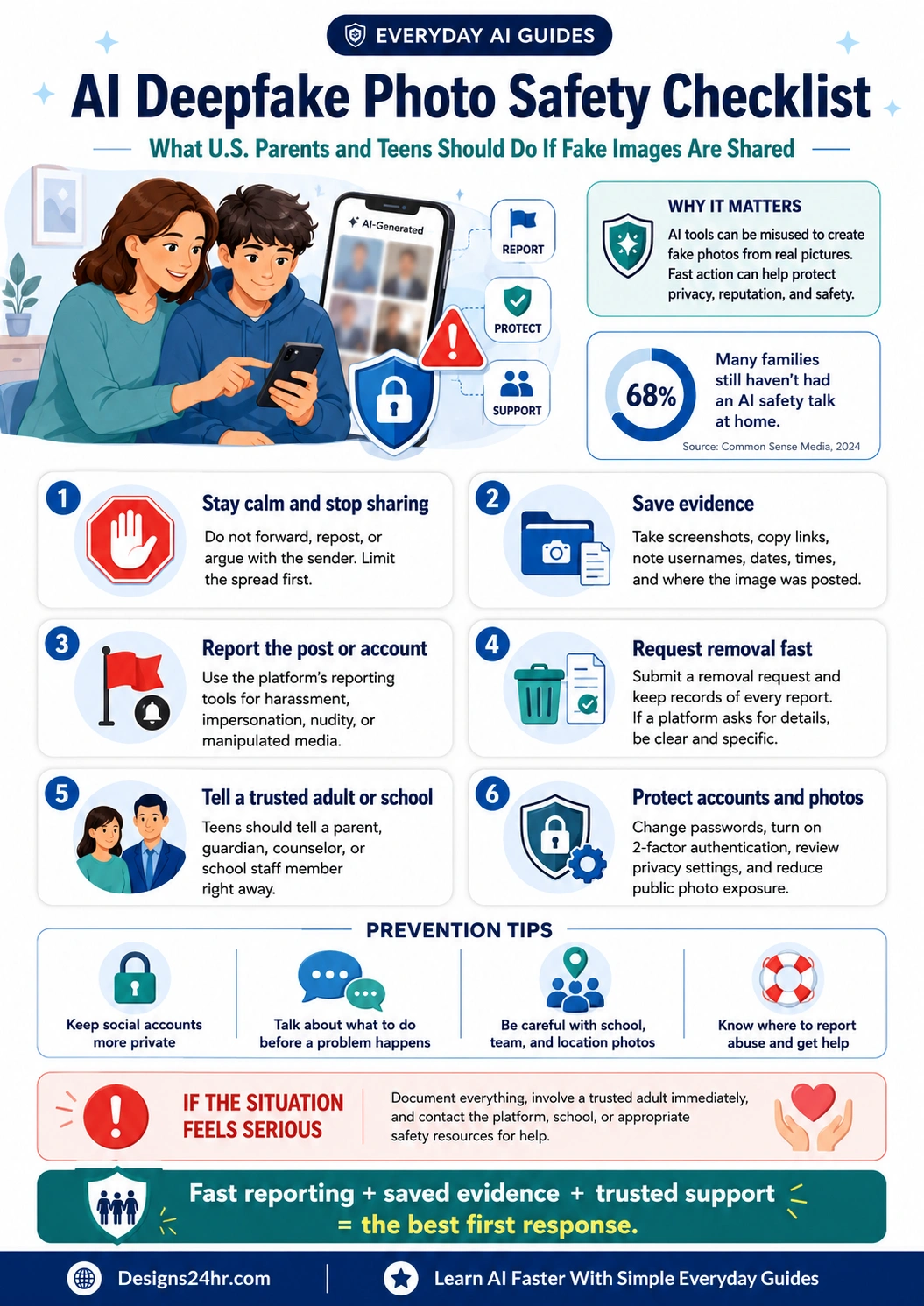
AI Deepfake Photo Safety Checklist: What U.S. Parents and Teens Should Do If Fake Images Are Shared
AI fake images can spread quickly, but families do not need to panic. This AI deepfake photo safety checklist gives parents, teens, caregivers, and school communities a calm first-response plan for saving evidence, reporting content, requesting removal, protecting accounts, and getting trusted help.
If an AI-generated fake image or deepfake photo is shared, do not repost it, forward it, argue publicly, or send copies around. Save the evidence carefully, record where it appeared, report the post or account, request removal through the platform, tell a trusted adult or school contact, and use official safety resources when a minor, extortion, threats, or intimate image-based abuse may be involved.
This guide is written for everyday U.S. families. It is general online safety information, not legal advice, emergency support, or a replacement for law enforcement, school safety teams, or qualified professionals.
- Limit the spread.
- Save proof without resharing the image.
- Report fast and keep records.
- Protect the teen’s privacy, accounts, and emotional safety.
- Escalate serious cases to the right safety resource.
What This AI Deepfake Photo Safety Guide Covers
Use this article as a practical action guide when a fake AI image, manipulated photo, deepfake, or harmful photo rumor involves a teen, child, classmate, family member, or school community.
What AI Deepfake Photo Abuse Means
AI deepfake photo abuse happens when someone uses AI tools, editing apps, face-swapping tools, or image generators to create, alter, or spread a photo in a way that harms another person. The image may look realistic, semi-realistic, obviously fake, or simply confusing enough to damage someone’s reputation.
For parents and teens, the biggest risk is not only whether the image is technically perfect. The risk is that people may share it quickly, believe it without checking, use it for bullying, use it for blackmail, or pressure the victim to stay silent.
Some fake AI images are general harassment or impersonation. Others may involve nudity, intimate imagery, threats, extortion, or child exploitation concerns. Serious cases should be handled with extra care, especially when a minor is involved.
Why Parents and Teens Should Take Fake AI Images Seriously
AI photo tools are now easy to access, and many teens encounter AI features inside apps, search tools, school tools, social platforms, and messaging spaces. That means a photo can be copied, edited, screenshotted, reposted, and misunderstood before an adult even knows there is a problem.
A fake image can cause emotional stress, bullying, privacy harm, school conflict, reputation damage, and safety concerns. Even when an image is obviously fake, the experience can still feel humiliating or threatening to the person targeted.
AI Deepfake Photo Safety Checklist: 6 Steps to Take First
If a fake AI image or deepfake photo has been posted, sent, or threatened, start with these steps. The order matters because sharing, arguing, or deleting too quickly can make the situation harder to document.
Stay calm and stop sharing
Do not forward the image, repost it, quote-post it, send it to a group chat, or argue with the sender in a public thread. Even angry reactions can increase visibility.
- Ask friends not to share it.
- Do not tag more people into the post.
- Do not upload the image into random AI tools to “check” it.
Save evidence before it disappears
Take screenshots, copy the direct link, write down the username, platform, date, time, and where the image appeared. If there are threats or demands, save those messages too.
- Capture the post and profile name.
- Save URLs when possible.
- Record report numbers or confirmation emails.
Report the post or account
Use the platform’s reporting tools. Choose the closest category, such as harassment, bullying, impersonation, nudity, nonconsensual intimate image, child safety, manipulated media, or fake account.
- Report the post itself.
- Report the account if it is dedicated to abuse.
- Ask trusted friends to report without resharing.
Request removal fast
Most major platforms have help-center paths for harmful images, impersonation, child safety, harassment, or nonconsensual intimate content. Use the official platform process and keep a record of every request.
- Be clear that the image is fake, edited, or AI-generated.
- State whether a minor is involved.
- Keep confirmation screenshots.
Tell a trusted adult, school, or caregiver
Teens should not have to handle fake AI image abuse alone. Tell a parent, guardian, counselor, school administrator, coach, or another trusted adult right away.
- Use one calm sentence: “Someone shared or threatened a fake AI image of me, and I need help documenting and reporting it.”
- Ask the adult not to forward the image unnecessarily.
- If school classmates are involved, document names and screenshots.
Protect accounts and photos
After the first report, review account security and public photo exposure. A fake image situation may come from copied public photos, a hacked account, leaked images, or someone in a social circle misusing screenshots.
- Change passwords for affected accounts.
- Turn on two-factor authentication.
- Review public photo albums, tags, location posts, and school/team photos.
How to Save Evidence Without Spreading the Image
Evidence matters because posts can be deleted, accounts can change names, and people may deny what they shared. At the same time, families should avoid making extra copies or sending the image to people who do not need it.
Save this information in a private evidence note
| What to save | Why it helps | Safer habit |
|---|---|---|
| Screenshot of the post or message | Shows what was shared or threatened | Keep it private and do not forward it to group chats |
| Direct link or URL | Helps platforms find the content faster | Copy the link before reporting if possible |
| Username, display name, and profile link | Helps identify the account even if the name changes | Screenshot the profile page too |
| Date, time, and platform | Creates a simple timeline | Use your local time zone and note if content was reposted |
| Threats, blackmail, or demands | Shows whether the situation is escalating | Save the message, then stop engaging and get adult help |
| Report confirmations | Shows what actions were already taken | Save report IDs, emails, and screenshots of forms |
How to Report and Request Removal
Start with the platform where the image appears. Look for the three-dot menu, report button, safety center, help center, privacy form, or nonconsensual image reporting form. If the image involves a minor, threats, intimate imagery, or exploitation concerns, use official child safety and reporting resources as appropriate.
Use the app’s built-in reporting path
- Report the exact post, image, story, account, message, or group.
- Select the closest harm category, not just “spam.”
- Use words like fake image, AI-generated, manipulated, impersonation, harassment, nonconsensual, or minor involved when accurate.
- Save the confirmation screen before closing it.
Use official removal resources when needed
- For image-based abuse guidance, review the FTC image-based abuse guide.
- For minors, review NCMEC’s Take It Down service.
- To report child exploitation concerns, use NCMEC’s CyberTipline.
- For broader support resources, visit NCMEC’s resources for survivors, caregivers, and families.
What Parents Should Do in the First 24 Hours
The first day is about safety, documentation, and support. Parents may feel angry, shocked, or embarrassed, but the teen needs a calm adult more than a lecture.
Parent first-response script
Try saying: “I’m sorry this happened. You are not in trouble for telling me. We are going to save the evidence, report it, and get help without spreading it further.”
Tell the teen they did the right thing by speaking up.
Save screenshots, links, usernames, and report confirmations.
Use platform tools and official safety resources if the situation is serious.
Review public profiles, tagged photos, passwords, and two-factor authentication.
What Teens Should Do If a Fake AI Image Is Shared
If this happens to you, the most important thing is that you do not have to solve it alone. A fake image is not your fault, and trying to handle it privately can make the situation more stressful.
Teen checklist
- Do not repost the image to defend yourself.
- Do not send more photos to prove anything.
- Do not pay money, send private images, or follow demands from someone threatening you.
- Screenshot the post, message, username, and link if you can do so safely.
- Tell a parent, guardian, counselor, teacher, or another trusted adult.
- Ask friends to report the content, not share it.
- Block the person after evidence is saved, especially if they are threatening or harassing you.
When Schools Should Be Involved
If the fake image involves classmates, school accounts, team chats, clubs, buses, school events, or bullying on student group chats, a parent or caregiver may need to involve the school. Schools can help limit peer sharing, address harassment, support the student targeted, and preserve relevant records.
Tell the school when
- Students are sharing the image.
- The image is being discussed in class, team, or group chats.
- The targeted teen feels unsafe or unable to attend school.
- A school device, account, network, or platform may be involved.
- There are threats, bullying, extortion, or repeated harassment.
What to ask for
- A confidential reporting contact.
- Help stopping student resharing.
- Documentation of the incident.
- Counselor or safety support for the student.
- Clear next steps if the content continues spreading.
How Families Can Reduce Future AI Photo Misuse Risk
No family can control every screenshot, repost, or bad actor online. But families can reduce risk by limiting public photo exposure, tightening privacy settings, and talking before a crisis happens.
Review who can see posts, stories, tagged photos, friend lists, and profile pictures.
Be careful with school logos, team names, house numbers, schedules, and exact locations.
Check whether others can tag the teen without approval or expose old public photos.
Turn on two-factor authentication and change weak or reused passwords.
Explain that fake images can look real and that fast reporting is better than arguing.
Decide which adult, school contact, or platform process to use if something happens.
Teach teens not to send private images, login codes, or personal details under pressure.
Evidence should go to trusted adults, official reports, or appropriate authorities, not group chats.
Family Conversation Starters Before a Problem Happens
A good AI safety talk does not need to be scary. It should make teens feel comfortable asking for help before a situation grows.
Use these simple questions at home
- What would you do if someone made a fake image of you or a friend?
- Who are three adults you could tell without feeling judged?
- Would you know how to screenshot a post and copy the link?
- Do you know how to report harassment, impersonation, or manipulated media on your main apps?
- Are your profile photos, tagged posts, school details, and location clues too public?
- What should our family rule be about forwarding harmful images of other people?
For more family AI safety boundaries, see the Designs24hr guide to AI chatbot age rules for U.S. parents, the AI toy apps privacy checklist, and the AI homework rules checklist.
What Not to Do After a Deepfake Photo Incident
Some reactions feel natural in the moment but can make the image spread faster or make reporting harder. Avoid these common mistakes.
- Do not repost the image to call it out. That gives it more visibility.
- Do not start a public comment fight. Save evidence and report instead.
- Do not delete everything before documenting. You may lose proof.
- Do not send the image to many people for opinions. Share only with trusted adults or official reporting channels when necessary.
- Do not upload sensitive images to random AI detectors. You may expose the content again.
- Do not pay blackmailers or follow demands. Save the threats and get help.
- Do not blame the teen for telling you. The goal is support, not shame.
How This Connects to Everyday AI Safety
Deepfake photo safety is part of a bigger family AI safety habit: slow down, verify, protect private information, and use trusted reporting paths. The same thinking helps with AI scam texts, fake accounts, chatbot privacy, and school AI use.
For related guidance, visit Everyday AI Guides or browse the AI Safety, Privacy & Trust category. If your family is also learning to spot suspicious AI messages, read the AI scam text message checklist.
Trusted Resources for Reporting and Removal
These resources are included for awareness and should be used based on the situation. For emergencies, immediate danger, or local legal questions, contact the appropriate local authority or qualified professional.
Consumer guidance about image-based abuse, deepfakes, removal requests, and where to find other help.
Open FTC guideA service designed to help minors remove or stop online sharing of certain explicit images or videos.
Open Take It DownA reporting path for suspected online child sexual exploitation.
Open CyberTiplineSupport resources for survivors, caregivers, and families dealing with child sexual exploitation concerns.
Open NCMEC resourcesFrequently Asked Questions About AI Deepfake Photo Safety
What should I do first if someone shares an AI deepfake photo of my child?
Stay calm, do not repost or forward the image, save evidence, report the post or account, request removal through the platform, and involve a trusted adult, school contact, or official safety resource if the situation is serious.
Should teens reply to the person sharing a fake AI image?
Usually, no. Arguing can make the situation worse or create more screenshots. Teens should save evidence, tell a trusted adult, report the content, and block the person after documentation when it is safe to do so.
How can parents save evidence without spreading the image?
Parents can take private screenshots, copy links, write down usernames, save dates and times, and record report confirmations. They should avoid forwarding the image to group chats, posting it publicly, or sending it to people who do not need it.
Can AI deepfake photos be removed from platforms?
Many platforms provide reporting tools for harassment, impersonation, manipulated media, nudity, nonconsensual intimate images, or child safety. The exact process varies by platform, so families should use the platform’s official reporting and removal process first.
What if the fake AI image involves a minor?
If a minor is involved and the image is intimate, exploitative, threatening, or being used for blackmail, families should take it seriously, save evidence privately, stop communication with the person making threats, report through the platform, and consider official child safety resources such as NCMEC’s CyberTipline or Take It Down service.
Should we use an AI detector to prove the image is fake?
Be careful. AI detectors can be wrong, and uploading sensitive images to random tools can create new privacy risks. In many situations, it is safer to save evidence, report the content as fake or manipulated, and use official platform or safety reporting paths.
How can families reduce the risk of AI photo misuse?
Families can keep social accounts more private, limit public photos, review tags, avoid posting school or location details, use strong passwords, turn on two-factor authentication, and talk in advance about what to do if a fake image appears.
Is a fake AI image always a crime?
Not every fake image situation is the same. Some incidents may be bullying, harassment, impersonation, or school misconduct, while others may involve serious legal concerns. This guide is not legal advice. If there are threats, blackmail, intimate imagery, child exploitation concerns, or immediate danger, contact the appropriate platform, school, safety resource, local authority, or qualified professional.
Final Takeaway: Fast Reporting + Saved Evidence + Trusted Support
An AI fake image can feel overwhelming, but the best first response is simple: do not spread it, save proof, report it, request removal, protect accounts, and bring in trusted help. Families who talk about this before a problem happens are better prepared to respond calmly if it does.
Learn more practical AI safety habits in Everyday AI Guides from Designs24hr.com.