Everyday AI Guide · Careers & Job Search
An AI-generated professional photo can look polished while quietly changing your face, age, hair, clothing, background, or even the impression you give to recruiters. Use this AI headshot generator checklist to review facial likeness, realism, privacy, professional credibility, usage rights, and image quality before adding the photo to LinkedIn, a resume, a portfolio, or a company profile.
The purpose of an AI headshot is not to create a more impressive fictional version of you. A strong professional headshot should still be recognizably you, accurately reflect how you may appear in a real meeting, and help people identify you with confidence.
Quick answer: How do you check an AI-generated headshot?
Confirm that the image still looks like you, inspect facial details for AI errors, review the tool’s privacy and usage terms, remove misleading clothing or backgrounds, test the photo at a small circular size, and ask someone who knows you to compare it with a real photograph. Do not publish an image that significantly changes your identity or creates professional credentials you do not have. If you are also previewing new clothes, the AI outfit generator checklist covers what to check before you trust a virtual try-on.
What Is an AI Headshot Generator?
An AI headshot generator is a tool that creates professional-looking portraits from selfies, phone photos, or existing photographs. Depending on the service, the tool may generate new clothing, lighting, poses, facial expressions, hairstyles, and backgrounds rather than simply improving the original photo.
That distinction matters. A standard photo editor may adjust brightness, crop the image, clean the background, or soften a temporary blemish. A generative tool may reconstruct major parts of your appearance. The result can look realistic while containing details that were never present in your original photos. If you are working with family photos, see how to restore old photos with AI and check the result.
Simple definition: An AI headshot generator creates a new professional portrait based on photographs of you. Because the image may be partly reconstructed, it needs a human accuracy and authenticity review before professional use.
What AI headshot tools may change
- Face shape, jawline, cheekbones, nose, or eye size
- Skin tone, skin texture, freckles, wrinkles, or visible age
- Hair color, hairline, length, thickness, or hairstyle
- Teeth, smile, facial expression, or eye direction
- Body shape, shoulders, neck, posture, or height impression
- Clothing, accessories, jewelry, glasses, or makeup
- Office environments, studio backgrounds, or outdoor settings
- Lighting, shadows, camera angle, depth, and image sharpness
Some changes may be harmless styling choices. Others may make the image less accurate, less trustworthy, or professionally misleading. The important question is not merely whether the headshot looks attractive. It is whether the final image is an honest, recognizable professional representation of you.
Should You Use an AI-Generated Headshot?
An AI-generated headshot can be useful when you do not have access to a professional photographer, need a clean profile image quickly, or want several consistent styles for different professional platforms. It may also help improve poor lighting, remove a distracting background, or create a more polished crop from ordinary phone photos.
However, an AI headshot is not automatically better than a real photograph. A simple, well-lit real photo that clearly looks like you may build more trust than a highly polished generated image that appears artificial or significantly changes your appearance.
An AI headshot may work when:
- The generated face closely matches your real appearance.
- You need a clean professional background or improved lighting.
- You do not currently have a usable professional photograph.
- The image is for a general professional profile, not identification.
- You understand how the tool handles uploaded photographs.
- You have confirmed that you may use the exported image professionally.
A real photo may be better when:
- The AI repeatedly changes your face or age.
- Authenticity and personal trust are especially important.
- You work in a regulated or identity-sensitive profession.
- The photo may be used for verification or official documentation.
- You already have a clear photo that only needs light editing.
- The generated result looks impressive but does not feel like you.
Can You Use an AI Headshot on LinkedIn?
LinkedIn’s current profile-photo guidance says that a member may use an illustration, caricature, or another artistic representation, but the profile photo must reflect the member’s likeness. LinkedIn also says that profile photos may be removed when they do not comply with its applicable policies.
This means the practical standard is not simply, “Was AI used?” The more important question is whether the final image still represents you accurately enough for people to recognize you.
Review the official LinkedIn profile photo guidelines before uploading, especially because platform rules can change.
Good LinkedIn test: A colleague, client, or interviewer who has met you should be able to look at the photo and immediately recognize you without being surprised by your real appearance.
LinkedIn profile photo file requirements
LinkedIn’s current upload help states that profile photos should use JPG or PNG format, have a maximum file size of 8 MB, and fall within the platform’s supported pixel dimensions. LinkedIn lists 400 × 400 pixels as the minimum profile-photo dimensions.
For the latest technical limits, check LinkedIn’s official profile photo upload specifications .
After choosing the final image, you can use the free Designs24hr Image Resizer and Converter to create a square JPG or PNG copy without replacing your original full-resolution file.
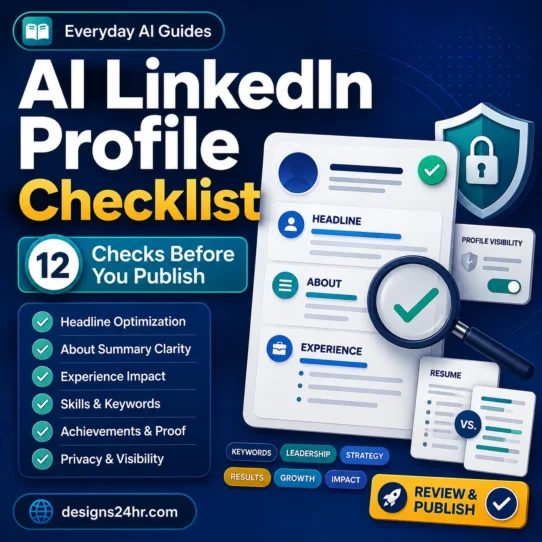
AI Headshot Generator Checklist: 12 Checks Before You Use the Photo
Complete the following checks before placing an AI-generated professional headshot on LinkedIn, a resume, a portfolio, a freelance profile, a company website, or a team directory.
Confirm That the Headshot Still Looks Like You
Start with the most important check: facial likeness. Do not let professional lighting, expensive-looking clothing, or a polished background distract you from whether the face is accurate.
Compare the generated headshot with several recent real photographs and check:
- Face shape and jawline
- Eye shape, eye color, and spacing
- Nose, lips, eyebrows, and cheek structure
- Hairline, facial hair, and identifying features
- Freckles, scars, birthmarks, or other recognizable details
Check Whether AI Changed Your Age or Facial Structure
AI headshot generators may make users look younger, older, slimmer, more muscular, or more symmetrical. Small cosmetic changes may seem harmless, but major changes can create an unrealistic first impression.
Look specifically for:
- A narrower jaw or altered face shape
- Smoother skin that removes all natural texture
- Missing wrinkles, freckles, or facial lines
- A different skin tone or eye color
- Changed neck, shoulders, body shape, or posture
- Hair that is much thicker, longer, darker, or styled differently
The image does not need to preserve every temporary detail, but it should not create a version of you that a recruiter would consider materially different in person.
Inspect the Eyes, Teeth, Ears, Hair, Glasses, and Jewelry
Small facial and accessory errors are among the easiest signs that a professional portrait was generated or reconstructed by AI. Zoom in before approving the image.
Check for:
- Eyes looking in slightly different directions
- Unequal pupils, unrealistic reflections, or changed eye color
- Teeth merging together or creating an unnatural smile
- Ears with different shapes or missing edges
- Hair strands blending into the face, collar, or background
- Glasses with crooked frames, missing arms, or inconsistent reflections
- Earrings, necklaces, or buttons that change from one side to the other
- Facial hair ending abruptly or appearing painted onto the skin
For a more complete visual inspection process, use the AI Image Verification Checklist to review edges, reflections, repeated textures, lighting, and background details.
Make Sure the Expression Looks Natural
A professional headshot should appear approachable and confident without looking frozen, excessively posed, or artificially cheerful.
Ask:
- Does the smile fit the eyes and cheeks?
- Does the mouth look natural when viewed closely?
- Does the expression resemble how you normally look?
- Is the eye contact believable?
- Does the face communicate the tone you want professionally?
Avoid expressions that look emotionally disconnected. A wide smile with neutral eyes, an unnaturally perfect row of teeth, or a stiff face may reduce trust even when viewers cannot explain exactly what looks wrong.
Review the Clothing and Professional Style
AI tools can generate formal suits, uniforms, expensive accessories, medical clothing, office badges, or industry-specific attire that you never wore. Professional styling should support your real career identity rather than invent one.
Choose clothing that:
- Fits your actual profession and typical work environment
- Matches the level of formality expected in your field
- Does not suggest a qualification, rank, employer, or license you do not have
- Looks physically consistent around the collar, lapels, buttons, and shoulders
- Does not contain distorted text, logos, pins, badges, or brand marks
You do not need to wear the exact outfit shown in real life, but the styling should be something you could honestly and comfortably wear in a professional meeting.
Check the Background for AI Errors
A professional background should support the subject without competing for attention. Generated offices and studios may contain visual errors that become obvious when someone opens the full-size image.
Inspect the background for:
- Unreadable signs, book titles, certificates, or logos
- Walls, shelves, windows, or furniture with impossible geometry
- Repeated objects, lights, plants, frames, or computer screens
- Background edges blending into hair or clothing
- Conflicting shadows or light coming from several directions
- Luxury offices, boardrooms, studios, or facilities that imply false access
- Company branding that suggests employment or affiliation
A plain, softly blurred, neutral background is usually safer than a detailed generated office. The headshot should communicate professionalism, not invent a workplace story.
Review the Tool’s Photo Privacy Policy
Creating an AI headshot usually requires uploading several clear photographs of your face. Those files may contain sensitive personal information, other people, location clues, workplace details, or metadata.
Before uploading, look for clear answers to these questions:
- How long are uploaded photographs stored?
- Can you delete the originals and generated images?
- Are the files used to train or improve AI models?
- Are human reviewers allowed to access uploaded photos?
- Are files shared with service providers or other companies?
- What security measures protect the images?
- What happens to your photos after you close the account?
- Does the policy differ between free and paid accounts?
Privacy reminder: Do not upload identification documents, employee badges, private client material, children’s photos, intimate images, or photographs of other people without their permission merely to improve the generator’s results.
Confirm Your Professional Usage Rights
Paying for an AI headshot package does not always mean every possible use is automatically permitted. Read the current terms for the exact plan you purchased.
Confirm that you may use the exported image for:
- LinkedIn and other professional networking profiles
- A digital or printed resume
- A personal portfolio or freelance profile
- Your employer’s team page or directory
- Speaker biographies, author pages, and conference materials
- Marketing, consulting, or commercial business profiles when relevant
Also check whether the provider places restrictions on image resale, templates, advertising, high-volume business use, or using generated photos of people other than yourself.
Remove Misleading Uniforms, Logos, Credentials, and Settings
An AI headshot should not make a claim about your employer, profession, qualification, authority, or experience that is not true.
Avoid images containing:
- A medical coat, military uniform, safety vest, or official badge you do not use
- Company logos from organizations you do not represent
- Professional certificates, diplomas, or awards generated in the background
- A courtroom, laboratory, cockpit, studio, or executive office implying false experience
- Name tags, insignia, branded equipment, or credentials created by the AI
- Luxury items or status symbols intended to exaggerate success
The same honesty standard should apply across your photo, resume, and interview preparation. The AI Resume Checker Checklist can help you compare a resume with a job description without adding unsupported skills or experience.
Test the Headshot at a Small Circular Profile Size
A portrait may look excellent when viewed full screen but become unclear when reduced to the small circular crop used in search results, comments, messages, and connection requests.
Test whether:
- Your full face remains visible after a circular crop
- Your eyes are easy to see at a small size
- The face is centered with comfortable space around the head
- The shoulders do not dominate the crop
- The background does not merge with your hair or clothing
- The image remains sharp after resizing
- The expression still reads clearly on a phone screen
Keep the original high-resolution export. Create a separate square copy for professional platforms rather than repeatedly editing the only file.
Ask Someone Who Knows You to Review It
After looking at dozens of generated variations, you may become accustomed to subtle changes in your face. A second person can notice differences that you have stopped seeing.
Ask a trusted colleague, friend, or family member:
- Does this immediately look like me?
- Which facial feature looks different?
- Does the photo seem natural or obviously generated?
- Would you recognize me from this image at an event?
- Does the clothing match how I present myself professionally?
- Does any part of the image feel misleading?
- Which version feels most authentic rather than most glamorous?
Do not ask only, “Which picture looks best?” That question may encourage people to choose the most polished image instead of the most accurate one.
Compare It With a Lightly Edited Real Photo
Before making the final decision, compare the AI-generated result with the best real photo you already have. Lightly crop the real image, correct the exposure, simplify the background, and then view both at the same size.
Choose the image that performs better on these questions:
- Which one is more recognizably me?
- Which one creates a more honest first impression?
- Which one looks professional without appearing artificial?
- Which one would feel comfortable to use before an in-person meeting?
- Which one will still represent me accurately several months from now?
The generated headshot should win because it improves presentation, not because it replaces your real identity with a more polished fictional version.
Use the Designs24hr FACE Test
The FACE Test condenses the full AI headshot generator checklist into four questions you can remember whenever you create, edit, or replace a professional profile photo.
Facial Likeness
Does the image still look recognizably like you, without major changes to your age, face shape, skin tone, eyes, hair, or identifying features?
Authentic Appearance
Are the expression, clothing, background, and professional impression believable, relevant, and consistent with your real career identity?
Consent, Privacy, and Rights
Do you understand how the service handles uploaded photos, and do its current terms permit your intended professional use?
Export and Evaluation
Is the final file clear, properly cropped, platform-ready, reviewed by another person, and stronger than a lightly edited real photo?
Fast decision rule: If the headshot fails any part of FACE, do not publish it yet. Regenerate it, choose another result, edit a real photograph, or use a professional photographer.
AI Headshot Red Flags to Look For
Reject or correct the image when you notice several of the following warning signs:
- Plastic, waxy, or excessively airbrushed skin
- A face shape that does not match your real appearance
- Different eye color, unequal pupils, or unnatural eye reflections
- Teeth that merge together or create an artificial smile
- A changed hairline, beard, hairstyle, or hair color
- Glasses, jewelry, buttons, or earrings that do not match
- Clothing edges blending into the neck or background
- Background objects merging into the subject
- Fake company logos, credentials, certificates, or name badges
- Lighting and shadows coming from conflicting directions
- A luxury setting that falsely suggests status or employment
- A result that looks excellent but does not feel like you
One unusual detail is not always proof of a problem. Camera lenses, compression, makeup, lighting, and ordinary editing can also change how a person appears. Review several details together and compare the result with recent original photographs.
AI Headshot vs. Real Photo: Which Should You Use?
| Situation | Better starting option | Reason |
|---|---|---|
| Your existing photo only needs a better crop or background. | Lightly edited real photo | Preserves your identity while solving the actual presentation problem. |
| You have no recent professional photograph. | AI headshot or new real photo | AI may provide a usable temporary option when it passes the full checklist. |
| The generator repeatedly changes your face. | Real photo | A polished image is not useful when people cannot recognize you. |
| You need several consistent team portraits. | Controlled AI workflow or photographer | Consistency can help, but every employee should consent and review likeness. |
| You work in a trust-sensitive or regulated profession. | Real professional photograph | An authentic photograph generally creates fewer questions about representation. |
| The image is for a speaker bio or personal portfolio. | Either, after review | The best option is the one that remains accurate, credible, and platform-ready. |
| The photo is for identity verification or an official document. | Required real photograph | Follow the issuing organization’s exact photo and identity requirements. |
When You Should Not Use an AI Headshot
Do not use an AI-generated image simply because it appears more polished. Choose a real photograph or professional photographer when accuracy, identity, or trust outweighs convenience.
Do not use an AI-generated headshot for:
- Passports, visas, driving licenses, or government identification
- Employee identity cards requiring a current camera photograph
- Security checks, biometric verification, or facial matching
- Professional licenses that specify photographic requirements
- School, examination, travel, or legal documents requiring a real photo
- Any application that explicitly prohibits generated or substantially altered images
Prefer a real professional photograph when:
- The generated result repeatedly changes recognizable features.
- Your work depends heavily on public trust or face-to-face relationships.
- You are a doctor, lawyer, therapist, financial professional, public official, or safety professional.
- You frequently meet clients who first discover you through your profile.
- The AI version makes you uncomfortable because it feels deceptive.
- You already have access to a clear, well-lit real photograph.
Important: A LinkedIn profile photo, resume headshot, and official identity photograph serve different purposes. Never assume a photo accepted by a social platform will meet legal, employer, licensing, travel, examination, or identification requirements.
Final AI Headshot Publishing Workflow
Use this shorter workflow after completing the detailed checklist:
- Choose three possible images. Do not decide based on the first polished result.
- Compare each image with recent real photos. Remove options that change important facial features.
- Zoom in and inspect details. Check eyes, teeth, ears, hair, clothing, accessories, lighting, and background objects.
- Check privacy and usage terms. Confirm how uploads are handled and whether your intended professional use is allowed.
- Remove misleading elements. Reject false uniforms, branding, offices, certificates, badges, and credentials.
- Ask another person to review it. Ask which option looks most like you—not simply which looks best.
- Create a platform-ready copy. Keep the original and export a clear square JPG or PNG for profile use.
- Preview the circular crop. Check the photo at phone size before publishing.
- Compare it with a real alternative. Use the image that creates the most accurate and credible professional impression.
Once your photo is ready, continue the job-search review with the AI Resume Checker Checklist . You can also use the free AI Resume Optimizer to improve accurate resume bullets and the AI Interview Practice Checklist to prepare truthful answers without sounding scripted.
Frequently Asked Questions About AI Headshot Generators
Are AI-generated headshots allowed on LinkedIn?
LinkedIn’s current guidance says artistic representations may be used, but a profile photo must reflect the member’s likeness. An AI-generated headshot should therefore remain recognizably and accurately you. Review LinkedIn’s current profile-photo rules before uploading because policies can change.
Can recruiters tell when a headshot was generated with AI?
Recruiters may notice unnatural skin, eyes, teeth, hair, clothing, lighting, backgrounds, or a face that does not match the candidate in a video interview. Even when they cannot identify the exact issue, an overly artificial image may create uncertainty. Accuracy and authenticity are more important than perfect polish.
Are AI headshot generators safe?
Safety depends on the specific provider, its security practices, photo-retention period, deletion controls, training policy, human-review policy, and third-party sharing. Read the current privacy policy and terms before uploading clear facial photographs.
Do AI headshot tools keep your uploaded photos?
Retention practices vary by service and may differ between free and paid plans. Some providers delete uploads after a stated period, while others may keep files or related data longer. Check the provider’s current policy rather than assuming automatic deletion.
Can I use an AI headshot on my resume?
You can use one when a resume photo is appropriate in your country and industry, the image accurately represents you, and the tool’s terms permit the use. Resume photo customs differ by location, and many U.S. applicants omit photos unless the role or application specifically requests one.
Should I disclose that my headshot was created with AI?
A general professional profile may not always provide a dedicated disclosure field. However, you should not use AI to create a deceptive identity, false credential, fake employer association, or materially different appearance. When a platform, employer, client, publication, or application asks about AI use, answer honestly.
Can an AI headshot make me look younger?
Yes. Generators may smooth skin, remove wrinkles, change hair, reshape the face, or create a younger overall appearance. Reject results that significantly alter your current age or create an unrealistic expectation before a meeting.
What size should a LinkedIn profile photo be?
LinkedIn’s current upload help lists 400 × 400 pixels as the minimum profile-photo dimensions, supports JPG and PNG files, and states a maximum file size of 8 MB. Check LinkedIn’s official help page for current limits before uploading.
Is an AI-generated headshot better than a selfie?
It may provide more consistent lighting, clothing, and background treatment, but a clear real photograph can be more authentic. Compare both options at the same crop and size. Choose the image that looks professional while remaining recognizably you.
When should I use a professional photographer instead?
Consider a photographer when AI repeatedly changes your appearance, your work depends heavily on trust, you need images for a major campaign or public role, your team requires reliable consistency, or you want full control over wardrobe, lighting, expression, and background.
How do I make an AI headshot look less fake?
Choose a result based on likeness rather than glamour, use simple clothing and a neutral background, avoid excessive skin smoothing, inspect facial details, remove generated logos or accessories, and compare the final image with recent real photographs. Regenerate rather than trying to hide major identity errors.
What is the most important AI headshot check?
Facial likeness is the most important check. The headshot should still look clearly and recognizably like you. Privacy, usage rights, visual quality, and professional style also matter, but none can compensate for an inaccurate face.
Official Sources and Related Guidance
- LinkedIn: Profile Photo Guidelines and Conditions
- LinkedIn: Profile Photo Upload Specifications
- Designs24hr: AI Image Verification Checklist
Platform requirements, AI-tool features, privacy policies, storage periods, and usage terms can change. Check the current official documentation before making an important career, privacy, identity, or commercial-use decision.
Check the Photo Before It Represents You
A strong AI headshot should not create a fictional professional identity. It should present the real you clearly, accurately, and confidently.
Complete all 12 checks, apply the FACE Test, compare the result with a real photo, and publish only when the image is both polished and authentic.
This guide provides general educational information and is not legal, privacy, biometric, employment, licensing, or platform-compliance advice. Rules and requirements vary by service, employer, profession, country, and intended use.
Get new AI guides every week
Short, practical how-tos and free tools from Designs24hr. No spam, unsubscribe anytime.