An AI product mockup generator checklist helps you answer a more important question than “Does this image look realistic?” It helps you decide whether the mockup accurately represents the product a buyer will receive.
AI can create attractive product scenes quickly, but it may also change the product’s color, proportions, material, lettering, accessories, quantity or small construction details. Those changes can make a polished image misleading. Before using an AI-generated product image on an online shop, website, advertisement or social post, compare it carefully with the real product and the information in your listing. If you are converting product video, use our video-to-video AI checklist before transforming a clip.
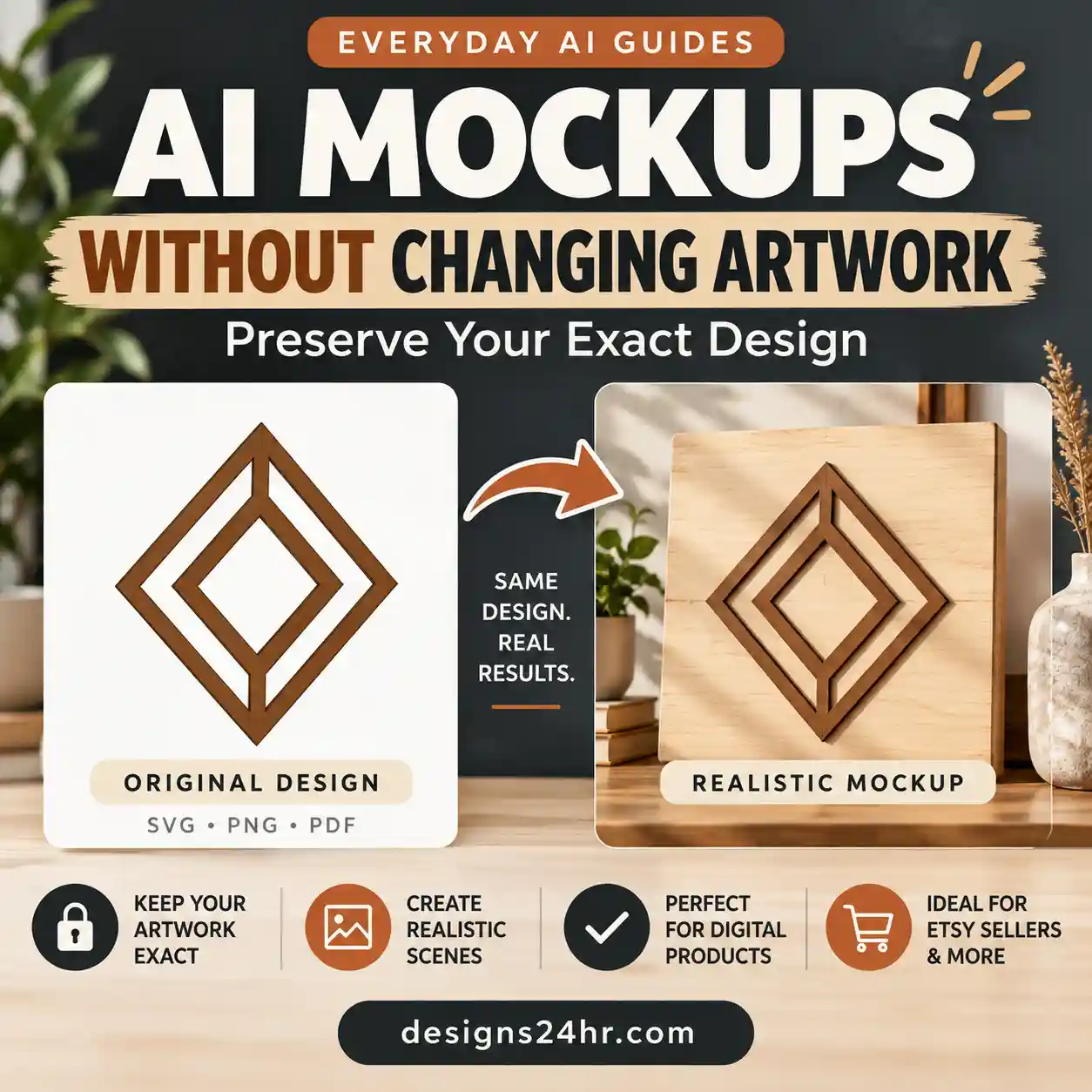
If you sell designs, see how to create AI mockups without changing your artwork.
Last reviewed: August 1, 2026
Quick Answer: Can You Use an AI Product Mockup in a Listing?
Only when the image accurately represents the offer and the platform permits that type of image. Use the 15 checks below to compare the mockup with the real product or verified digital files, calculate a 20-point Product Truth Score, and choose one of three outcomes: publish, repair, or reject. For apparel and accessories, see how ChatGPT virtual try-on works and its limits.
Why AI Product Mockups Need a Final Accuracy Check
Visual quality and product accuracy are not the same thing. A mockup may have professional lighting, natural shadows and an attractive background while showing a product that does not actually exist in that form.
For example, an AI product image may make a matte surface look glossy, turn cream into bright white, add a lid that is not included, enlarge a printed design, remove a seam or show three products when the listing includes only one. A shopper may interpret each of those details as part of the offer.
Visual Realism
The image looks believable because the lighting, perspective, shadows and scene appear natural.
Product Accuracy
The image correctly represents the product’s shape, color, material, size, quantity, components and variations.
Your goal is not merely to eliminate obvious AI errors. It is to prevent the image from creating a false expectation about what the customer is buying.
Prepare These Four Items Before Checking Your Mockup
1. An Accurate Product Reference
Use an original photograph, accurate design file, verified sample or approved production image. Do not compare one AI mockup with another AI mockup.
2. The Product Specifications
Keep the correct dimensions, material, finish, color, included pieces, package quantity and variation information visible.
3. The Generated Mockup
Open the largest available version. A small preview can hide malformed text, altered edges and invented details.
4. The Listing Draft
Compare the image with the title, description, variations and “what is included” section. Every element should tell the same product story.
Where Product Mockups Fit in the Creative Workflow
A mockup should not define the product or brand by itself. It should translate decisions that were made earlier and then pass a separate accuracy review before publication.
3. Verify the mockup
Use this checklist to confirm that the generated scene preserves the real product, correct variation, quantity, materials, dimensions, and offer type.
AI Product Mockup Generator Checklist: 15 Checks Before Publishing
1Confirm the Product Shape
Compare the outer silhouette and main construction. Look at corners, curves, openings, handles, borders, bases, lids, frames and attachment points. AI may smooth an unusual shape into something more familiar or remove parts it does not understand.
Pass when: The mockup has the same overall shape and structural features as the real product.2Check Proportions and Dimensions
A product can have the correct general shape but incorrect proportions. Compare width-to-height ratio, depth, border thickness, handle size and spacing between components. If dimensions matter to the purchase, avoid relying on visual scale alone and include accurate measurements in the listing.
Pass when: The mockup does not make the product appear taller, wider, thinner, thicker or larger than it really is.3Compare the Product Color
Compare the generated image with the approved product color under neutral viewing conditions. Warm lighting can make white look cream, while dramatic editing can turn muted colors into highly saturated ones. Check every advertised variation separately.
Record approved brand and product colors in your style guide, but compare the final mockup against a verified product reference. A HEX code can guide graphic editing; it cannot prove how a physical material will appear under different lighting or on different screens.
Pass when: The color remains a reasonable visual representation of the real product and selected variation.4Inspect Material and Texture
Check whether wood still looks like wood, ceramic looks like ceramic and matte plastic remains matte. AI may add grain, gloss, fabric weave, metallic reflections, embossing or surface imperfections that the product does not have.
Pass when: The surface, finish and material cues match the item described in the listing.5Verify Printed Text and Lettering
Read every visible word at full size. Check spelling, punctuation, font consistency, line breaks, dates, measurement labels and small packaging text. AI-generated letters may look correct at thumbnail size while containing malformed characters.
Pass when: All meaningful text is accurate, readable and intentionally placed.6Look for Invented Logos or Symbols
Inspect packaging, labels, buttons, screens and background props. Remove fabricated logos, distorted trademarks or symbols that could imply an affiliation, certification or feature that does not exist.
Pass when: The mockup contains only visual elements you own, created, licensed or are otherwise authorized to use.7Confirm the Correct Product Quantity
Count every item shown. If the listing sells one product, a scene containing three matching pieces may imply that all three are included. Bundles should show the correct number and combination of products.
Pass when: The image quantity matches the offer or is clearly explained as styling rather than included merchandise.8Check Included Accessories
Look for stands, lids, cables, frames, boxes, tools, hooks, inserts or decorative pieces. An AI generator may add useful-looking accessories because they make the scene more complete, even when they are not part of the purchase.
Pass when: Included and excluded accessories are visually and verbally clear.9Inspect Edges, Handles and Openings
Zoom in on functional areas. Check holes, handles, hinges, cutouts, slots, seams, zippers, buttons, corners and connecting parts. These areas often reveal AI distortions that affect how the product appears to work.
Pass when: Functional details are complete, physically believable and consistent with the real item.10Verify Shadows and Reflections
A shadow should match the product’s position, shape and light direction. Reflections should not invent missing parts or create a different finish. Watch for floating products, duplicate edges, shadows from nonexistent objects and impossible mirror images.
Pass when: Light, contact shadows and reflections support the real product instead of changing it.11Check Background Interactions
Inspect where the product touches a wall, table, shelf, package or display stand. Make sure objects do not merge together, pass through one another or cover an important product feature. Props should support the scene without confusing buyers about what is included.
Pass when: The product sits naturally in the scene and remains the unmistakable subject.12Review Scale Against Nearby Objects
Background objects can create a powerful size impression. A small box beside an oversized cup or unusually narrow shelf may make the product appear much larger or smaller than its real dimensions.
Pass when: Nearby objects create a plausible sense of scale and do not contradict the listed measurements.13Inspect Small Details at Full Size
View the image at 100% and examine corners, textures, text, repeating patterns and thin lines. Do not assume an image is accurate because it looks clean when reduced. Upscaling can sharpen edges but may also exaggerate invented details, so review the final export again.
Use the AI Image Verification Checklist to inspect malformed geometry, duplicated elements, impossible shadows, inconsistent reflections, and other signs that a generated image needs repair.
Pass when: Fine details remain coherent without unexplained marks, duplicate features or distorted patterns.14Test the Image as a Mobile Thumbnail
Reduce the mockup to the approximate size shoppers see in search results. Check whether the product remains recognizable and whether props, text or background elements overpower it. Keep important content away from edges that may be cropped.
Use the Aspect Ratio Calculator to calculate a new width or height without stretching or squeezing the product. Export the final file at the platform’s current recommended dimensions and review the crop again.
Pass when: The product is clear, dominant and understandable on a small screen.15Compare the Mockup With the Real Product Again
Finish with a fresh side-by-side comparison. By this stage, you may have become accustomed to the generated version. Return to the original reference and ask whether a new customer would form the correct expectation from the mockup alone.
For a buyer-side review of dimensions, seller details, delivery, returns, and product claims, use the AI Shopping Assistant Checklist.
Pass when: The product shown, the product described and the product delivered would reasonably match.Use the 20-Point Product Truth Scorecard
Score each area from zero to two. This does not guarantee legal or marketplace compliance. It is a practical editorial tool for locating image problems before they become customer-expectation problems.
| Accuracy Area | 0 Points | 1 Point | 2 Points |
|---|---|---|---|
| Shape | A major shape or feature is wrong | A small difference needs repair | The shape matches closely |
| Color | The product or variation color is wrong | A noticeable shift needs correction | The color is reasonably accurate |
| Material and finish | The material appears different | The finish or texture is slightly wrong | The material cues are accurate |
| Scale and dimensions | The size impression is misleading | The scale is uncertain | The scale is plausible and supported |
| Text and branding | Text, marks, or claims are false | Manual correction is needed | Text and authorized branding are accurate |
| Components and accessories | An important part is missing or invented | A small component needs correction | All components match the offer |
| Quantity and bundle | The shown quantity is misleading | The quantity needs clearer explanation | The quantity matches the offer |
| Variation | The wrong version is shown | The selected variation is unclear | The correct variation is represented |
| Offer type | A digital item appears to be physical, or vice versa | The offer type needs a clearer label | The image clearly matches the item type |
| Context and claims | The scene implies a false use, result, feature, or inclusion | The context could be misunderstood | The scene supports an accurate expectation |
Score Interpretation
18–20 points: A strong publishing candidate after final platform, listing, rights, and mobile checks.
14–17 points: Repair the identified problems, export a new version, and score it again.
0–13 points: Reject or rebuild the mockup from a stronger product reference.
Hard-stop rule: Do not publish when offer type, quantity, variation, or a purchase-critical feature scores zero—even if the total score is high.
Should You Publish, Repair or Reject the Mockup?
Publish
Choose this when the product, variation, quantity and important details match closely, the image passes the mobile check and the intended platform allows the image type.
Repair
Choose this when the product is fundamentally correct but needs limited edits, such as color correction, text replacement, background cleanup or removal of an invented prop.
Reject
Choose this when the mockup changes the product’s structure, material, quantity, variation or other details that could affect a buying decision.
When to Use a Real Product Photo Instead
Use a real photograph when accuracy is critical to the buying decision or when the selling platform requires photography of the actual finished product.
- The exact material, finish, texture or craftsmanship is a major selling point.
- Every handmade item has natural variations that cannot be represented by one generated image.
- The product includes detailed construction, engraving, printing, stitching or surface effects.
- The mockup repeatedly changes dimensions, components or product quantity.
- The item’s condition, age, wear or unique characteristics must be shown.
- The platform’s current image policy requires original photographs of the final item.
Marketplace and Advertising Policy Reminder
Etsy’s listing-image rules generally require a seller’s own images of the actual finished item and permit mockups or stock images only in limited situations. For personalized products, the first image must show a finished customized example; computer-generated mockups may be used in additional images. For certain original designs made with a disclosed production partner, a stock mockup may be allowed. Etsy also requires disclosure when the item itself was created using AI.
Google Merchant Center requires product images to accurately display the product, avoid placeholders or generic images, and use the correct product or bundle. Google also requires metadata identifying generative-AI images to remain embedded rather than being removed.
The FTC’s general truth-in-advertising rule is broader than any one marketplace: advertising claims must be truthful, not deceptive or unfair, and supported by evidence. A mockup can create an advertising claim through what it visibly shows, even when the same claim is not written in the description.
Google Merchant Center image requirements, and FTC advertising guidance before publishing an important commercial image.Primary Product Image vs. Supporting Lifestyle Image
| Image Role | Main Purpose | Strongest Choice | Major Risk |
|---|---|---|---|
| Primary product image | Identify exactly what is being sold | A clear, accurate image of the real product or a policy-compliant representation | A beautiful scene may hide or alter important details |
| Supporting lifestyle image | Show context, scale, placement or intended use | An accurate scene that keeps the product unchanged | Props may imply accessories or quantities that are not included |
| Detail image | Show texture, construction, finish or small features | A real close-up whenever detail accuracy matters | AI may invent fine texture or construction |
| Variation image | Show a selectable color, size or design | An accurate image assigned to the correct variation | The shopper may receive a different version from the one shown |
| Size-reference image | Explain dimensions and scale | Verified measurements with a clear diagram or real reference | Generated furniture, rooms or props may create false scale |
A safer image set often begins with a clear and accurate product view, then uses additional images for context, dimensions, close-ups, included files or components, variations and lifestyle placement.
Digital-Download and Production-Partner Mockups Need Extra Clarity
A digital product listing can use a lifestyle mockup to demonstrate a possible finished result, but the mockup must not make the buyer believe that a physical product, frame, device, material, or installation is included.
For digital downloads
- State clearly that the purchase is a digital download.
- State that no physical item will be shipped.
- Show the exact design quantity and file formats included.
- Use accurate previews of the actual files—not invented variations.
- Treat lifestyle scenes as examples of possible use.
- Do not imply that frames, materials, tools, or finished products are included.
For production-partner products
- Confirm the mockup matches the actual base product and printable area.
- Verify color, placement, crop, seams, and product variation.
- Use a real finished-product photo when platform rules require it.
- Disclose the production partner and AI involvement when required.
- Never show packaging, accessories, or finishes the partner does not supply.
Five-Minute AI Mockup Inspection Workflow
- Open the source and mockup side by side. Match their viewing sizes so one does not look more impressive merely because it is larger.
- Check the four biggest truths first. Confirm shape, color, material and quantity before spending time on tiny imperfections.
- Zoom into high-risk areas. Review text, edges, handles, openings, patterns, attachments and reflections at 100%.
- Compare the image with the listing. Verify that the title, description, variations and “what is included” section match what the image suggests.
- Preview the mobile crop. Reduce the image and check whether the product remains clear, accurately sized and free from confusing props.
- Complete the Product Truth Score. Record the specific areas that lost points rather than relying on a general feeling.
- Choose publish, repair or reject. Do not publish until repaired images have been reviewed and scored again.
Common AI Product Mockup Mistakes
| Mistake | Why It Matters | Better Action |
|---|---|---|
| Changing the product color | The buyer may select a variation based on a false color expectation | Correct the color manually or regenerate with a stronger reference |
| Adding decorative accessories | The scene may imply that extra items are included | Remove them or clearly separate styling props from the offer |
| Inventing packaging | The customer may expect a box, label or presentation style that is not provided | Use real packaging photography or accurate packaging artwork |
| Distorting text | Misspellings and malformed lettering reduce trust and misrepresent customization | Add final text manually using an approved font |
| Changing the material | A matte item may appear glossy, metallic, engraved or textured | Match lighting and surface characteristics to the real product |
| Showing unrealistic scale | Nearby objects can make the product appear larger or smaller | Use verified measurements and plausible reference objects |
| Showing extra product pieces | The image may imply a multipack or bundle | Show the exact quantity sold or label bundle contents clearly |
| Removing real product features | The mockup may hide seams, openings, frames, fasteners or construction details | Use a new generation or a real detail photograph |
Final AI Product Mockup Checklist
- The product shape matches the real item.
- The width, height, depth and proportions are believable.
- The color matches the advertised variation.
- The material and surface finish are accurate.
- All visible text is correct and readable.
- No invented logo, symbol or certification appears.
- The image shows the correct product quantity.
- Accessories and included components are accurate.
- Edges, openings and functional details are complete.
- Shadows and reflections are physically believable.
- The product interacts naturally with the background.
- Nearby objects do not create a misleading sense of scale.
- Fine details remain accurate at full size.
- The product is clear in a mobile thumbnail.
- The mockup matches the real product after a final comparison.
- The image complies with the current rules of the intended platform.
- The final file has the correct dimensions, format and quality.
Continue the AI Design Workflow
This checklist is the verification stage—not the beginning of the process. Build the creative direction first, lock the brand rules, generate the product scene, and then verify every visual promise before publishing.
Explore the AI for Design & Creativity guides for connected workflows covering mood boards, branding, room planning, presentations, posters, infographics, and other practical design tasks.
Frequently Asked Questions
Can I use AI-generated mockups for product listings?
It depends on the product, platform and way the image is used. The mockup should accurately represent the item, and you must follow the platform’s current listing-image rules. Some platforms or product categories require original photographs, while limited exceptions may allow compliant mockups.
How can I make an AI product mockup more accurate?
Start with an accurate, high-quality reference image and provide specific instructions about shape, color, material, dimensions, quantity, camera angle and elements that must not change. Then compare the result with the real product using the 15 checks in this guide.
Should an AI mockup be the main product image?
Use a mockup as the main image only when it accurately represents the product and the intended marketplace permits that use. A clear photograph of the real product is usually safer when material, workmanship, condition or exact physical details matter.
How do I check AI-generated text on a mockup?
View the image at full size and read every visible character. Check spelling, punctuation, font consistency and line breaks. For important labels or product wording, remove the generated text and add an accurate version manually in a design editor.
What should I do when a mockup changes the product color?
Do not publish the altered color as though it were accurate. Correct the color using a verified reference or generate a new version. Check the final image on more than one screen when color is important, and ensure the selected product variation matches the image.
Are realistic AI product images always accurate?
No. Realism describes how believable the image looks. Accuracy describes whether the product details are true. Once those details are confirmed, you can write product descriptions with AI without inventing features. An image can have realistic lighting and shadows while showing the wrong material, dimensions, quantity or product features.
Final Recommendation
Treat every AI mockup as a draft until it has passed a side-by-side product review. Publish only when the image supports the same promise as the title, description, variations, measurements and included-items section.
When an image is attractive but inaccurate, protect buyer trust: repair it, reject it or replace it with a real product photograph.
Sources and Further Reading
- Etsy: Seller Policy
- Google Merchant Center: Product Image Requirements
- Google Merchant Center: AI-Generated Content
- Federal Trade Commission: Advertising and Marketing Guidance
Last reviewed: August 1, 2026. Platform rules, image specifications, and AI-disclosure requirements can change. Verify the latest official requirements before publishing an important commercial listing. This guide provides general educational information and is not legal advice.
Get new AI guides every week
Short, practical how-tos and free tools from Designs24hr. No spam, unsubscribe anytime.