AI Smart Glasses Privacy Checklist: What U.S. Users Should Know Before Wearing Camera Glasses
AI smart glasses can make photos, video, audio, calls, navigation, and hands-free AI help feel effortless. They can also put a camera, microphone, app, and cloud-connected AI system on your face. Before buying or wearing camera glasses, use this simple privacy checklist.
Quick answer: what should you check first?
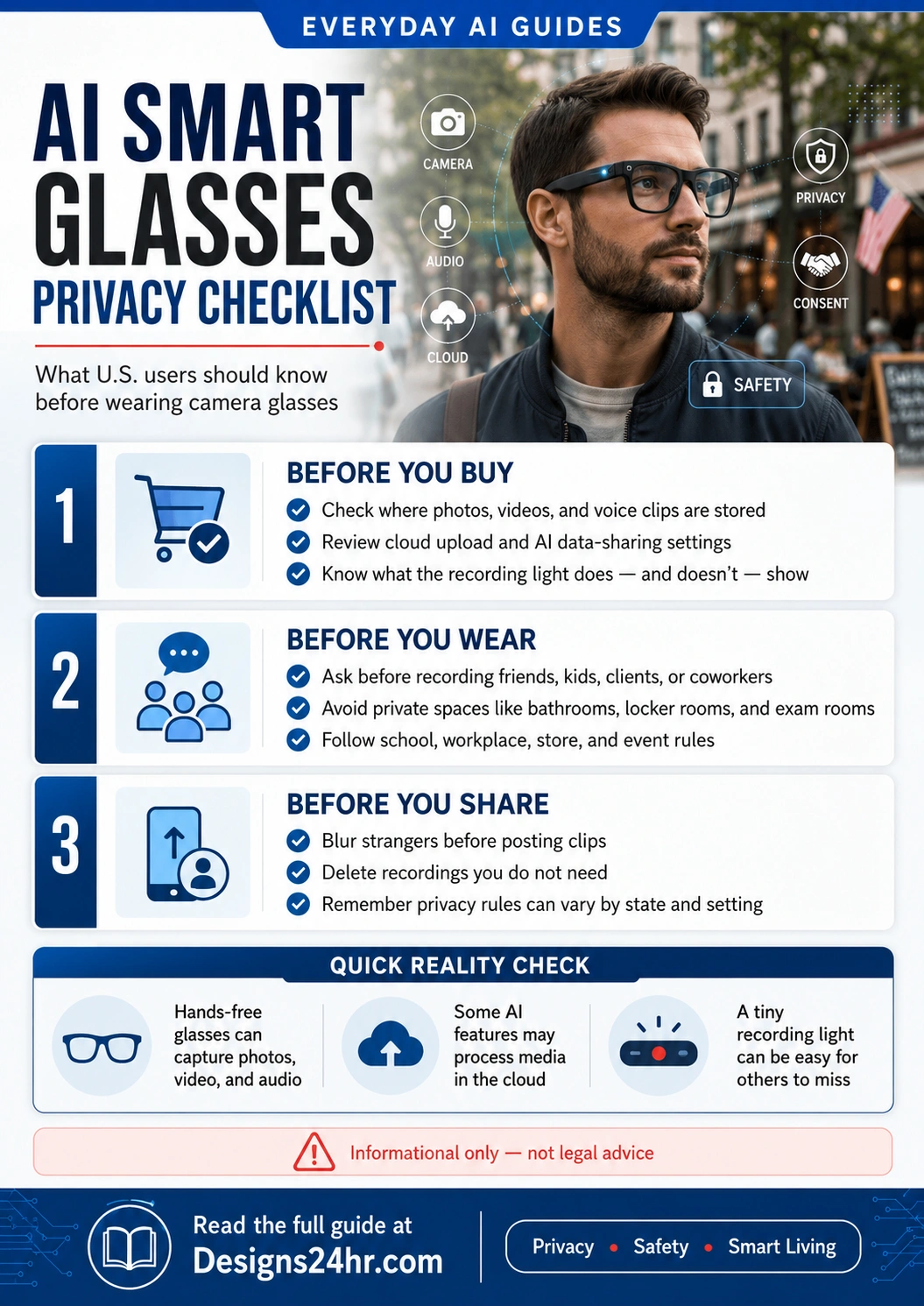
Before using AI smart glasses, check five things: whether the glasses can capture photos or video, whether audio or voice commands are stored, whether media moves into an app or cloud system, whether people around you know they may be recorded, and whether your school, workplace, gym, store, event, or state rules restrict recording.
The safest everyday habit is simple: treat AI glasses like a visible camera and microphone, not like normal eyewear. Ask before recording people, avoid private spaces, review app privacy settings, delete clips you do not need, and do not share bystanders online without thinking carefully.
Why AI smart glasses are trending now
AI smart glasses are moving from niche gadget to everyday wearable because big technology companies are trying to place AI directly into normal daily activities: walking, driving, shopping, traveling, working, exercising, cooking, and spending time with family.
Meta announced new Meta Glasses on June 23, 2026, in partnership with EssilorLuxottica. The company says the glasses are compatible with prescription lenses, launch with 26 styles, start at $299, include Meta AI powered by Muse Spark, and support hands-free photos, videos, voice control, audio, and other daily AI features. You can read the official announcement from Meta Newsroom.
That does not mean every U.S. user should rush to buy them. The real question is not only “What can these glasses do?” It is also “Who can they see, what can they hear, where does the data go, and what happens after I share a clip?”
What are AI smart glasses?
AI smart glasses are wearable glasses that may combine regular eyewear with a camera, microphones, speakers, Bluetooth, a companion app, and an AI assistant. Depending on the model, they may help you take a photo, record a short video, answer questions about what you are seeing, translate speech, get directions, listen to music, make calls, or send messages.
That sounds convenient because the device is hands-free. But the same convenience creates the privacy issue: people around you may not immediately realize that your glasses can capture media or interact with AI.
May capture photos or videos from your point of view.
May listen for voice commands, calls, audio, or AI requests.
May process requests, store media, sync settings, or connect to cloud features.
The AI smart glasses privacy checklist
Use this checklist before buying, setting up, wearing, recording, or sharing from AI smart glasses.
Check what the camera can capture
Start with the basics. Can the glasses take photos? Can they record video? How long can clips be? Is there a recording light? Is there a sound when recording starts? Can the indicator be missed by people standing nearby?
For everyday use, assume people will not always notice the camera. A phone pointed at someone is obvious. Glasses on your face may look like normal eyewear from across a room.
Review microphone and voice-command settings
AI smart glasses often use microphones for calls, voice commands, audio capture, and AI assistant features. Check whether wake words are enabled, how voice clips are handled, whether voice history is stored, and whether you can delete past interactions.
Be extra careful in shared homes, offices, classrooms, client spaces, doctor’s offices, and anywhere private conversations may happen nearby.
Understand where photos and videos are stored
Media may start on the glasses, move into a companion app, sync to your phone, or be processed through cloud services for AI features. The Electronic Frontier Foundation warns that smart-glasses footage may be stored online at some point and that users should understand where footage goes and who may access it. Read EFF’s privacy analysis here: Think Twice Before Buying or Using Meta’s Ray-Bans.
Before using the glasses, open the app settings and look for privacy, cloud media, voice storage, additional data sharing, camera roll, AI training, and delete-history controls.
Ask before recording friends, kids, clients, or coworkers
Even when recording may be allowed in some public settings, trust still matters. Friends, children, coworkers, clients, customers, patients, students, and guests may not want to be captured by a wearable camera.
A simple sentence works: “These glasses can record. Are you okay if I film this?” If the answer is no, do not record.
Avoid private spaces completely
Do not wear recording glasses in bathrooms, locker rooms, changing rooms, medical rooms, therapy rooms, private bedrooms, hotel rooms with guests, exam rooms, confidential workspaces, or anywhere people reasonably expect privacy.
If you are entering a private or sensitive space, remove the glasses or make sure recording and voice features are off. When in doubt, do not wear them there.
Check workplace, school, store, and event rules
Private businesses, schools, gyms, concerts, sports venues, workplaces, and events can have their own policies about cameras and recording devices. A store or restaurant may ask you to stop using smart glasses even if you are standing in a public-facing area.
For work, treat AI glasses like a recording device. Do not use them around confidential documents, customer information, private meetings, client calls, whiteboards, trade secrets, or internal dashboards unless your employer clearly allows it.
Blur, crop, or delete before sharing
Before posting a clip online, review the background. Did you capture a child, stranger, license plate, home address, school badge, computer screen, bank card, passcode, medical detail, or private conversation?
If the clip includes bystanders, consider cropping, blurring, muting audio, or not posting it at all. For related image safety guidance, read AI Deepfake Photo Safety Checklist.
Secure the account connected to the glasses
Your glasses may connect to a Meta, Google, Apple, or other account. If that account is weak, your photos, videos, contacts, messages, or AI history may be more exposed than you realize.
Use a strong unique password, turn on two-factor authentication, review connected apps, and remove devices you no longer use. You can create a stronger password with the free Designs24hr Free Password Generator.
Important U.S. recording note
This guide is informational only and is not legal advice. U.S. recording laws vary by state and by situation. Audio recording can be especially sensitive because federal law sets a minimum consent standard, while some states require consent from all parties in certain conversations.
The Reporters Committee for Freedom of the Press provides a state-by-state Reporter’s Recording Guide and explains that consent requirements vary by state, by conversation type, and by whether people have a reasonable expectation of privacy.
For everyday users, the safest practical habit is simple: get clear permission before recording conversations, avoid private spaces, and respect signs or requests asking you not to record.
Before you buy: 10 questions to ask
| Question | Why it matters | Smart action |
|---|---|---|
| Can the glasses take photos and videos? | People may not notice a camera built into eyewear. | Learn the recording indicators and tell people before filming. |
| Do they record audio? | Audio recording can trigger stricter consent concerns than silent video. | Ask permission before recording conversations. |
| Is there a cloud media setting? | Photos or videos may be processed away from your device. | Turn off unnecessary cloud sharing where possible. |
| Can AI features analyze what I see? | Visual AI may process images, objects, screens, people, and surroundings. | Avoid using AI vision around private documents or people who did not agree. |
| Can I delete voice and AI history? | Old interactions may reveal private questions or situations. | Review delete-history controls before daily use. |
| Will I wear them at work or school? | Institutions may restrict cameras, microphones, and AI tools. | Check policies before wearing them in sensitive places. |
| Can I recognize when they are recording? | A small indicator may be easy for others to miss. | Do not rely only on the light. Tell people directly. |
| Will I use them around children? | Children’s privacy deserves extra care. | Avoid posting children without clear parent or guardian permission. |
| Do I need every AI feature? | More features can mean more permissions and more data flow. | Turn on only the features you actually use. |
| Is the purchase worth the privacy tradeoff? | Convenience should match real everyday value. | Use Is This Worth It? to compare cost, usefulness, and risk. |
Before you wear: simple rules for everyday life
Good places to use caution
- Family gatherings
- Kids’ events
- Work meetings
- Classrooms and campuses
- Gyms and fitness studios
- Restaurants and stores
- Airports and public transportation
- Medical, legal, or financial offices
Better default habits
- Tell people when the glasses can record.
- Ask before recording anyone directly.
- Turn off recording in private spaces.
- Use the least data-sharing settings that still work for you.
- Delete unneeded clips quickly.
- Do not use AI answers for medical, legal, financial, or emergency decisions without checking reliable sources.
Before you share: protect people in the background
The easiest mistake with smart glasses is forgetting how much your point-of-view camera captures. A casual walk, lunch, meeting, or shopping trip can include strangers, kids, signs, screens, receipts, addresses, badges, and private conversations.
When posting online, review the full clip at normal speed and paused frame by frame. Remove anything sensitive. Blur faces when needed. Mute background conversations. Avoid posting inside homes, schools, locker rooms, medical spaces, or workplaces unless everyone clearly agreed.
Are AI smart glasses safe for families?
They can be useful for hands-free memories, travel, accessibility, cooking, outdoor activities, and quick daily help. But families should set rules before using them around children or inside the home.
Family rules to consider
- No recording kids in bedrooms, bathrooms, changing areas, or private family moments.
- No posting children’s faces, school names, uniforms, home addresses, or daily routines without careful permission.
- No wearing camera glasses during sensitive conversations.
- Parents should review app settings, sharing settings, and account security before a teen uses smart glasses.
- Everyone in the household should know when the glasses can record and how to turn recording off.
If your main concern is online image misuse, also read AI Deepfake Photo Safety Checklist for practical steps parents and teens can take if fake or harmful images are shared.
Do not blindly trust AI answers from glasses
AI glasses may feel more confident than a normal search because they are attached to what you are seeing. That does not make every answer correct. AI can still misunderstand a scene, miss context, or produce a confident but wrong answer.
Use AI glasses for low-risk help like reminders, simple explanations, translations, directions, or hands-free notes. Be much more careful with health symptoms, legal questions, financial decisions, emergency situations, school tests, workplace compliance, and safety instructions.
For a simple fact-checking habit, read AI Hallucination Checker: 7 Ways to Fact-Check AI Answers Before You Trust Them.
How AI glasses compare to other AI privacy tools
The privacy question behind AI glasses is similar to the question behind AI browsers and AI smart speakers: what can the AI see, hear, remember, process, or act on?
May see your surroundings, hear voice commands, and capture media from your point of view.
May access pages, tabs, summaries, shopping research, and online context you allow.
May listen for voice commands and connect to routines, home devices, and household settings.
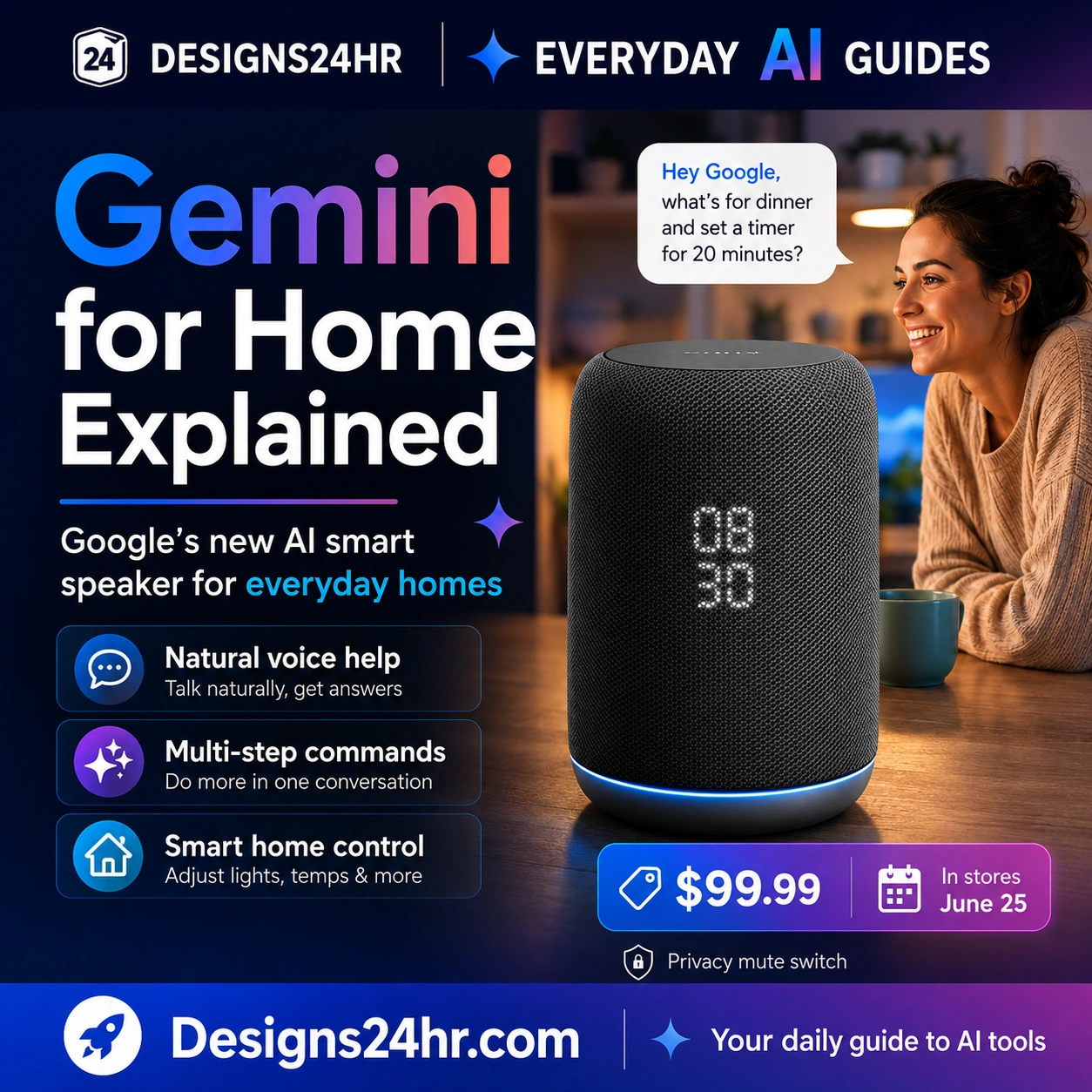
For related privacy thinking, read AI Browsers Explained and Gemini for Home Explained.
Who should consider AI smart glasses?
They may be useful if you:
- Want hands-free photos or short videos for travel, hobbies, or outdoor activities.
- Need audio, calls, or navigation without constantly holding a phone.
- Use smart assistants carefully and understand privacy settings.
- Have a clear reason to use them instead of a phone camera.
- Are willing to ask permission before recording people.
They may not be a good fit if you:
- Do not want a camera or microphone connected to your daily eyewear.
- Often work around confidential information.
- Spend time in schools, medical spaces, gyms, private events, or sensitive workplaces.
- Do not want to manage app settings, cloud controls, and account security.
- Feel uncomfortable explaining to people when your glasses can record.
Final privacy checklist before daily use
- Read the product’s privacy page before setup.
- Review camera, microphone, voice history, cloud media, and data-sharing settings.
- Turn off features you do not need.
- Use a strong unique password and two-factor authentication on the connected account.
- Learn how recording indicators work, but do not rely on them alone.
- Ask before recording people directly.
- Avoid private spaces completely.
- Follow school, workplace, store, gym, venue, and event rules.
- Delete clips you do not need.
- Blur, crop, mute, or skip posting when people in the background may be exposed.
Related Designs24hr guides and tools
- Everyday AI Guides for simple AI explainers across work, school, family, safety, smart living, and productivity.
- Smart Living with AI for AI devices, routines, smart homes, gadgets, and everyday decision guides.
- AI Safety, Privacy & Trust for scams, privacy settings, fake media, passwords, and safer AI habits.
- AI Browsers Explained for another guide on what AI can see, summarize, and act on.
- Gemini for Home Explained for smart-speaker privacy and microphone setting checks.
- AI Scam Text Message Checklist if you receive suspicious device, account, or support messages.
- Free Password Generator to create stronger passwords for important smart-device accounts.
- Is This Worth It? to compare price, usefulness, privacy tradeoffs, and buyer’s remorse before purchasing AI glasses.
Helpful sources
- Meta Newsroom: We’re Partnering With EssilorLuxottica to Launch Meta Glasses
- Electronic Frontier Foundation: Think Twice Before Buying or Using Meta’s Ray-Bans
- Reporters Committee for Freedom of the Press: Reporter’s Recording Guide
- Reporters Committee: Introduction to the Reporter’s Recording Guide
Frequently asked questions
Can AI smart glasses record people without them noticing?
Yes, people may not immediately notice that smart glasses include a camera or microphone. Some glasses use a recording light or sound, but those signals can be subtle. The safer habit is to tell people before recording and ask for permission when they are part of the clip.
Are AI smart glasses always recording?
Not always. Many smart glasses require a button, gesture, command, or setting to capture photos or video. However, microphones and AI assistant features may be ready for voice commands depending on the product settings. Review wake word, microphone, voice storage, and cloud settings before daily use.
Where do AI smart glasses store photos and videos?
It depends on the device and settings. Media may be stored on the glasses first, imported into a companion app, saved to your phone, or processed in the cloud for some AI features. Check the product’s storage, cloud media, app, and delete-history settings before recording anything private.
Can I wear AI smart glasses at work?
Only if your workplace allows it. AI smart glasses can create issues around confidential meetings, customer data, private screens, trade secrets, client calls, and internal documents. Ask your employer or review company policy before wearing camera glasses at work.
Can I wear AI smart glasses at school?
Schools may restrict cameras, microphones, recording devices, or AI tools during class, exams, private student meetings, and campus activities. Students and parents should check school rules before bringing AI smart glasses to class or school events.
Is it legal to record with AI smart glasses in public?
It depends on your state, the situation, whether audio is captured, whether people have a reasonable expectation of privacy, and whether all required parties consent. This article is not legal advice. When in doubt, ask for permission and avoid recording private conversations.
Should I post videos from AI smart glasses online?
Only after reviewing the clip carefully. Remove or blur strangers, children, addresses, screens, badges, license plates, private conversations, financial details, and anything that could expose or harm someone. If the clip depends on someone else being visible, ask before posting.
Are AI smart glasses safe for kids?
They can be useful in some situations, but families should be careful. Children’s faces, school details, routines, homes, and private moments should not be recorded or posted casually. Parents should review privacy settings, sharing controls, and account security before allowing a teen to use smart glasses.
What privacy settings should I check first?
Start with camera capture, microphone access, wake word, voice history, cloud media, AI training or improvement settings, additional data sharing, camera roll access, connected apps, device permissions, delete-history controls, password security, and two-factor authentication.
Are AI smart glasses worth buying?
They may be worth it if you have a clear everyday use case and are comfortable managing privacy settings. They may not be worth it if you mainly want a novelty gadget, work around sensitive information, or dislike the idea of wearing a camera and microphone. Compare the real benefits, cost, and privacy tradeoffs before buying.
Want simple AI guides without the confusion?
Explore more beginner-friendly AI safety, smart living, productivity, family, school, and everyday tool guides at Designs24hr.
Explore Everyday AI Guides