Siri AI Explained: 7 Powerful iPhone Features to Know
Last updated: June 10, 2026
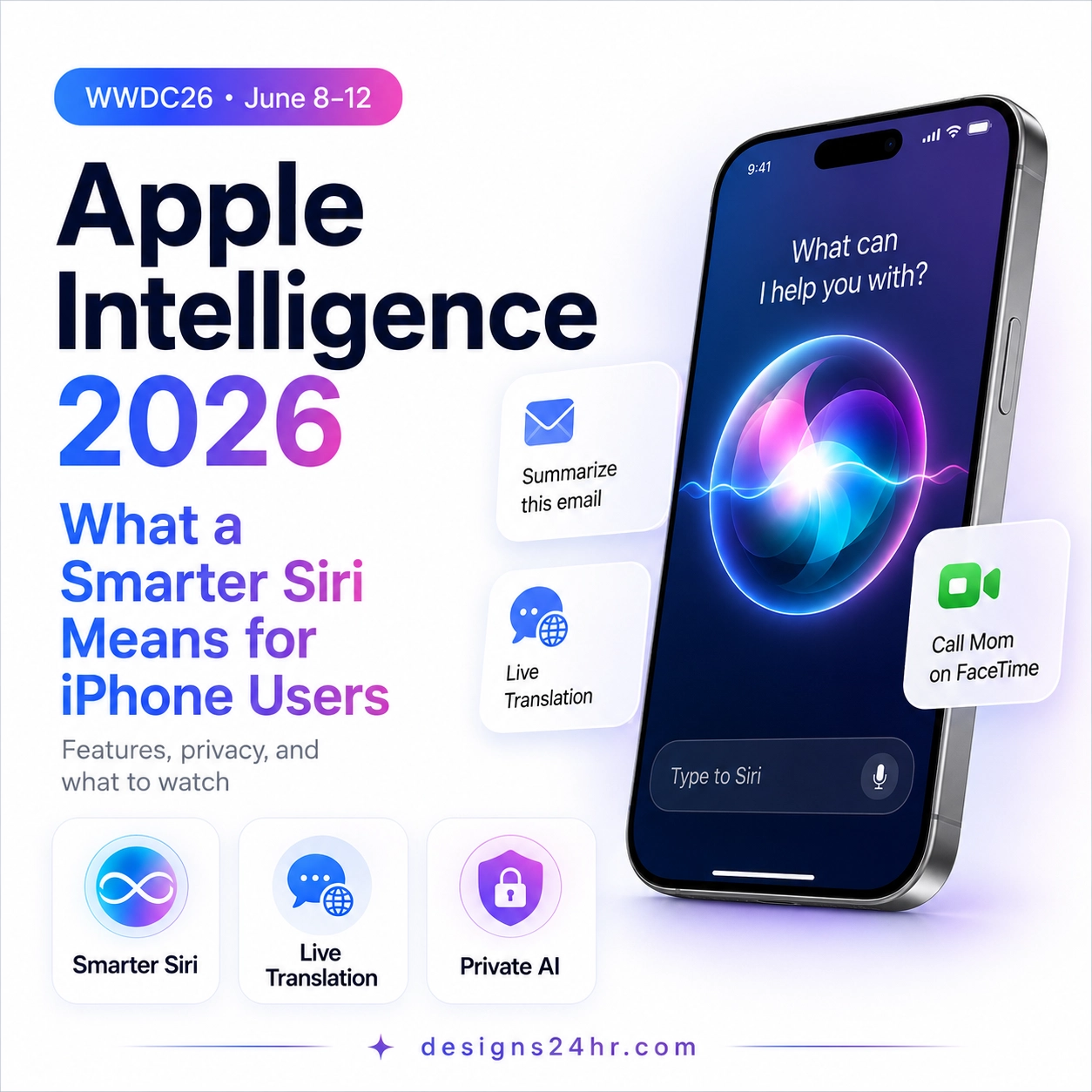
Siri AI explained simply: Apple’s new AI assistant is designed to make Siri smarter, more personal, and more useful across iPhone and other Apple devices. Instead of only handling basic voice commands, Siri AI can understand what is on your screen, use personal context from your apps, find up-to-date web answers, and help complete everyday actions across the Apple ecosystem.
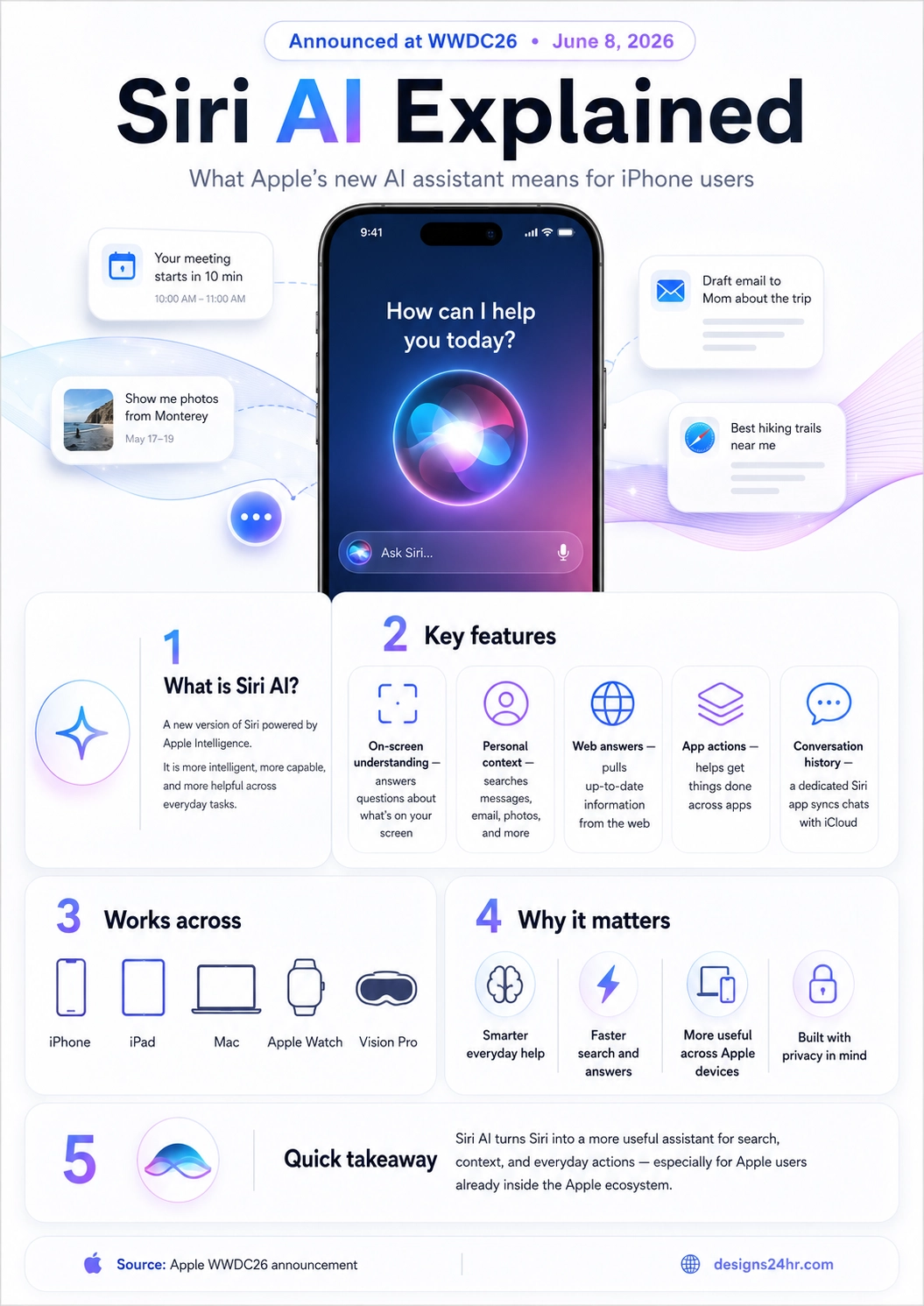
Quick answer: This Siri AI explained guide is for everyday iPhone users who want to understand what Apple’s new AI assistant actually does. Siri AI is powered by Apple Intelligence and can help with on-screen understanding, personal context, web answers, app actions, and conversation history across Apple devices.
Siri AI Explained: What It Means
Siri AI is Apple’s new AI-powered Siri experience, built on Apple Intelligence. Apple introduced it as a more intelligent and capable assistant that can help users across iPhone, iPad, Mac, Apple Watch, and Vision Pro.
The old Siri was mainly known for simple requests like setting timers, checking weather, calling contacts, sending short messages, and answering basic questions. The new Apple Siri AI is different because it is designed to understand more context. That means it can look at what is happening on your screen, connect useful details from your apps, and help you take action faster.
In simple terms, Siri AI explained for beginners means a smarter Siri that can understand your screen, your apps, your everyday tasks, and your Apple devices more clearly. It is not just a voice assistant upgrade. It is Apple’s attempt to make AI feel built into the normal iPhone experience.
How Apple Intelligence Powers Siri AI
Apple Intelligence is the AI system behind Siri AI. It helps the assistant understand language, context, device activity, and user requests in a more useful way. That is why the phrase Apple Intelligence Siri is important: Siri AI is not a separate random chatbot, but a new Siri experience powered by Apple’s own AI system.
Apple says Siri AI can answer questions related to the content on a user’s screen, use personal context from apps, and go to the web for up-to-date information. This combination makes Siri AI more practical for everyday iPhone users because many daily questions depend on what you are already doing on your device.
Simple way to understand it
Apple Intelligence is the brain behind the experience. Siri AI is the assistant you interact with. Together, they are designed to help iPhone users search, understand, plan, and act faster inside Apple’s ecosystem.
Siri AI Explained for iPhone Users: 7 Powerful Features
If you are searching for Siri AI iPhone features, these are the most important upgrades to understand. For iPhone users, Siri AI explained clearly comes down to one idea: smarter help without needing to open a separate AI chatbot for every small task.
1. On-Screen Understanding
Siri AI can answer questions about content visible on your screen. This may help with emails, messages, articles, product pages, photos, forms, app screens, and other information you are already viewing.
2. Personal Context Across Apps
Apple says Siri AI can use personal context from apps like Messages, Mail, Photos, and more. This can make it easier to find details from your own content without manually searching each app.
3. Up-to-Date Web Answers
Siri AI can go to the web for current information and generate helpful answers. This matters for questions about local places, travel, products, schedules, trends, and other changing information.
4. App Actions Across Devices
Siri AI can help get things done across apps. A useful assistant should not only answer questions; it should help users complete the next step inside the apps they already use.
5. Smarter Search in Personal Content
The new Siri AI assistant can be useful when you need to find an old message, locate a photo, remember a plan, or connect information from different Apple apps.
6. Dedicated Siri App
Apple describes a dedicated Siri app where users can revisit past conversations or start new ones. This could make Siri feel more like a continuous assistant instead of a one-time command tool.
7. iCloud-Synced Conversation History
Siri AI conversation history can sync across Apple products using iCloud, helping users continue assistant conversations across supported Apple devices.
Why These Features Matter
The biggest reason this Siri AI explained topic matters is that Apple is bringing AI directly into the iPhone experience millions of people already use every day.
Why Apple Siri AI Matters
Apple Siri AI matters because it could make artificial intelligence feel less complicated for everyday users. Many people do not want to learn advanced prompts or open a separate chatbot for every question. They want help inside the apps, messages, photos, and screens they already use.
For many users, Siri AI explained clearly comes down to one benefit: faster help without leaving the iPhone experience. If Siri AI can understand context and take action across apps, it could save time in small moments throughout the day.
| Everyday Need | How Siri AI Could Help |
|---|---|
| Finding information | Search messages, emails, photos, and web information with more context. |
| Understanding content | Answer questions about what is currently visible on your screen. |
| Getting tasks done | Create reminders, draft replies, take app actions, and move information between apps. |
| Using AI naturally | Ask normal questions instead of learning complicated commands or prompts. |
| Working across devices | Continue using Siri AI across iPhone, iPad, Mac, Apple Watch, and Vision Pro. |
This makes Siri AI important for students, parents, professionals, creators, and casual iPhone users. It is not just about asking smarter questions. It is about using AI to reduce friction in normal daily tasks.
Siri AI Explained: Devices and Availability
Apple describes Siri AI as deeply integrated across major Apple devices, including iPhone, iPad, Mac, Apple Watch, and Vision Pro. This could make the assistant more useful for people who already use multiple Apple products together.
| Apple Device | Potential Siri AI Use |
|---|---|
| iPhone | Everyday help with messages, photos, reminders, calls, browsing, email, search, and personal tasks. |
| iPad | Helpful for schoolwork, notes, research, reading, planning, creativity, and multitasking. |
| Mac | Useful for productivity, email, files, writing, browser research, and work-related tasks. |
| Apple Watch | Quick access to reminders, messages, timers, directions, daily updates, and simple actions. |
| Vision Pro | Potential help with spatial computing, visual context, hands-free workflows, and immersive tasks. |
Exact availability can depend on device model, region, language, and software version. Before buying a device specifically for Siri AI, users should check Apple’s official release and compatibility details.
Is Siri AI Private?
Privacy is one of the biggest questions around Apple Siri AI. A more useful assistant may need access to personal context, and that means users should understand what information the assistant can see, use, and remember.
Apple says the next generation of Apple Intelligence uses a privacy-focused architecture. That is important because features like on-screen understanding, personal context, message search, photo search, and conversation history can be very helpful, but they also involve personal information.
Privacy tip for iPhone users
When Siri AI features become available, review your Siri, Apple Intelligence, iCloud, and app permission settings. Pay attention to which apps Siri can access, how conversation history is handled, and which features you want enabled on each device.
Siri AI vs ChatGPT and Gemini
Siri AI, ChatGPT, and Gemini are all AI assistants, but they are not designed for exactly the same purpose. Siri AI’s biggest advantage is Apple ecosystem integration. ChatGPT and Gemini are more general-purpose AI assistants that can help with writing, research, brainstorming, learning, coding, and productivity.
| AI Assistant | Best For | Main Strength |
|---|---|---|
| Siri AI | iPhone tasks, Apple device actions, on-screen help, personal context, and app integration. | Deep connection with Apple devices and Apple apps. |
| ChatGPT | Writing, learning, brainstorming, planning, coding, analysis, and creative tasks. | Flexible general-purpose AI conversations and reasoning. |
| Gemini | Google Search, Android, Google apps, web-connected research, and productivity. | Strong connection with Google’s search and app ecosystem. |
For iPhone users, Siri AI may become the easiest AI assistant to use because it can live directly inside the device experience. For longer writing, deep research, content creation, coding, or advanced brainstorming, dedicated AI tools may still be helpful.
Real-Life Siri AI Examples
The best way to understand Siri AI is to look at normal daily situations. Here are simple examples of how Apple’s new AI assistant could help everyday users:
- Photos: “Find the photos from my beach trip last weekend.”
- Messages: “What did Mom say about dinner plans?”
- Email: “Draft a polite reply saying I can join the meeting tomorrow.”
- Screen help: “What does this warning message mean?”
- Web answers: “Find the best hiking trails near me.”
- Planning: “Turn this message into a reminder for Friday.”
- Productivity: “Summarize the important action items from this email.”
- Travel: “Find my hotel booking and add the check-in time to my calendar.”
These examples show why Siri AI could matter beyond tech news. If Apple makes the assistant reliable, it could help users save time on small tasks that happen every day.
Should iPhone Users Care About Siri AI?
Yes, iPhone users should care about Siri AI because it could become one of the most common ways people use AI without feeling like they are using a separate tool. The strongest part of Siri AI is not just conversation. The strongest part is the connection between AI, Apple apps, personal context, and device actions.
For beginners, Siri AI could make AI easier to use. For busy professionals, it could reduce small productivity friction. For students, it could help with notes, research, and planning. For families, it could help with reminders, schedules, messages, and everyday organization.
Final takeaway
Siri AI explained in one sentence: Apple is trying to turn Siri into a more useful, context-aware assistant for the AI era. If Apple delivers the experience well, Siri AI could become one of the most important ways everyday iPhone users interact with artificial intelligence.
Helpful Related Guides and Tools
If you are learning how AI is changing search, phones, productivity, and daily tasks, these related Designs24hr resources can help:
Official Source
For official details about Apple Intelligence and Siri AI, read Apple’s WWDC26 announcement: Apple WWDC26 Siri AI and Apple Intelligence announcement.
Siri AI FAQ
What does Siri AI explained mean?
Siri AI explained means understanding Apple’s new AI-powered Siri experience in simple terms. It is a smarter version of Siri powered by Apple Intelligence, designed to understand screen content, personal context, web information, and app actions.
What is Siri AI?
Siri AI is Apple’s new AI-powered version of Siri, built on Apple Intelligence. It is designed to understand on-screen content, use personal context, search the web for current information, and help complete actions across Apple apps and devices.
Is Siri AI the same as Apple Intelligence?
Siri AI is powered by Apple Intelligence, but they are not the same thing. Apple Intelligence is the broader AI system behind many Apple features, while Siri AI is the new assistant experience built using that technology.
What can Siri AI do on iPhone?
Siri AI can answer questions, understand what is on your screen, use personal context from apps like Messages, Mail, and Photos, find web information, and help complete tasks across apps. Exact features may depend on device, region, language, and software version.
Can Siri AI search messages, emails, and photos?
Apple says Siri AI can draw on personal context to search across apps such as Messages, Mail, Photos, and more. This could help users find personal information faster without manually searching each app.
Can Siri AI answer questions about what is on my screen?
Yes. Apple says Siri AI can answer questions related to content on a user’s screen. This is one of the most important new Siri AI features for everyday iPhone users.
Does Siri AI work across Apple devices?
Apple describes Siri AI as deeply integrated across iPhone, iPad, Mac, Apple Watch, and Vision Pro. The experience may vary depending on the device and software version.
Does Siri AI have conversation history?
Apple describes a dedicated Siri app where users can revisit past conversations or begin new ones. Siri conversation history can sync across Apple products using iCloud.
Is Siri AI better than ChatGPT?
Siri AI may be better for Apple device actions, personal context, and iPhone tasks. ChatGPT may still be better for long-form writing, brainstorming, coding, learning, and broader general-purpose AI conversations.
When will Siri AI be available?
Apple previewed Siri AI at WWDC26. Availability may depend on Apple’s software rollout, device compatibility, language support, and region, so users should check Apple’s official updates for the latest release details.
Source: This article is based on Apple’s official WWDC26 announcement about Apple Intelligence and Siri AI.