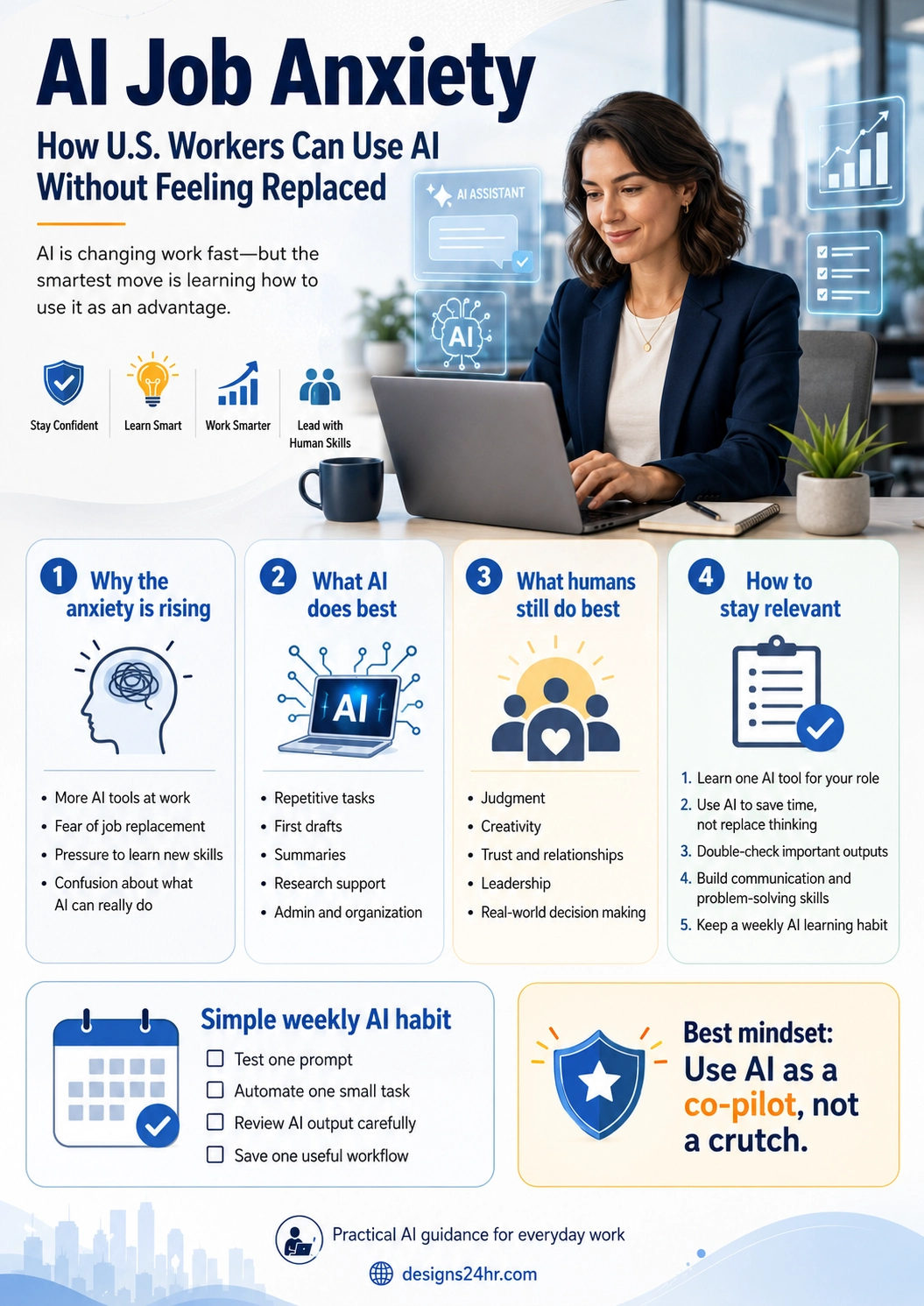
AI Job Anxiety: How U.S. Workers Can Use AI Without Feeling Replaced
AI job anxiety is real, especially for U.S. workers watching new AI tools enter offices, schools, customer service teams, marketing departments, finance roles, and creative jobs. But the smartest response is not panic. It is learning how to use AI as a co-pilot while strengthening the human skills AI cannot replace.
If you have recently wondered, “Will AI replace my job?” you are not alone. Many American workers are trying to understand what artificial intelligence means for their careers, daily tasks, income, and future opportunities. The concern is understandable because AI tools can now draft emails, summarize meetings, generate reports, analyze data, create images, write code, and automate repetitive work.
But AI job anxiety becomes more manageable when you separate fear from strategy. AI is powerful, but it is not the same as human judgment, leadership, creativity, trust, emotional intelligence, real-world context, or responsibility. The goal is not to compete with AI task by task. The goal is to become the worker who knows how to use AI well.
- Why AI job anxiety is rising in the U.S.
- What AI actually does well at work
- What humans still do better than AI
- How to build practical AI skills without feeling overwhelmed
- A simple weekly AI habit for staying relevant
Why AI Job Anxiety Is Rising in the U.S.
AI job anxiety is growing because AI is no longer a distant technology story. It is showing up inside real workplaces. Employees are seeing AI chatbots, writing assistants, customer support automation, AI search tools, AI meeting summaries, design generators, and data analysis tools become part of everyday work.
Pew Research Center found that about half of U.S. workers said they were worried about the future impact of AI use in the workplace, while a smaller share said they felt hopeful. Pew also reported that many workers think AI could lead to fewer job opportunities for them in the long run. That does not mean every job is disappearing, but it does show why the emotional reaction is strong.
The pressure feels even bigger for younger workers, office workers, freelancers, creatives, customer service employees, marketers, writers, analysts, students, and people in entry-level roles. These groups often see AI tools touching the exact tasks they are expected to do: research, writing, organizing information, summarizing, answering questions, creating content, and preparing first drafts.
What AI Does Best at Work
AI is useful when the task is repetitive, text-heavy, pattern-based, or time-consuming. It can help workers move faster through first drafts, summaries, checklists, research organization, brainstorming, spreadsheet cleanup, simple explanations, and routine planning.
AI is good at speed
AI can create a rough draft, summarize long information, organize notes, rewrite text, and generate options much faster than starting from a blank page.
AI is good at structure
AI can turn messy ideas into outlines, checklists, tables, email drafts, meeting notes, content calendars, and step-by-step plans.
AI is good at support
AI can act like a thinking assistant that helps you compare options, simplify complex topics, prepare questions, or explore ideas.
AI is good at repetition
AI can help with repetitive admin work, template creation, basic customer replies, internal documentation, and routine communication.
This is why AI can feel threatening. If part of your job involves repeatable digital tasks, AI may be able to speed up those tasks. But speeding up part of a job is not the same as replacing the full value of a person.
What Humans Still Do Better Than AI
The strongest long-term career move is to understand the difference between output and responsibility. AI can produce words, ideas, images, summaries, and suggestions. But humans are still responsible for deciding what matters, what is accurate, what is ethical, what fits the customer, and what should happen next.
| AI can help with | Humans still own |
|---|---|
| Drafting an email | Choosing the tone, relationship context, timing, and final message |
| Summarizing a report | Knowing which details are important for the business decision |
| Generating ideas | Picking the idea that fits the audience, brand, budget, and real-world goal |
| Analyzing patterns | Questioning the data, checking assumptions, and making responsible decisions |
| Automating a task | Understanding the workflow, customer impact, risk, and quality standard |
In other words, AI can help you move faster, but it should not replace your judgment. The worker who blindly copies AI output becomes easier to replace. The worker who uses AI, checks it, improves it, and applies human context becomes more valuable.
How U.S. Workers Can Use AI Without Feeling Replaced
The best way to reduce AI job anxiety is to stop treating AI as a mystery and start treating it as a work skill. You do not need to master every AI tool. You need to learn how AI fits your role, your daily tasks, and your career direction.
1. Learn One AI Tool for Your Current Role
Start with one tool, not ten. If you write emails, learn how to use AI for drafts and tone improvement. If you manage meetings, learn AI summaries and action items. If you work in marketing, learn AI brainstorming and content outlines. If you work in customer service, learn how to create better response templates. If you work with data, learn how AI can explain patterns and help you ask better questions.
The goal is not to become an AI expert overnight. The goal is to become more effective in your current role this month.
2. Use AI to Save Time, Not Replace Thinking
AI should reduce busywork so you can spend more time on judgment, relationships, quality, problem solving, and execution. A healthy AI workflow looks like this:
- You give AI clear context.
- AI creates a draft, summary, checklist, or set of options.
- You review the output carefully.
- You improve it with your knowledge and judgment.
- You make the final decision.
This keeps you in control. AI becomes the assistant, not the manager.
3. Double-Check Important AI Outputs
AI can make mistakes, invent details, misunderstand context, or produce confident but incorrect answers. For low-risk tasks, AI can save time quickly. For important work involving money, customers, legal issues, health, hiring, safety, privacy, or business decisions, you should always verify the output.
A simple rule works well: use AI for help, but never outsource responsibility.
4. Build the Human Skills AI Cannot Copy Well
If AI can create more content, summaries, and drafts, then human skills become more important, not less. The workers who stand out will be the ones who can communicate clearly, lead people, solve messy problems, build trust, understand customers, make decisions, and use good judgment under pressure.
Focus on skills like:
- Clear communication
- Problem solving
- Critical thinking
- Customer understanding
- Leadership
- Creativity
- Data literacy
- Ethical decision making
- Adaptability
5. Keep a Weekly AI Learning Habit
You do not need to spend hours every day learning AI. A small weekly habit is enough to build confidence over time. The key is consistency.
Simple Weekly AI Habit
- Test one AI prompt related to your job.
- Automate or improve one small repetitive task.
- Review one AI output carefully and improve it.
- Save one useful workflow you can reuse later.
After a few weeks, AI starts feeling less like a threat and more like a tool you know how to control.
Best AI Prompts for Reducing Job Anxiety
Good prompts help you turn anxiety into action. Use these prompts to understand how AI can support your work without replacing your thinking.
| Goal | Prompt to try |
|---|---|
| Find useful AI tasks | “Here are my daily work tasks: [paste list]. Which tasks could AI help me speed up, and which tasks should still require human judgment?” |
| Improve a workflow | “Help me turn this repetitive task into a simple step-by-step workflow I can reuse each week.” |
| Check quality | “Review this draft for clarity, tone, missing details, and possible mistakes. Do not rewrite it until you explain what needs improvement.” |
| Build skills | “Based on my role as [job title], what are five AI skills I should learn first, and how can I practice each one?” |
| Stay relevant | “What parts of my role are most likely to change because of AI, and what human skills should I strengthen to stay valuable?” |
AI Job Anxiety Tips for U.S. Workers
Here is the practical mindset: do not ask only, “Will AI replace me?” Ask, “Which parts of my work can AI improve, and which parts require more human value?”
- Map your tasks: Write down what you do every week.
- Separate repeatable work from judgment work: AI is better for repeatable work.
- Pick one AI use case: Start with drafts, summaries, checklists, or research support.
- Verify everything important: Never trust AI blindly.
- Build one human skill: Improve communication, leadership, customer understanding, or problem solving.
What Not to Do With AI at Work
AI can help your career, but careless use can create problems. Avoid these mistakes:
- Do not paste private company data into tools unless your workplace allows it.
- Do not submit AI output without reviewing it.
- Do not use AI to fake expertise. Use it to learn and improve.
- Do not automate relationship-based work blindly. Customers and coworkers still need human care.
- Do not chase every new tool. Master a few useful workflows first.
Responsible AI use matters because trust is part of your professional value. NIST’s AI Risk Management Framework is built around improving trustworthiness in AI systems, and that same idea applies at the worker level: use AI in ways that are accurate, safe, explainable, and responsible.
Will AI Replace Jobs or Change Jobs?
The honest answer is that AI will likely do both. Some tasks will be automated. Some roles will shrink. Some roles will change. New roles will also appear around AI operations, AI training, workflow design, data quality, customer experience, safety, compliance, and human review.
BLS has noted that AI-related impacts are being considered in employment projections for several occupations, while also showing that some technical roles are still projected to grow because businesses need people to develop, maintain, and manage AI-related systems. That is why the best career strategy is not denial or panic. It is adaptation.
Who Should Learn AI First?
Every worker can benefit from basic AI literacy, but some groups should move faster because their daily tasks are already being affected.
- Office workers: Learn AI for email, reports, summaries, meeting notes, and planning.
- Students and recent graduates: Learn AI as a study, research, and career preparation tool.
- Small business owners: Learn AI for marketing, customer replies, content ideas, and operations.
- Freelancers: Learn AI for faster drafts, client communication, proposals, and content planning.
- Managers: Learn AI for team workflows, documentation, training, and decision support.
- Creators and marketers: Learn AI for ideation, outlines, repurposing, and campaign planning.
Internal Resources From Designs24hr
If you want practical AI guidance without feeling overwhelmed, explore more beginner-friendly AI content on The AI Edge. You can also visit Designs24hr for simple tools and resources designed to help everyday users work smarter.
Helpful External Resources
These trusted resources can help you understand AI at work, responsible AI use, and practical AI learning:
- Pew Research Center: U.S. workers and future AI use in the workplace
- Pew Research Center: Key findings about Americans’ views of AI
- BLS: Incorporating AI impacts in employment projections
- NIST: AI Risk Management Framework
- Microsoft: AI skills and training resources
- Google AI: AI tools, responsibility, and learning resources
FAQ: AI Job Anxiety
What is AI job anxiety?
AI job anxiety is the fear or stress workers feel when they think artificial intelligence could replace their tasks, reduce job opportunities, or make their skills less valuable.
Will AI replace U.S. workers?
AI may replace some tasks and change some roles, but many jobs still require human judgment, communication, trust, creativity, leadership, and real-world decision making. The safest strategy is to learn how to use AI while strengthening human skills.
What is the best way to reduce AI job anxiety?
The best way to reduce AI job anxiety is to learn one practical AI use case for your current role, use AI to save time, verify important outputs, and keep improving the human skills that make your work valuable.
What skills should workers build because of AI?
Workers should build AI literacy, critical thinking, communication, problem solving, data literacy, creativity, customer understanding, leadership, and responsible technology habits.
Should I use AI at work?
Yes, if your workplace allows it and you use it responsibly. Do not paste private company data into AI tools without permission, and always review important AI output before using it.
Final Takeaway
AI job anxiety is understandable, but fear alone will not protect your career. The better move is to become AI-aware, AI-capable, and human-first. Learn one useful tool, improve one workflow, double-check important outputs, and keep building the judgment, trust, and creativity that make you valuable.
For more practical guides like this, visit The AI Edge by Designs24hr.