An AI poster generator can create an impressive design in seconds, but the first result is rarely ready to print or publish. It may misspell a business name, invent an event detail, distort a product, use unreadable text, imitate protected branding, or produce a file that becomes blurry at its final size.
This AI poster generator checklist gives you 15 practical checks for reviewing the wording, design, accessibility, source assets, commercial-use terms, dimensions, and final export. Use it for event posters, sports graphics, classroom announcements, sale promotions, business advertising, community notices, social posts, and printable flyers. For printable activities for children, the AI coloring page generator checklist covers the extra checks to make before printing for kids.
The goal is not to make every poster look identical. It is to make sure your finished design is accurate, readable, responsibly created, and appropriate for its real publishing destination.
Reviewed and updated: August 1, 2026
What should you check before publishing an AI-generated poster?
Before publishing an AI-generated poster, verify the wording, dates, prices, contact details, visual hierarchy, text readability, color contrast, image accuracy, logo and trademark use, advertising claims, commercial-use rights, privacy, dimensions, print specifications, and final exported file. Always complete a human review instead of publishing the first generated result. If the poster needs a new brand mark, review the AI logo generator checklist before you use a logo for your business.
What Is an AI Poster Generator?
An AI poster generator is a design tool that uses a written prompt, uploaded content, a template, or a combination of inputs to help create a poster. Depending on the service, it may generate background artwork, suggest a headline, arrange text and images, recommend colors, resize a layout, or produce a finished visual from a short description.
These tools can save time during brainstorming and early design work. They are especially useful when you need several visual directions quickly or do not want to build every element from an empty canvas.
However, an AI-generated draft should not be treated as an approved final file. Features, output rights, editing controls, export quality, privacy settings, and commercial-use permissions can vary substantially between providers and subscription plans.
If you decide a paid design plan is no longer worth it, here is how to cancel a Canva subscription on any device.
Useful distinction: generating a poster is a creative step. Approving a poster is a separate accuracy, quality, accessibility, and rights-review step.
A poster is best when one message, event, offer, or action must be understood quickly. Use an AI infographic when the visual must explain several connected facts, steps, or data points. This page owns poster-specific decisions such as viewing distance, headline dominance, event details, print setup, bleed, and final production checks.
Why AI-Generated Posters Need Human Review
Posters compress a large amount of information into a small visual space. A single error can affect an entire event, campaign, advertisement, or customer interaction.
A beautiful poster may still be unusable if the date is wrong, the phone number is incomplete, the price is misleading, the QR code is cropped, the logo is unauthorized, or the text disappears when printed. AI-generated imagery can also contain distorted products, impossible objects, inaccurate uniforms, invented signage, repeated patterns, and visual details that look convincing until someone examines them closely.
The safest workflow is to use AI for exploration and drafting while keeping factual approval, design judgment, licensing verification, and publishing responsibility with a person.
Do not publish from the preview alone. Download the final file, reopen it independently, inspect it at its intended size, and obtain human approval before it goes live or enters production.
Use This Six-Step AI Poster Production Workflow
The safest process separates creative generation from factual approval and production. Do not ask one AI output to perform every stage at once.
Lock the Brief
Confirm the audience, destination, dimensions, required wording, offer terms, and call to action.
Set the Visual Rules
Choose the approved palette, typography direction, imagery, spacing, and exclusions before generating.
Generate the Draft
Create the composition and imagery, but treat generated wording and details as unapproved placeholders.
Rebuild Critical Text
Add names, dates, prices, URLs, contact details, and calls to action as editable text whenever possible.
Verify the Promise
Check facts, claims, products, rights, trademarks, privacy, accessibility, and required disclosures.
Produce and Test
Prepare the correct print or digital file, reopen the export, test the real destination, and approve it.
Hard-stop publishing rule
Do not print, post, advertise, or deliver the poster when any purchase-critical or attendance-critical detail is unverified. A wrong date, location, price, quantity, contact method, offer restriction, product feature, permission, or file specification is not a minor design issue.
AI Poster Generator Checklist: 15 Checks Before You Print or Publish
Define the Poster’s Purpose, Audience, and Destination
Start by deciding exactly what the poster needs to accomplish. A sports-event poster, storefront sale sign, classroom notice, conference announcement, and social-media promotion all require different levels of detail, text size, tone, and visual emphasis.
Identify the person who needs to understand the message, the action they should take, and where they will see the design. A poster viewed from across a room needs larger text than a graphic opened on a phone. A printed handout can contain more supporting details than a roadside sign.
- Define the single primary goal.
- Identify the intended audience.
- Choose print, web, email, social, or storefront use.
- Confirm viewing distance and device.
- Decide the required call to action.
- List the information that must appear.
Confirm the Final Size and Aspect Ratio
Do not generate a poster first and decide its dimensions afterward. Confirm the destination’s required width, height, orientation, safe area, and cropping behavior before creating the main layout. Our AI image aspect ratio guide explains how to match the canvas shape and pixel dimensions to where the image will appear.
Resizing a finished design can make text too small, stretch an image, remove important details, or change the visual hierarchy. When a campaign needs multiple formats, create separate layouts for each major destination instead of relying on automatic cropping.
Calculate proportional dimensions before designing and check whether a portrait, square, or landscape layout fits the intended space. Record the approved width, height, orientation, bleed, and safe area in the brief.
- Confirm width and height.
- Choose portrait, square, or landscape.
- Check safe areas and expected cropping.
- Plan separate social and print versions.
- Keep essential text away from edges.
- Verify proportions before exporting.
Verify Every Word, Number, Date, and Contact Detail
AI poster tools may misspell words, invent letters, change punctuation, rearrange numbers, or generate details that were never supplied. Proofread the poster against the original brief rather than relying on memory.
Verify the business name, event title, date, time, address, price, discount, website, email address, phone number, social handle, registration information, ticket details, offer deadline, and any restrictions.
Ask a second person to review the factual details whenever the poster involves an event, payment, public safety message, customer offer, or important deadline.
- Read every line slowly.
- Compare details with the approved brief.
- Check names and branded terms carefully.
- Call or test phone numbers when appropriate.
- Open website and registration links.
- Verify dates, prices, and time zones.
Make the Main Message Clear in Three Seconds
A viewer should quickly understand what the poster is about and what to do next. If the headline, offer, event name, image, and supporting details compete equally for attention, the design will feel confusing even when every individual element looks attractive.
Step away from the screen, reduce the design to thumbnail size, or show it briefly to someone unfamiliar with the project. Ask what they noticed first and what action they think the poster requests.
- Use one dominant headline.
- Make the primary action obvious.
- Group related information together.
- Remove unnecessary words.
- Use size and spacing to guide reading order.
- Test the poster at thumbnail size.
Inspect Font Quality and Text Readability
Text can appear correct from a distance while containing malformed letters, uneven spacing, inconsistent typefaces, broken punctuation, or awkward line wrapping. Zoom in and inspect each line individually.
Decorative lettering should not make important information difficult to read. Dates, times, addresses, prices, safety instructions, and calls to action should use clear typography with sufficient size and spacing.
- Replace distorted generated lettering.
- Avoid excessive all-caps text.
- Check line spacing and alignment.
- Keep text away from busy imagery.
- Test small print at actual size.
- Limit unnecessary font changes.
Test Color Contrast and Accessibility
A poster should remain understandable for people viewing it under different lighting conditions, on different screens, or with visual impairments. Text that appears readable on a large desktop display may disappear on a phone or become muddy when printed.
The Web Content Accessibility Guidelines use a contrast ratio of at least 4.5:1 for regular text and 3:1 for qualifying large text. These standards are designed for digital content, but the underlying principle is also useful when reviewing posters: important wording should stand out clearly from its background.
Use an approved color palette, but always test the finished combinations in the actual layout, on the intended screen, and in a print proof when color is important.
- Test text-to-background contrast.
- View the poster in grayscale.
- Do not communicate meaning through color alone.
- Test the design on a real phone.
- Keep critical information available as webpage text.
- Add useful alt text when publishing online.
Review the current W3C Web Content Accessibility Guidelines when the poster will be published online.
Inspect Every Generated Image for Errors
Look beyond the main subject. AI image errors often hide in products, equipment, background signs, packaging, shadows, reflections, architecture, repeated patterns, and small objects.
For a sports-event poster, confirm that balls, goals, courts, scoreboards, venue details, and equipment make sense. For a product poster, compare the represented item with the real product so the design does not promise a color, feature, size, quantity, material, or accessory that customers will not receive.
Use the AI Image Verification Checklist to inspect suspicious or generated visual details. When the poster promotes a physical or digital product, use the AI Product Mockup Generator Checklist to verify the item, variation, quantity, material, and buyer-facing promise.
- Zoom into products, equipment, signs, and objects.
- Check shadows and reflections.
- Review signs and background lettering.
- Compare products with real references.
- Remove misleading or impossible details.
- Inspect enlarged files for new artifacts.
Check Brand Consistency
An AI-generated poster should feel like it belongs to the business, organization, team, school, or campaign publishing it. Compare the design with approved colors, typography, photography, illustration style, tone, logo placement, and existing marketing materials.
Do not let an AI tool invent new brand colors, alter a logo, replace a recognized font, or introduce a visual style that conflicts with the rest of the campaign.
Use the AI Brand Style Guide to organize reusable colors, typography, imagery rules, tone, prompts, and review standards.
- Use approved brand colors.
- Use authorized logo files.
- Maintain consistent typography.
- Match the established visual tone.
- Preserve spacing around brand elements.
- Avoid resembling a competitor.
Confirm Rights to Photos, Illustrations, Fonts, and Source Material
Before publishing, identify where every important visual and creative asset came from. This includes uploaded photographs, generated images, stock graphics, icons, illustrations, fonts, textures, templates, screenshots, and client-provided materials.
Verify that the relevant license permits the intended use. Permission for personal experimentation does not necessarily cover business advertising, client work, merchandise, template resale, paid campaigns, or print-on-demand products.
Do not assume that a generated image is automatically unrestricted or “copyright-free.” Questions involving AI-assisted work can depend on the source material, the tool’s current terms, the amount of human creative contribution, and the way the finished output is used.
- Document the source of each asset.
- Check stock and font licenses.
- Review client-provided materials.
- Avoid protected characters and copied artwork.
- Confirm permissions for commercial campaigns.
- Keep proof of licenses when appropriate.
Review current U.S. Copyright Office materials for official information about AI-generated content and human authorship.
Review Logos, Trademarks, and Implied Affiliation
A poster should not use another organization’s logo, packaging, slogan, certification mark, government seal, team identity, or recognizable branding merely because an AI tool was able to generate it.
Avoid any design that falsely suggests sponsorship, approval, partnership, certification, endorsement, or official status. This is especially important for events, sports promotions, fundraising campaigns, business advertisements, educational programs, and community notices.
Use fictional brands and invented details in examples. When a proposed business name, campaign name, or slogan may conflict with an existing mark, review current USPTO trademark resources and consider searching the federal trademark database. A database search does not replace a broader clearance review or legal advice.
- Use logos only with appropriate authorization.
- Do not copy recognizable packaging.
- Avoid confusing similarity with competitors.
- Remove false “official” or “approved” language.
- Do not fabricate endorsements.
- Check prominent names and slogans.
Verify Advertising Claims, Prices, and Offer Terms
AI-generated copy can sound confident even when it is inaccurate, exaggerated, incomplete, or unsupported. Review every promotional statement as carefully as the visual design.
Verify prices, discounts, performance claims, “best” statements, guarantees, testimonials, before-and-after representations, limited-time deadlines, eligibility rules, included items, exclusions, and required disclosures.
The U.S. Federal Trade Commission explains that advertising should be truthful, non-deceptive, and supported by appropriate evidence. Apply that standard whenever a poster promotes products, services, results, or customer offers.
- Confirm current prices and discounts.
- Remove unsupported superlatives.
- Verify testimonials and results claims.
- State important limitations clearly.
- Check offer start and end dates.
- Include required disclosures.
Remove Private or Confidential Information
Uploaded screenshots, client documents, school materials, contact lists, event plans, order records, and internal notes may contain information that should not appear in a public poster or be uploaded to an AI service.
Check visible content as well as filenames, QR codes, metadata, notification banners, browser tabs, and small text in the background. Use fictional information in demonstrations whenever real details are unnecessary.
- Remove customer and student information.
- Hide order numbers and account details.
- Check screenshots for notifications.
- Use approved public contact information.
- Avoid uploading confidential briefs unnecessarily.
- Review tool privacy settings before upload.
Check Commercial-Use and Download Terms
Read the generator’s current terms rather than assuming that every exported design can be used in every project. Features and permissions may differ between free accounts, paid subscriptions, enterprise plans, templates, stock libraries, and individual generated assets.
Look specifically for rules covering business promotion, client work, paid advertising, print-on-demand, merchandise, resale, attribution, template redistribution, output ownership, generated-image use, export limits, and account cancellation.
Important: a download button does not automatically prove that every included image, font, logo, template, or generated element is cleared for your intended commercial use.
- Review the current plan terms.
- Check business and client-use permissions.
- Confirm attribution requirements.
- Review stock-library restrictions.
- Check template redistribution rules.
- Save relevant license records.
Prepare the Poster for Its Actual Print or Digital Destination
Print and digital publishing have different technical requirements. Do not use one export everywhere without testing it.
For printed posters
- Confirm final width and height with the printer.
- Ask about required resolution, bleed, safe margins, color profile, and file format.
- Check whether important text sits too close to a trim line.
- Review the design at its real printed size.
- Order or print a proof when color and detail are important.
For digital posters
- Confirm the platform’s current dimensions and cropping behavior.
- Test mobile readability and preview appearance.
- Compress the image without making text blurry.
- Add useful alt text when the poster is published online.
- Make essential information available as accessible webpage text.
The free Image Resizer and Converter can help you prepare alternate web-friendly dimensions and file formats after the master design has been approved.
Open and Inspect the Final Export
The editor preview is not the final product. Download the file, close or minimize the generator, and open the exported version independently. Review it as though you received it from someone else.
Zoom in to inspect image artifacts, then view the poster at its real intended size. Test links and QR codes from another device. For printed projects, produce a sample at full size or a scaled proof that still allows you to evaluate text and image quality.
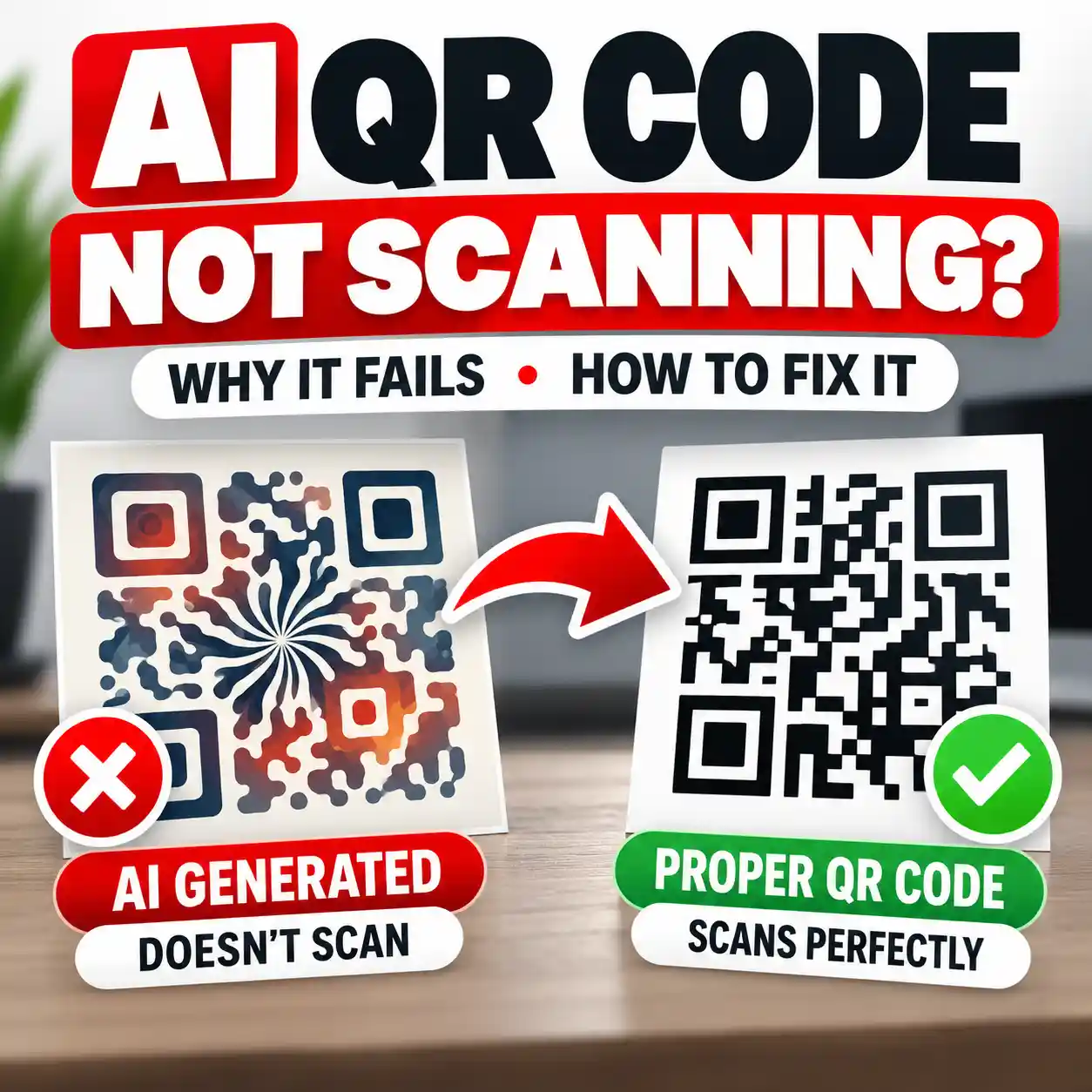
If a code fails that test, see the common causes and fixes for an AI-generated QR code that is not scanning.
- Open the downloaded file independently.
- Proofread all visible wording again.
- Test QR codes and links.
- Check mobile and desktop previews.
- Print a proof when relevant.
- Obtain final human approval.
Final rule: approve the exported file—not the prompt, not the concept, and not the editor preview.
Complete a Poster Approval Record
Record the decision-critical details outside the design file. This makes the final review repeatable and prevents a corrected date, price, or export requirement from being lost during later edits.
| Approval area | What to record | Reviewer decision |
|---|---|---|
| Message | Audience, primary headline, offer or event, and required action | Approved, revise, or reject |
| Critical details | Date, time, location, price, discount, quantity, URL, contact information, and restrictions | Verified against the approved brief |
| Visual accuracy | Products, objects, equipment, packaging, signage, and background details | Accurate, repaired, or replaced |
| Rights and claims | Asset sources, permissions, trademarks, offer evidence, and required disclosures | Cleared or escalated for review |
| Accessibility | Contrast, real-size readability, mobile version, alt text, and accessible webpage details | Passed or needs correction |
| Production | Final dimensions, bleed, safe area, resolution, color profile, file format, and destination | Printer or platform requirements confirmed |
| Final export | Filename, version, proof date, links or QR tests, approver, and approval date | Publish, print, repair, or reject |
Use the POSTER Test for a Fast Final Review
The POSTER Test is a simple way to remember the most important review categories before publishing.
Purpose and Proofreading
Confirm the goal, audience, call to action, and every visible word or number.
Ownership and Offers
Check source-asset rights, pricing, promotional claims, and offer restrictions.
Size and Structure
Verify dimensions, margins, cropping, hierarchy, spacing, and reading order.
Text and Trademarks
Test readability and remove unauthorized logos, names, or implied affiliations.
Export and Errors
Open the final file and inspect text, images, links, QR codes, and output quality.
Rights and Review
Confirm current usage terms and obtain final approval from a responsible person.
AI-Generated Draft vs. Publishing-Ready Poster
| AI-Generated Draft | Publishing-Ready Poster |
|---|---|
| Generated details are accepted automatically. | Names, dates, prices, locations, and contact details are verified. |
| Several messages compete for attention. | One clear headline and call to action lead the visual hierarchy. |
| Text looks readable while enlarged in the editor. | Text is tested at its real print size or digital display size. |
| Generated imagery is used without close inspection. | Every important object, product, person, background, and sign is reviewed. |
| Logos are added for visual impact. | Logos and trademarks are used only with appropriate authorization. |
| Promotional claims are treated as creative copy. | Prices, discounts, results claims, and restrictions are verified. |
| Commercial use is assumed. | Generator, stock-asset, font, and source-material terms are checked. |
| The editor preview is treated as the final file. | The exported file is reopened, tested, proofread, and approved. |
Copyable AI Poster Review Prompt
Use this prompt to help identify potential issues. Provide the AI assistant with the poster brief, visible wording, intended audience, publishing destination, and a description or image of the poster.
Act as a critical poster reviewer. Examine the supplied poster brief, visible text, layout description, source images, offer details, and intended publishing destination. Identify spelling errors, inaccurate dates or prices, weak visual hierarchy, unreadable text, poor contrast, misleading imagery, unsupported advertising claims, possible copyright or trademark concerns, private information, incorrect dimensions, and export risks. Separate confirmed issues from details that require human verification. Do not invent corrections, permissions, prices, claims, or licensing terms.
AI can help locate possible problems, but it cannot independently confirm legal permission, commercial licensing, factual accuracy, or final print quality. Those decisions still require human verification.
Five-Minute Final Poster Review
Complete this final review immediately before uploading the poster, sending it to a printer, delivering it to a client, or launching an advertisement.
- The main purpose is clear within three seconds.
- Every name, date, time, price, address, and contact detail is correct.
- The most important information is readable at the real viewing size.
- Text has sufficient contrast against its background.
- All generated images have been inspected closely.
- Products, services, uniforms, locations, and equipment are represented accurately.
- Logos, fonts, photos, illustrations, and templates are authorized.
- No element falsely suggests sponsorship, endorsement, or official status.
- Advertising claims and offer terms are accurate and supportable.
- No private or confidential information remains visible.
- The generator and source-asset terms permit the intended use.
- The dimensions, margins, resolution, and format match the destination.
- Links and QR codes work from another device.
- The downloaded file has been reopened and inspected.
- A responsible person has given final approval.
Frequently Asked Questions
What is an AI poster generator?
An AI poster generator is a design tool that creates or assists with a visual poster using a prompt, uploaded content, templates, or automated layout features. It may generate images, suggest wording, arrange design elements, recommend colors, or resize a layout.
Can an AI-generated poster be printed?
Yes. An AI-generated poster can be printed when the final exported file meets the printer’s required dimensions, resolution, bleed, safe-margin, color, and file-format specifications. Always review the actual export and request a proof when print quality is important.
Can I use an AI-generated poster commercially?
Commercial use depends on the generator’s current terms and the rights attached to every uploaded or included asset. Check the rules covering business promotion, client work, advertising, merchandise, stock images, fonts, templates, logos, and generated content before publishing.
Are AI-generated posters copyrighted?
Copyright protection is fact-specific and may depend on the extent of original human authorship, selection, arrangement, editing, and other creative contribution. The status of source material and the generator’s terms may also matter. Consult qualified legal guidance for important commercial decisions.
Can I place another company’s logo on an AI poster?
Use another organization’s logo only when you have appropriate authorization or another valid legal basis. Do not use logos, certification marks, government seals, packaging, or branded visual elements in a way that falsely implies sponsorship, endorsement, partnership, approval, or official status.
Why does AI misspell poster text?
Some image-generation systems create lettering as part of a visual image rather than handling every character like a traditional text editor. This can produce malformed letters, invented words, uneven spacing, or inconsistent punctuation. Replace important generated lettering with editable text whenever possible.
What size should an AI poster be?
The correct size depends on where the poster will be printed or published. Confirm the printer, platform, display space, viewing distance, orientation, aspect ratio, and cropping rules before creating the final layout.
How do I know whether an AI poster is accessible?
Review text size, contrast, spacing, reading order, color dependence, mobile readability, and whether essential information is also available as accessible webpage text. Add useful alt text when the poster appears online, but do not rely on the image alone for important instructions or event details.
When should I use a poster instead of an infographic?
Use a poster when one message, event, offer, or action should be understood quickly. Use an infographic when readers need to follow several facts, steps, comparisons, or data points in a structured visual explanation.
Should event details appear outside the poster image?
Yes, when the poster is published online. Repeat essential details such as the event name, date, time, location, price, accessibility information, and registration link as normal webpage text so they remain readable, searchable, selectable, and accessible.
Create Quickly. Publish Carefully.
AI can help you explore poster ideas, visual directions, and layouts faster. Your final review is what makes the result accurate, readable, responsible, and ready for its audience.
Save this checklist and complete every step using the actual exported file before you print, post, advertise, or deliver the design.
Authoritative Sources
This article was created with the help of AI, one of the many ways AI is making useful knowledge easier for everyone to create and access. It is provided for educational purposes only, to help readers understand and use AI tools better.
Get new AI guides every week
Short, practical how-tos and free tools from Designs24hr. No spam, unsubscribe anytime.