Everyday AI Guides · Students & Learning · Updated September 2026
ChatGPT flashcards are now interactive study cards you can create directly inside ChatGPT. You can ask for flashcards on a topic, turn uploaded notes into a deck, flip cards to reveal answers, mark what you know or miss, shuffle the deck, edit cards, and return to saved flashcards later from your Library.
That makes the current ChatGPT flashcards workflow very different from the older method of asking ChatGPT to produce a question-and-answer list and then manually copying everything into another study app.
This guide shows you how to create and review interactive flashcards in ChatGPT, turn notes and readable study files into focused cards, find saved decks, improve weak questions, verify AI-generated answers, and use the cards for active recall instead of passive reading.
Open a ChatGPT conversation and ask it to create flashcards on the topic you want to study, or upload your notes and ask ChatGPT to turn them into flashcards. Try to answer each card before flipping it. Mark cards you know with the available known control and cards you miss for later practice. You can also shuffle your cards, edit the deck by asking ChatGPT, and reopen saved flashcards from your Library.
Most important: verify important cards against your notes, textbook, course material, or another reliable source before memorizing them. ChatGPT can make mistakes.
- What ChatGPT flashcards are
- How to create interactive flashcards
- How to make cards from notes
- How to use a PDF or study document
- How to review and retry missed cards
- Where saved decks are stored
- How to edit weak cards
- The Designs24hr CARD quality check
- Good vs. bad flashcard examples
- A better source-to-review workflow
- Native flashcards vs. the old workflow
- Limitations and mistakes to avoid
- Copyable ChatGPT flashcard prompts
- Frequently asked questions
What Are ChatGPT Flashcards?
ChatGPT flashcards are interactive front-and-back study cards generated directly inside a ChatGPT conversation. Instead of receiving only a long text list of questions and answers, you can work through individual cards as a review activity.
OpenAI currently documents several core actions:
- Create flashcards from a topic you want to learn.
- Create flashcards from notes you upload.
- Tap or select a card to reveal the answer.
- Mark a card as known or missed.
- Practice missed cards again later.
- Shuffle the deck into a different order.
- Ask ChatGPT to add or edit cards conversationally.
- Reopen saved decks from your ChatGPT Library.
OpenAI currently lists native flashcards as available on web and mobile across all ChatGPT plans. Interface wording can change as the feature develops, so focus on the workflow rather than expecting every button to remain visually identical.
How to Create Flashcards in ChatGPT
You do not need a complicated prompt to begin. The most useful setup is to tell ChatGPT what you are studying, what level you are at, and what the cards should test.
Create 20 interactive flashcards about [TOPIC] for a [LEVEL] learner. Requirements: – test one main idea per card; – make every question understandable on its own; – keep answers concise but accurate; – prioritize the most important concepts; – avoid duplicate questions; – do not make the answer obvious from the question; – tell me if any card may require source verification.
How to Make ChatGPT Flashcards From Notes
Creating ChatGPT flashcards from notes is usually better than asking for a broad deck from general knowledge because the cards can be aligned with the material you are actually expected to study.
Upload or provide the relevant notes, then tell ChatGPT exactly how to use them. For example, you may want the deck limited to one chapter, one lecture, one exam objective, or one group of difficult concepts.
Use source boundaries
If the cards need to match a class closely, tell ChatGPT to use only the supplied material rather than freely adding background information. That makes it easier to identify whether a generated answer is actually supported by your source.
Turn the notes I provided into interactive flashcards. Use only information supported by my notes. Prioritize: – key definitions; – important relationships; – steps and processes; – formulas or rules I need to remember; – likely points of confusion. Create one main idea per card. Keep answers short enough for active recall without removing necessary context. If the notes do not support a reliable answer, flag that card instead of guessing.
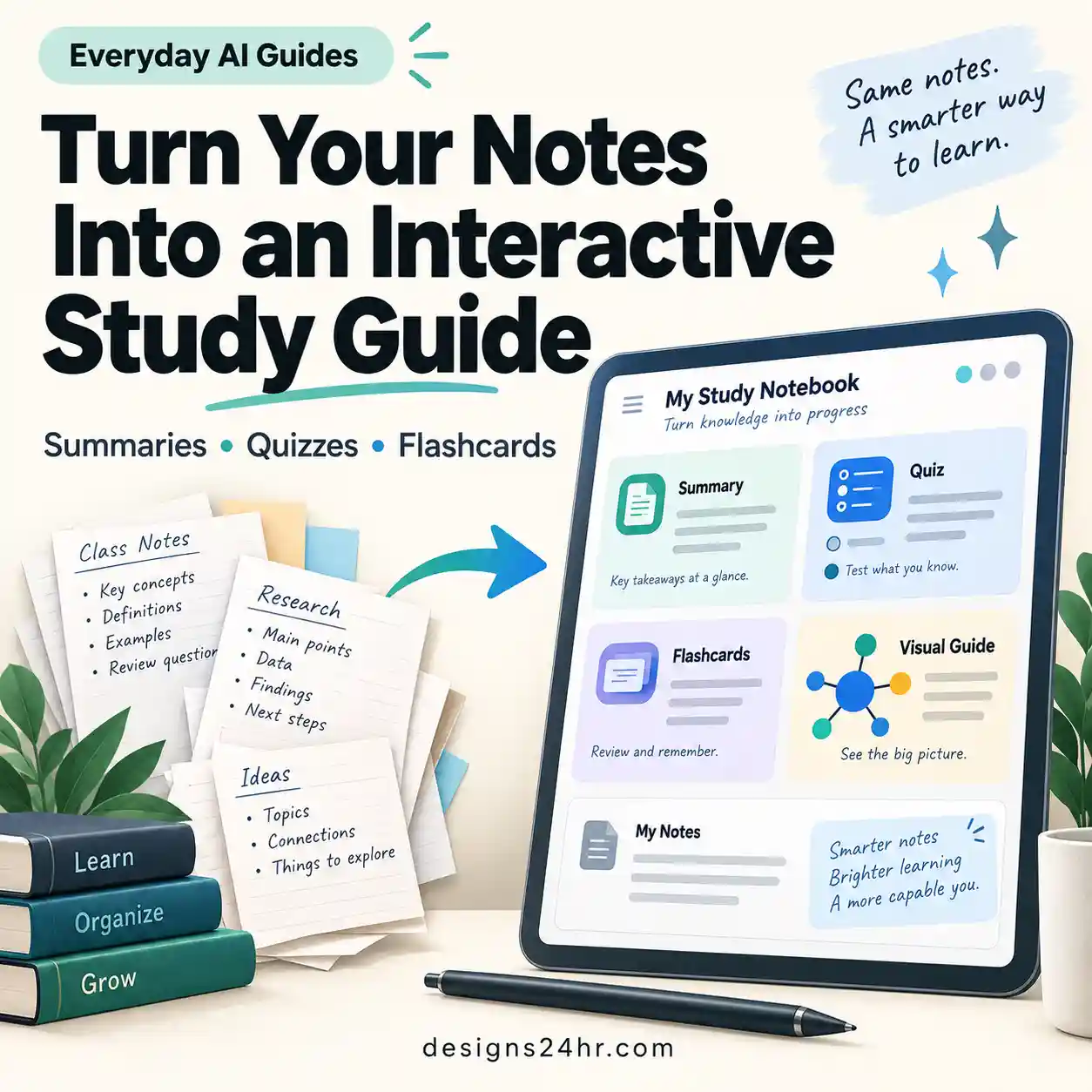
If your material needs broader explanations and connections before you begin memorizing, build and verify the overview first using the AI Study Guide Generator Checklist , then turn the specific facts and concepts worth recalling into flashcards.
Can ChatGPT Make Flashcards From a PDF?
If your PDF can be uploaded and read in your ChatGPT conversation, you can ask ChatGPT to create flashcards from the relevant material. However, do not assume that simply uploading a long PDF guarantees complete or accurate coverage.
For a long textbook chapter, report, slide deck, or study guide, narrow the task:
- Upload the readable study document.
- Identify the chapter, pages, section, or learning objective you want reviewed.
- Request a manageable number of cards.
- Ask for one important idea per card.
- Check important answers against the original document.
- Generate additional cards only after the first set is useful.
Use the study document I uploaded to create 20 interactive flashcards from [CHAPTER / SECTION / TOPIC]. Use the document as the source of truth. For every card: – test one important idea; – keep the question specific; – keep the answer concise; – preserve important conditions, exceptions, units, or definitions; – do not add unsupported facts. After creating the deck, list any cards that I should manually verify against the source.
When a PDF is long or difficult to interpret, first confirm that important sections were captured correctly. The AI PDF Summarizer Checklist provides a source-verification workflow before you convert extracted information into study cards.
How to Review ChatGPT Flashcards
The value of flashcards comes from retrieval, not from repeatedly looking at the answer. Give yourself a genuine attempt before flipping each card.
Where Are ChatGPT Flashcards Saved?
OpenAI says your flashcards are automatically saved in your ChatGPT Library. To practice again, you can open the saved deck there or ask ChatGPT to bring your flashcards back.
This is one of the biggest differences between the native feature and the older text-generation workflow. You no longer need to rely solely on finding an old message that contains a long question-and-answer list.
How to Edit ChatGPT Flashcards
OpenAI says you can modify flashcards conversationally. You can ask ChatGPT to add cards, rewrite a definition, simplify wording, or otherwise change the deck.
Useful edits include:
- shortening an unnecessarily long answer;
- splitting one overloaded card into two or three cards;
- removing duplicate questions;
- making vague questions more specific;
- adding cards for concepts the deck missed;
- rewording cards that accidentally reveal the answer;
- increasing or reducing difficulty;
- correcting an inaccurate card after checking the source.
Review this flashcard deck for quality. Fix cards that: – test more than one main idea; – have vague questions; – contain answers that are too long; – repeat another card; – reveal the answer in the question; – rely on missing context; – may contain unsupported information. Preserve cards that are already clear and useful. Flag factual changes that I should verify against my source.
Use the Designs24hr CARD Check Before Studying
AI-generated cards should be treated as editable study material, not automatically correct facts. Before committing an important deck to memory, use the Designs24hr CARD Check.
Does the question make sense without needing to remember the paragraph it came from?
Does the answer match your notes, textbook, lecture material, or another reliable source?
Can you reasonably retrieve the answer without having to reproduce a whole essay?
Does the card test one main idea instead of combining several questions into one?
CARD is a Designs24hr editorial framework for checking study cards. It is not an OpenAI product feature.
Good vs. Bad ChatGPT Flashcards
The difference between a useful card and a frustrating one is often the size and clarity of the retrieval task.
Question: Explain photosynthesis.
Problem: The prompt is too broad. A complete answer could require several
processes, molecules, stages, and conditions.
Question: What is the main role of chlorophyll in photosynthesis?
Why it is better: It tests one specific idea that can be recalled and
checked quickly.
Question: What are mitosis and meiosis, how are they different, where do
they occur, and why are they important?
Problem: One card is testing several separate ideas.
Create separate cards for the definition of mitosis, definition of meiosis, chromosome number, purpose, cell type, and key differences.
| Problem | Weak card | Better approach |
|---|---|---|
| Too broad | Explain the entire chapter. | Ask one focused question about one concept. |
| Too many ideas | List and explain every stage of the process. | Create one card for each major stage. |
| Vague wording | Why is this important? | Name the exact concept in the question. |
| Answer too long | A full paragraph containing several facts. | Split the answer into smaller recall targets. |
| Unsupported addition | Extra explanation not present in the source. | Remove it or verify it independently before studying. |
A Better Notes-to-Flashcards Study Workflow
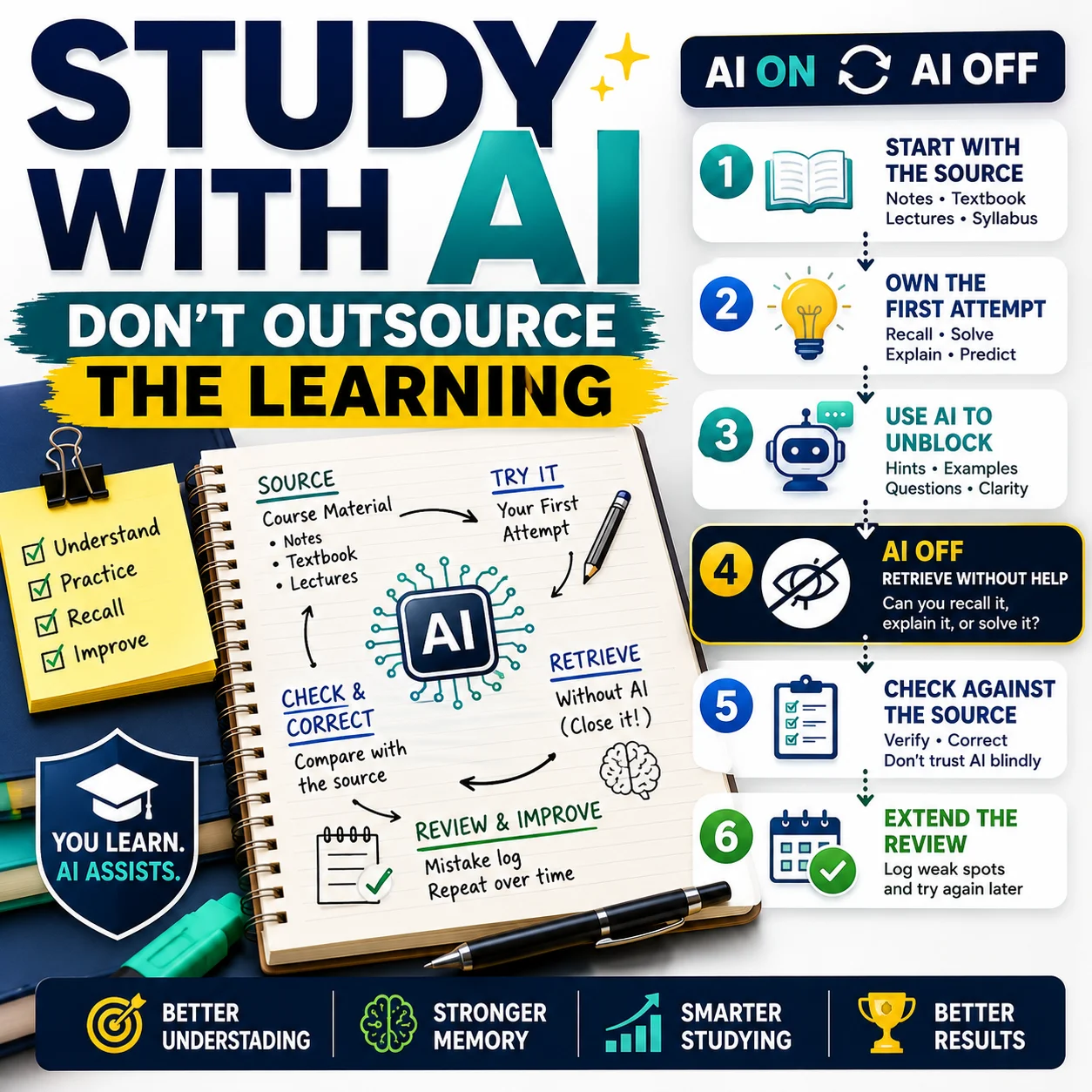
Do not treat card generation as the finish line. Use the Designs24hr SOURCE → CARD → CHECK → REVIEW → RETRY workflow.
This workflow keeps AI in a supporting role: it helps create and organize practice materials while your course sources determine what is correct and your own retrieval effort does the learning.
Native ChatGPT Flashcards vs. the Old ChatGPT Workflow
Many older tutorials describe using ChatGPT as a text generator and then exporting or copying the results somewhere else. Native ChatGPT flashcards remove several of those extra steps.
| Older ChatGPT workflow | Native ChatGPT flashcards |
|---|---|
| Ask for a text list of questions and answers. | Ask ChatGPT to create interactive flashcards directly. |
| Scroll through Q&A text. | Flip individual cards to reveal answers. |
| Track difficult questions manually. | Mark cards you know or miss. |
| Manually change question order. | Shuffle the flashcard deck. |
| Edit a long text list. | Ask ChatGPT conversationally to add or revise cards. |
| Find the old chat or export elsewhere. | Return to saved decks in the Library. |
Important Limitations of ChatGPT Flashcards
Native flashcards make the workflow easier, but they do not remove the normal limitations of AI-generated study material.
ChatGPT can still make factual mistakes
OpenAI specifically advises users to compare cards with their original notes or study guide and edit incorrect or unclear cards.
A polished card can still be wrong
Clear wording and confident formatting are not evidence. Check facts that matter before memorizing them.
More cards can create more work
A 200-card deck is not automatically better than a focused 40-card deck. Large decks can contain duplicates, trivia, minor details, and low-value questions that distract from important concepts.
Flashcards do not replace understanding
Retrieval cards are useful for remembering information, but not every learning goal should be reduced to a short-answer card. Essays, worked problems, reasoning tasks, projects, explanations, and practice tests may require different study methods.
Do not assume native flashcards use formal spaced repetition
OpenAI’s current flashcard documentation describes marking cards as known or missed and practicing missed material again. It does not currently document a formal spaced-repetition scheduling system comparable to dedicated systems that automatically calculate future review intervals.
Therefore, it is more accurate to describe the feature as interactive flashcard review with known/missed tracking unless OpenAI documents additional scheduling behavior later.
School rules still apply
Flashcards can support studying, but your school or teacher may have rules about uploading course materials or using AI. If you are unsure what is allowed, use the AI Homework Helper Checklist to separate learning support from work that should remain your own.
Best ChatGPT Flashcard Prompts
A strong prompt should define the source, learning goal, card size, and quality rules. These examples are designed to be edited rather than copied blindly.
Create concise exam-review cards
Create an interactive flashcard deck for my upcoming [SUBJECT] exam. Focus on: – high-priority definitions; – processes; – comparisons; – formulas or rules; – concepts that are easy to confuse. Create one main idea per card. Keep answers concise but complete enough to be accurate. Avoid trivia unless it appears important in my source material.
Create cards only from supplied notes
Create interactive flashcards using only the notes I provided. Do not introduce outside facts. If information is incomplete, ambiguous, or unsupported: – do not guess; – identify the problem; – tell me what needs clarification. Make each card understandable on its own and test only one main concept per card.
Make cards harder without making them vague
Make this flashcard deck more challenging without making the questions vague. Use: – comparison questions; – cause-and-effect questions; – application of definitions; – prompts that distinguish similar concepts; – questions that require precise recall. Keep each card focused on one main retrieval task.
Create a deck from missed concepts
Create a smaller review deck focused on the concepts I struggled with. Reword the questions so I have to recall the idea rather than memorize the wording of the previous card. Do not add unrelated material. If several misses come from one underlying concept, include one card that tests that core concept directly.
ChatGPT Flashcard Quality Checklist
Before treating a deck as finished, check:
- The deck has one clear subject or learning goal.
- Every question makes sense without hidden context.
- Each card tests one main idea.
- Answers are concise without becoming misleading.
- Names, dates, formulas, units, definitions, and sequences match the source.
- Unsupported additions have been removed or independently verified.
- Duplicate or nearly identical cards have been removed.
- Very broad cards have been divided into smaller retrieval tasks.
- You attempt each answer before flipping the card.
- You revisit material you missed instead of only reviewing easy cards.
- The deck does not contain private or restricted information.
- The study method follows your teacher’s or institution’s rules.
Frequently Asked Questions About ChatGPT Flashcards
Does ChatGPT have built-in flashcards?
Yes. OpenAI now offers native interactive flashcards in ChatGPT. You can generate them from a topic or uploaded notes, flip cards, mark cards you know or miss, shuffle the deck, edit cards, and reopen saved flashcards later.
How do I make flashcards with ChatGPT?
Open a conversation and ask ChatGPT to create interactive flashcards on the topic you want to learn. You can also upload notes and ask ChatGPT to turn the material into a flashcard deck.
Can ChatGPT make flashcards from my notes?
Yes. OpenAI specifically documents creating flashcards from notes you upload. Tell ChatGPT what section to use, what you are studying for, and what type of information should become cards.
Can ChatGPT make flashcards from a PDF?
If the PDF can be uploaded and read in your ChatGPT conversation, you can ask ChatGPT to create flashcards from the relevant material. For long documents, identify the section or chapter first and verify important cards against the original PDF.
Where are ChatGPT flashcards saved?
OpenAI says flashcards are automatically saved in your ChatGPT Library. You can reopen the saved deck there or ask ChatGPT to bring the flashcards back for another review.
Can I edit ChatGPT flashcards?
Yes. You can ask ChatGPT to add or edit cards conversationally. For example, you can ask it to simplify a definition, add cards about a missing concept, remove duplicates, or split an overloaded card into smaller questions.
Can I shuffle ChatGPT flashcards?
Yes. OpenAI’s current flashcard feature includes the ability to shuffle cards so you can practice them in a different order.
Are ChatGPT flashcards available on the free plan?
OpenAI currently lists flashcards as available on mobile and web across all ChatGPT plans. Product availability can change, so check the current ChatGPT interface and OpenAI documentation if you do not see the feature.
Can I use ChatGPT flashcards on mobile?
Yes. OpenAI currently lists native flashcards as available on both mobile and web.
Does ChatGPT use spaced repetition for flashcards?
OpenAI currently documents known/missed tracking and the ability to practice missed cards again, but its flashcard documentation does not describe a formal spaced-repetition scheduler that automatically calculates future review intervals.
Are ChatGPT-generated flashcards always accurate?
No. ChatGPT can make mistakes. OpenAI recommends checking generated cards against the original notes or study guide and editing anything that is incorrect or unclear.
How many flashcards should I generate at once?
There is no single ideal number for every subject. Start with a manageable deck focused on the most important concepts, review the quality, and add more cards only when they serve a clear learning goal.
Official Sources and Related Guides
ChatGPT features can change. For current product behavior, check OpenAI’s documentation and the interface available on your own account.
- OpenAI Help Center — Flashcards in ChatGPT
- OpenAI — ChatGPT Release Notes
- Designs24hr — AI Flashcard Maker Checklist
- Designs24hr — AI Study Guide Generator Checklist
- Designs24hr — AI PDF Summarizer Checklist
- Designs24hr — AI Homework Helper Checklist
Final Takeaway
Native ChatGPT flashcards remove much of the setup that older ChatGPT flashcard workflows required. You can now create interactive cards from a topic or your notes, reveal answers, track known and missed cards, shuffle a deck, edit it conversationally, and reopen it later from your Library.
The feature is most useful when you keep the cards focused and treat AI-generated content as a draft rather than unquestioned study material. Use reliable source material, verify important answers, answer before flipping, and spend more review time on the concepts you genuinely struggle to recall.
A good flashcard deck should make retrieval easier to practice—not make the subject look easier than it really is.
Independent publication notice: Designs24hr is not affiliated with or endorsed by OpenAI. ChatGPT and related product names are used descriptively. Features, interfaces, availability, plans, and product behavior can change. Always check current official documentation and follow your school or institution’s rules for AI use.