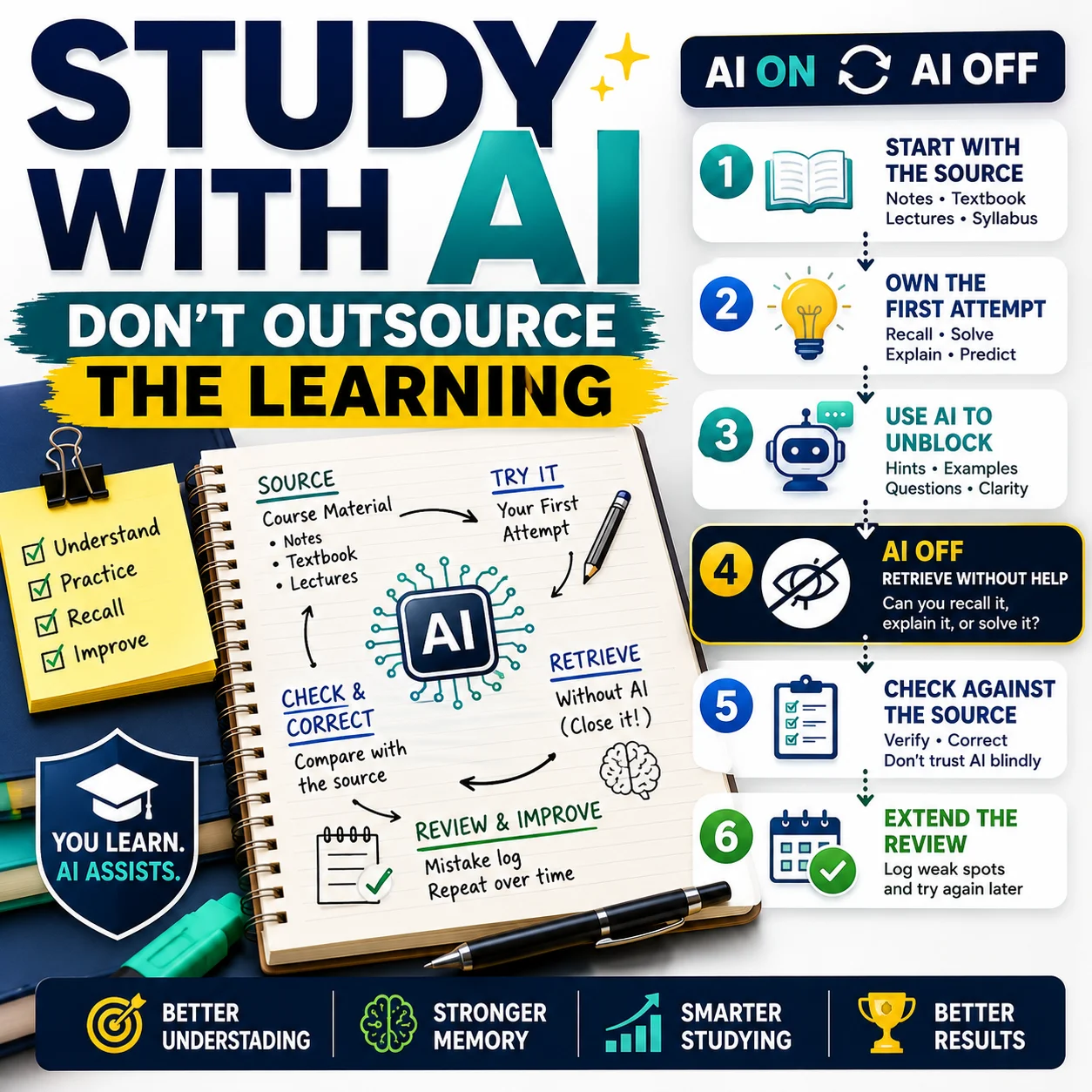
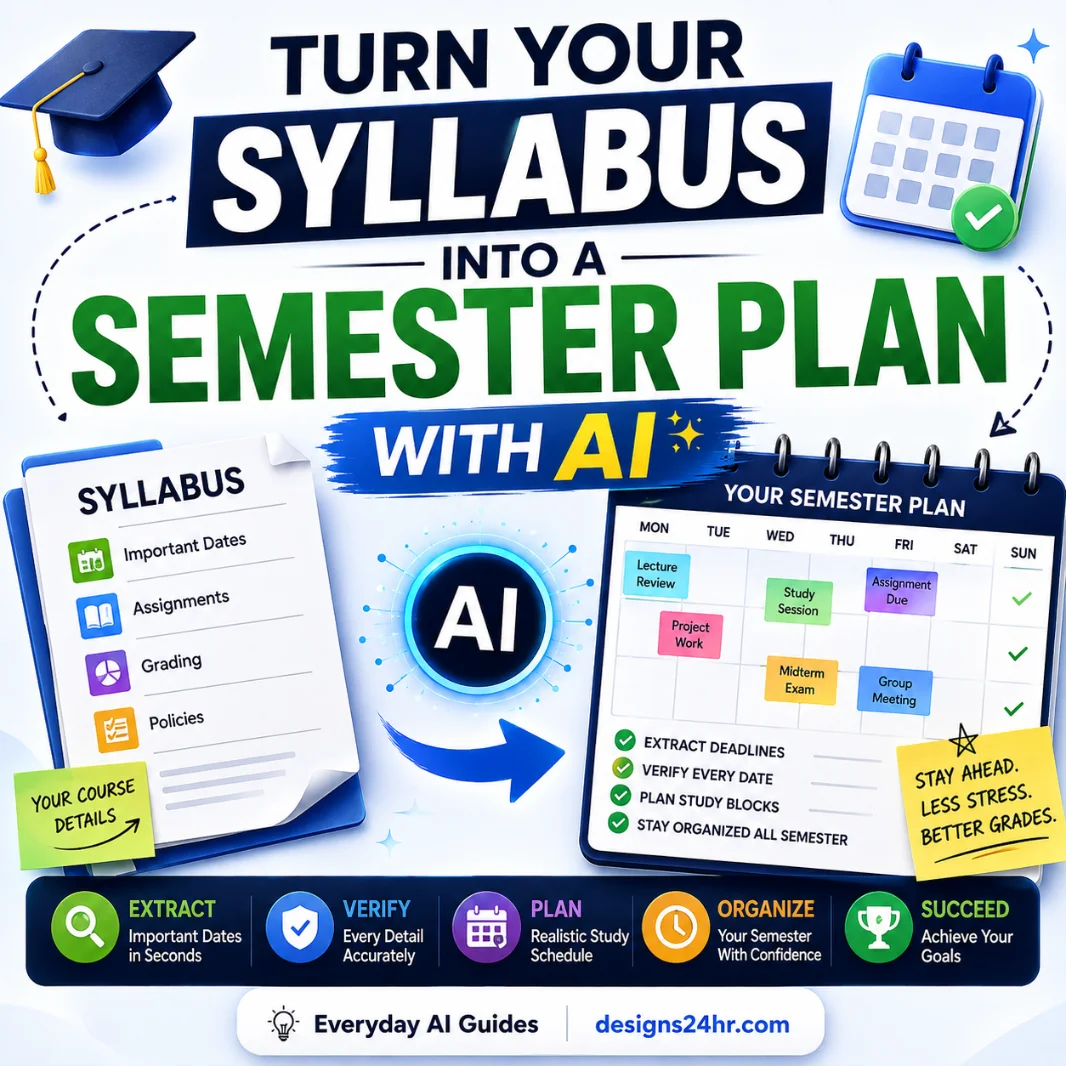
An AI quiz generator can turn a topic, lesson, set of notes or uploaded document into quiz questions within seconds. That speed can be useful, but it does not guarantee that the questions are accurate, clearly written, appropriately difficult or safe to share.
This AI quiz generator checklist explains 17 things to review before using an AI-made quiz for studying, teaching, tutoring, training or audience engagement. It will help you check the source material, answer key, question wording, difficulty, privacy, copyright, accessibility and final quiz experience.
You do not need technical experience to use this guide. The same checks can be applied to most AI quiz makers, whether they generate questions from a written prompt, notes, a PDF, a presentation or another source.
Important: AI can assist with drafting quiz questions, but a teacher, trainer, parent or other qualified reviewer should approve the final content. This guide provides general educational information and is not legal advice.
Quick answer: What should you check?
Before assigning, publishing or sharing an AI-generated quiz, confirm that it has accurate answers, clear questions, suitable difficulty, safe data practices and a complete human review.
What is an AI quiz generator?
An AI quiz generator is a tool that uses artificial intelligence to draft questions and answers from instructions or source material supplied by a user. Depending on the tool, it may create multiple-choice, true-or-false, short-answer, fill-in-the-blank, matching or scenario-based questions.
Some tools work from a basic topic prompt, while others may accept notes, lesson content, PDFs, documents, presentations, images or webpage text. Available features vary, so check the tool’s current input, editing, privacy, sharing and export options before relying on it.
Quiz generators can save time during the first-draft stage. However, they may misunderstand the source, mark the wrong answer, create vague questions, repeat the same concept or generate choices that make the correct answer too obvious.
Useful connection: If you are preparing the learning material before creating the quiz, review our AI study guide generator checklist and AI note taker checklist.
Create a 10-question practice quiz for seventh-grade students.

Learning objective: Students should be able to identify the inputs, outputs and main stages of photosynthesis.

Use:
- 6 multiple-choice questions
- 2 true-or-false questions
- 2 short-answer questions

Requirements:
- Use clear, age-appropriate language.
- Include a mix of recall and application questions.
- Provide the correct answer and a brief explanation after each question.
- Do not include trick questions.
- Do not introduce facts that are not present in the source material.
- Flag any point that requires human verification.
A detailed prompt can improve the first draft, but it does not replace review. Always inspect every generated question and answer.
AI quiz generator checklist: 17 things to check
1Define the purpose of the quiz
Start by deciding what the quiz is supposed to achieve. A short practice quiz for self-study has different requirements from a graded classroom assessment, employee training check or public audience quiz.
Common purposes include:
- Reviewing a lesson or chapter
- Practising before an exam
- Checking basic understanding
- Identifying areas that need more teaching
- Supporting employee or volunteer training
- Creating an interactive classroom activity
- Encouraging audience engagement
The purpose affects the number of questions, wording, difficulty, scoring, feedback and question types. Tell the AI exactly how the quiz will be used instead of asking for a general quiz about a broad subject.
2Set a clear learning objective
A strong learning objective explains what the learner should know or be able to do after studying the material. Without one, an AI quiz maker may focus on minor facts or generate questions that do not measure the intended skill.
Too broad:
“Create a quiz about photosynthesis.”
More useful:
“Create a 10-question quiz that checks whether seventh-grade students can identify the inputs, outputs and main stages of photosynthesis.”
Use a specific action such as identify, explain, compare, calculate, apply, organize or analyze. Then check whether each generated question genuinely measures that objective.
3Review the source material first
An AI question generator can only work with the information it receives and the patterns it has learned. If your notes, lesson, PDF or instructions are incomplete, unclear or outdated, the resulting questions may inherit those problems.
Before uploading or pasting source material, check that it is:
- Accurate and current
- Relevant to the intended quiz
- Complete enough to support the questions
- Readable and properly formatted
- Free from contradictory statements
- Appropriate for the intended learner
Do not assume the AI will automatically recognize an error in the source. Correct the material first, then generate the quiz.
4Confirm that you may upload the material
Only upload material that you created, are authorized to use or are otherwise permitted to process. Avoid sending full paid books, restricted course materials, confidential documents, commercial test banks or copyrighted worksheets to an AI service without permission.
Educational use does not automatically mean that every copying or uploading activity is legally permitted. In the United States, fair-use questions depend on the circumstances and several statutory factors, not only whether the purpose is educational.
Safer approach: Use your own notes, a short authorized excerpt or an original summary of the concepts. Check the tool’s terms and your school, employer or organization policies before uploading third-party content.
5Check the tool’s privacy practices
Before uploading a document or creating an account, review the service’s current privacy policy and settings. Privacy practices can change, so do not rely only on an old review or promotional page.
Look for clear answers to these questions:
- What personal information does the service collect?
- Are uploaded documents stored?
- How long is the content retained?
- Can uploaded information be used to improve or train AI systems?
- Can you delete your files and account data?
- Are generated quizzes public or private by default?
- Does the service share data with other companies?
- Is the tool approved by your school or organization?
A polished website does not automatically mean the tool meets your privacy requirements. Verify the actual policy and available controls.
6Avoid identifiable student information
Do not enter unnecessary personal or educational information when creating a quiz. This is especially important when the content involves children, student records or sensitive support needs.
Avoid including:
- Student names or initials linked to performance
- Email addresses or account details
- School identification numbers
- Grades and private assessment results
- Disability or accommodation information
- Behavioral or disciplinary records
- Medical or family information
Use anonymous descriptions and generic examples whenever possible. Teachers and schools should also follow applicable policies and legal requirements for educational records and children’s data.
7Choose suitable question types
The best question format depends on what you want to measure. Do not use multiple-choice questions for every objective simply because they are easy to generate and score.
| Question type | Useful for | Potential limitation |
|---|---|---|
| Multiple choice | Facts, concepts, comparisons and selected applications | Weak answer choices can reveal the correct response |
| True or false | Quick checks of clear statements | Guessing is easy and nuanced ideas may be oversimplified |
| Short answer | Recall, explanation and basic reasoning | Automated scoring may reject valid alternative wording |
| Fill in the blank | Terms, definitions and specific information | Missing context can create multiple acceptable answers |
| Scenario based | Application, judgment and decision-making | Requires careful fact-checking and clear assumptions |
| Open ended | Analysis, reflection and original explanation | Needs human evaluation and a clear rubric |
For additional ways to turn educational content into usable materials, see our AI worksheet generator checklist and AI flashcard maker checklist.
8Set the right difficulty level
Terms such as “easy,” “intermediate” and “advanced” are subjective. Give the AI more useful context, such as the learner’s grade, course level, prior knowledge, reading ability and the specific skills being assessed.
After generation, check whether:
- The vocabulary matches the intended audience
- The questions require the expected knowledge
- The quiz does not introduce unexplained advanced concepts
- The easiest and hardest questions are reasonably balanced
- The difficulty reflects the learning objective rather than tricky wording
A difficult question should be challenging because of the subject matter, not because it is confusing.
9Check coverage of the source material
AI-generated quizzes sometimes overfocus on the first section of a document, repeat a memorable detail or ignore important concepts near the end. Compare the questions with the full source and the stated learning objective.
A simple coverage table can make gaps easier to spot:
| Topic | Importance | Questions included | Action needed |
|---|---|---|---|
| Core concept | High | 3 | Keep |
| Main process | High | 1 | Add another question |
| Key vocabulary | Medium | 2 | Keep |
| Real-world application | High | 0 | Add application question |
Remove repeated questions and add missing content manually instead of repeatedly regenerating the entire quiz.
10Verify every answer
Never assume the generated answer key is correct. Check each answer against the original source and, when appropriate, a reliable independent reference.
Review:
- Facts, dates, names and definitions
- Calculations and units
- Spelling and terminology
- The marked correct choice
- Explanations and feedback
- Whether more than one answer could reasonably be correct
- Whether the answer depends on missing context
Human-review rule: A quiz should not be treated as accurate merely because the system presents an answer confidently.
The same principle applies when using AI to evaluate writing. Our AI essay grader checklist explains why automated educational judgments require careful human oversight.
11Look for unclear or ambiguous wording
A question may be factually correct but still be unusable if readers cannot tell exactly what it is asking.
Watch for:
- Vague words such as “it,” “they” or “this” without a clear reference
- Unexplained abbreviations
- Missing dates, units or conditions
- Double negatives
- Unnecessarily long sentences
- Two questions combined into one
- Terms that have different meanings in different contexts
- Wording that allows multiple interpretations
Unclear:
“Which one is responsible for it during the process?”
Clearer:
“Which cell structure captures light energy during photosynthesis?”
12Evaluate the incorrect answer choices
In a multiple-choice question, the incorrect choices are commonly called distractors. Good distractors should be plausible enough to measure understanding, but clearly incorrect when the learner knows the material.
Check that the options are:
- Related to the same topic
- Similar in length and grammatical structure
- Clearly different from one another
- Free from jokes or obviously impossible statements
- Incorrect for a specific, explainable reason
Avoid generating random terms merely to complete four answer choices. Weak distractors make a quiz easier without measuring real understanding.
13Remove accidental answer clues
Sometimes a quiz reveals the answer through formatting or wording rather than subject knowledge.
Look for clues such as:
- One answer being much longer or more detailed than the others
- The correct choice repeating an unusual word from the question
- Only one answer being grammatically compatible with the question
- A predictable pattern in the correct answer positions
- Inconsistent capitalization or punctuation
- Careless use of “all of the above” or “none of the above”
- Absolute wording such as “always” or “never” appearing only in incorrect choices
Randomize the order only after checking the wording. Randomization does not fix weak choices.
14Balance recall and higher-order thinking
A quiz made entirely of definition questions may be suitable for basic vocabulary practice, but it may not show whether learners can apply or explain the material.
Depending on the learning objective, include a reasonable mix of:
- Remembering: identifying facts, terms or steps
- Understanding: explaining ideas in context
- Applying: using knowledge in a new example
- Analyzing: comparing information or identifying relationships
Not every quiz needs every thinking level. A five-question vocabulary check can appropriately focus on recall. The important point is that the question level should match the intended goal.
15Review bias, inclusivity and accessibility
Check whether the questions can be understood and completed by the intended learners without unnecessary barriers.
Review the quiz for:
- Stereotypes or insensitive examples
- Assumptions based on culture, location, income or family structure
- Idioms that are unrelated to the learning objective
- Needlessly complex reading levels
- Images without useful text alternatives
- Information communicated only through color
- Unclear labels and instructions
- Features that cannot be used with a keyboard
- Time limits that are not necessary for the objective
When a quiz is delivered online, test it on a smaller screen and with the accessibility features available in the platform. Clear instructions benefit everyone, not only users with diagnosed disabilities.
16Test editing, export and sharing options
Before committing to a tool, make sure the generated quiz can fit your actual workflow. A quiz is less useful when you cannot correct an individual answer, change the scoring or export it in a usable format.
Check whether you can:
- Edit individual questions and answers
- Regenerate one weak question without replacing the whole quiz
- Reorder or remove questions
- Add explanations and feedback
- Adjust point values
- Randomize questions or answer choices
- Preview the learner experience
- Control public and private sharing
- Export to a suitable document or learning platform
- Retain a clean backup copy
Export support varies between services. Confirm the currently available formats instead of assuming that PDF, document, spreadsheet or learning-management-system export is included.
17Complete a final human test
Take the quiz yourself before anyone else sees it. Reading the question list is not enough because some problems appear only during the actual quiz experience.
- Complete every question from beginning to end.
- Confirm that the scoring works correctly.
- Open each explanation and feedback message.
- Test the quiz on desktop and mobile screens.
- Check images, links, symbols and mathematical formatting.
- Ask another knowledgeable person to review it when possible.
- Remove private or sensitive information.
- Save a clean final version before publishing.
For high-stakes, formal or graded assessments, use stronger review procedures and follow your institution’s assessment policies. An AI-generated first draft should not become a formal test automatically.
AI quiz generator feature comparison table
Instead of choosing a service based only on a long feature list, compare the functions that affect quiz quality, privacy and your real workflow.
| Feature | Why it matters | What to check |
|---|---|---|
| Source input | Determines what information the tool can convert | Text, notes, PDFs, documents, slides, images or webpages |
| Question types | Supports different learning goals | Multiple choice, true or false, short answer, matching and scenarios |
| Difficulty controls | Improves audience and course fit | Grade, reading level, complexity and prior knowledge |
| Individual editing | Makes corrections faster | Edit, remove or regenerate one question at a time |
| Answer explanations | Supports learning after each response | Editable explanations and feedback |
| Privacy controls | Protects uploaded information | Storage, deletion, sharing and AI-training policies |
| Sharing controls | Prevents accidental public access | Private links, account access and visibility settings |
| Export options | Connects the quiz to existing workflows | Document, PDF, spreadsheet or learning-platform compatibility |
| Accessibility | Supports a wider range of learners | Clear labels, keyboard use, readable layout and text alternatives |
| Manual review | Prevents unverified content from being assigned | Full preview, editable answer key and test mode |
AI quiz generator red flags
Pause before using a tool or generated quiz when you notice any of the following:
- No clear privacy policy or data-deletion information
- Uploaded documents or generated quizzes become public automatically
- The service requests unnecessary student information
- There is no way to edit individual questions or answers
- The company claims perfect accuracy without meaningful evidence
- The answer key contains factual or calculation errors
- Questions are unrelated to the supplied source
- The same concept is repeated several times
- Incorrect choices are obviously silly or unrelated
- The quiz includes stereotypes or inappropriate examples
- The tool does not explain how uploaded content is stored or used
- Important features are unavailable until after you upload sensitive material
A single problem does not always mean the entire tool is unusable, but it should trigger additional investigation and careful review.
Simple workflow for making a quiz with AI
Use this six-step process to keep the AI in a supporting role while maintaining control over the final result.
Frequently asked questions
What is an AI quiz generator?
An AI quiz generator is a tool that drafts quiz questions and answers from a prompt or supplied content. Depending on the service, it may work with text, notes, documents, PDFs, presentations, images or webpage content. The generated quiz should be treated as a first draft because questions, answers and explanations may contain errors or unclear wording.
Can AI generate a quiz from a PDF?
Some AI quiz generators can create questions from an uploaded PDF, but the feature is not available in every tool. Check the service’s supported file types, upload limits, privacy policy and data-retention practices. You should also confirm that you have permission to upload the document and review every generated answer against the original source.
Are AI-generated quiz answers always accurate?
No. AI-generated answers can be incorrect, incomplete, outdated or based on a misunderstanding of the source. Verify every answer, explanation, date, calculation, name and definition before using the quiz. Pay special attention to questions where more than one choice could reasonably be correct.
Can teachers use AI-generated quizzes in class?
AI can help teachers draft practice questions and formative learning activities, subject to school policies and applicable requirements. A teacher should review the source, questions, answers, difficulty, privacy and accessibility before classroom use. Formal or graded assessments may require stronger review and approval procedures.
What question types can an AI quiz maker create?
Depending on the tool, an AI quiz maker may create multiple-choice, true-or-false, short-answer, fill-in-the-blank, matching, scenario-based or open-ended questions. Choose formats that match the learning objective. Do not assume that every service supports every question type or export format.
Is it safe to upload student information to an AI quiz generator?
Avoid uploading identifiable student information unless the service is approved for that use and all applicable policies and requirements have been addressed. Use anonymous examples whenever possible. Do not include unnecessary names, grades, email addresses, identification numbers, disability information, behavioral records or private assessment results.
How do I check the quality of an AI-generated quiz?
Compare the quiz with its learning objective and source material. Verify every answer, remove ambiguous wording, evaluate the incorrect choices, check difficulty and topic coverage, review privacy and accessibility, and complete the quiz yourself. Another knowledgeable reviewer can often identify problems you missed.
Can I use an AI quiz generator for free?
Some services offer free access, limited free plans or trials, while others require payment for generation limits, exports, advanced question types or private sharing. Plans can change, so check the tool’s current pricing, limits and data practices before uploading material or building a large quiz.
Should AI-generated quizzes be used for formal grading?
An unreviewed AI-generated quiz should not be used for formal grading. High-stakes assessments require dependable accuracy, fairness, security, accessibility and alignment with the intended curriculum or training standard. Follow your institution’s assessment policies and obtain appropriate human review before using AI-generated material for consequential decisions.
Can AI create questions for different grade levels?
AI can attempt to adjust wording and complexity for a requested grade level, but the result may not consistently match the learner’s reading level, prior knowledge or curriculum. Specify the age, grade, subject, objective and expected vocabulary, then have a qualified person check that every question is suitable.
Final takeaway
An AI quiz generator can reduce the time required to create a first draft, but the quality of the final quiz still depends on human judgment. A responsible review should cover the quiz purpose, learning objective, source material, permissions, privacy, answer accuracy, wording, difficulty, accessibility, editing and final learner experience.
Use this AI quiz generator checklist every time you create questions with AI. Correct weak output, remove private information, confirm that the content is suitable for the audience and test the completed quiz before assigning or publishing it.
The most useful approach is simple: let AI help with drafting, while a knowledgeable human remains responsible for the final quiz.
Authoritative resources
- U.S. Department of Education: Artificial Intelligence and the Future of Teaching and Learning
- U.S. Department of Education: Protecting Student Privacy While Using Online Educational Services
- Federal Trade Commission: Children’s Online Privacy Protection Rule
- W3C Web Accessibility Initiative: Form Instructions and Labels
- U.S. Copyright Office: More Information on Fair Use
Editorial note: Tool features, plans, privacy policies and terms may change. Review the current information published by any service before using it. Designs24hr is not affiliated with or endorsed by any AI quiz platform or government organization mentioned in this guide.
Get new AI guides every week
Short, practical how-tos and free tools from Designs24hr. No spam, unsubscribe anytime.